Want Better AI Results? Try This Simple LLM Prompting Trick
Want better results from ChatGPT or your AI agent? Try this simple prompting trick. “Step-back prompting” helps models slow down, plan, and think more clearly — especially for complex tasks like math, code, or logic.


On this page
- What Is Step-Back Prompting?
- Why Most Prompts Fail on Complex Tasks
- The Accuracy Boost: Step-Back vs. Direct
- Why This Works (According to the Data)
- How To Write a Step-Back Prompt
- Common result: Missteps or skipped logic.
- How To Automate Step-Back Prompting with LangChain
- Prompt Template: Step-Back Prompting
- Common Mistakes to Avoid
- Why This Works So Well
- Real-World Use Cases
- Final Thoughts: Don’t Just Prompt. Plan First.
Most large language models make the same mistake: they answer too fast. On complex problems, that often leads to the wrong solution.
Here’s a better approach: Step-Back Prompting.
Instead of jumping straight into an answer, the model pauses to identify the type of problem first — and the principles it needs to solve it.
That one step improves accuracy, structure, and output quality.
Here’s how it works.
Absolutely — here are the next three sections, following the sharp, minimal tone you like:
ALSO READ: GPT-4.1 Prompting Guide: Here’s Everything You Need To Know

What Is Step-Back Prompting?
It’s a simple two-step prompt technique:
• Step 1: Ask the model what kind of problem it’s facing and what concepts or steps are relevant.
• Step 2: Then solve the problem using that breakdown as a guide.
This gives the model a mental framework — instead of guessing, it reasons.
Why Most Prompts Fail on Complex Tasks
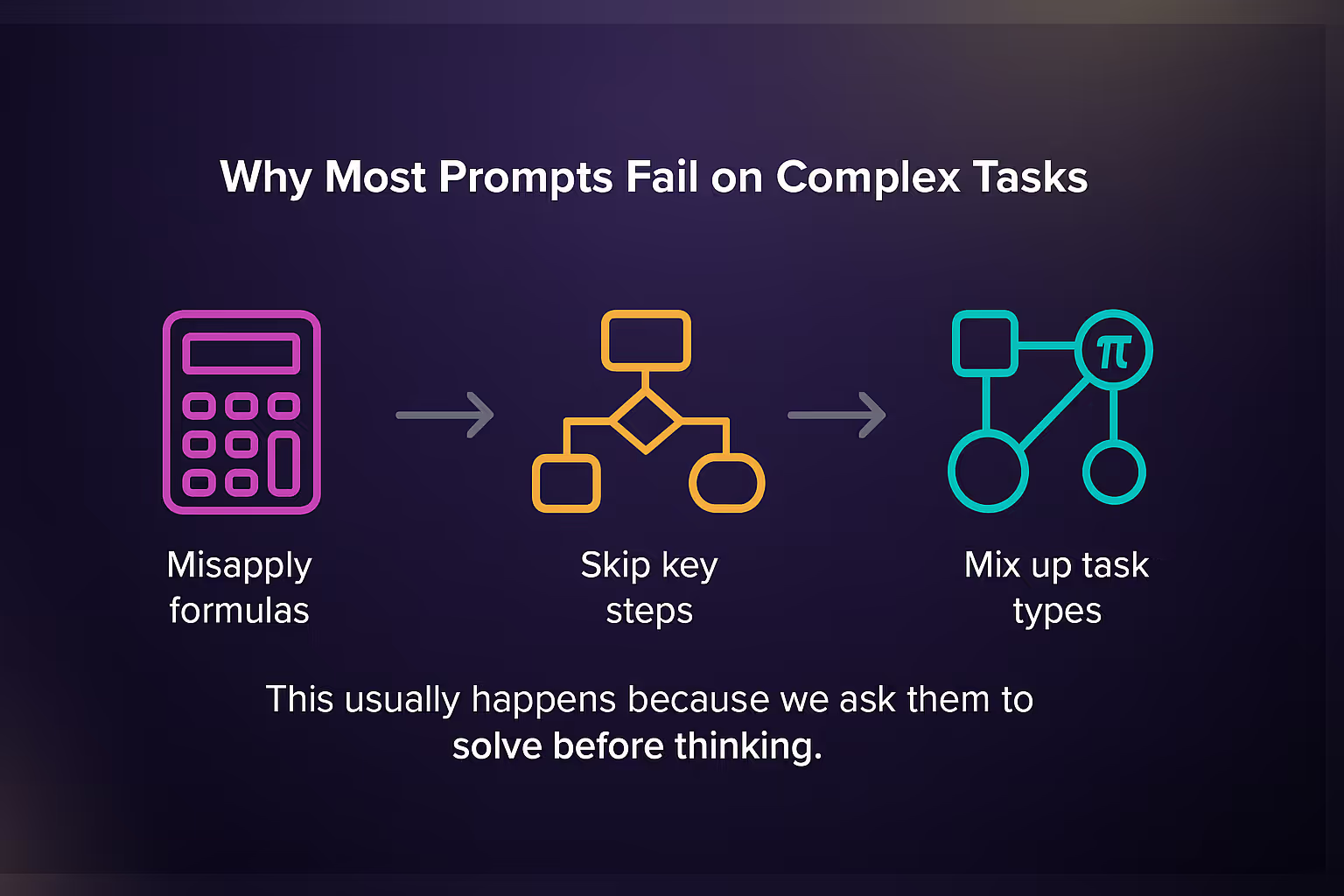
LLMs often:
• Misapply formulas
• Skip key steps
• Mix up task types (e.g. logic vs. math vs. probability)
This usually happens because we ask them to solve before thinking. Step-back prompting fixes that.
A Real Example: Probability Problem
Prompt:
A charity sells 500 raffle tickets for $5 each. Three prizes: $1000, $500, $250.
What’s the expected value of buying one ticket?
Step-Back Version:
• “This is a probability and expected value problem.”
• “We need to multiply each prize by 1/500, sum the values, then subtract $5.”
Result:
• $2 + $1 + $0.50 = $3.50
• $3.50 – $5 = –$1.50
Accurate, structured, and clean.
The Accuracy Boost: Step-Back vs. Direct
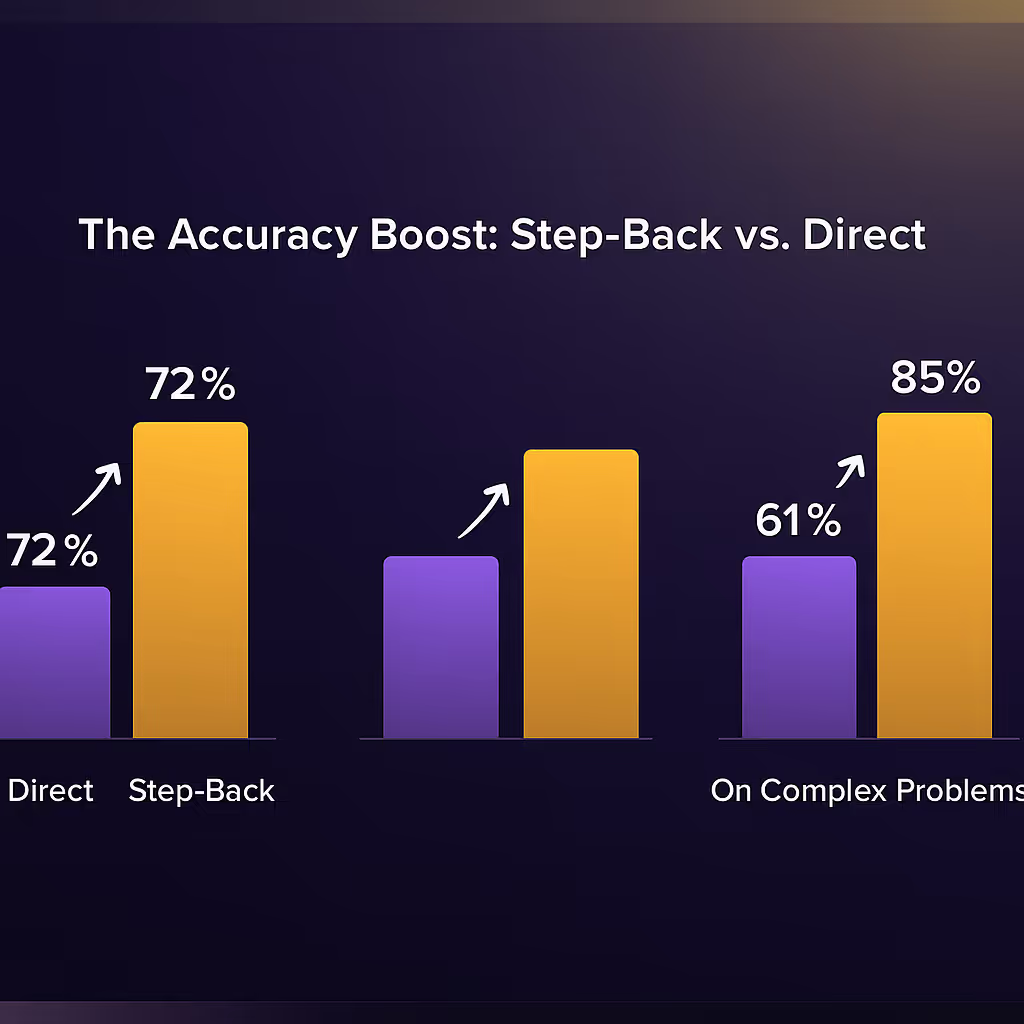
In a recent test with 50 problems:
• Direct prompting accuracy: 72%
• Step-back prompting accuracy: 89%
• On complex problems: 61% → 85%
That’s a 17–24% jump — just by asking the model to pause and think before solving.
Why This Works (According to the Data)
Step-back prompting helps because:
• It activates the model’s internal planning
• It separates understanding from execution
• It avoids early commitment to the wrong method
You’re not making the model smarter — you’re making it slower and more careful. And that changes everything.
How To Write a Step-Back Prompt
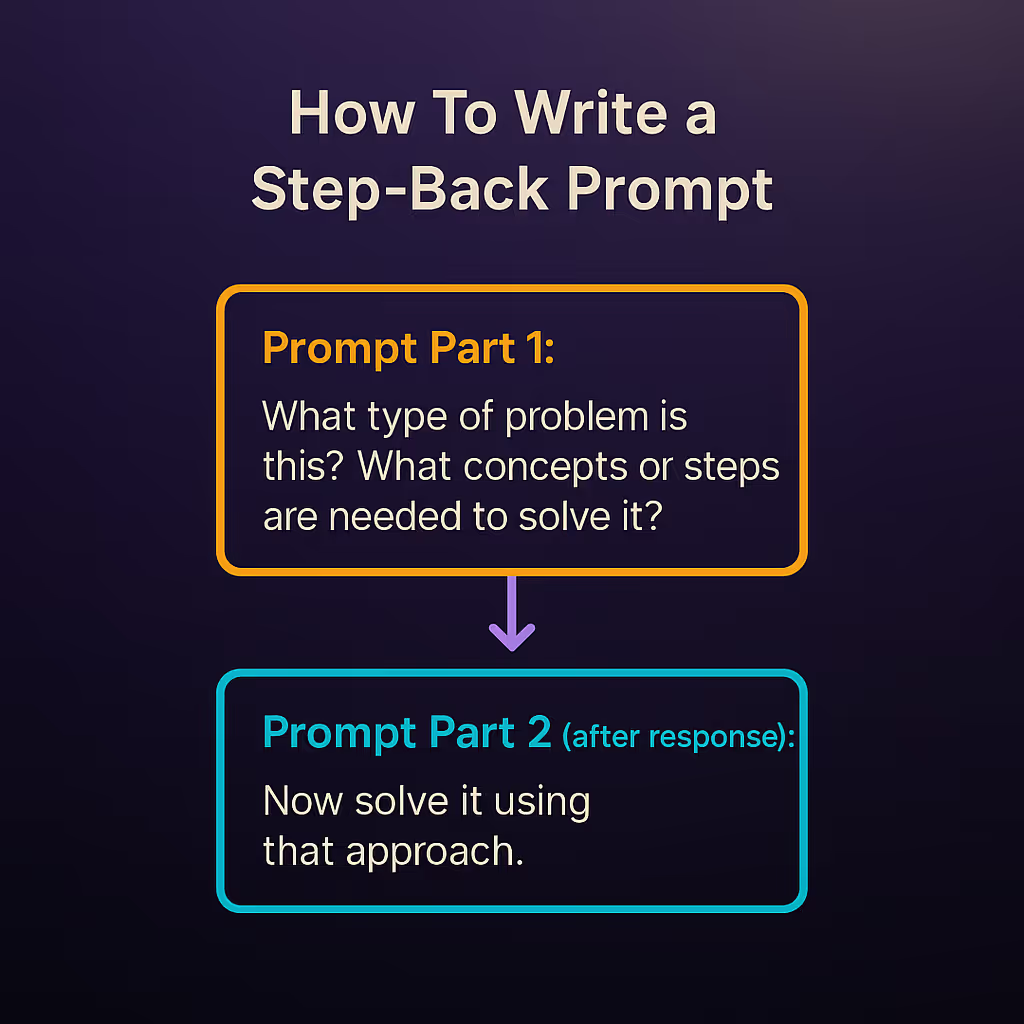
Here’s the structure:
Prompt Part 1:
“What type of problem is this? What concepts or steps are needed to solve it?”
Prompt Part 2 (after response):
“Now solve it using that approach.”
Works for math, logic, business strategy, coding — anything that needs structure.
Real Example: Raffle Ticket Problem
Problem:
A charity sells raffle tickets for $5 each with three prizes: $1000, $500, and $250.
If 500 tickets are sold, what’s the expected value of buying one?
Direct prompt (typical):
“What’s the expected value of buying a ticket?”
Common result: Missteps or skipped logic.
Step-back prompt:
“What type of problem is this and what principles apply?”
Model responds:
• Expected value problem
• Need to calculate probability × payout for each prize
• Subtract ticket cost
Then:
“Now solve it.”
Answer:
$3.50 – $5.00 = –$1.50 expected return — correct and explained.
Where to Use It (And Where Not To)
Great for:
• Math and probability problems
• Code debugging and planning
• Business analysis
• Logic and multi-step tasks
• Academic tutoring scenarios
Not needed for:
• Quick, factual Q&A
• Simple writing prompts
• Brainstorming
Step-back prompting works when the model might otherwise rush.
How To Automate Step-Back Prompting with LangChain
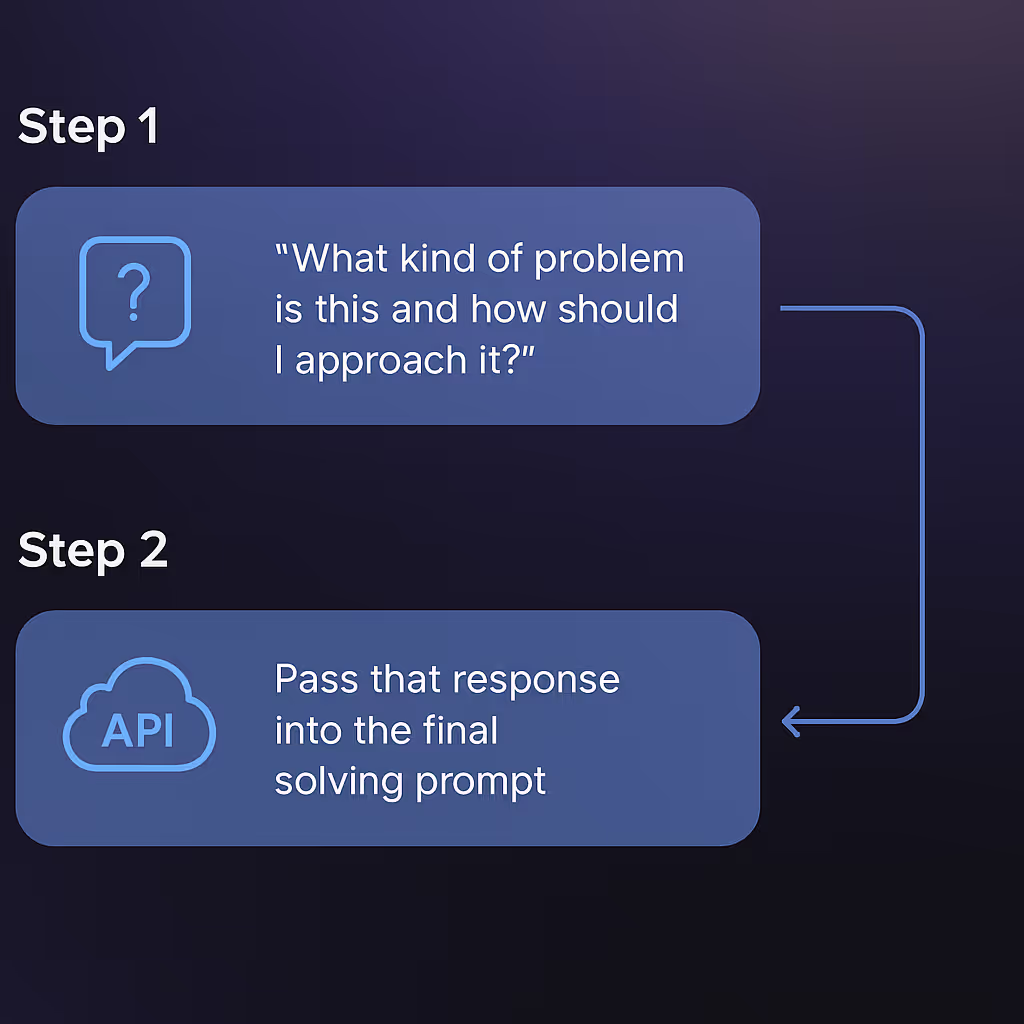
If you’re building apps with LangChain or similar frameworks, you can automate this with just two API calls:
1. Step 1: Ask:
“What kind of problem is this and how should I approach it?”
2. Step 2: Pass that response into the final solving prompt.
This simple chaining strategy can instantly upgrade your agent’s reasoning quality.
Prompt Template: Step-Back Prompting
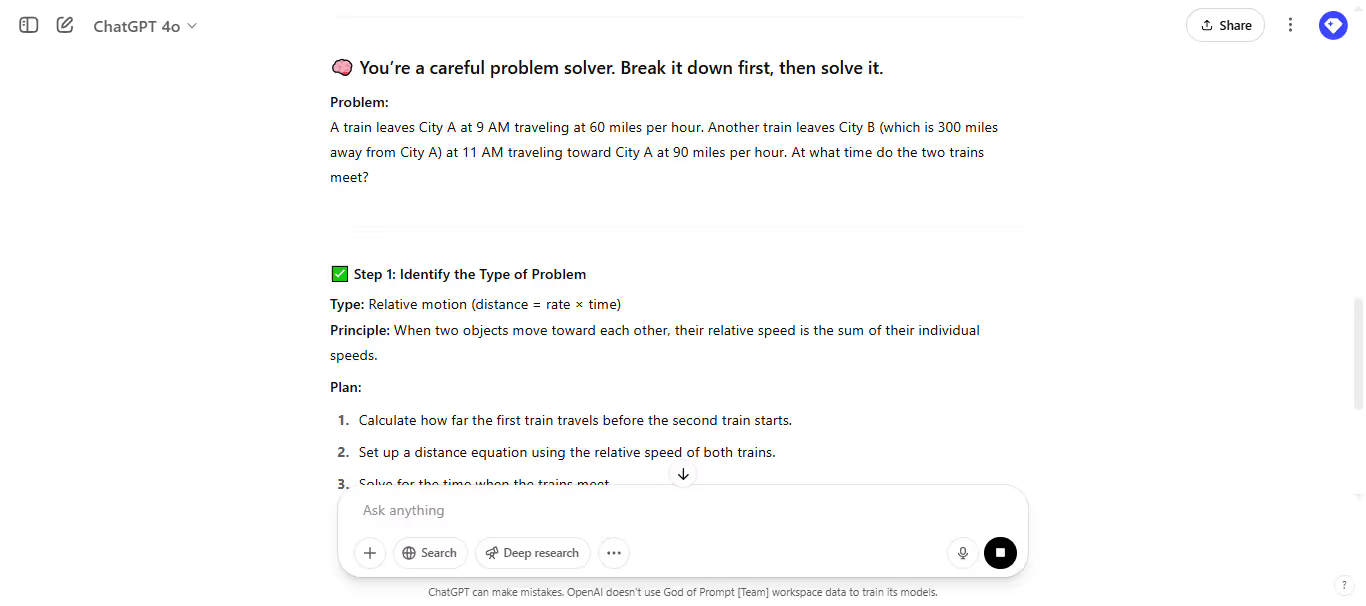
Here’s the basic format you can reuse:
Step 1 Prompt:
“Before solving, identify what type of problem this is and what steps or principles apply.”
Step 2 Prompt:
“Now solve the problem using the plan you outlined.”
Optional Final Prompt:
“Double-check your steps and final answer for accuracy.”
You can even add a role if needed:
“You’re a careful problem solver. Break it down first, then solve it.”
Common Mistakes to Avoid
• Skipping step 1: Don’t just ask the model to solve right away. Let it frame the problem first.
• Being too vague: Be specific when asking what kind of problem it is.
• Overcomplicating: Keep your step-back prompt simple and direct.
• Not testing: Use test examples to validate your flow.
Why This Works So Well
LLMs tend to generate answers based on patterns — not planning.
Step-back prompting adds a layer of structure that:
• Forces the model to slow down
• Encourages reasoning
• Reduces hallucinations
• Boosts clarity in outputs
It mimics how good problem-solvers think: pause, assess, solve.
Real-World Use Cases
You can apply this technique in:
• AI agents: Improve autonomous task chains
• Customer support bots: Help troubleshoot in steps
• AI tutors: Teach problem-solving step-by-step
• Code interpreters: Prevent false assumptions in debugging
• Data analysis: Guide LLMs to clarify before computing
Any time a model needs to reason, step-back prompting helps.
Final Thoughts: Don’t Just Prompt. Plan First.
The trick isn’t just what you ask — it’s how you structure it.
Step-back prompting gives your LLM a moment to think.
It’s one of the easiest upgrades you can make to your workflow.
Try it once — you’ll wonder why you didn’t sooner.
Keep going: the prompt library has the 30,000+ prompt library and ChatGPT prompts ready to copy and run.
Keep reading
5 Steps to Build Reusable Prompt Templates
Build flexible, consistent prompt templates in five steps: choose variables, set role and context, structure requests, define output format, then test and refine.

Top Revenue-Generating AI Prompt Collections
Curated AI prompt collections that boost sales, speed content creation, automate workflows, and save time—pricing, features, and real-world impact explained.

AI Prompt Libraries That Increase Revenue and Conversions
Compare top AI prompt libraries that drive revenue and conversions, save time, and provide ready-made prompts for marketing, sales, SEO, and automation.

The best of the blog, in your inbox
One email when notable prompts, tools, and model updates land. No spam, unsubscribe anytime.
Join 160,000+ subscribers — one email a week, real prompts, tools, and model updates. Unsubscribe anytime.