Best DALL-E and Midjourney Prompt Resources Combined



Ever wonder why your AI-generated images don’t match your vision? The issue often lies in the prompt you’re using, not the AI itself. Crafting precise prompts can save time, reduce frustration, and help you create professional visuals with tools like DALL-E 3 and Midjourney. This guide dives into strategies, tools, and resources to help you master prompt engineering for both platforms.
Key Takeaways:
- DALL-E 3: Excels at following natural, detailed instructions for precise results. Ideal for conversational input and complex compositions.
- Midjourney: Focuses on artistic control with technical parameters like
--ar(aspect ratio) and--stylize. Great for cinematic and photorealistic visuals. - Prompt Libraries: Tools like the God of Prompt Midjourney Bundle offer 10,000+ pre-made prompts for efficient, high-quality image generation.
- Combining Both Tools: Use DALL-E for layout precision and Midjourney for artistic flair. Features like Midjourney’s
/describeor DALL-E’s inpainting can refine outputs.
Quick Comparison:
| Feature | DALL-E 3 | Midjourney |
|---|---|---|
| Ease of Use | Natural language input | Requires command-line parameters |
| Artistic Control | Limited | High (via modifiers like --stylize) |
| Resolution | 1,536 x 1,024 pixels | Up to 2,048 x 2,048 pixels |
| Strengths | Precision, text rendering | Cinematic visuals, photorealism |
| Pricing | $20/month (ChatGPT Plus) | $10–$120/month (varies by tier) |
Whether you’re a marketer, designer, or hobbyist, mastering these tools and leveraging prompt libraries can transform your workflow. Let’s explore how to craft better prompts, save time, and achieve stunning results.

DALL-E 3 vs Midjourney: Feature Comparison for AI Image Generation
Unpacking DALL-E 3: Firsthand Experience & Midjourney Contrast
God of Prompt Midjourney Bundle: 10,000+ Prompts
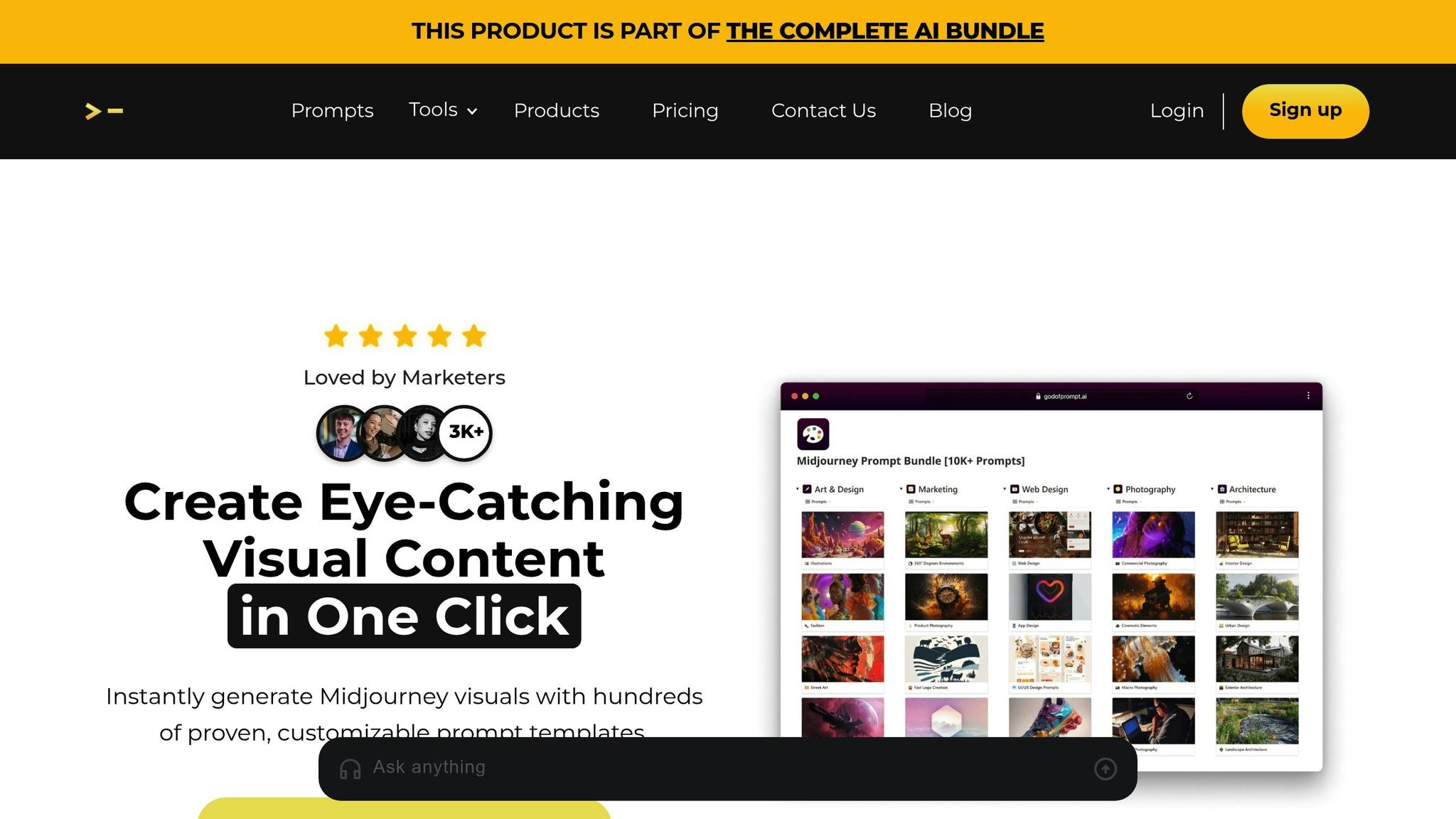
This bundle is an essential tool for anyone looking to master the art of creating prompts for stunning AI-generated visuals.
Crafting effective Midjourney prompts can take a lot of time and effort. The God of Prompt Midjourney Bundle simplifies this by offering 10,000+ ready-to-use prompts designed to produce fast, high-quality results. Whether you're working on product shots for a $49.99 e-commerce listing, creating eye-catching social media posts for a Black Friday campaign, or brainstorming brand concepts for a US-based startup, this library has you covered with templates that are ready to go.
What's Inside the Midjourney Bundle
This bundle includes 10,000+ meticulously designed prompts, organized into categories like Marketing, Photography, Art & Design, Web Design, and Architecture.
It also features customizable prompt templates, allowing you to easily swap in details like your brand name, product type, or target audience while keeping the proven structure intact. The prompts are delivered through Notion, making it simple to organize and copy-paste directly into Discord. Plus, you’ll get lifetime access with weekly updates, ensuring your prompts stay aligned with Midjourney's latest features.
For a one-time payment of $67.00 (discounted from $120.00), you’ll receive the entire library with no ongoing fees. The bundle also comes with a 7-day money-back guarantee, so you can try it risk-free. With over 1,000 reviews and a 4.9/5 star rating, users consistently praise its organization and professional-quality results.
This toolkit is designed to integrate seamlessly into your creative process.
How It Enhances Midjourney Results
Achieving professional results with Midjourney requires precise phrasing and parameters. As Alex, the founder of God of Prompt, puts it:
"Midjourney needs exact phrases. Midjourney is a precise algorithm, not a human".
The prompts in this bundle are crafted with that precision in mind. They incorporate key modifiers like aspect ratios (--ar 16:9 for web banners, --ar 1:1 for Instagram), lighting effects (e.g., "soft studio lighting" or "golden hour"), and style cues to consistently deliver polished outputs.
Here’s what users are saying:
Katie J., a stock photographer: "Stumbled upon the Midjourney AI Prompt Library and it's been a total game-changer for my stock photography side hustle. For the price, it's an absolute steal".
Robert Y., an urban designer: "I am an urban designer and I love the architecture prompts! They work amazingly for my architecture workshop with kids, where we generate 3D axonometric graphics".
The provider estimates that users can save up to 25 hours per week by using the library instead of relying on trial and error. Meanwhile, inefficient prompting reportedly costs 95% of AI users an average of 5,000 hours annually.
For marketers and brand strategists, the bundle is especially useful for maintaining visual consistency across campaigns. For example, a wellness brand selling supplements online could use a pre-built prompt like: "high-end product photography on a clean marble counter, soft morning light, minimal props, lifestyle feel, 4K, ultra-realistic, shot for an American online store homepage --ar 16:9". This generates hero images ready for ads in minutes - no need for expensive photo shoots. The templates ensure that logos, social media graphics, and packaging designs share matching style descriptors and color schemes, creating a cohesive brand identity without endless revisions.
Prompt Engineering Techniques for DALL-E
DALL-E 3 thrives on natural, conversational language rather than rigid technical keywords. As Agartha AI explains:
"DALL-E 3 understands natural language better... Write conversationally - DALL-E 3 understands natural language better".
Think of your prompt as if you're giving detailed instructions to a photographer. Instead of saying something like "cat, sunny, garden", you might write: "A golden retriever puppy sitting in a backyard garden during golden hour, with soft sunlight filtering through the trees and casting warm shadows on the grass." This approach not only enhances clarity but also sets the stage for better results. Now, let’s explore how to fine-tune your prompts to emphasize key elements without relying on formal weighting syntax.
Using Descriptive Weights for Better Results
DALL-E doesn’t rely on numerical weighting systems like :: or (). Instead, the emphasis comes from your choice of words and the depth of your descriptions. For instance, if you want a leather sofa to be the centerpiece of a living room scene, don’t just say "leather sofa." Instead, try: "A navy leather sofa with brass studs and worn armrests as the focal point." Prioritizing key elements at the beginning of your prompt can also help draw focus.
DALL-E 3’s multi-turn editing feature adds another layer of flexibility. After generating an image, you can refine it with follow-up instructions like, "Make the sofa navy" or "Zoom out 20%." This allows for precise adjustments without needing to rewrite the entire prompt.
Beyond emphasis, achieving a balance between realism and creativity is essential for crafting effective prompts.
Balancing Realism and Creativity in Prompts
Finding the sweet spot between realism and creativity starts with understanding how DALL-E interprets stylistic cues. Terms like "photorealistic" or "hyperrealistic" often result in painterly effects rather than true-to-life images. Instead, try phrases like "photo style" or "8k photography", and include technical details like "shot on Sony A7R IV with an 85mm f/1.4 lens" for more authentic results.
For artistic or imaginative outputs, referencing historical artists (pre-1912) can guide the aesthetic while avoiding copyright concerns. For example, you might use phrases like "style of Claude Monet" or lighting cues such as "Rembrandt lighting." Adding evocative metaphors can also steer DALL-E toward more creative interpretations.
A practical formula to structure your prompts is: [Subject] + [Action/Pose] + [Environment] + [Lighting] + [Style] + [Technical Details] + [Color Palette] + [Mood]. For example: "A woman in a red coat walking through a snowy forest at dusk, soft blue twilight, cinematic composition, melancholic mood, shot on 35mm film." This approach provides enough detail for realistic results while leaving room for creative flexibility.
Ethan Crump from Foundation Inc. puts it perfectly:
"Creativity fuels DALL-E's potential, but without clarity to balance it, outputs get messy - fast".
Stick to about five to seven descriptive elements per prompt. Overloading with rigid details can lead to distorted results, while too few may result in generic visuals. Start with a straightforward prompt, evaluate the output, and tweak the details until you strike the perfect balance.
Mastering these techniques ensures your prompts deliver outputs that align closely with your creative vision, making the most of what DALL-E has to offer.
Prompt Engineering Techniques for Midjourney
Midjourney takes a different approach compared to DALL-E, offering precise control through technical parameters rather than relying solely on natural language. These parameters act like fine-tuning tools, allowing you to shape the composition and artistic style of your images. Nick Smith, CEO of Run The Prompts, highlights the importance of mastering these parameters:
"Parameters and proper prompting will help you refine the subtleties of your image and get things just right. If you want your images and designs to stand out, I still suggest understanding how to use them."
To ensure the system processes your commands correctly, always place parameters at the end of your prompt, each starting with double dashes and separated by spaces. Placing them mid-sentence can cause the system to overlook them. With the release of Midjourney v7 in April 2025, the platform continues to grow, offering even more control for users at all skill levels. These parameters, combined with your creative ideas, can bring your visions to life.
Using Midjourney Modifiers (--ar, --v)
Some of the most impactful modifiers include:
-
Aspect Ratio (
--ar): This adjusts the dimensions of your image. The default is a 1:1 square, but you can customize it for specific needs. For instance:- Use
--ar 16:9for cinematic shots or website headers. - Try
--ar 2:3for portraits. - Opt for
--ar 4:5for social media posts. Append this parameter to your prompt, like so: "... sunset --ar 16:9."
- Use
-
Version (
--v): This lets you select which version of the Midjourney engine processes your prompt. As of mid-2025,--v 7is the standard, but earlier versions like--v 6or--v 6.1may suit specific aesthetic goals. -
Stylization (
--s): This parameter, with a default value of 100, balances how literal or creative the outputs are. -
Chaos (
--c): Ranging from 0 to 100, this adjusts the level of variation in the results, giving you more or less randomness. -
Seed (
--seed): Use this to lock the noise pattern across generations, ensuring consistency in composition. Any number between 0 and 4,294,967,295 works. -
Exclusion (
--no): This removes unwanted elements from your image. For example, you can exclude text or watermarks by adding--no text, watermark.
Creating Consistent Styles in Midjourney
If you're aiming for a cohesive look across multiple images, parameters like style reference (--sref) and style weight (--sw) are essential. These tools help capture and control the overall "vibe" of your images, including aspects like colors, textures, and lighting. The --sw parameter adjusts how strongly the reference style affects your output, with values ranging from 0 to 1,000 (the default is 100).
Andrei Kovalev, Founder of Midlibrary, offers this tip:
"Adding artist-related context dramatically improves how a style applies to a prompt."
For example, instead of simply writing "by Roger Deakins", try something more descriptive like "Roger Deakins' cinematic film still of..." to help the system better understand your intent. To maintain character or object consistency in Version 7, use the Omni Reference parameter (--oref) with an image URL. This ensures likenesses remain consistent across multiple generations.
Want to experiment with new styles? Use --sref random, which generates a numerical code you can save and reuse in future prompts to replicate specific aesthetics. You can also test different style intensities by using curly brackets, like so: "a landscape --s {100,250,500,1000}". This approach helps you find the perfect balance for your desired look.
sbb-itb-58f115e
Using DALL-E and Midjourney Together
If you're looking to take your creative projects to the next level, combining DALL-E and Midjourney might be the perfect solution. Both tools bring unique strengths to the table. DALL-E 3 is known for its ability to follow complex, detailed instructions with precision, while Midjourney excels in delivering visually stunning results with cinematic lighting and hyper-realistic textures. By understanding when to use each tool and how to merge their outputs, you can create a seamless workflow that balances precision with artistic flair.
When to Use DALL-E vs. Midjourney
DALL-E 3 is your go-to for creating precise and highly specific compositions - think of something like a cat riding a unicorn on a particular street corner. On the other hand, Midjourney shines when you need mood, texture, and photorealistic elements. As Vishaal from LearnSimplyAI puts it:
"DALL-E is integrated directly into ChatGPT, which means you don't need to go to a separate website or learn a new tool. You just describe the image you want, and it appears right in the chat."
User feedback also highlights their strengths. On G2, DALL-E 3 scores 90% for ease of use, compared to Midjourney's 83%. Meanwhile, 89% of Midjourney users report satisfaction with its ability to meet specific image generation needs, slightly edging out DALL-E 3's 85%.
Combining Outputs from Both Tools
To get the best of both worlds, use a "logic-to-aesthetic" approach. Start by generating a precise layout or composition in DALL-E 3, then give it a polished, artistic finish using Midjourney. This workflow takes advantage of DALL-E's accuracy and Midjourney's visual artistry.
Midjourney's /describe command can also be a game-changer. Simply upload an image created in DALL-E 3, and Midjourney will generate four prompt variations based on that image. These prompts can help you recreate the scene in Midjourney's signature style. For projects requiring expanded scenes or detailed adjustments, you can go the other way - take a Midjourney image and use DALL-E's inpainting or outpainting features to refine elements that need precise placement.
A great example of DALL-E's precision is Paul Yacoubian's 2022 project, where he designed a custom avocado-shaped backpack. The design, created in DALL-E, was later turned into a real product, showcasing how the tool excels at translating creative and quirky ideas into tangible prototypes.
God of Prompt Complete AI Bundle: All-in-One Resources
The God of Prompt Complete AI Bundle takes things a step beyond the Midjourney Bundle, offering an extensive collection of tools and guides that cater to both text-based and image-based AI applications. Priced at a one-time fee of $150.00, this bundle provides lifetime access to over 30,000 AI prompts. That includes 10,000+ prompts specifically for Midjourney and an additional 10,000+ tailored for text-based tools like ChatGPT, Claude, Grok, and Gemini. Alongside these, you'll get mastery guides, custom toolkits, and a directory of 5,000+ AI tools spanning 50 categories, all with lifetime updates. Essentially, this bundle is designed to simplify your creative workflow by bringing all your AI resources under one roof.
What's Included in the AI Bundle
This bundle is packed with resources to elevate your AI-driven creativity and productivity. Here's a closer look at what you get:
-
Midjourney Prompt Bundle: Over 10,000 categorized image prompts covering areas like:
- Architecture: Interior and exterior designs.
- Photography: Cinematic shots, macro photography, food imagery.
- Web Design: UI/UX mockups.
- Art & Design: A database of 250+ artist styles.
- Text-Based Prompts: More than 10,000 prompts for business, marketing, SEO, and copywriting.
-
Custom Tools and Guides:
- A Custom Prompt Generator that turns basic goals into detailed, ready-to-use mega-prompts.
- A Custom GPTs Toolkit featuring 100+ mega-instructions and 12 specialized commands (like /SEO and /save) to automate repetitive tasks.
- A Prompt Engineering Guide with 25 principles and a mini-course to help you refine your skills and create advanced prompts.
With a 4.9/5 star rating from over 5,000 reviews and more than 17,060 satisfied customers, this bundle has earned its reputation as a go-to resource for AI enthusiasts.
How the AI Bundle Saves Time
The bundle’s true strength lies in its ability to save time. With plug-and-play templates that include customizable variables, you can maintain consistency while generating multiple images or pieces of content for a single project.
Marketing specialist Katherine Thompson shared her experience:
"Worth ten times the cost. My team's output has drastically increased."
For professionals like marketers, educators, or business owners who rely on multiple AI tools, this bundle eliminates the hassle of sourcing resources separately - or spending thousands on consultants. And with a 7-day money-back guarantee and instant delivery via Notion, it’s a risk-free way to streamline your AI workflow.
DALL-E vs. Midjourney: Prompt Comparison
When deciding between DALL-E 3 and Midjourney, understanding their distinct approaches to prompts can help you pick the right tool for your project. DALL-E 3 excels at literal precision, following instructions to the letter, which is ideal for tasks requiring exact detail. On the other hand, Midjourney leans into artistic interpretation, often adding its own creative flair to simpler prompts. These differences shape how prompts are structured and how parameters are applied.
DALL-E 3 works best with detailed, natural-language instructions, while Midjourney thrives on concise phrases and command-line parameters. For example, Midjourney offers technical control through CLI-style commands like --ar, --stylize, and --chaos, whereas DALL-E 3 relies on conversational input for adjustments.
In terms of user satisfaction, DALL-E 3 scores 90% for ease of use compared to Midjourney's 83%. However, Midjourney edges ahead with an 89% satisfaction rate for meeting specific image needs, while DALL-E 3 sits at 85%. When it comes to resolution, Midjourney supports up to 2,048 x 2,048 pixels, whereas DALL-E 3 typically outputs at 1,536 x 1,024 pixels.
"Midjourney delivers stunning, artistic visuals perfect for storytelling and emotional impact, while DALL·E 3 is more accurate with prompts, easier to access, and better for quick, clean, and literal image generation." - G2 Comparison Report
Comparison Table: Parameters and Techniques
Here’s a quick breakdown of how the two platforms stack up:
| Feature | Midjourney | DALL-E 3 |
|---|---|---|
| Prompt Style | Keywords, phrases, and parameters | Natural language, conversational |
| Negative Prompting | Supported via --no parameter |
Natural language instructions only |
| Aspect Ratio | Controlled via --ar [ratio] |
Controlled via conversational request |
| Text Rendering | Improving (v7), but often inconsistent | Generally accurate and legible |
| Artistic Control | High (Stylize, Chaos, Weirdness parameters) | Low (Relies on descriptive adjectives) |
| Prompt Fidelity | Can be "opinionated" and ignore details | Highly literal and follows instructions |
| Weighting | Numerical weights via :: (e.g., space::2 ship::1) |
Equal weight unless emphasized through phrasing |
| G2 Rating | 4.4/5 | 3.9/5 |
| Pricing | $10–$120/mo (tiered subscriptions) | $20/mo (ChatGPT Plus) or $0.04+ per image (API) |
For photorealistic results, Midjourney is the better option, especially when you include specific terms like "Nikon 35mm" or "rim-lighted." Avoid using "photorealistic", as the AI might interpret it as a painting style. If you need accurate text within an image, DALL-E 3 is the go-to choice, as Midjourney still struggles with consistent text rendering. For complex scenes, Midjourney users should start prompts with the most important subject to take advantage of its left-to-right processing bias.
Conclusion
To master prompt engineering, focus on using natural, detailed language with DALL-E 3 for precision and apply specific parameters like --ar and --stylize in Midjourney to create stunning artistic visuals. This method not only sharpens your creative process but also saves you a significant amount of time.
Did you know that ineffective prompt guesswork can waste up to 5,000 hours per year? The Midjourney Bundle can save you an average of 25 hours per week with its collection of over 10,000 proven templates. For even more options, the Complete AI Bundle offers 30,000+ prompts for just $150.00 USD.
Here’s what users are saying:
"I never could understand Midjourney AI prompting but now with this incredible library I use it on a daily basis to create content for my social media and blog." - Kirill M.
Whether you're working on marketing visuals, architectural designs, or stock photography, these customizable prompt templates ensure your projects maintain consistency and quality. By removing the guesswork, they help bring your creative ideas to life more efficiently. With a 4.9/5 star rating from over 1,000 reviews and a 7-day money-back guarantee, these tools are a reliable way to streamline and enhance your AI workflow.
FAQs
How can I use DALL-E and Midjourney together to create better images?
To get the most out of DALL-E and Midjourney, think of them as tools that work well together. Start by writing a clear, detailed prompt that outlines the subject, setting, visual style, and any specific effects you want - like "a futuristic cityscape at sunset, ultra-realistic, 35mm lens, soft rim light." Use this same prompt in both tools and compare the results. Generally, DALL-E shines when it comes to photorealistic images and composition, while Midjourney leans toward creating more artistic and stylized visuals.
After reviewing the outputs, tweak your prompt to highlight what each tool does best. For instance, you might use Midjourney to create a striking background and DALL-E for crafting intricate foreground details. Then, merge the two results in an image editor. By repeating this process and fine-tuning your approach, you can take advantage of the strengths of both platforms to create truly impressive, high-quality AI-generated images.
How do DALL-E 3 and Midjourney differ in how prompts are used?
Midjourney operates through its Discord bot, where your text prompt is broken down into tokens and can be tailored using parameters such as aspect ratio, style, or version. These options give you a lot of control over the final image, allowing you to tweak details to match your vision.
On the other hand, DALL-E 3's approach to prompt structure, syntax, and specific features isn't as openly documented. This makes it harder to directly compare the two. That said, both tools share a common goal: turning creative input into visually impressive AI-generated images. Midjourney, however, stands out for being more transparent about how it processes user prompts.
What makes the God of Prompt Midjourney Bundle a game-changer for creating stunning AI visuals?
The God of Prompt Midjourney Bundle revolutionizes the process of creating AI-generated visuals by offering hundreds of professionally crafted prompt templates. These templates are designed to be fully customizable, allowing you to produce high-quality Midjourney images in mere seconds - no more endless hours tweaking prompts.
This bundle is a game-changer for artists, marketers, and business professionals seeking quick, dependable results while maintaining both creativity and quality. Whether you need stunning artwork or striking visuals for your projects, this resource streamlines the entire process, delivering top-tier results with ease.
Related Blog Posts

Loved by Business Owners


Based on 1K reviews
Get smarter on AI every week.
Ready to transform your business?