AI image generation tools have reshaped how professionals turn ideas into visuals. These platforms save time and money, with some businesses reporting 14x higher conversion rates using AI-generated content. Whether you’re designing ad creatives, storyboards, or logos, there’s a tool for every need. Here’s a quick guide to seven popular options:
- God of Prompt: Pre-designed prompts for tools like MidJourney and ChatGPT. Lifetime access for $150.
- MidJourney: Known for photorealistic visuals and artistic controls. Plans start at $8/month.
- DALL-E 3: Integrated with ChatGPT for conversational editing. $20/month with full ownership of generated images.
- Stable Diffusion: Open-source and customizable, ideal for technical users. Free for personal use.
- Adobe Firefly: Seamlessly integrates with Photoshop and Illustrator. Pricing starts at $9.99/month, ensuring commercial safety.
- Ideogram: Best for text-heavy designs like logos and posters. Plans range from free to $42/month.
- Leonardo AI: Offers custom model training for branding and game assets. Paid plans start at $12/month.
Each tool serves different purposes, from bulk ad creation to precise text rendering. Explore free tiers to find the right fit for your workflow. Whether you’re part of a team or working solo, these tools can streamline your design process and elevate your output.
I Tried Every FREE & Paid AI Image Generator (These Are The BEST!)
How to Use This List
This guide ranks seven image generation tools based on their commercial safety, workflow integration, and pricing – all presented in USD, with print dimensions in imperial units.
Start by checking licensing. Free tiers often come with restrictions on commercial use, so double-check that your plan allows full commercial rights for client projects. For example, Adobe Firefly stands out as it’s trained exclusively on licensed Adobe Stock and public domain content, ensuring its output is safe for commercial use. On the other hand, tools like MidJourney and Stable Diffusion are under ongoing copyright scrutiny, so it’s crucial to review their terms carefully. Once licensing is squared away, make sure your project settings align with U.S. production standards for the best results.
Choose a tool that matches your visual needs. For stylized, high-art visuals, MidJourney is a strong choice. If your project involves infographics or posters requiring precise text rendering, Ideogram is a better fit. Already using Adobe Creative Cloud tools like Photoshop or Illustrator? Adobe Firefly integrates seamlessly into that workflow.
Set up your project with the right dimensions and resolution. For print materials, stick to inches and a resolution of at least 300 DPI. Use CMYK color mode for print projects and RGB for digital-only designs. For timelines and version control, follow the U.S. MM/DD/YYYY date format (e.g., 12/19/2025).
Experiment with free tiers to prototype quickly. Leonardo AI, for instance, offers 150 fast tokens daily on its free plan, allowing you to test ideas before committing to a paid subscription. With over 4,800 generative AI tools introduced in 2025, trying out freemium options is a smart way to find the right fit without upfront costs.
1. God of Prompt
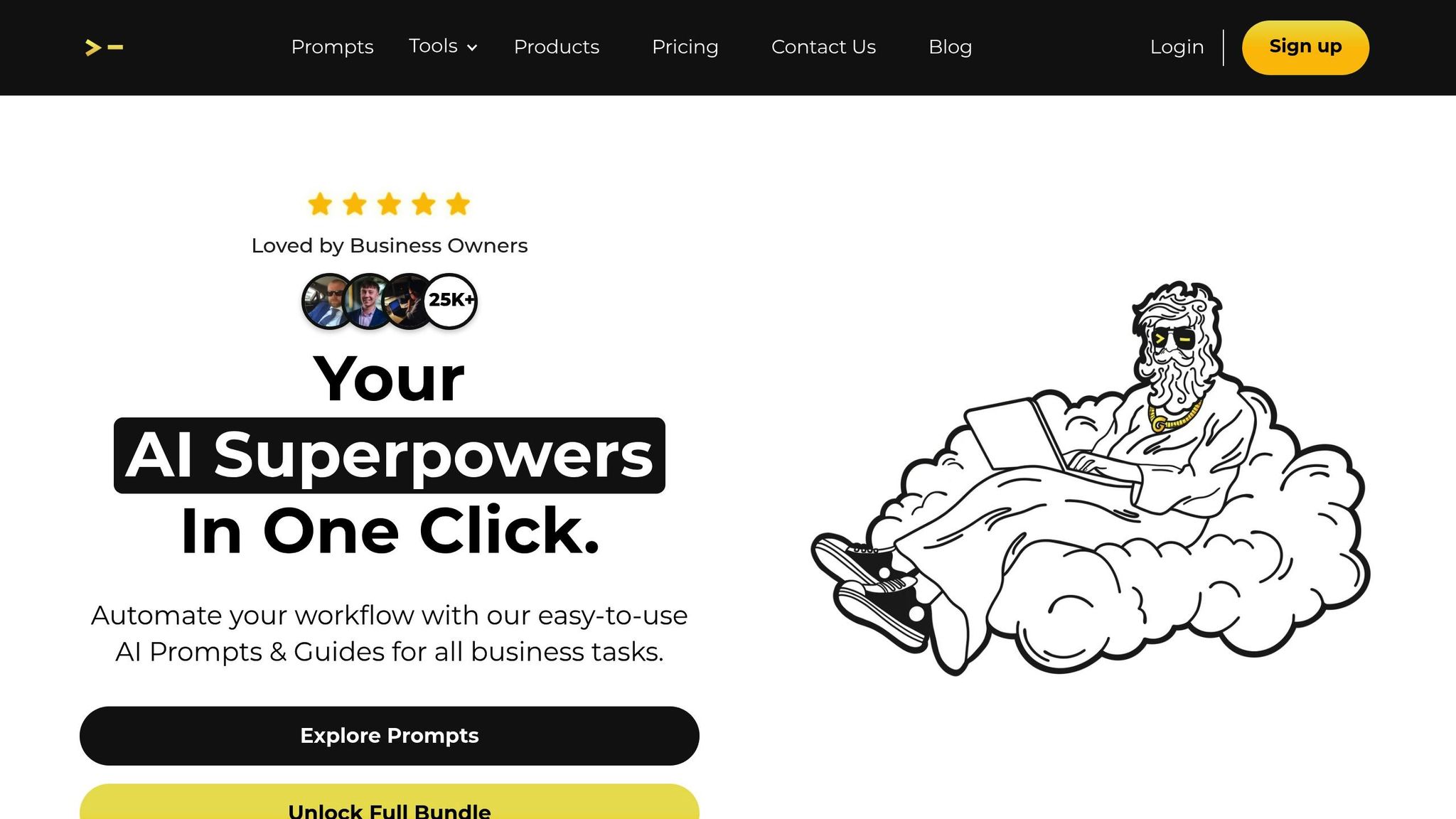
God of Prompt is a comprehensive prompt library offering instant access to over 30,000 pre-designed prompts tailored for ChatGPT, Midjourney, and Claude AI. These prompts are specifically crafted for tasks like marketing, advertising, and creating visual content. With a 4.8/5 star rating from 743 reviews and a customer base of more than 17,000, it’s a tool that has already made an impact on creative workflows.
For those using Midjourney, the platform’s prompt packs can generate advertising visuals in seconds, saving users an average of 20 hours each week.
The Complete AI Bundle is priced at $150.00 and offers lifetime access, unlimited updates, and a 7-day money-back guarantee. Lucas Kendall, a verified user, shared his experience, saying, "My team’s output has drastically increased. Highly recommended.".
If you’re already using tools like Midjourney or ChatGPT, God of Prompt takes the guesswork out of the equation. Features like Magic Prompts and advanced custom instructions are particularly valuable for U.S.-based creative teams working under tight deadlines. Trusted by over 25,000 business owners, it delivers consistent and reliable results.
However, for commercial projects, it’s essential to ensure that the outputs generated through these prompts comply with the licensing terms of the respective AI tools. Since God of Prompt’s curated prompts rely on platform-specific guidelines, verifying commercial safety is a necessary step.
2. MidJourney
MidJourney is well-known for creating photorealistic visuals while offering precise artistic controls, making it a favorite among creative professionals. By tapping into an extensive image database, the platform produces results that resemble high-quality professional photography.
Art director Marshall Atkinson shared how MidJourney transformed his workflow, reducing a 25–30-hour t-shirt design project to just 2.5 hours by generating 29 key design elements through the platform. Similarly, fashion brands have reported 60% faster design iterations and a 40% cut in sample production costs when using MidJourney. These stats highlight the platform’s ability to streamline creative processes without compromising on quality.
"MidJourney is not a replacement for artistic skill but a powerful tool for enhancing creative workflows."
- Marshall Atkinson, MidJourney Expert and Business Coach
MidJourney offers several advanced features that set it apart. Tools like Style References (SREF), Vary Region, and Consistent Characters (CREF) allow users to maintain aesthetic consistency, make selective edits, and develop narratives with recurring subjects[29,33]. For fans of anime and manga, the specialized Niji mode tailors outputs to match these artistic styles. The platform also supports custom aspect ratios, multi-prompting, and simultaneous testing of multiple prompt variations using curly bracket syntax, such as {option1, option2}[29,31].
While the platform has a learning curve, especially with its Discord-based interface, its efficiency makes it worth the effort. Subscription plans begin at $8 per month, though there’s no free trial available. For busy creative teams in the U.S., MidJourney’s ability to slash production times by more than 50% makes it a valuable tool.
3. DALL-E
DALL-E 3 sets itself apart with its seamless integration into ChatGPT. This feature lets you describe your ideas in plain English, which are then refined into detailed, actionable instructions almost instantly.
One of its standout perks is the commercial ownership model. When you create images on DALL-E 3, you own the rights outright. That means you can reprint, sell, or merchandise them without needing additional permissions from OpenAI. For marketing teams and designers in the U.S., this eliminates legal headaches and speeds up project approvals.
"DALL-E 3 is an excellent way to churn out a few mood boards without having to spend hours and hours sourcing relevant images that match your mind’s vision." – Sara Lopez, Copywriter at Designity
DALL-E 3’s ability to follow even complex prompts with remarkable accuracy is a game-changer for creative work. It also includes inpainting functionality, which allows users to add or remove specific elements from an image using natural language. This makes it easy to tweak designs without starting over.
Creative professionals are using DALL-E 3 for a wide range of tasks, from generating logo concepts and product mockups to enhancing product photography. For instance, it can place products in dynamic, visually engaging settings, offering a strong starting point for polished, brand-aligned designs. This aligns well with the streamlined workflows highlighted for other tools in this guide.
Access to DALL-E 3 is included with ChatGPT Plus subscriptions, which cost around $20 per month. In contrast, its predecessor uses a credit-based system, where $15 buys 115 credits (each credit generates four images). The platform also includes safety measures, such as blocking requests for images of public figures by name or mimicking the style of living artists.
4. Stable Diffusion
Stable Diffusion stands out as a powerful open-source tool in the world of AI image generation. Unlike other options, it’s completely open-source, meaning you can download it, run it on your own hardware, and even tweak the code to suit your needs. This approach eliminates subscription fees and per-image costs while giving you full control over your data.
What’s impressive is that it performs efficiently on standard consumer hardware. You only need an NVIDIA GPU with 8 GB of RAM to get started. During its beta phase, over 10,000 testers generated a staggering 1.7 million images daily, and the project quickly gained traction, earning 33,000 stars on GitHub in just two months. The secret to its efficiency lies in its compressed latent space architecture, which processes data 48 times smaller than traditional pixel-based methods.
Stable Diffusion also goes beyond performance with tools designed for precision. One standout feature is ControlNet, which allows users to guide the AI using sketches, depth maps, or edge detection. Instead of relying solely on text prompts, you can provide a rough sketch or architectural drawing, and the model will generate a polished visual that matches your exact layout. This level of control makes it a favorite for creatives looking to bring specific ideas to life.
"ControlNet emerges as a truly revolutionary extension, expanding the versatility of Stable Diffusion by offering new opportunities for customization and fine-tuning." – Edoardo Travagli, Team R&D, ATI Project
The licensing terms are straightforward: it’s free for individuals and organizations earning under $1 million annually. Larger companies can access it with an enterprise license. Advanced users often use interfaces like AUTOMATIC1111 or ComfyUI to unlock additional features, such as inpainting (fixing specific parts of an image), X/Y plot testing, and batch processing. Plus, you can fine-tune the model to reflect your brand’s unique style with as few as five images.
sbb-itb-58f115e
5. Adobe Firefly
Adobe Firefly brings AI capabilities right into the tools creatives already know and love, like Photoshop, Illustrator, and Adobe Express. This seamless integration allows users to generate and edit images directly within these platforms, making creative workflows faster and more efficient.
But Firefly isn’t just about convenience – it’s also about safety. Adobe ensures that Firefly outputs are legally sound by training its models exclusively on Adobe Stock images, openly licensed content, and public domain material. This focus on commercial safety means users can create with confidence. To date, Adobe has generated over 1 billion images using this carefully curated approach.
Firefly also stands out with its intuitive features designed for quick and precise edits. The Generative Fill tool allows users to select parts of an image and make changes using simple text prompts, with the AI automatically adjusting lighting, shadows, and perspective. Similarly, Generative Expand lets you extend image borders – perfect for resizing a landscape photo to fit Instagram’s square format or vertical stories. Over in Premiere Pro, the Generative Extend feature adjusts video frames to modify timing seamlessly.
"Adobe’s Firefly was the first implementation of an AI photo generator that didn’t feel like a party trick but a tool." – Harry Guinness, Writer
Pricing is accessible, starting at $0/month for 25 generative credits, with a Standard plan available for $9.99/month, offering 2,000 credits. Through January 15, 2026, Pro and Premium subscribers can enjoy unlimited image and video generations. For teams focused on maintaining brand identity, the Style Kit feature is a game-changer, allowing users to save specific color palettes, fonts, and graphic settings for consistent designs across projects. The Firefly Image Model 5 delivers images at a native 4MP resolution without the need for upscaling, and users can even train custom models with just 10 of their own images to perfectly align with their brand’s visual style. With each update, Firefly continues to push creative boundaries while staying aligned with industry needs.
6. Ideogram
Ideogram stands out for its ability to create sharp, readable typography in AI-generated images. While many image tools struggle with distorted or illegible text, Ideogram’s 3.0 algorithm ensures crisp and accurate typography. This makes it a go-to choice for projects like logo design, posters, social media graphics, or any task where text is a priority. Its features are designed to streamline workflows and meet a variety of creative needs.
"Ideogram excels at integrating text into images for logos, branding, POD or design layouts." – Ideogram Documentation
The platform offers several powerful tools to enhance your creative process:
- Magic Prompt: Turn simple ideas into detailed prompts effortlessly.
- Random Style: Access a library of 4.3 billion style presets instantly, and use Style Codes to maintain consistent branding across projects.
- Batch Generator: Upload a CSV file with up to 500 prompts for bulk processing – perfect for social media campaigns and marketing.
- Canvas Workspace: Enjoy infinite editing options with tools like Magic Fill and Extend, allowing you to adjust aspect ratios from 1:3 to 3:1.
Pricing Plans
Ideogram offers flexible pricing to suit different needs:
- Free Plan: Includes 10 slow credits per week.
- Basic Plan: $7/month (billed annually) with 400 priority credits.
- Pro Plan: $42/month, providing 3,500 credits and access to batch generation.
- Team Plan: $20 per user/month, featuring centralized billing.
All generated images come with full commercial rights.
"Ideogram generates accurate text for social media graphics, thumbnails, banners, and logos… I still find myself returning often to Ideogram." – Jeremy Caplan, Author, Wonder Tools
7. Leonardo AI
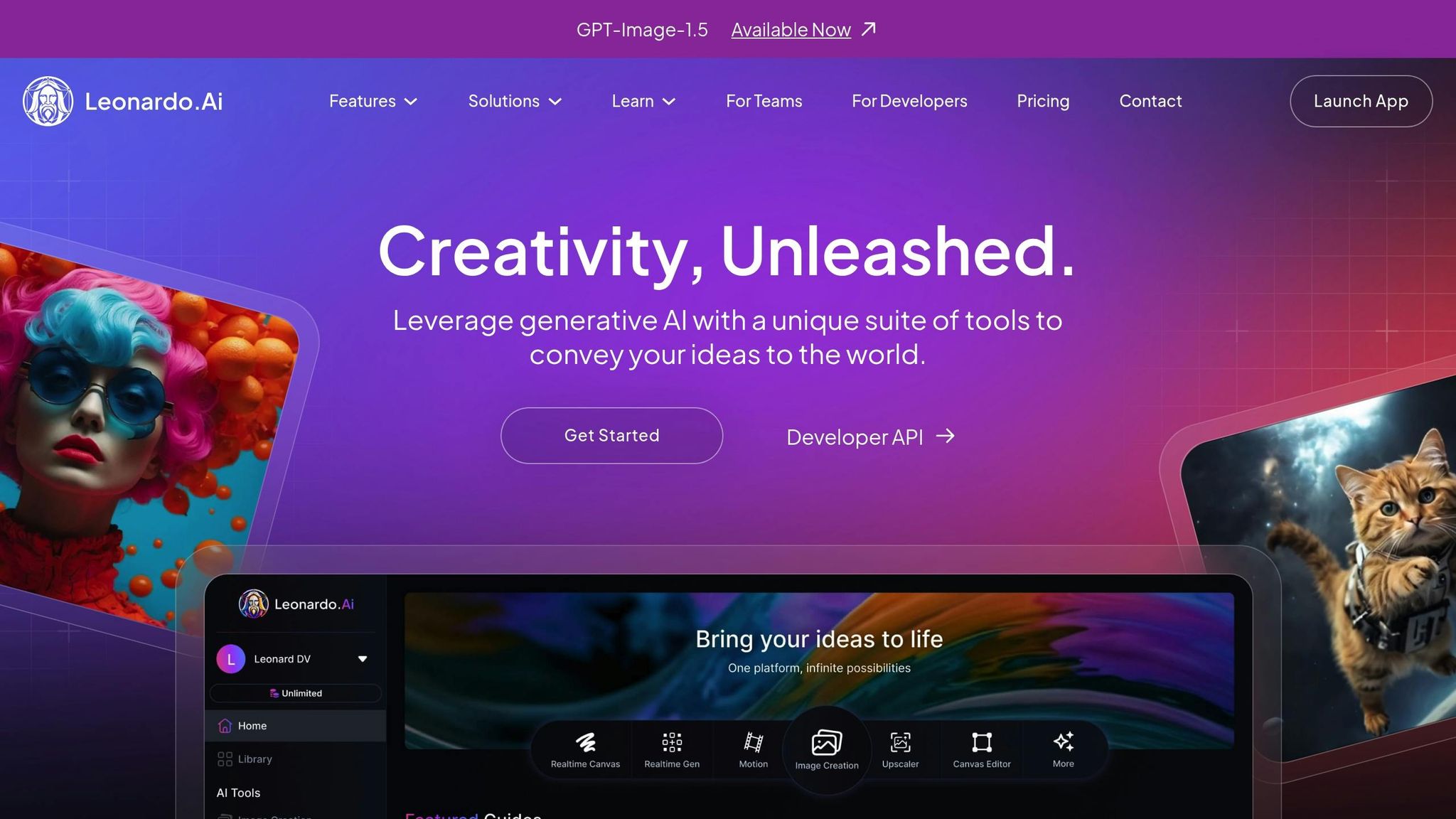
Leonardo AI is a creative powerhouse, connecting over 18 million creators and boasting a staggering 1 billion images generated so far. It offers an intuitive web and mobile dashboard (available on iOS and Android) that mirrors the user experience of traditional design software. With around 425,000 professional designers relying on it for their daily workflows, it’s clear that this platform plays a vital role in the creative community.
One of its most impressive features is custom model training. By uploading images, users can create private models tailored to maintain consistent brand aesthetics. Whether you’re working on graphic novels, marketing campaigns, or other creative endeavors, this tool ensures your designs stay cohesive. Specialized models like Leonardo Vision XL for realism, Leonardo Anime XL, and PhotoReal for hyper-realistic portraits make it adaptable for a wide range of projects.
"Leonardo has become a co-pilot in my creative process. It allows me to transition from writing a pitch or expressing an idea visually immediately to creating full shots that become integral parts of a project." – Freddy Chavez, Filmmaker and VFX Artist, Boxel Studios
The platform also shines with its AI Canvas, which includes inpainting, outpainting, and layer-based editing. The Realtime Canvas takes sketches and transforms them into polished images instantly. Game developers, in particular, will appreciate the 3D texture generation feature, which allows them to upload OBJ files and quickly generate contextual textures. For social media creators, the Motion feature turns static images into short animated clips, adding a dynamic touch to their content.
Pricing is straightforward: free users receive 150 tokens daily, while paid plans start at $12/month (8,500 tokens), $30/month (25,000 tokens and unlimited relaxed generations), and $60/month (60,000 tokens with unlimited video). Paid subscribers also enjoy full copyright ownership of the images they generate. While Leonardo AI continues to operate independently, select features are now integrated into Canva‘s ecosystem.
Tool Comparison Table
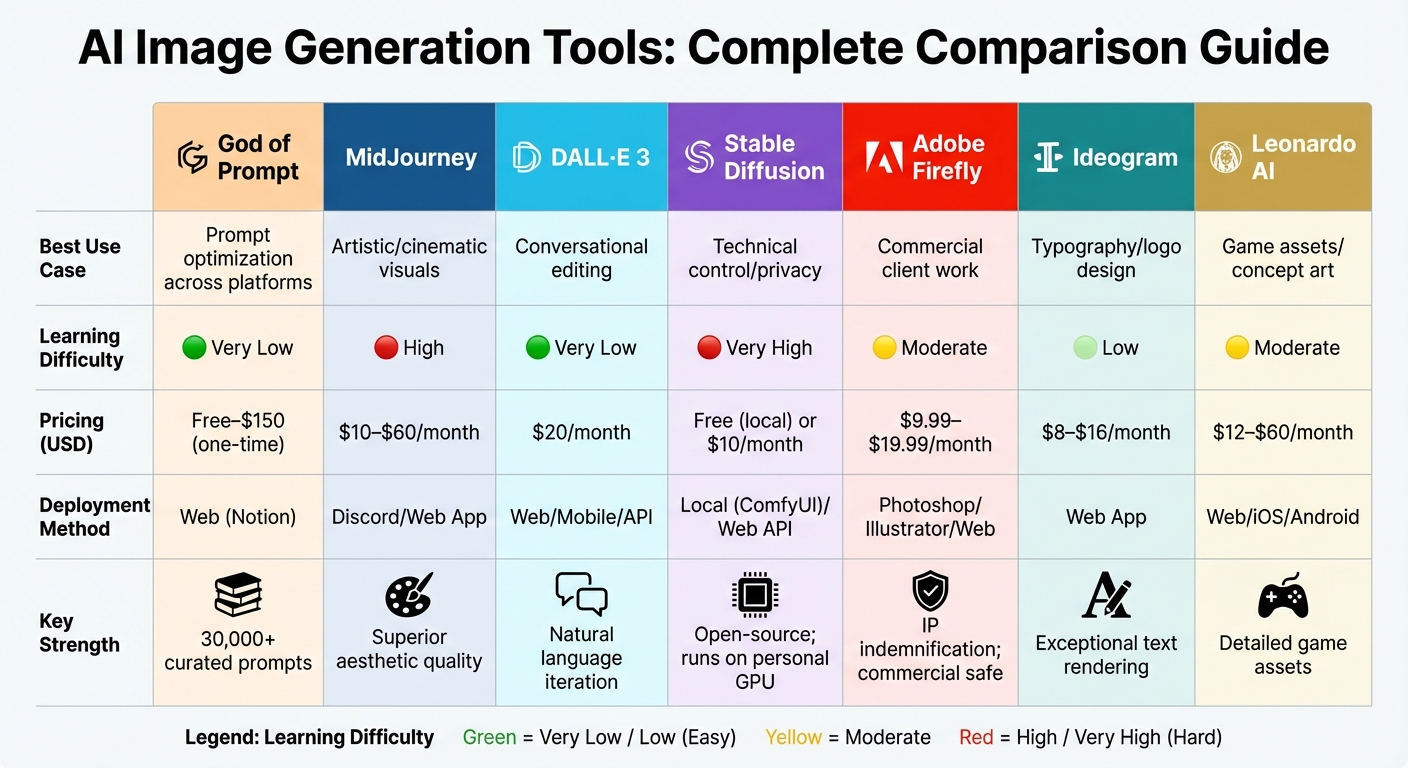
AI Image Generation Tools Comparison: Features, Pricing & Best Use Cases
The table below outlines how seven popular tools stack up for U.S.-based creative professionals, focusing on their strengths, ease of use, pricing, and deployment methods.
| Tool | Best Use Case | Learning Difficulty | Pricing (USD) | Deployment Method | Key Strength |
|---|---|---|---|---|---|
| God of Prompt | Prompt optimization across platforms | Very Low | Free–$150 (one-time) | Web (Notion) | 30,000+ curated prompts for major AI tools |
| Midjourney | Artistic/cinematic visuals | High | $10–$60/month | Discord/Web App | Superior aesthetic quality and textures |
| DALL-E 3 | Conversational editing | Very Low | $20/month (Plus) | Web/Mobile/API | Natural language iteration via ChatGPT |
| Stable Diffusion | Technical control/privacy | Very High | Free (local) or $10/month | Local (ComfyUI)/Web API | Open-source; runs on personal GPU |
| Adobe Firefly | Commercial client work | Moderate | $9.99–$19.99/month | Photoshop/Illustrator/Web | IP indemnification; safe for commercial projects |
| Ideogram | Typography/logo design | Low | $8–$16/month | Web App | Exceptional text rendering and layout |
| Leonardo AI | Game assets/concept art | Moderate | $12–$60/month | Web/iOS/Android | Detailed assets for gaming and character design |
Each tool shines in specific creative scenarios, depending on your needs. For corporate teams handling high-stakes commercial projects, Adobe Firefly stands out with its built-in IP indemnification, ensuring your work is legally protected. Solo artists seeking stunning visuals often turn to Midjourney, which delivers breathtaking textures and aesthetics at a reasonable cost. If you’re working on text-heavy designs like logos or posters, Ideogram solves clarity issues that have plagued earlier AI models, making it a go-to for typography and social media graphics.
For studios that demand complete control over their workflows, Stable Diffusion is unmatched. As Chase Jarvis put it:
"Stable Diffusion isn’t just a tool; it’s an engine… It is the only option for studios that need to build a proprietary pipeline".
Meanwhile, DALL-E 3 simplifies the creative process with its conversational interface, making it easy to tweak and iterate designs despite some generation limits. God of Prompt offers over 30,000 optimized prompts to enhance output across all these tools, with its Complete AI Bundle ($150 one-time) providing lifetime updates and unlimited custom prompts.
Ultimately, the right tool depends on your specific workflow, budget, and technical skills. Whether you’re a solo creator, a design studio, or part of a corporate team, there’s an option tailored to your needs.
Real Workflow Examples for U.S. Creative Teams
Marketing agencies are finding clever ways to combine multiple AI tools to handle high-volume campaigns without sacrificing quality. Take Maven Collective Marketing, for instance. They’ve streamlined their process by integrating MidJourney into their daily workflow. By creating a standardized prompt structure and referencing a custom Moodboard ID, they’ve managed to cut the time needed to produce on-brand blog feature images to less than 30 seconds for four variations. They start with God of Prompt’s curated library to establish a consistent brand voice, generate concept art in MidJourney, and then refine assets in Adobe Firefly to ensure they’re commercially safe. This seamless process opens up possibilities for various industries.
B2B marketing teams are also seeing impressive results with AI-driven workflows. In 2025, Ahmet Oğulcan, a Business Development Manager, used Insider One‘s predictive segmentation for Facebook Ad campaigns. The result? A staggering 381% boost in conversion rates without increasing the budget. Their workflow kicked off with God of Prompt generating ad copy variations, followed by visuals created in DALL-E 3. This setup allowed for rapid A/B testing with 3–6 design variations, optimizing performance quickly and efficiently.
For corporate design studios, the focus shifts to legal compliance and creative consistency. These teams rely on God of Prompt’s Advanced Custom Instructions within ChatGPT to stick to brand guidelines. They use MidJourney for artistic exploration in the concept phase and transition to Adobe Firefly for final production, ensuring all outputs are commercially safe. This approach highlights how AI tools can work together to balance creativity and compliance throughout the creative process.
Game development studios, on the other hand, demand a high level of technical control. They standardize prompts for character descriptions and environments using God of Prompt, employ Stable Diffusion locally for privacy-sensitive concept art, and use Leonardo AI to create detailed game assets and character designs. Some leading teams have reported up to a 10× increase in on-brand content production and a 100% boost in productivity across their art pipelines.
Solo creators and freelancers are also making these tools work for them in unique ways. They use AI as a collaborative partner, directing the overall vision while tools like ChatGPT craft prompts and platforms like MidJourney or Ideogram handle the design execution. For example, the Complete AI Bundle ($150 one-time) offers freelancers access to over 30,000 optimized prompts to generate creative ideas. They then refine the final details – such as color correction, typography, and brand alignment – manually, ensuring a polished, professional finish.
These examples show how creative teams across the U.S. are using AI to boost efficiency and maintain brand consistency. By strategically integrating these tools, they’re achieving a balance between speed, quality, and innovation, as illustrated throughout this guide.
Conclusion
AI image generation tools have come a long way in transforming creative workflows. As Harry Guinness aptly put it, "We’ve reached the stage where the top dozen or more models are all excellent, so other features and usability matter more than they used to". The real challenge now is finding the tool that fits your specific project needs – whether it’s Ideogram for precise text rendering, Midjourney for artistic experiments, or Adobe Firefly for edits that are commercially safe.
To make the most of these tools, it’s worth experimenting to see which ones align with your workflow and skill level. For instance, Adobe Firefly works seamlessly with Creative Cloud, making it a natural choice for those already in that ecosystem. Freelancers and solo creators might find value in God of Prompt’s Complete AI Bundle ($150 one-time), which offers over 30,000 optimized prompts across various platforms to help kickstart creative projects.
What makes these tools stand out is their ability to complement, not replace, your artistic vision. They’re like collaborative partners – handling repetitive tasks, offering quick variations, and giving you the freedom to focus on the bigger picture. Dive into free tiers to get a feel for what works, identify bottlenecks in your process, and invest in tools that address those challenges.
As AI continues to integrate into creative workflows, now is the time to explore and experiment. Test these tools against your project needs, and build a toolkit that supports and enhances your unique creative journey.
FAQs
What are the top AI tools for designing logos and posters with text elements?
When it comes to crafting visually impressive designs that incorporate text elements, MidJourney, DALL-E, and Stable Diffusion are standout AI tools. These platforms are known for producing high-quality visuals that can be customized to include text, making them perfect for creating logos, posters, and other creative assets.
Each tool brings something different to the table, allowing you to design professional and attention-grabbing graphics. Exploring their features can simplify your design process and add a polished touch to your projects.
How can I make sure AI-generated images are safe to use commercially?
When creating AI-generated images for commercial purposes, it’s crucial to select tools that clearly state they offer commercial licensing and legal protections. This ensures you have the rights to use the images without running into legal trouble.
Be sure to choose platforms that actively filter out content that could violate intellectual property rights or include inappropriate elements. This extra layer of protection can save you from unexpected risks.
On top of that, take the time to thoroughly review the licensing terms of any tool you plan to use. Make sure the rights granted align with the needs of your project. Opting for tools tailored for professional use can help you stay on the right side of legal standards while protecting your work.
What is the best AI image generation tool for easy integration with Adobe Creative Cloud?
Adobe Firefly is built to work hand-in-hand with Adobe Creative Cloud, ensuring a smooth and intuitive experience. It integrates seamlessly with widely-used tools such as Photoshop and Illustrator, streamlining your creative process.
By using Firefly, you can create stunning visuals directly within your Adobe apps. This makes it an excellent option for professionals who want to save time without sacrificing creative flexibility.