15 NotebookLM Prompts That Actually Work (Copy, Paste, Done)
15 viral NotebookLM prompts that turn hours of research into minutes. Copy-paste ready prompts from Reddit, X, and Google’s own team. Transform how you learn, research, and synthesize information in 2026.


On this page
- What Makes NotebookLM Different (And Why It Matters)
- How to Use These Prompts (The Basics)
- 1. THE “5 ESSENTIAL QUESTIONS” PROMPT
- 2. ULTIMATE PROMPT FOR LECTURES
- 3. STEVEN JOHNSON’S “INTERESTING BITS” PROMPT
- 4. EXTENDED VERSION WITH STEERING
- 5. THE QUIZ SHOW FORMAT (Audio Overview)
- 6. MULTILINGUAL PODCAST HACK
- 7. PRODUCT MANAGER PERSONA (Official Google)
- 8. SCIENTIFIC RESEARCHER PERSONA (Official Google)
- 9. MIDDLE SCHOOL TEACHER PERSONA (Official Google)
- 10. LITERATURE REVIEW THEMES PROMPT
- 11. FINDING CONTRADICTIONS PROMPT
- 12. SOURCE-GROUNDED GAP ANALYSIS
- 13. IMPLEMENT CONCEPT PROMPT
- 14. SYNTHESIZE CONCEPTS PROMPT
- 15. COMPREHENSIVE TOPIC ANALYSIS
- 16. THE DEBATE FORMAT PROMPT
- The Pattern Across All Viral NotebookLM Prompts
- How to Use These (The Right Way)
- When These Prompts Fail (And How to Fix Them)
- The Prompts You Should Combine
- Your Move
I collected every NotebookLM prompt that went viral on Reddit, X, and research communities.
These turned a “cool AI toy” into a research weapon that does 10 hours of work in 20 seconds.
16 copy-paste prompts.
Steal them all.
These are the exact prompts that turn NotebookLM from “neat AI toy” into “I can’t believe I did this in 5 minutes.”
Each prompt includes:
- What problem it solves
- Step-by-step setup (because most tutorials skip this)
- The full prompt (copy-paste ready)
- What you’ll actually get
- When it works and when it fails
But first, you need to understand one thing about NotebookLM.
ALSO READ: How to Upscale Images to 4K with Nano Banana Pro: A Step-by-Step Guide
What Makes NotebookLM Different (And Why It Matters)
Most people treat NotebookLM like ChatGPT with file uploads.
They upload a PDF. They ask “summarize this.” They get a generic summary.
Then they wonder what the hype is about.
Here’s what they’re missing:
NotebookLM is source-grounded.
It only uses what you upload. Nothing from the internet. No training data. Just your sources.
This means:
- Zero hallucinations
- Every answer cited
- You know exactly where information comes from
The catch? You need to know how to ask.
Generic prompts = generic answers.
Specific, structured prompts = answers that change how you work.
The prompts below are the ones that went viral because they actually work.
How to Use These Prompts (The Basics)
Before you start copy-pasting, here’s the 60-second setup:
Step 1: Go to notebooklm.google.com
Step 2: Click “Create new notebook”
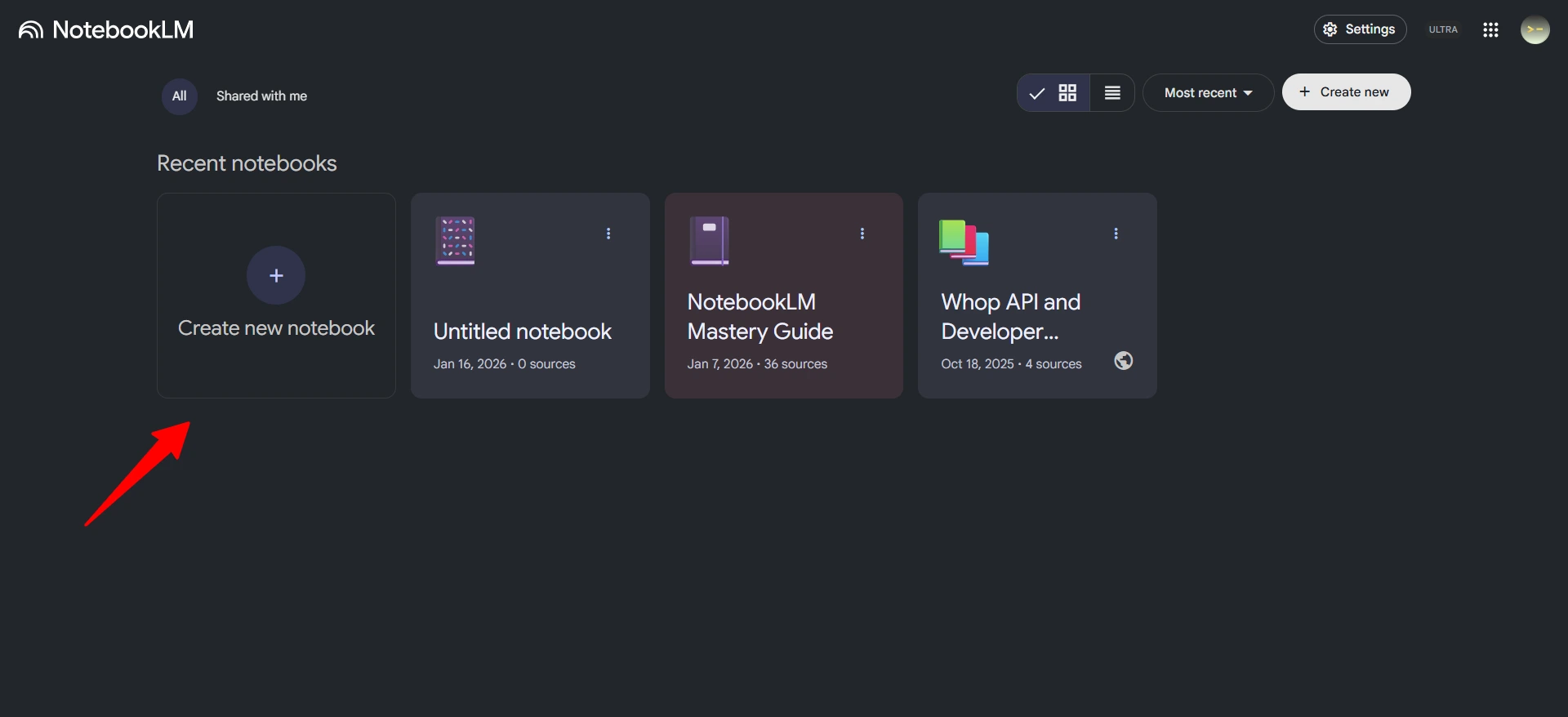
Step 3: Upload your sources:
- PDFs (up to 500,000 words or 200MB each)
- Google Docs, Slides, Sheets
- Website URLs
- YouTube videos (uses transcript)
- Audio files (MP3, WAV)
- Copy-pasted text
Step 4: Wait 10-30 seconds for processing
Step 5: Copy-paste the prompts below into the chat box
Now let’s get into the prompts that actually went viral.
1. THE “5 ESSENTIAL QUESTIONS” PROMPT
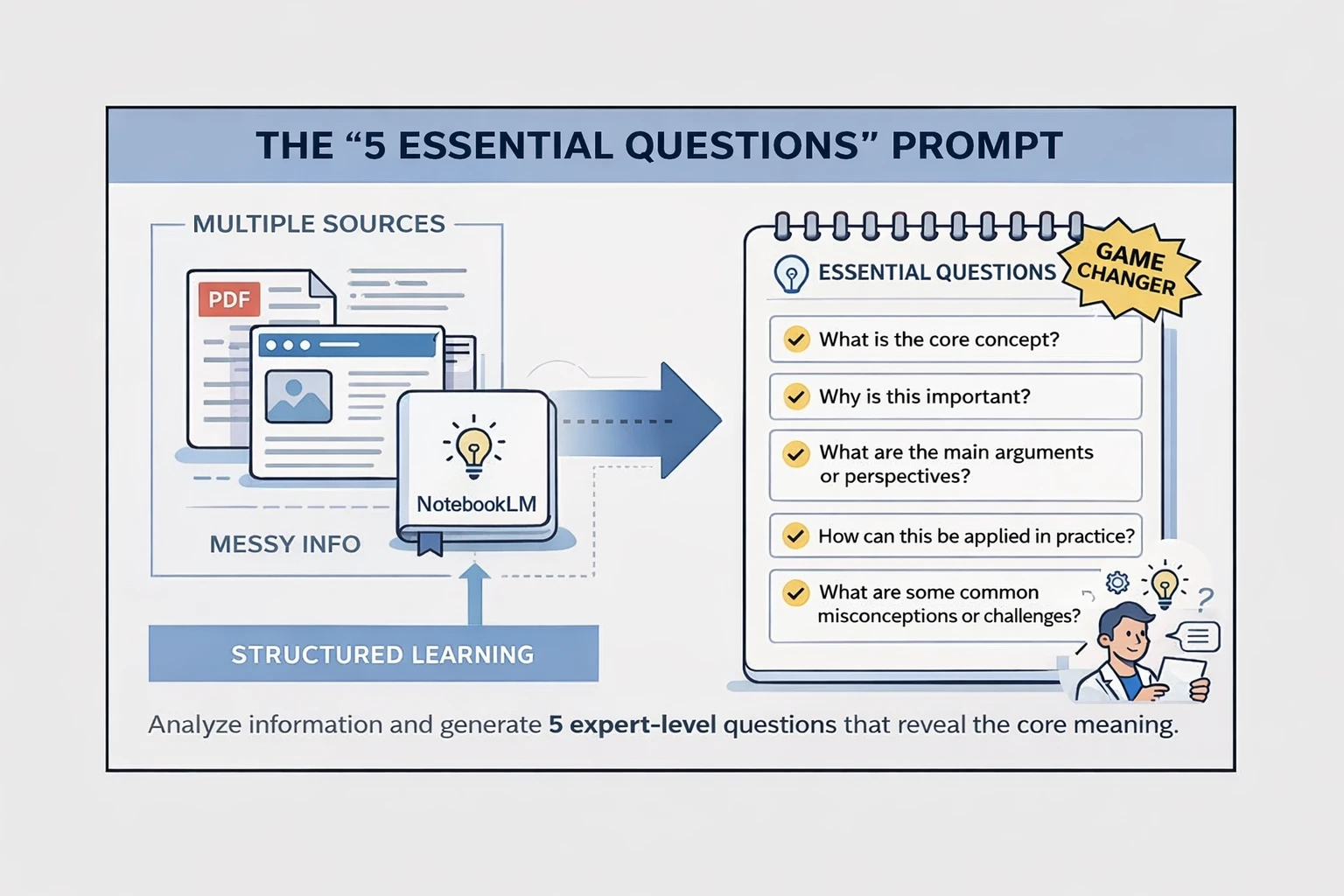
What This Does: Reddit called this a “game changer.”
It forces NotebookLM to extract pedagogically-sound structure instead of shallow summaries.
When to Use It:
- Multiple sources on the same topic
- Need to understand core concepts fast
- Studying for exams
- Research synthesis
The Exact Prompt:
Analyze all inputs and generate 5 essential questions that, when answered, capture the main points and core meaning of all inputs.
Why It Works: Forces structure. Instead of dumping information, NotebookLM identifies what actually matters and frames it as questions you’d ask an expert.
2. ULTIMATE PROMPT FOR LECTURES
What This Does: Designed specifically for lecture materials. Extracts the pedagogical structure professors actually use.
When to Use It:
- Uploaded lecture slides
- Class recordings
- Educational materials
- Course notes
The Exact Prompt:
Review all uploaded materials and generate 5 essential questions that capture the core meaning.Focus on:
- Core topics and definitions
- Key concepts emphasized
- Relationships between concepts
- Practical applications mentioned
Why It Works: It mirrors how professors structure knowledge: definitions → concepts → relationships → applications. You get a study guide that matches how the material was taught.
3. STEVEN JOHNSON’S “INTERESTING BITS” PROMPT
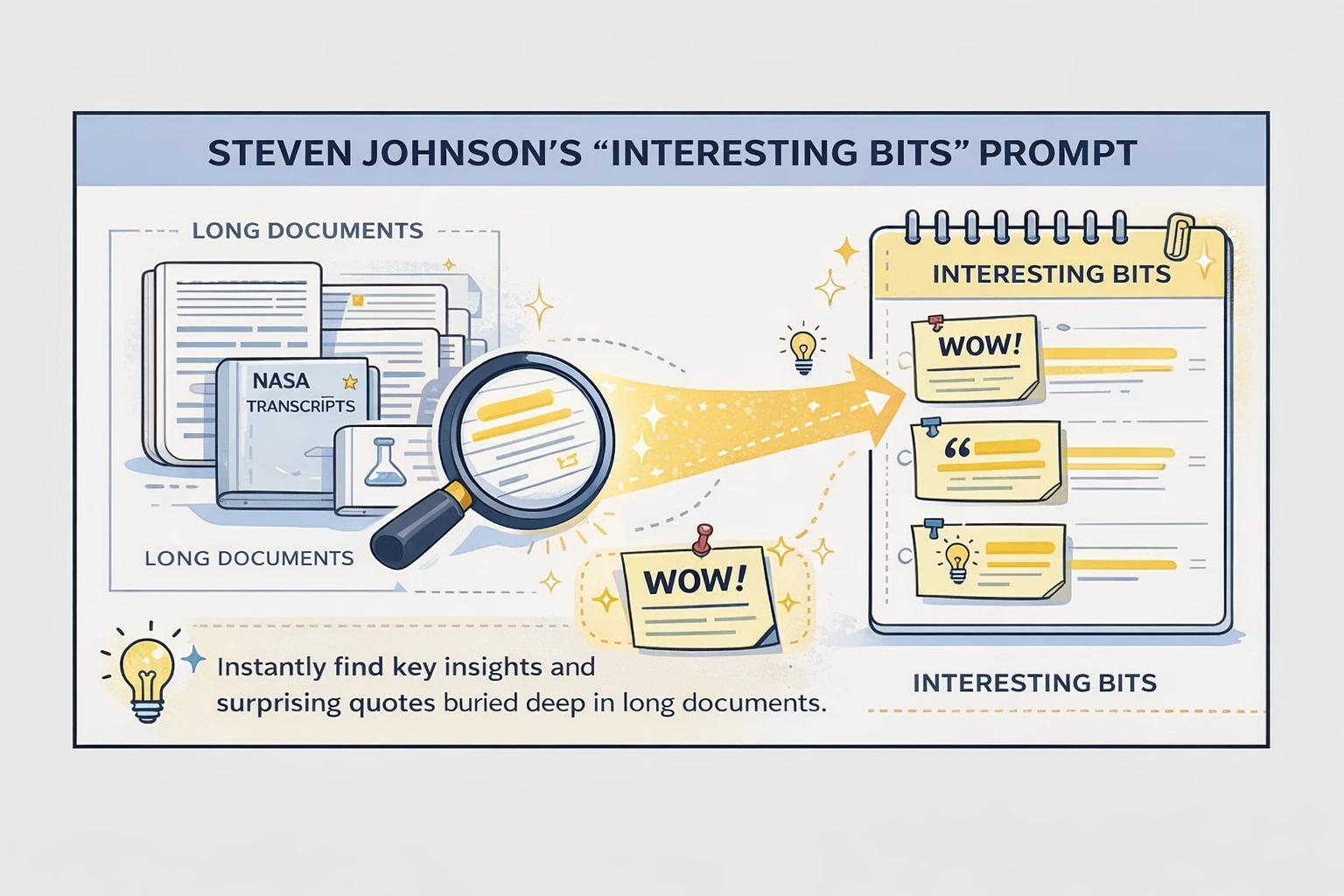
What This Does: NotebookLM’s director (Steven Johnson) tested this on 500,000 words of NASA transcripts. Did 10 hours of manual work in 20 seconds.
When to Use It:
- Long documents
- Research papers
- Dense source material
- Finding the “wow” factor
The Exact Prompt:
What are the most surprising or interesting pieces of information in these sources? Include key quotes.
Why It Works: Traditional search finds keywords. This finds interestingness. It surfaces insights you’d only catch after reading everything twice.
4. EXTENDED VERSION WITH STEERING
What This Does: Steven Johnson’s prompt, but focused.
Use this when you’re writing about something specific and need targeted insights.
When to Use It:
- Writing articles
- Research with a specific angle
- Content creation
- Finding unique perspectives
The Exact Prompt:
I'm interested in writing about [TOPIC].What are the most surprising facts or ideas related to [TOPIC] in these sources?
Include key quotes. Focus on [SPECIFIC ASPECT], not [OTHER ASPECTS].
Why It Works: Traditional search can’t surface “interestingness.” This can. The steering (“focus on X, not Y”) keeps it on track.
Example:
I'm interested in writing about Apollo 1 fire.
What are the most surprising facts or ideas related to the fire in these sources?
Include key quotes. Focus on safety failures, not mission objectives.
5. THE QUIZ SHOW FORMAT (Audio Overview)
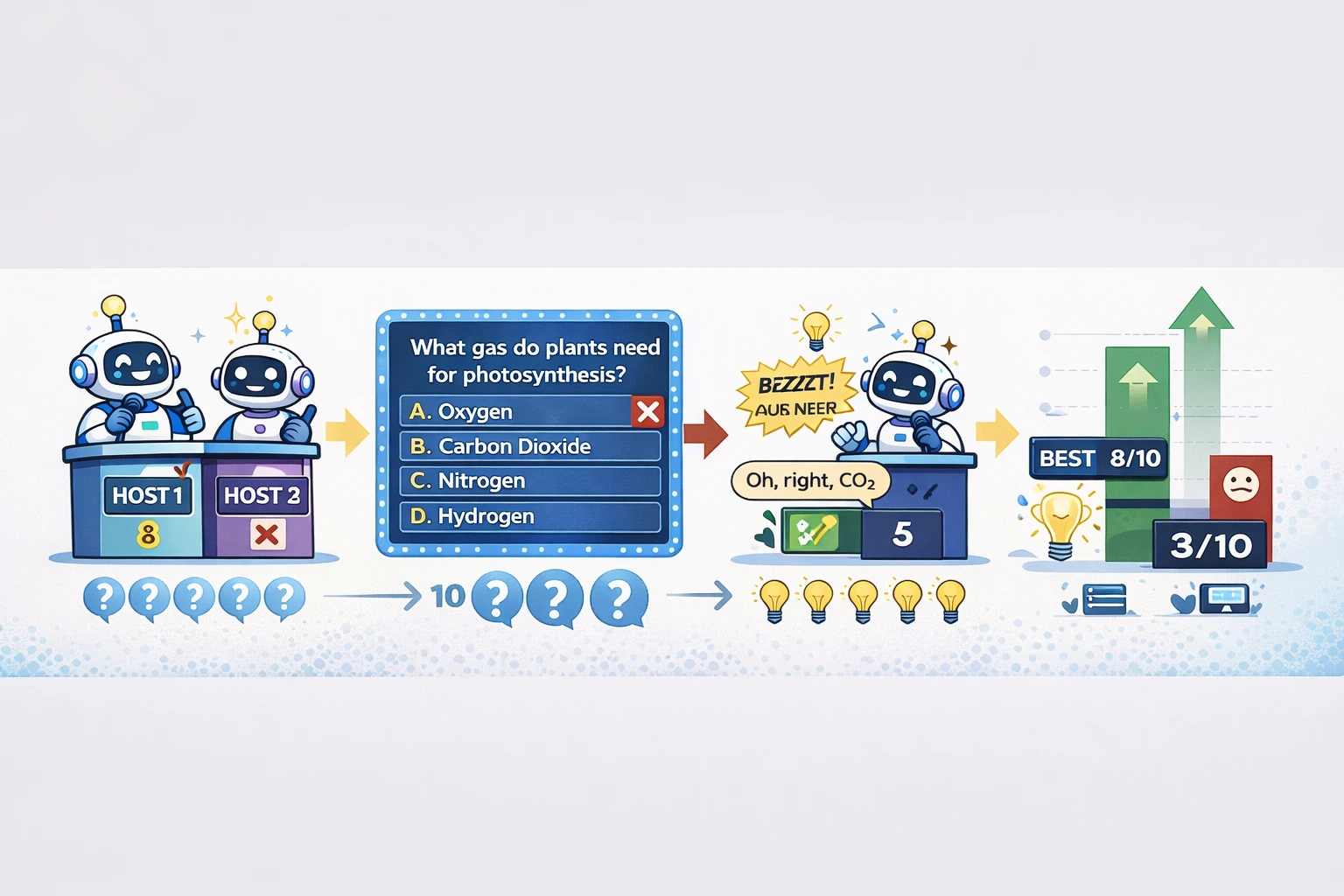
What This Does: Students love this. The AI hosts quiz each other and intentionally get answers wrong so corrections stick in your memory.
When to Use It:
- Studying for exams
- Learning new topics
- Active recall practice
- Commute learning
The Exact Prompt:
A quiz show with two hosts. First host quizzes the second on [TOPIC]. 10 questions total. Mix of multiple choice and True/False.The host gets answers wrong sometimes. The other corrects with right answers. Share results at the end.
Why It Works: Getting it wrong → being corrected = stronger memory formation than just hearing facts. This exploits how your brain actually learns.
Note: This prompt goes in the “Customize” box when creating an Audio Overview, not in the regular chat.
6. MULTILINGUAL PODCAST HACK
What This Does: Before NotebookLM had official language support, users generated podcasts in Spanish, German, Japanese, etc.
When to Use It:
- Learning in another language
- Creating content for non-English audiences
- Language practice
- International research
The Exact Prompt:
This is the first international special episode of Deep Dive conducted entirely in [Language].
Special Instructions:
- Only [Language] for entire duration
- No English except to clarify unique terms
Why It Works: NotebookLM’s hosts follow instructions.
By framing it as a “special episode,” you trigger the conversational tone in whatever language you specify.
Note: Use this in the Audio Overview “Customize” box.
7. PRODUCT MANAGER PERSONA (Official Google)
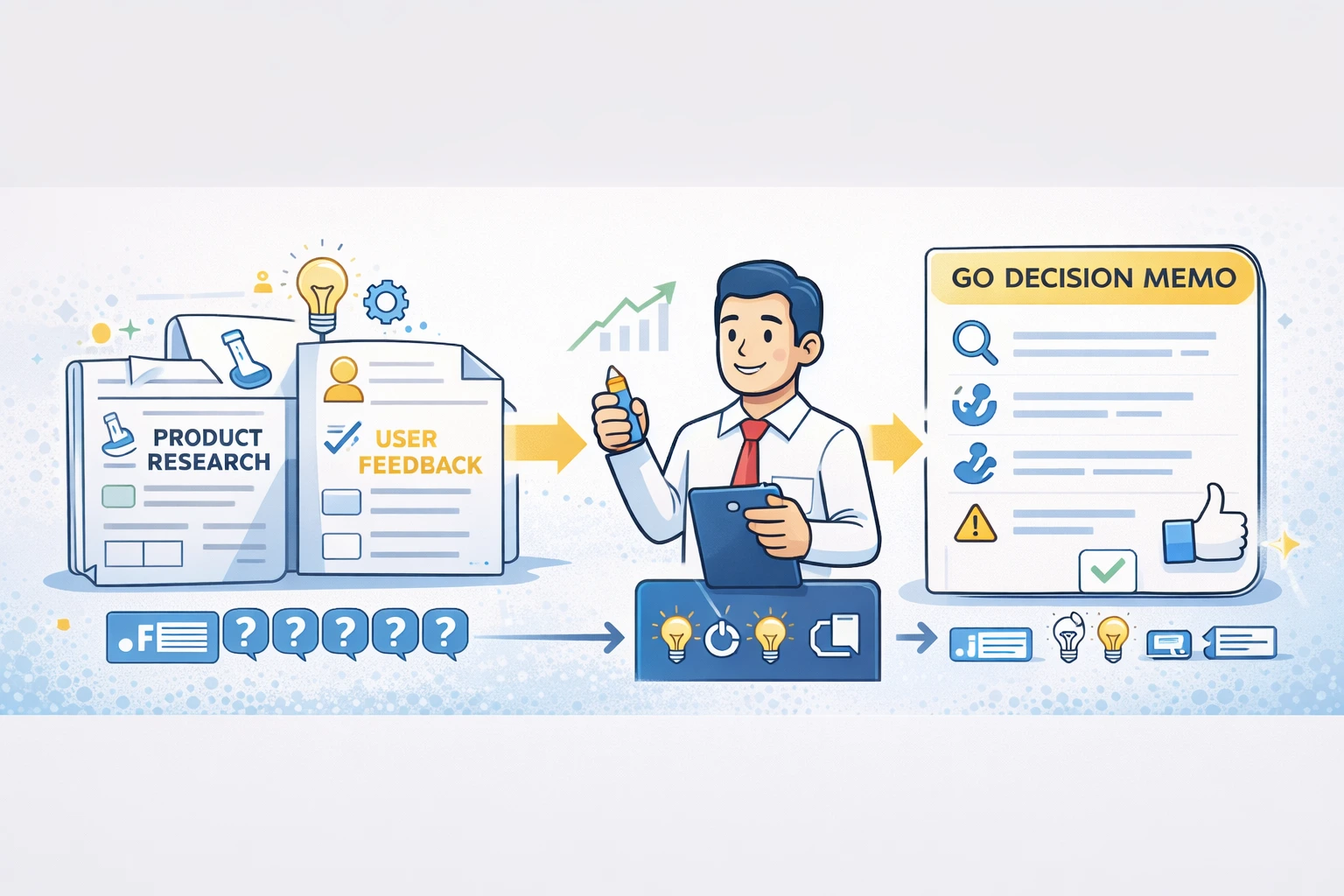
What This Does: Transforms documents into decision memos. Cuts through fluff, finds what matters for product decisions.
When to Use It:
- Product research
- User feedback analysis
- Feature prioritization
- Strategic planning
The Exact Prompt:
Act as a Lead Product Manager reviewing internal documentation. Ruthlessly scan for actionable insights, ignoring fluff.Synthesize into "Decision Memo" format:
- User Evidence: Direct quotes indicating user problems
- Feasibility Checks: Technical constraints mentioned
- Blind Spots: What's missing from source textUse bullets. If I ask vague questions, force me to clarify.
Why It Works: The persona changes how NotebookLM prioritizes information. It looks for evidence, constraints, and gaps—exactly what PMs need for decisions.
8. SCIENTIFIC RESEARCHER PERSONA (Official Google)
What This Does: For academics who need methodology over conclusions. Focuses on how the research was done, not just what it found.
When to Use It:
- Academic research
- Literature reviews
- Methodology analysis
- Peer review prep
The Exact Prompt:
Act as research assistant for a senior scientist. Tone: strictly objective, formal, precise.Assume advanced knowledge of [FIELD]. Don't define standard terminology.
Focus on methodology, data integrity, and conflicting evidence.
Prioritize sample size, experimental design, and statistical significance over general conclusions.
Format with bolded sections:
- Key Findings
- Methodological Strengths/Weaknesses
- Contradictions
Why It Works: Skips the basics. Goes straight to what researchers actually care about: Can I trust this? How was it done? Where’s the conflict?
9. MIDDLE SCHOOL TEACHER PERSONA (Official Google)
What This Does: Makes dense content accessible. Translates jargon into language a 7th grader understands.
When to Use It:
- Explaining complex topics to non-experts
- Creating beginner content
- Teaching
- Simplifying for stakeholders
The Exact Prompt:
Act as an engaging Middle School Teacher. Translate source documents into language a 7th grader understands.Structure every response:
- The "tl;dr": One sentence using simple words
- Analogy: Real-world metaphor for the concept
- Vocab List: 3 difficult words defined simplyFor dense paragraphs, break into True or False quiz format.
Why It Works: Forces simplification through structure. The analogy requirement means you can’t hide behind jargon.
10. LITERATURE REVIEW THEMES PROMPT
What This Does: For researchers synthesizing multiple papers. Identifies recurring themes across all your sources.
When to Use It:
- Academic literature reviews
- Research synthesis
- Understanding a field
- Finding consensus
The Exact Prompt:
From papers on [TOPIC], identify 5-10 most recurring themes.For each theme provide:
1. Short definition in your own words
2. Which papers mention it (with citations)
3. One sentence on how it's treated (debated, assumed, tested)Present as structured table.
Why It Works: Themes are what matter in research. This extracts them systematically with proper attribution so you can cite sources correctly.
11. FINDING CONTRADICTIONS PROMPT
What This Does: Surfaces disagreements across your sources. Shows you where experts disagree and why.
When to Use It:
- Research with conflicting sources
- Understanding debates
- Fact-checking
- Academic writing
The Exact Prompt:
From papers on [TOPIC], identify major contradictions or conflicting findings.For each contradiction provide:
1. Specific claim from each side (quoted with citations)
2. Possible reasons for disagreement (method, sample, context)
3. What evidence would resolve the conflict
Why It Works: Most summaries hide contradictions. This surfaces them with citations so you can dig deeper or acknowledge the debate in your writing.
12. SOURCE-GROUNDED GAP ANALYSIS
What This Does: When you tried something and it didn’t work, this compares your attempt against your uploaded materials to show what you missed.
When to Use It:
- Debugging failed attempts
- Learning from mistakes
- Implementation troubleshooting
- Skill development
The Exact Prompt:
Analyze this attempt against my uploaded materials:Project: [WHAT I TRIED]
My approach: [STEPS I TOOK]
Result: [WHAT HAPPENED]
Expected: [WHAT SHOULD HAVE HAPPENED]Cross-reference with sources:
- Quote methodologies I didn't follow
- Identify concepts I missed entirely
- Find prerequisites I skippedOutput: "Gap in [concept]: You missed [step], but [Source, Page X] states: '[quote]'"
Why It Works: It’s like having an expert review your work against the source material. Shows exactly where you deviated and what you missed.
Example:
Project: Build a React component
My approach: Created component, added state, rendered UI
Result: Component crashes on load
Expected: Component renders correctly
Cross-reference with sources:
- Quote methodologies I didn't follow
- Identify concepts I missed entirely
- Find prerequisites I skipped
13. IMPLEMENT CONCEPT PROMPT
What This Does: Transforms research into actionable steps. Turns theory into practice with source citations.
When to Use It:
- Learning new skills
- Implementation planning
- Turning research into action
- Step-by-step guides
The Exact Prompt:
Help me implement the concept of [TOPIC].For each relevant source:
1. Quote key evidence
2. Connect it to other retrieved information
3. Note conflicting viewpoints
4. Provide a clear action to takeSynthesize into ordered action list with thorough, actionable steps.
Ground all points in specific quotes. Acknowledge knowledge gaps.
Why It Works: Most research stays theoretical. This forces NotebookLM to extract concrete actions while maintaining source grounding.
14. SYNTHESIZE CONCEPTS PROMPT
What This Does: Finds non-obvious connections between ideas. Shows how concepts relate even when sources don’t explicitly connect them.
When to Use It:
- Creative problem solving
- Interdisciplinary research
- Finding new angles
- Connecting disparate ideas
The Exact Prompt:
Synthesize the connection, however abstract, between [TOPIC 1] and [TOPIC 2].For each relevant source:
1. Quote key evidence
2. Connect to other retrieved information
3. Note conflicting viewpoints
4. Note interesting combinationsSynthesize into clear summary focusing on connections.
Ground all points in quotes. Acknowledge gaps.
Why It Works: Forces abstraction while maintaining grounding. You get creative connections that are still backed by your sources.
Example:
Synthesize the connection, however abstract, between quantum computing and marketing strategy.
15. COMPREHENSIVE TOPIC ANALYSIS
What This Does:Maximum-length, deeply researched output. This is the “give me everything” prompt.
When to Use It:
- Deep research
- Comprehensive understanding
- Writing research papers
- Expert-level analysis
The Exact Prompt:
Provide accurate, well-reasoned information about [TOPIC].Planning:
- Essential aspects to explore?
- Key questions to answer?
- Existing debates or controversies?Structure:
OVERVIEW: Summary, major concepts, current relevance
ANALYSIS: Evidence-supported discussion, examples, limitations
SOURCES: Key sources, conflicts, confidence levelsStandards:
- Separate facts from interpretations
- Support claims with evidence
- Maintain objectivity
Why It Works: The planning section forces NotebookLM to think before answering. The structure ensures comprehensive coverage. The standards keep it rigorous.
16. THE DEBATE FORMAT PROMPT
What This Does: Pit competing viewpoints against each other. Perfect when your sources disagree.
When to Use It:
- Controversial topics
- Multiple perspectives
- Understanding debates
- Audio learning
The Exact Prompt:
Generate a debate between two hosts with opposing viewpoints on [TOPIC].Host 1 argues for [POSITION A]. Host 2 argues for [POSITION B].
They should challenge each other's points, cite specific evidence from sources, and let the listener decide who made the stronger case.
Why It Works: Debate format makes contradictions engaging instead of confusing. You hear both sides with citations and decide for yourself.
Note: This goes in the Audio Overview “Customize” box.
The Pattern Across All Viral NotebookLM Prompts
Look at what these prompts have in common:
→ Request specific quotes and citations→ Ask for contradictions, not just summaries→ Demand acknowledgment of gaps→ Force structured output formats
NotebookLM excels when you exploit its grounding architecture.
Generic prompts like “summarize this” don’t leverage what makes it special.
These prompts force NotebookLM to:
- Surface what matters
- Show its work
- Acknowledge what it doesn’t know
- Structure information usefully
That’s why they went viral. They actually work.
How to Use These (The Right Way)
Don’t try all 16 prompts right now.
Pick ONE that solves a problem you have THIS WEEK.
If you’re studying: Try Prompt #2 (Lectures) or #5 (Quiz Show)
If you’re researching: Try Prompt #10 (Themes) or #11 (Contradictions)
If you’re writing: Try Prompt #4 (Extended Steering) or #13 (Implementation)
If you’re learning: Try Prompt #9 (Middle School Teacher) or #16 (Debate)
Upload your sources. Copy-paste the prompt. See what happens.
If it works, you’ll use it again.
If it doesn’t, you’ll know why and adjust.
That’s more valuable than bookmarking this and never touching it.
When These Prompts Fail (And How to Fix Them)
Problem: “The output is too generic”
Fix: Add more specific instructions. Replace [TOPIC] with actual details. The more specific you are, the better the output.
Problem: “It’s not finding what I need”
Fix: Check your sources. NotebookLM can only work with what you upload. Bad sources = bad output.
Problem: “Citations are missing”
Fix: Your source content might be too short. NotebookLM cites when there’s enough content to cite.
Problem: “Audio Overview isn’t working”
Fix: Audio prompts (#5, #6, #16) go in the “Customize” box when creating Audio Overviews, NOT in the regular chat.
Problem: “It’s ignoring my persona prompt”
Fix: Personas work best when you’re consistent. Don’t switch between “act as a teacher” and “act as a scientist” in the same conversation.
The Prompts You Should Combine
Some of these work even better together:
Combo 1: Deep Research
- Start with #1 (5 Essential Questions)
- Then use #11 (Contradictions)
- Finish with #15 (Comprehensive Analysis)
Combo 2: Exam Prep
- Start with #2 (Lectures)
- Then use #5 (Quiz Show) for Audio Overview
- Review weak areas with #9 (Middle School Teacher)
Combo 3: Content Creation
- Start with #3 (Interesting Bits)
- Then use #4 (Extended Steering)
- Finish with #13 (Implementation)
Combo 4: Academic Research
- Start with #10 (Themes)
- Then use #11 (Contradictions)
- Finish with #8 (Scientific Researcher persona)
Your Move
You have 16 prompts that went viral for a reason.
You know how to use NotebookLM.
You understand when these work and when they don’t.
Now stop reading.
Pick ONE prompt from this list. The one that solves your most annoying problem this week.
Upload your sources.
Copy the prompt.
Paste it.
See what happens.
Because productivity isn’t about collecting more prompts.
It’s about using the ones that actually save you time.
Go use one.
Put this into practice: browse AI writing prompts and ChatGPT prompts in the God of Prompt library — copy, paste, and run.
Prompts for this topic
Put this article to work with ready-to-use prompts from the God of Prompt library.
Keep reading

AI Subscription Management Checklist
Audit, consolidate, and track your AI subscriptions to cut costs, boost productivity, and set monthly, quarterly, and annual reviews.

AI Tools for Poetry and Creative Writing
Overview of AI tools for poets and fiction writers, comparing features, pricing, and collaboration options to spark ideas and refine drafts.

Top Prompt Collections for Content Creators and Bloggers
Compare marketplaces, community libraries, business bundles, lifetime deals, and repurposing tools to speed blogging, social, and SEO workflows.

The best of the blog, in your inbox
One email when notable prompts, tools, and model updates land. No spam, unsubscribe anytime.
Join 100,000+ subscribers. One email a week, real prompts, tools, and model updates. Unsubscribe anytime.