60 Prompts Output Formats for ChatGPT (Get The Best Response Now)




When using ChatGPT, you can get creative with how the responses are structured.
From lists and summaries to stories and charts, there are tons of ways to make the output more engaging.
In this guide, I’ll walk you through 60 fun and practical formats to try with ChatGPT—each designed to help you get exactly what you need!
ALSO READ: 10 Secret Tips For ChatGPT-4o with Canvas (Ultimate Guide)
Why Use Different Output Formats?
Using different output formats with ChatGPT is all about getting responses that fit exactly what you need.
Imagine needing a quick summary for a project, or maybe a full list of steps for a new process.
Each format—whether it’s a table, Q&A, or step-by-step guide—helps you structure information to make it clearer, more engaging, and easier to follow.
Different formats work best for different tasks, so having a variety keeps things flexible and useful!
1. Practical Output Formats
These formats are useful for organizing information clearly and directly:
2. List Format:
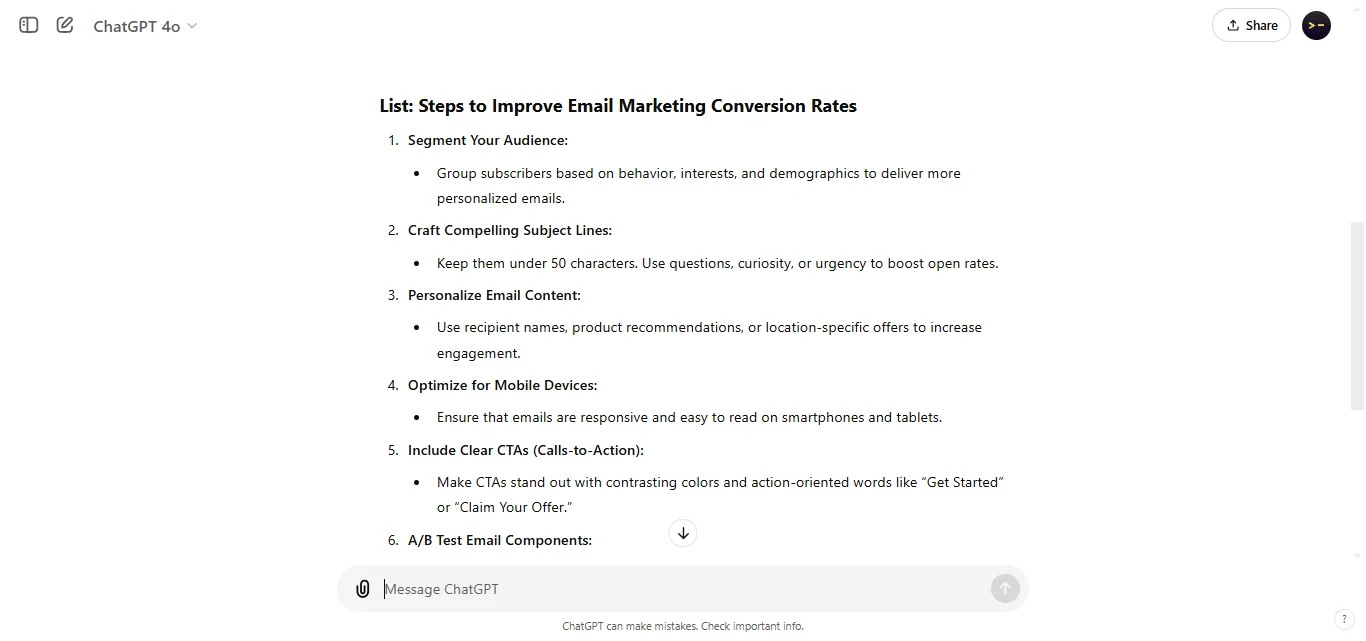
Great for breaking down information into quick, easy-to-read points, especially when you need a summary or overview.
3. Step-by-Step Guide:
Ideal for providing instructions where each step builds on the last, making complex tasks easier to follow.
4. Table Format:
Perfect for comparing items side-by-side, like features or pros and cons, offering a clear visual structure.
5. Bullet Points:
Condenses information into bite-sized pieces, helping readers scan and absorb key points quickly.
6. Summary Paragraph:
A single paragraph that captures the main ideas of a longer text, perfect for readers who need a quick overview.
7. Definitions:
Short explanations of terms, useful for providing quick clarity on specific words or concepts in the content.
8. Q&A Format:
Engages readers by structuring information in question-and-answer style, making it interactive and easy to follow.
9. Pros and Cons:
Outlines advantages and disadvantages side-by-side, helping with decision-making by laying out both sides.
Creative Output Formats
Get creative with ChatGPT to make responses more engaging:
10. Storytelling Format:
Presents information as a narrative, great for adding context and making facts memorable.
11. Dialogues/Conversations:
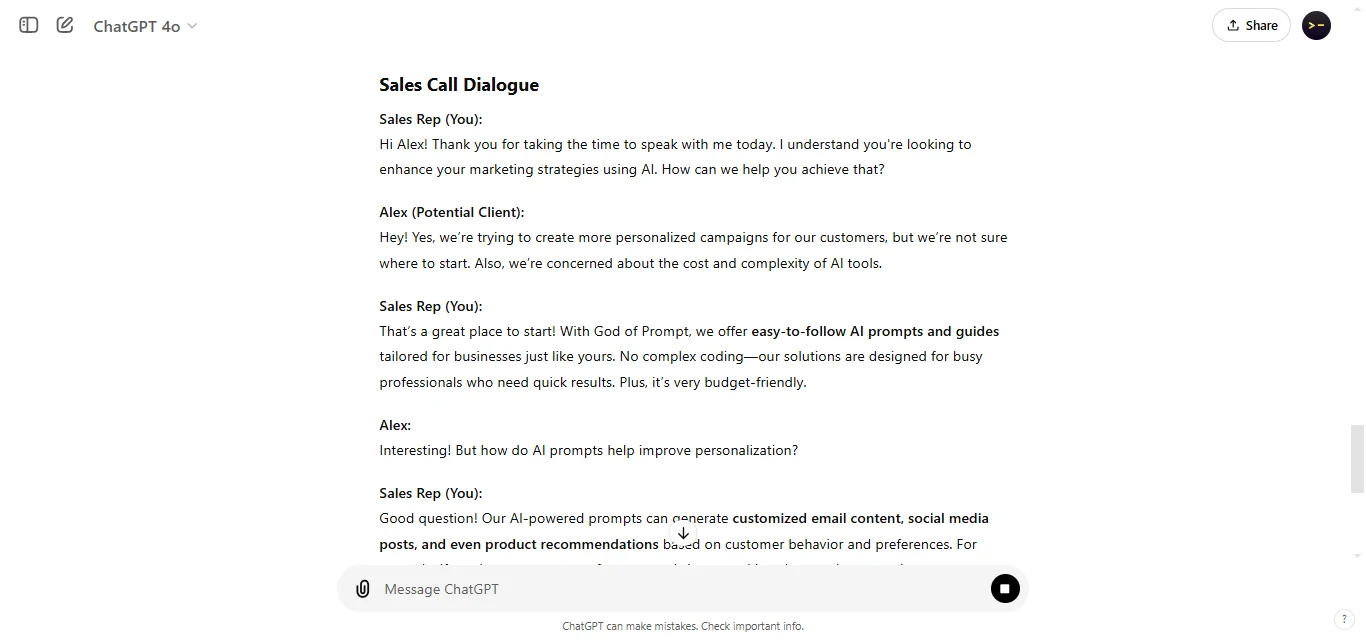
Structures responses like a conversation between two people, perfect for illustrating discussions or contrasting perspectives.
12. Analogies:
Uses relatable comparisons to simplify complex ideas, helping readers understand topics more easily.
13. Case Studies:
Provides real-world examples to demonstrate concepts in action, adding depth and practical context.
Imagery-Based Descriptions:
Evokes visual ideas, bringing abstract concepts to life with descriptive language.
14. Visual-Aid Friendly Formats
These formats work well for content that benefits from a visual structure:
15. Infographic Outline:
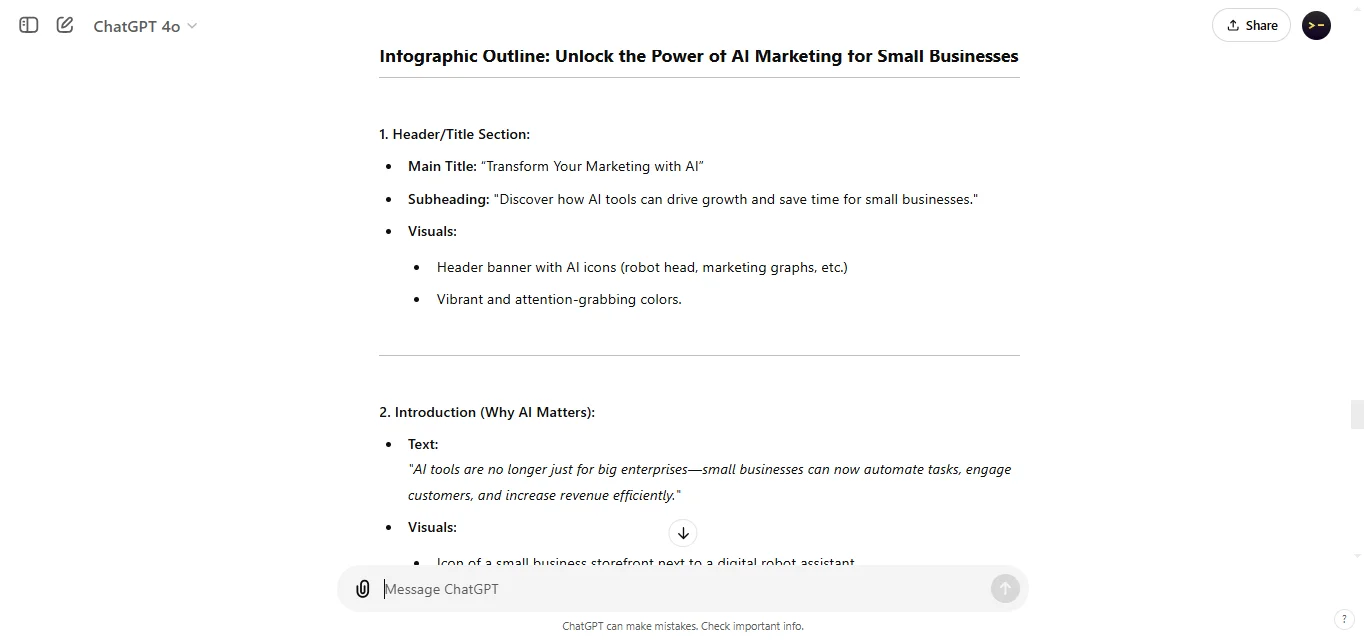
Organizes information for creating eye-catching infographics, making it easy to break down complex topics.
16. Flowchart Format:
Maps out step-by-step processes, helping readers visualize workflows or decision trees.
17. Mind Map Format:
Shows how ideas connect, ideal for brainstorming or organizing thoughts around a central theme.
18. Timeline:
Presents events chronologically, perfect for historical overviews or project milestones.
19. Matrix:
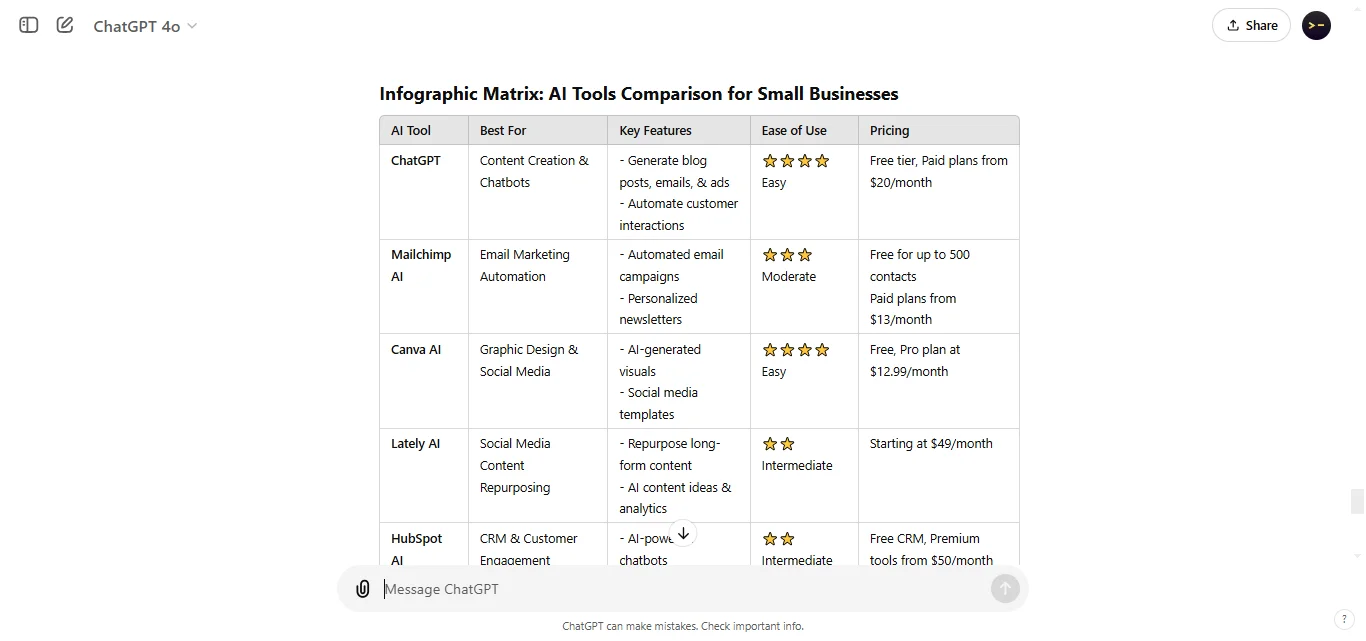
Compares multiple items in a grid, allowing for quick, structured comparisons across categories.
Analytical & Technical Formats
These formats are ideal for structured data or technical details:
20. Statistical Summary:
Summarizes data insights, perfect for displaying numbers in an easily understood format.
21. Equation Format:
Presents mathematical or scientific formulas clearly, helpful for calculations or teaching.
22. Charts (e.g., Pie/Bar):
Visual representations that make data comparisons easy to understand at a glance.
23. SWOT Analysis:
Breaks down strengths, weaknesses, opportunities, and threats, useful for business or strategic planning.
24. Data Table:
Organizes raw data for clarity, ideal for detailed comparisons and analysis.
Instructional Formats
These formats are great for guiding readers through tasks:
25.Checklist:
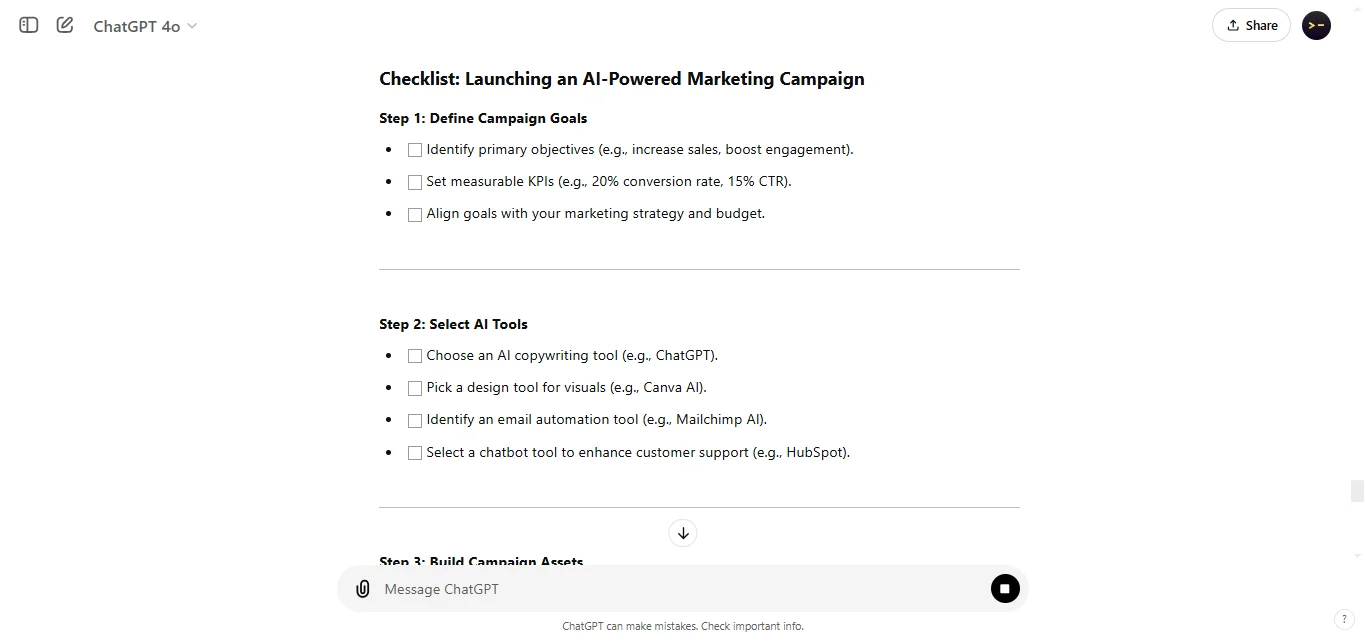
A simple list of tasks or items to accomplish, perfect for keeping track of steps in a process.
26. Recipe Format:
Provides step-by-step instructions for creating something, great for cooking, DIY, or any process-based project.
27. Troubleshooting Guide:
Lays out possible issues with solutions, ideal for technical support or DIY repairs.
28. Training Manual:
Organizes detailed instructions for learning a new skill or procedure.
29. Flow of Commands:
Lists commands in order, perfect for programming tutorials or system instructions.
Marketing & Business Formats
These formats suit business or promotional content well:
30. Sales Pitch:
Outlines product benefits in a persuasive way, perfect for pitching ideas.
31. Elevator Pitch:
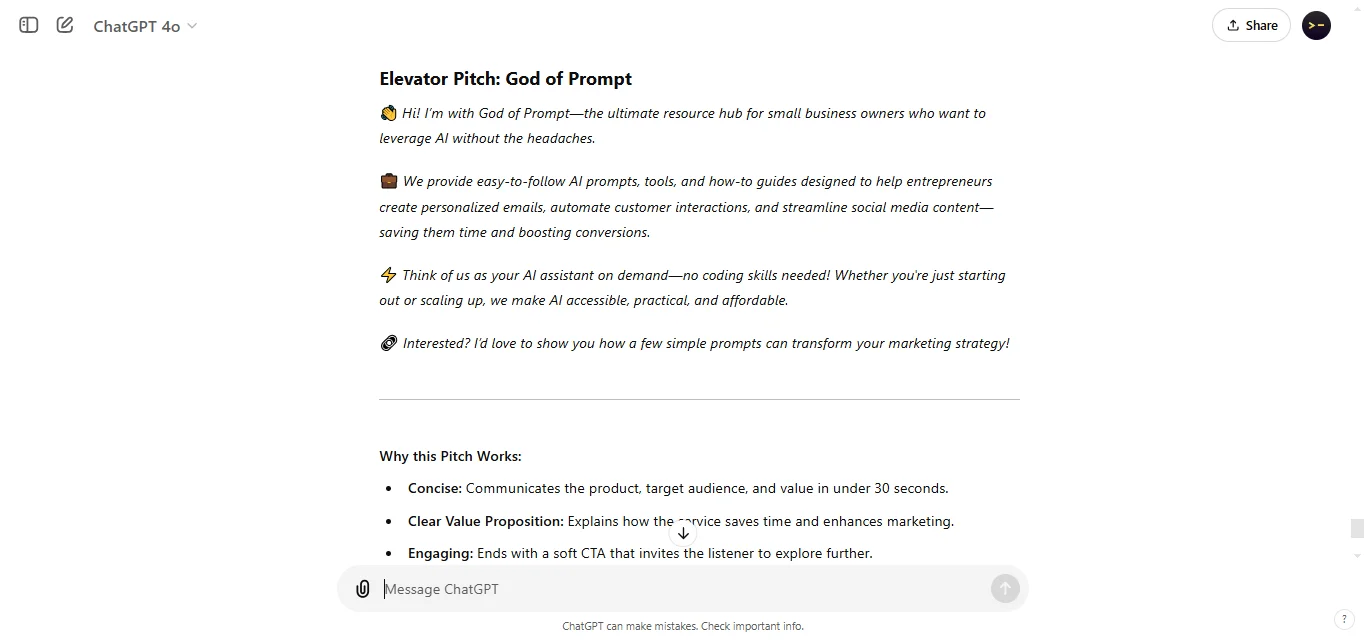
A short, impactful introduction that conveys key points quickly.
32. Persuasive Essay:
Builds a case with arguments and supporting details, ideal for convincing readers.
33. Social Media Caption:
Brief, engaging lines to hook social media audiences.
34. Call to Action (CTA) Suggestions:
Directs readers to take action, boosting engagement and conversions.
Educational & Informative Formats
These formats work well for teaching or sharing information:
35. Lecture Notes:
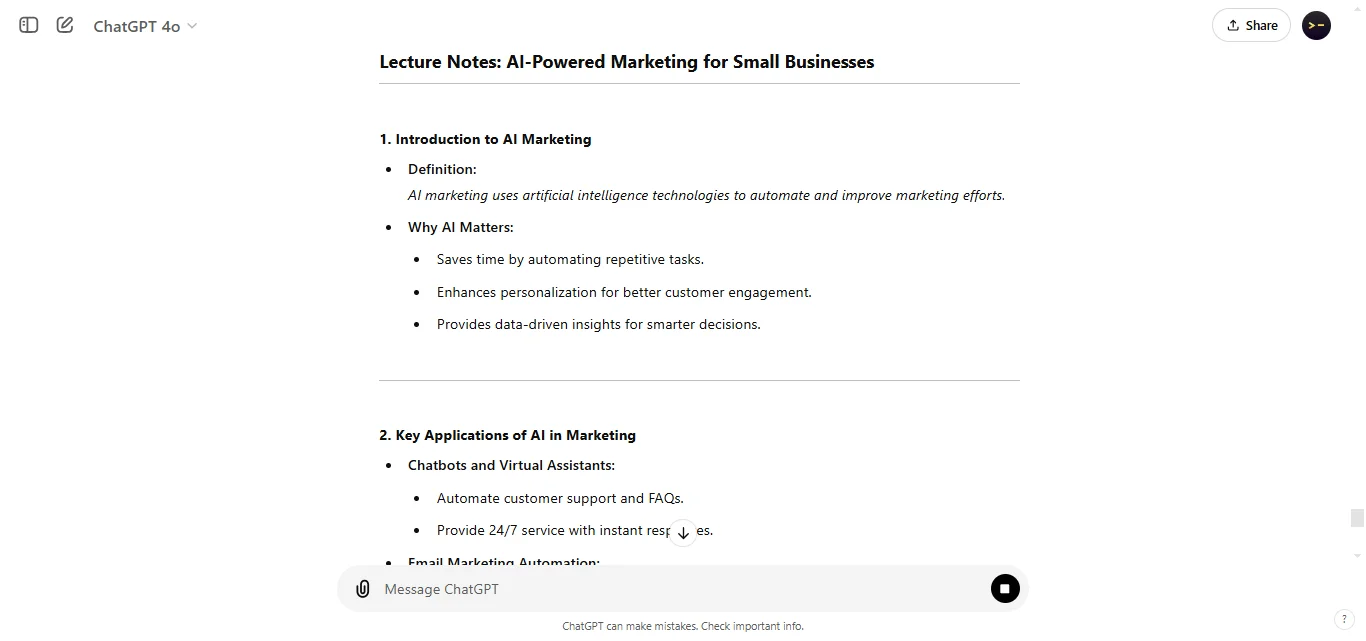
Summarizes key points in a structured way, ideal for reviewing or studying.
36. Exam Prep Questions:
Creates practice questions, perfect for self-assessment or test prep.
37. Lesson Plan:
Organizes content into learning objectives and steps, useful for teachers.
38. Flashcards:
Condenses information into Q&A pairs for quick learning.
39. Book/Article Review:
Summarizes main points with personal insights, great for sharing takeaways.
Personalized & Interactive Formats
These formats make content more engaging and tailored to readers:
40. Interactive Quiz:
Offers multiple-choice questions for engagement, ideal for fun learning or self-assessment.
41. Survey Questions:
Gather feedback, helpful for understanding audience preferences.
42. Personalized Recommendations:
Provides tailored suggestions based on preferences or needs.
43. Scripts for Chatbot:
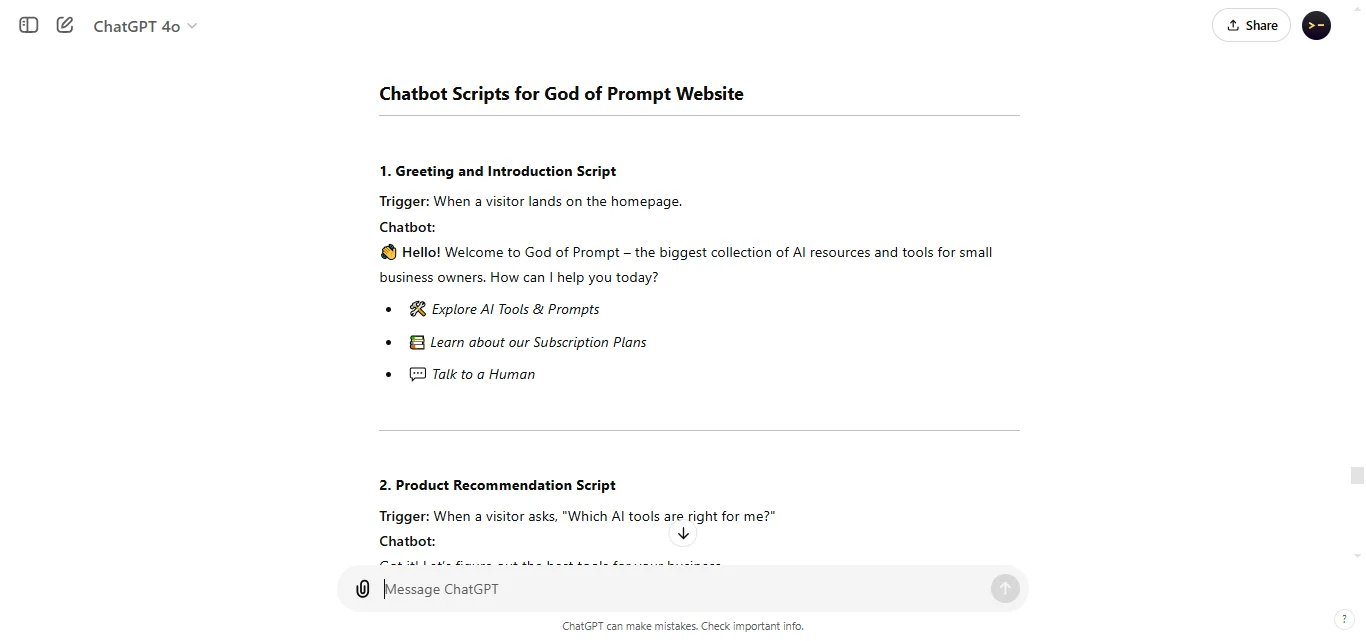
Designs dialogue for automated responses, useful for customer support bots.
44. Roleplay Scenarios:
Sets up hypothetical situations for interactive learning or training.
Multilingual Output Formats
These formats help make content accessible in multiple languages:
45. Translation Output:
Converts content into another language for a wider audience reach.
46. Bilingual Parallel Format:
Shows original and translated text side-by-side for easy comparison.
47. Language Practice Exercises:
Provides custom exercises to help with language learning and retention.
Creative & Practical Formats
48. Bullet Summary:
Offers quick, single-line highlights for fast reading.
49. Infographic Blueprint:
Outlines a structured plan for creating a visual infographic.
50. Mood Board:
Compiles words or themes to visually represent an idea or brand concept.
51. Agenda Format:
Organizes key points for meetings or events in an easy-to-follow schedule.
52. Visual Story Outline:
Structures a story concept visually, like storyboarding without images.
Extra Formats for Enhanced Engagement
53. Bullet Journal Layout:
Structures content like a bullet journal for organized thoughts and tasks.
54. FAQ Format:
Provides answers to common questions, ideal for websites or informational guides.
55. Comparison Chart:
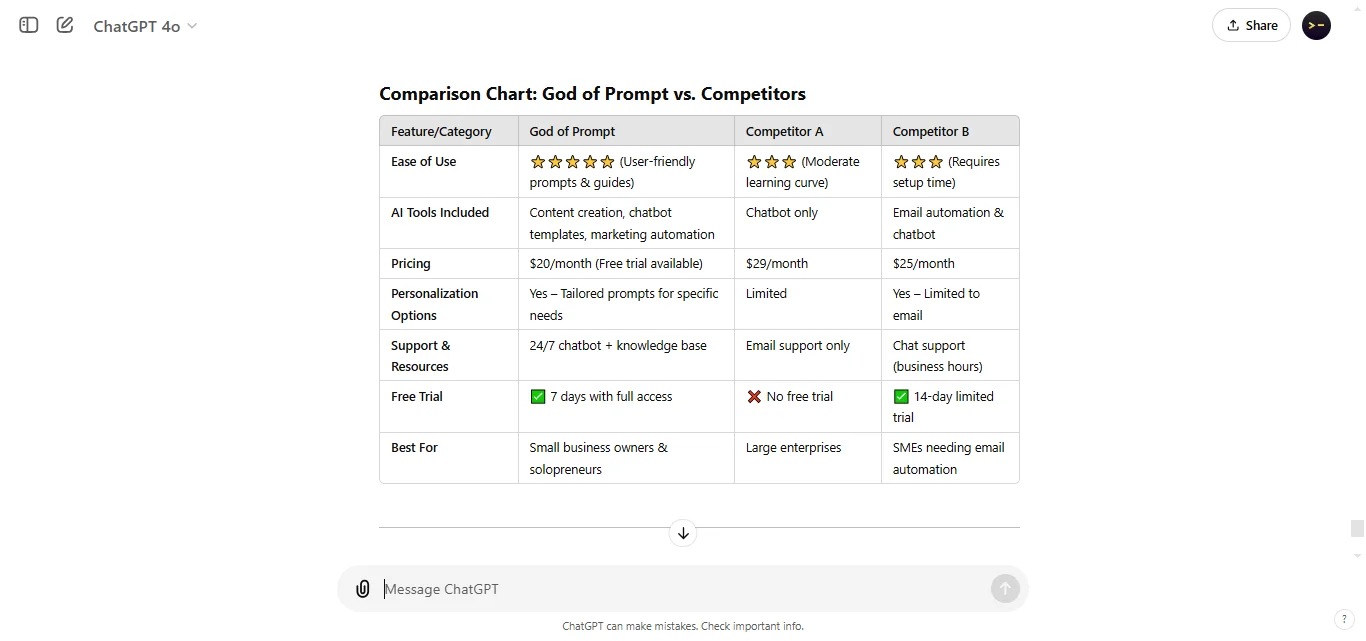
Side-by-side comparison for different options, useful for product features or services.
56. Annotated Notes:
Adds brief comments or explanations alongside key points.
57. Concept Map:
Visually connects ideas around a central theme, great for brainstorming.
58. Persona Profile:
Outlines characteristics of a target audience or fictional character.
59. Success Story Format:
Tells a brief story of success or transformation, perfect for testimonials or inspiring content.
60. Quotation Format:
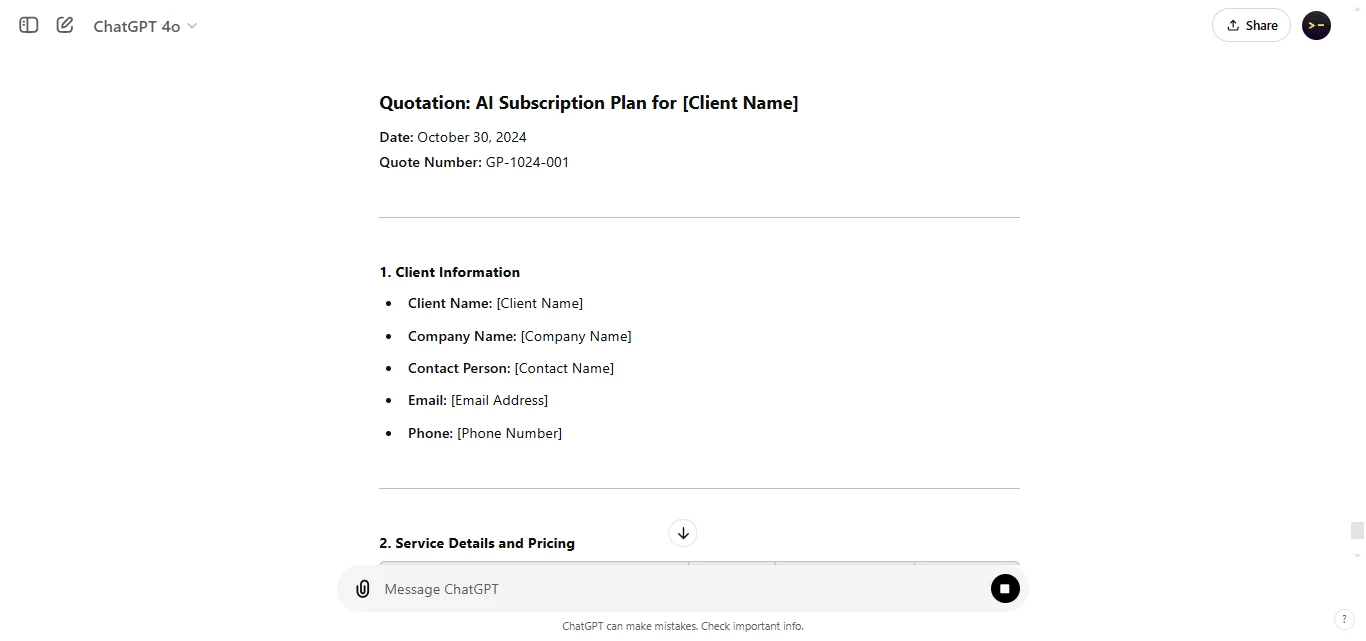
Presents impactful quotes or key phrases, ideal for adding emphasis or summarizing a message in a memorable way.
Wrapping Up: 60 Prompts Output Formats for Chatgpt
Using different output formats with ChatGPT gives you flexibility in how you present information.
With these 60 formats, you can tailor ChatGPT's output to perfectly match your needs, making information easier to digest, more engaging, and highly effective for any audience.
Experiment with these formats to find the ones that suit your goals best—there’s a format for every situation!

60 Prompts Output Formats for Chatgpt
1. ChatGPT supports a wide range of output formats tailored for practical, creative, and educational needs.
2. Different formats help organize information clearly, making it easier to understand and apply.
3. Creative formats like storytelling and analogies add engagement, while technical formats offer structured data presentation.
4. Interactive options like quizzes and roleplays enhance user involvement and personalize content.
5. Multilingual and visual-friendly formats expand the ways ChatGPT responses can serve diverse audiences and tasks
Loved by Business Owners


Based on 1K reviews
Get smarter on AI every week.
Ready to transform your business?