


How to Automate Tasks with AI: The 9-Domain Life Audit Framework



You already know AI can automate things. That's not your problem. Your problem is staring at ChatGPT or Claude and thinking, "Okay, but what exactly should I automate?" You try a few prompts, save maybe 20 minutes, and wonder what all the hype is about.
The issue isn't the tools. It's that nobody taught you how to find what's worth automating in the first place.
ALSO READ: 15 NotebookLM Prompts That Actually Work (Copy, Paste, Done)

That's what this guide fixes. By the end, you'll have a complete map of every automatable task across your work and personal life, a scoring system to prioritize the high-impact ones, the right AI tool matched to each task type, and copy-paste prompts to start immediately.
The whole process takes about two hours.
The payoff compounds every single week after that.
Why Most People Fail at AI Automation (They Skip This Step)
An AI automation audit is a systematic review of every recurring task across your work, finances, health, and personal life to identify which ones AI tools can handle partially or fully.
Instead of guessing which tasks to automate, the audit scores each one by time saved, implementation difficulty, cost, and impact on your daily life.
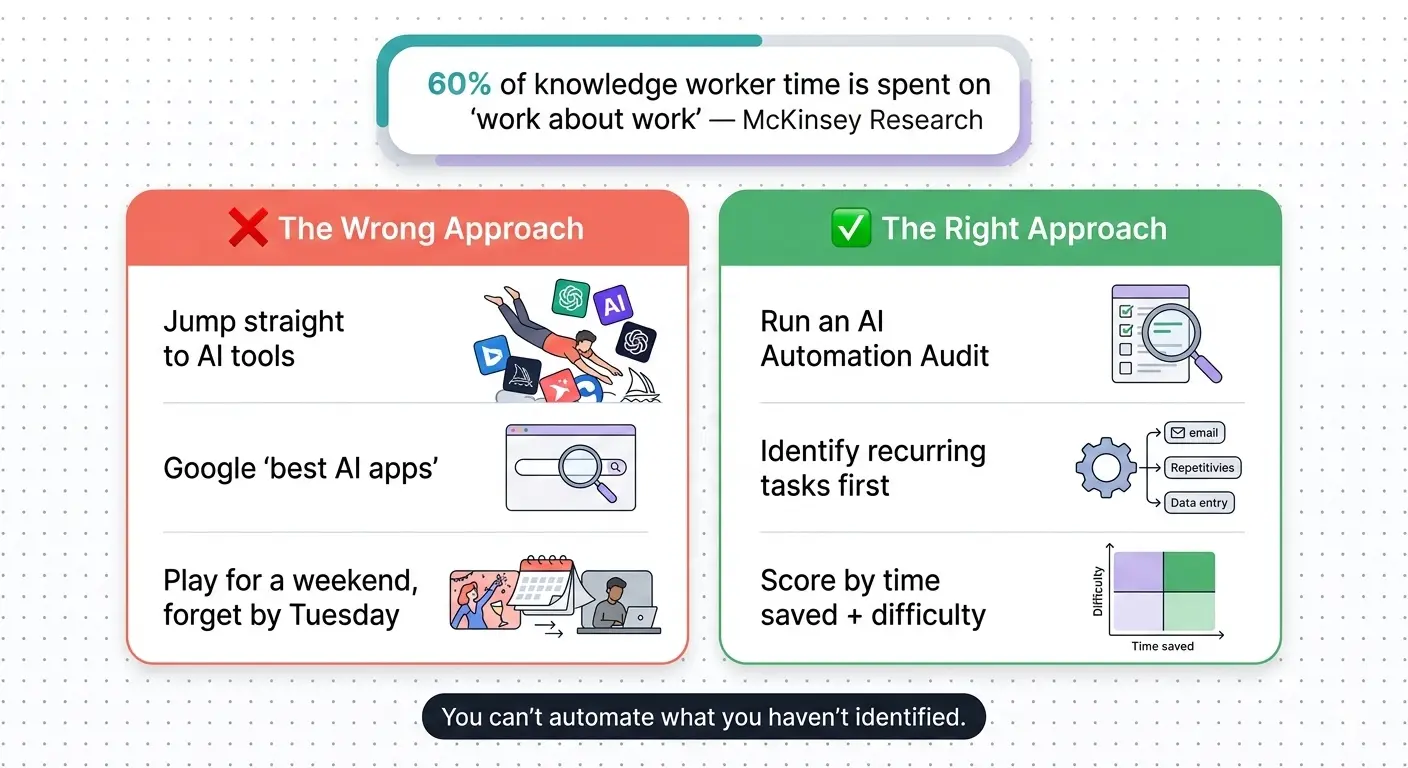
Most people skip this entirely. They jump straight to tool selection. They Google "best AI tools for productivity," install three apps, play with them for a weekend, and forget about them by Tuesday. Sound familiar?
Here's why that fails: you're solving the wrong problem first.
McKinsey research found that knowledge workers spend roughly 60% of their time on "work about work," meaning coordination, searching for information, status updates, and communication overhead.
That's not a tool problem. That's an awareness problem. You can't automate what you haven't identified.
That's why we built the 9-Domain AI Automation Audit.
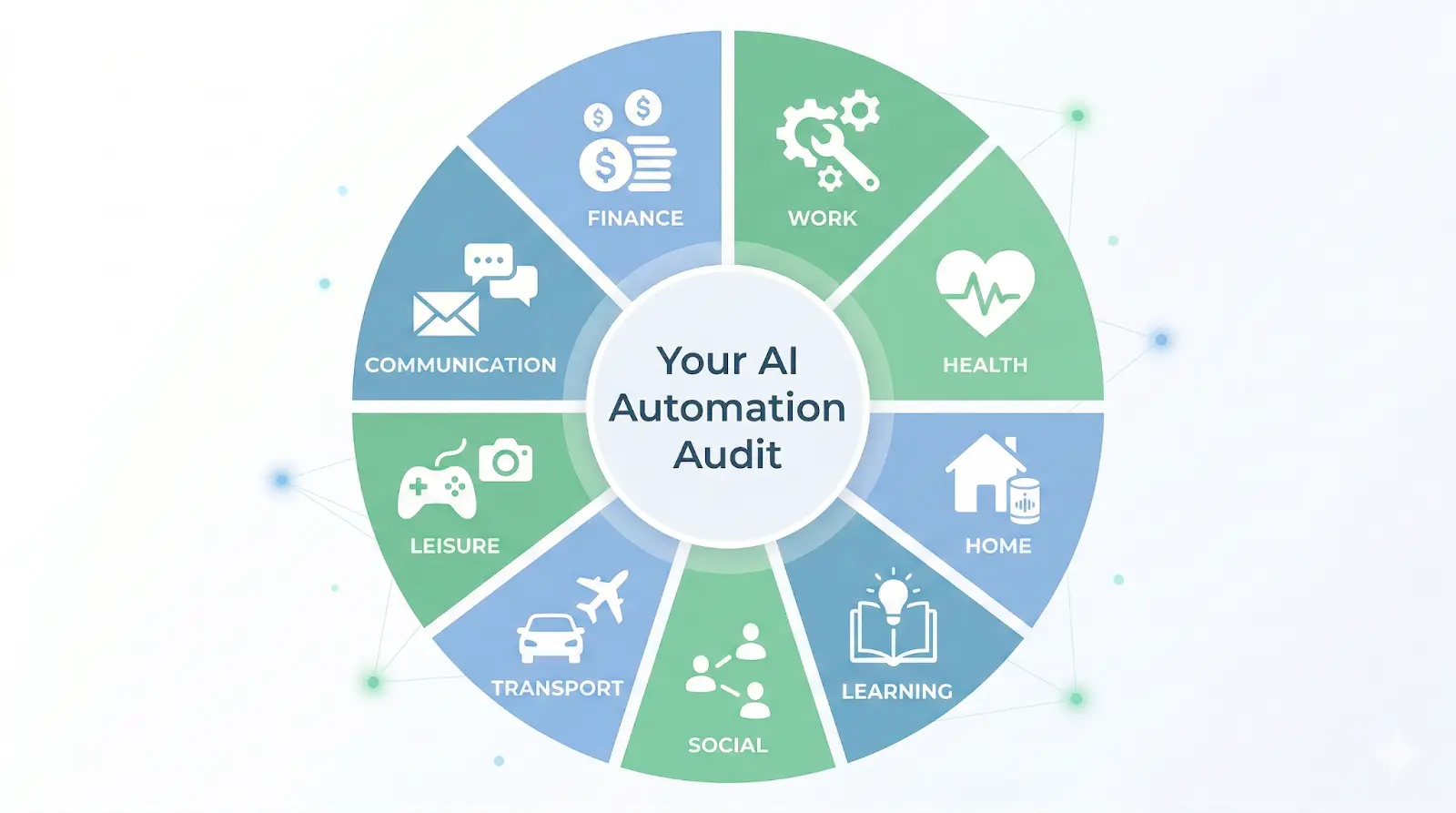
The 9-Domain AI Automation Audit
Most automation guides focus on work tasks. That's a mistake. Your life doesn't stop at 5pm, and neither do the tasks eating your time. This audit covers everything, from your morning routine to your investment portfolio.
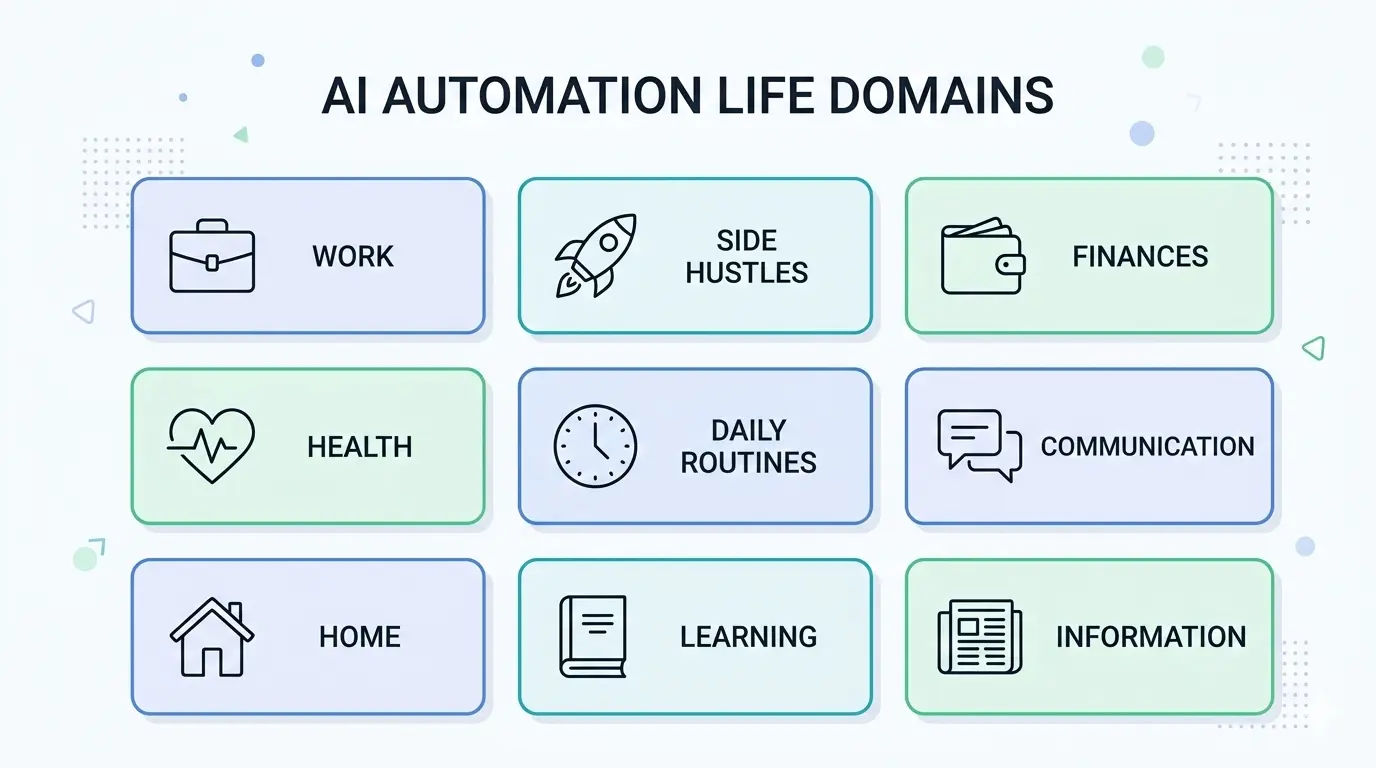
Here's the full framework. Each domain includes the tasks most people overlook and the type of AI tool that typically fits best.
1. Your Primary Work
This covers everything you do to earn your main income: emails, reports, meeting prep, data analysis, project updates, client communication, and the administrative overhead that piles up around your actual job.
Most commonly missed: summarizing meeting notes, drafting status updates, writing first drafts of proposals, and organizing project documentation. These eat 30 to 60 minutes daily for most knowledge workers, and AI handles all of them well.
Claude excels here for anything requiring structured, multi-step analysis. ChatGPT works better for quick one-off tasks.
2. Side Hustles and Projects
If you're running a side business, freelancing, or building something on nights and weekends, this domain covers all the tasks that keep that engine running: content creation, invoicing, client outreach, product descriptions, social media, and market research.
Most commonly missed: repurposing content across platforms, generating dozens of product descriptions in one sitting, and drafting outreach templates. These are perfect automation candidates because they're repetitive, follow patterns, and don't require your personal judgment for every iteration.
3. Personal Finances
Budgeting, expense tracking, tax prep, investment research, bill management, subscription audits, and financial goal planning.
Most commonly missed: categorizing transactions, summarizing monthly spending patterns, comparing insurance or subscription options, and drafting emails to financial institutions.
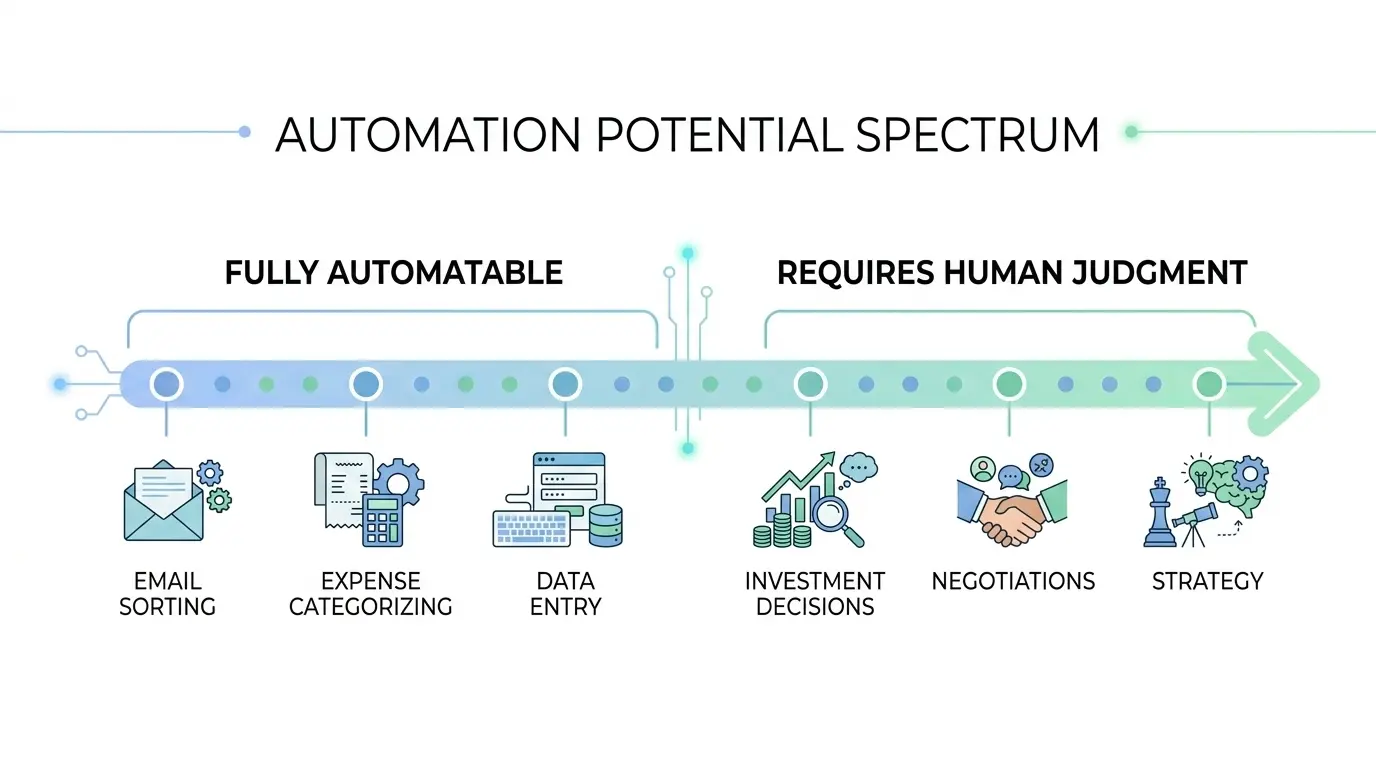
AI won't manage your portfolio (and you shouldn't let it), but it can do the research and organization legwork that makes your decisions faster.
4. Health and Fitness
Meal planning, workout programming, supplement research, habit tracking analysis, sleep optimization, and health appointment coordination.
Most commonly missed: generating weekly meal plans with grocery lists based on your dietary preferences, analyzing workout logs for patterns, and summarizing health articles or studies into actionable takeaways.
ChatGPT and Claude both handle meal planning surprisingly well when you give them your constraints.
5. Daily Routines and Productivity
Morning routines, time blocking, to-do list management, calendar optimization, decision fatigue reduction, and energy management.
Most commonly missed: batch-processing routine decisions (like weekly outfit planning or meal prep schedules), creating standard operating procedures for recurring tasks, and building templates for common communications.
The best automation here isn't fancy. It's creating systems that remove daily micro-decisions.
6. Communication and Relationships
Email drafting, message responses, social media engagement, networking follow-ups, family coordination, event planning, and professional relationship management.
Most commonly missed: drafting networking follow-up emails, creating response templates for common messages, summarizing long email threads, and generating gift ideas or event plans based on specific constraints.
AI won't replace genuine human connection, but it handles the logistics around it efficiently.
7. Home and Lifestyle
Home maintenance scheduling, cleaning routines, travel planning, shopping lists, product comparisons, local service research, and home improvement project planning.
Most commonly missed: comparing products based on specific criteria (like finding the best dishwasher under $600 with a quiet decibel rating), creating maintenance schedules with reminders, and planning travel itineraries.
Perplexity is particularly strong here because it searches with source citations built in.
8. Learning and Development
Course selection, study planning, skill gap analysis, book summaries, professional development tracking, and learning path creation.
Most commonly missed: summarizing books or articles into key actionable points, creating study schedules with spaced repetition, comparing courses or certifications, and building personalized learning roadmaps for new skills.
Claude's long-context capabilities make it particularly good at digesting large documents and pulling out what matters.
9. Information and Content Consumption
News filtering, industry monitoring, content curation, research compilation, trend tracking, and reference organization.
Most commonly missed: creating daily or weekly briefings from multiple sources, summarizing podcast episodes or YouTube videos, filtering industry news to only what's relevant to your goals, and compiling research notes into organized formats.
This is where most people waste the most invisible time, scrolling and reading without a system.
How to Run Your Own AI Automation Audit (Step-by-Step)
Now you know the domains. Here's how to actually run the audit and come out the other side with a prioritized action plan.
.webp)
Step 1: Map Your Time Drains
For the next three working days, keep a simple task log. Every time you switch tasks, write down what you just did, how long it took, and whether it felt like something only you could do. Don't overthink this. A notes app on your phone works fine. A spreadsheet works better.
After three days, paste your task log into Claude or ChatGPT with this prompt:
Review my task log from the past 3 days. Categorize each task into one of these 9 domains: Primary Work, Side Hustles, Personal Finances, Health/Fitness, Daily Routines, Communication, Home/Lifestyle, Learning, Information Consumption.
For each task, rate on a scale of 1-5:
- How repetitive is this task? (5 = I do this identically every time)
- How much creative judgment does it require? (1 = very little, 5 = significant)
- How long does it take each occurrence?
Flag any task scoring 4+ on repetitiveness and 2 or below on creative judgment. These are my top automation candidates.
Here's my log:
[paste your log]
This gives you a sorted, categorized view of where your time actually goes versus where you think it goes. Those two things are almost never the same.
Step 2: Score Each Task for Automation Potential
Take your top 15 to 20 automation candidates from Step 1. Score each one across four axes:
Time Saved: How many minutes or hours per week does this task consume? Higher is better for automation ROI.
Difficulty to Implement: How hard is it to set up the automation? A Claude prompt you can copy-paste is Easy. A multi-step Zapier workflow is Medium. Anything requiring code is Hard.
Cost: What does the tool cost? Free tier, low (under $20/month), medium ($20 to $50/month), or high (over $50/month).
Impact Level: Beyond time savings, how much does automating this improve your quality of life, output quality, or stress levels? Rate Low, Medium, High, or Transformative.
Step 3: Match Tasks to the Right AI Tool
Not every AI tool does every job well. That's where most people go wrong. They use ChatGPT for everything, get mediocre results on half of it, and assume AI automation doesn't work.
Match each high-scoring task to the tool built for that job type. (See the tool-matching section below for specifics.)
Step 4: Build Your 30-Day Automation Roadmap
Pick your top five automations. Sort them by highest impact combined with lowest difficulty. Then implement one per week, starting with the easiest win.
Why one per week? Because each automation needs a few days of quality-checking before you can trust it to run without babysitting. Rushing this step is how you end up sending a client an email that starts with "As an AI language model."
Week one should be your quickest win. Something like email drafting templates or meeting note summaries. Get a confidence boost. Then tackle the bigger workflows in weeks two through four.
The Automation Scoring Framework
Here's what a scored automation audit looks like in practice. This table shows a mix of work and personal tasks to demonstrate how the framework applies across domains.
Start with the tasks that score high on Time Saved and Impact but low on Difficulty and Cost. In this example, drafting status reports and writing social media posts are obvious first picks. High return, easy setup, zero cost.
Which AI Tool for Which Automation Type
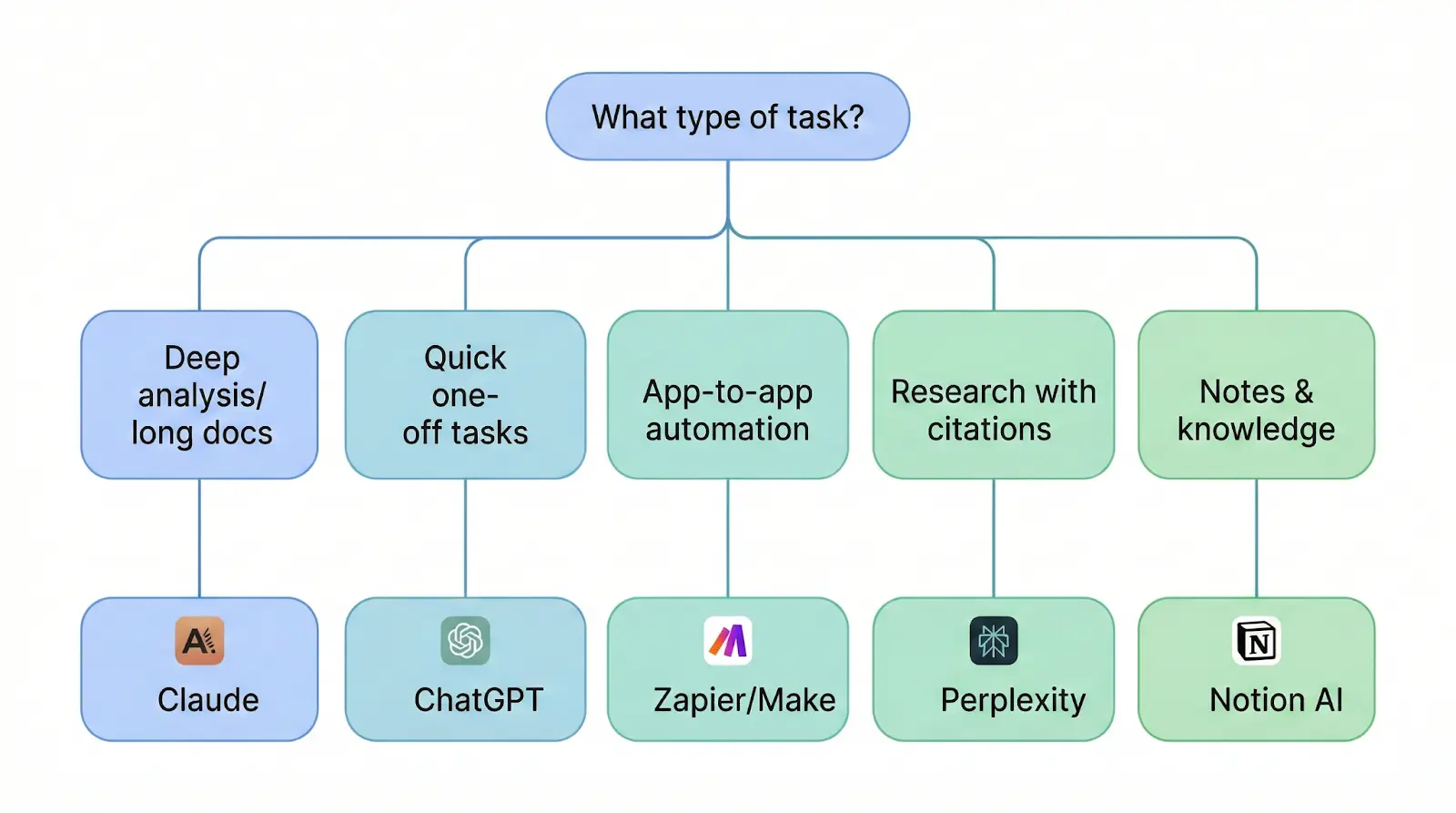
Here's the cheat sheet. Stop using one tool for everything.
```html
<table>
  <thead>
    <tr>
      <th>Task Type</th>
      <th>Best Tool</th>
      <th>Why</th>
    </tr>
  </thead>
  <tbody>
    <tr>
      <td>Deep analysis, multi-step reasoning, long document processing</td>
      <td>Claude</td>
      <td>Claude Projects let you build reusable contexts for recurring workflows. Best for structured, complex work.</td>
    </tr>
    <tr>
      <td>Quick daily tasks, brainstorming, conversational problem-solving</td>
      <td>ChatGPT</td>
      <td>Fastest for one-off requests. Good general-purpose assistant for tasks that don't need deep structure.</td>
    </tr>
    <tr>
      <td>Connecting apps (when X happens, do Y)</td>
      <td>Zapier or Make</td>
      <td>Neither's AI in the traditional sense, but they're essential for no-code app-to-app automation. Think: "When I get an email with an invoice, save the attachment to Google Drive and add a row to my expense tracker."</td>
    </tr>
    <tr>
      <td>Research with source citations</td>
      <td>Perplexity</td>
      <td>Searches the web and cites its sources. Best for research tasks where you need to verify claims.</td>
    </tr>
    <tr>
      <td>Knowledge management and notes</td>
      <td>Notion AI</td>
      <td>Good for organizing existing information, summarizing meeting notes within your workspace, and searching across your note library.</td>
    </tr>
    <tr>
      <td>Image and visual content</td>
      <td>Gemini or ChatGPT</td>
      <td>Both handle image generation and analysis. Gemini integrates well if you're already in the Google ecosystem.</td>
    </tr>
  </tbody>
</table>
```
A quick note on Claude, since we use it daily at God of Prompt for our own content workflows: its strength is structured, deep-analysis work.
If your task involves processing a long document, building a multi-step workflow, or creating something with consistent formatting across multiple outputs, Claude handles it better than the alternatives.
We've built entire content production pipelines using Claude Projects with custom instructions.
Copy-Paste Prompts for Each Audit Domain
Here are five ready-to-use audit prompts for the highest-impact domains. Each one helps you identify what to automate (not the automation itself). Copy these into Claude or ChatGPT and fill in your specifics.
Work Task Audit
I work as [your role] at [company type]. My main responsibilities include [list 3-5 key responsibilities].
Review these responsibilities and identify:
1. Which subtasks are repetitive and follow a consistent pattern
2. Which involve processing or summarizing information
3. Which require drafting content that follows a template
For each task you identify, estimate time spent per week and rate automation potential as Low, Medium, or High. Focus on tasks I do at least twice per week.
When to use this: At the start of your audit. What you'll get: A prioritized list of your most automatable work tasks, often including ones you've stopped noticing because they're so routine.
Finance Automation Finder
Here are my recurring financial tasks and approximate time spent:
[list your financial tasks, e.g., "categorize credit card transactions - 30 min/week," "review subscriptions - 15 min/month," etc.]
For each task, suggest:
1. Whether AI can handle it fully, partially, or not at all
2. Which specific type of AI tool would work (conversational AI, app connector, or specialized finance tool)
3. Any risks of automating this task that I should know about
Be honest about what AI can't do well with finances.
When to use this: After tracking your financial tasks for one week. What you'll get: A realistic assessment that separates genuinely automatable finance tasks from ones that need your judgment.
Daily Routine Optimizer
Here's my typical weekday routine from waking up to going to bed:
[describe your day in rough time blocks]
Identify every decision point and recurring micro-task in this routine. For each one, tell me:
1. Can this be templated, batched, or automated?
2. How? (specific suggestion)
3. Estimated time saved per day
Focus on the small, invisible time drains I probably don't even notice anymore.
When to use this: When you feel busy but can't explain where your time goes. What you'll get: Specific, small automations that compound into significant weekly time savings.
Health and Meal Planning Audit
My dietary preferences/restrictions: [list them]
My fitness goals: [describe briefly]
My biggest health-related time drain: [meal planning, grocery shopping, workout programming, etc.]
Create an automation plan that covers:
1. Which health-related tasks I should automate first (based on time savings and ease of implementation)
2. A specific weekly prompt I can reuse for meal planning
3. How to structure a recurring workout review using AI
Keep suggestions practical. I'm not looking for a complete life overhaul, just the highest-impact automation opportunities.
When to use this: When health-related planning eats your Sunday evenings. What you'll get: A repeatable system that turns hours of planning into minutes of prompt-running.
Communication Efficiency Audit
These are the types of messages and emails I write most often:
[list 5-10 common communication types, e.g., "client project updates," "networking follow-ups," "team standup summaries," "meeting scheduling"]
For each type:
1. How much could be templated vs. written fresh each time?
2. Draft a reusable template or prompt I can customize in under 2 minutes
3. Flag any communication types that should NOT be automated (and why)
I want to be faster, not robotic. Keep the human touch.
When to use this: When email and messages eat more than an hour of your day. What you'll get: Templates and prompts that cut your communication time dramatically while keeping your voice intact.
Want the full set of automation prompts for all 9 domains, plus advanced workflow templates? Check out our complete automation prompt toolkit with 30,000+ prompts.
Common Mistakes That Kill Your AI Automation
Automating the Wrong Things First
The most tempting tasks to automate are often the wrong ones. That quarterly report you spend three hours on? It feels painful, but it only happens four times a year. That's 12 hours annually.
Meanwhile, the 15 minutes you spend sorting email every morning adds up to 65 hours a year. Start with daily time drains, not occasional big projects. Frequency beats intensity when it comes to automation ROI.
Using One Tool for Everything
ChatGPT is great for quick conversational tasks. It's terrible at connecting your apps to each other. Claude is excellent at deep structured analysis. It's not what you need for a simple "rewrite this sentence" request.
When we audited our own workflows at God of Prompt, we found we were forcing ChatGPT to do things Claude handles better (long document analysis, structured content workflows) and using Claude for things ChatGPT does faster (quick brainstorming, casual rewrites).
Matching the tool to the task type cut our total processing time by roughly 40%.
Skipping the Review Loop
AI outputs need human review. Especially in the first two weeks of any new automation. We learned this the hard way: an automated email summary workflow was quietly dropping important context from client messages for three days before someone caught it.
Budget 20% of your saved time for quality checks until you trust the output. So if an automation saves you 30 minutes, spend 5 to 6 minutes reviewing what it produced. This percentage shrinks over time as you refine your prompts and build confidence in the outputs.
FAQ
What tasks should I automate with AI first?
Start with high-frequency, low-creativity tasks that follow a repeatable pattern. Daily email processing, meeting note summaries, status report drafts, and routine research are the best starting points. These give you the fastest ROI and build your confidence with AI tools before you tackle complex workflows.
Can I automate personal tasks or just work tasks?
Both. Finance tracking, meal planning, home maintenance scheduling, health research, and gift planning are all fair game. In our experience, people who audit only their work tasks miss about half of their total automation potential. Your personal life has just as many repetitive patterns as your work life.
How much time can AI automation actually save?
Most people who run a thorough audit across all 9 domains find 5 to 10 hours per week of recoverable time. That's 250 to 500 hours per year. Not the "get back 10,000 hours" hype you see on social media, but real, measurable time you can redirect to work that actually needs your brain.
Do I need technical skills to automate with AI?
For prompt-based automation (using Claude, ChatGPT, or similar tools), no. You need to write clear instructions, but that's a skill this guide helps you build. For app-to-app automation using Zapier or Make, you'll need basic comfort with connecting tools through a visual interface. For anything involving APIs or custom code, yes, you'll need technical skills or someone who has them.
Is Claude or ChatGPT better for automation?
It depends on the task type. Claude is stronger for structured, multi-step workflows, long document processing, and tasks that benefit from persistent project contexts. ChatGPT is faster for quick, one-off tasks and conversational problem-solving. The honest answer: use both. Match the tool to the task, not the other way around. Our ChatGPT prompts for daily productivity and Claude Projects workflow guides break down specific use cases for each.
You've got the framework. You've got the scoring system. You've got the prompts. Now the only question is whether you'll actually run the audit or bookmark this page and forget about it.
If you want to skip the setup work and jump straight to execution, grab our complete automation prompt toolkit with 30,000+ prompts. It includes automation prompts for all 9 domains, workflow templates for Claude and ChatGPT, and the exact systems we use to run God of Prompt on AI-powered workflows.
Start with one domain. Score five tasks. Automate the easiest one this week. That's it. The compound effect handles the rest.

Loved by Business Owners


Based on 1K reviews
Get smarter on AI every week.
Ready to transform your business?


