Best Claude Prompt Generators in 2026 (+ Build Your Own)



Most Claude prompt generators will waste your time. They'll spit out a vaguely structured paragraph that sounds official but gets you the same mediocre output you'd get by just typing your question straight into Claude.
I tested over a dozen of them so you don't have to. Some are genuinely useful. Most aren't. And the best option might be one you already have access to but didn't know existed.
Here's what you'll get in this guide: an honest breakdown of the generators actually worth using, a look at Anthropic's free built-in tools that almost nobody talks about, and a simple four-part framework you can use to write better prompts than any generator will produce.
No technical background needed.
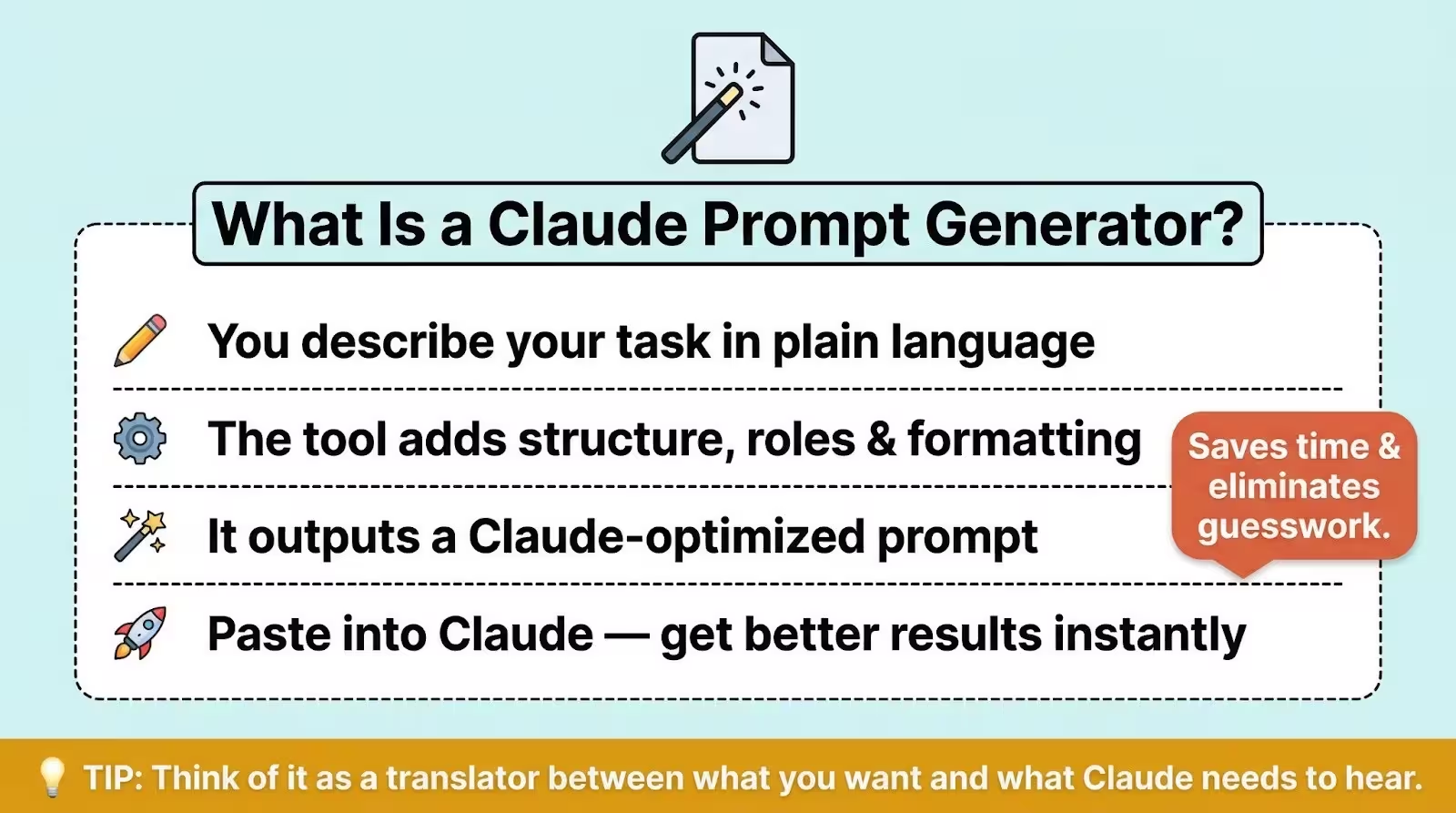
What Is a Claude Prompt Generator?
A Claude prompt generator is a tool that takes a plain description of what you want Claude to do and turns it into a structured prompt designed to get better results.
These tools typically add formatting, role instructions, and output constraints so Claude understands your request more precisely on the first try.
Think of it this way: you say "help me write a marketing email," and the generator turns that into a detailed prompt with your target audience, the tone you want, the length, and the exact format for the output. Paste it into Claude, and the response is actually usable.
Anthropic's Official Prompt Tools (Free, Built Into the Console)
Before you go searching for a third-party tool, know this: Anthropic already built a prompt generator and a prompt improver right into their developer console. They're free. And most people searching for "claude prompt generator" have no idea they exist.
The Prompt Generator
Anthropic's prompt generator lives inside the Console (their developer dashboard). You describe what you want Claude to do, and it builds a full prompt template using the same techniques Anthropic recommends in their own documentation.
The output includes XML tags for structure, chain-of-thought reasoning sections so Claude works through problems step by step, and variable placeholders you can swap out for different inputs.
ZoomInfo's data science team used it to build a RAG application and reported it'd cut their prompt refinement time by 80%.
The catch? It's designed for developers building apps with the Claude API. The interface looks technical, and you'll need to create a free Anthropic account to access it. If you're comfortable copying a prompt from one screen and pasting it into Claude.ai, you'll be fine.
But if "developer console" makes your eyes glaze over, you might prefer one of the third-party options below.
The Prompt Improver
This one's even more useful for business owners. The prompt improver takes a prompt you've already written and makes it better.
It adds chain-of-thought reasoning, standardizes your examples into XML format, fixes vague instructions, and adds prefilled response starters that keep Claude on track.
Anthropic's own testing showed the improver increased accuracy by 30% on a classification task and brought word count adherence up to 100% for summarization.
You can also give it feedback after each improvement round, telling it what's working and what isn't, and it'll keep refining.
If you've already got prompts that are "good enough" but you want them tighter, this is the fastest path.
Who This Is Best For
The official tools work best for people who already write their own prompts and want to level them up. If you're starting from scratch and don't know what a good prompt looks like, a third-party generator with templates will probably feel more approachable.
5 Best Third-Party Claude Prompt Generators
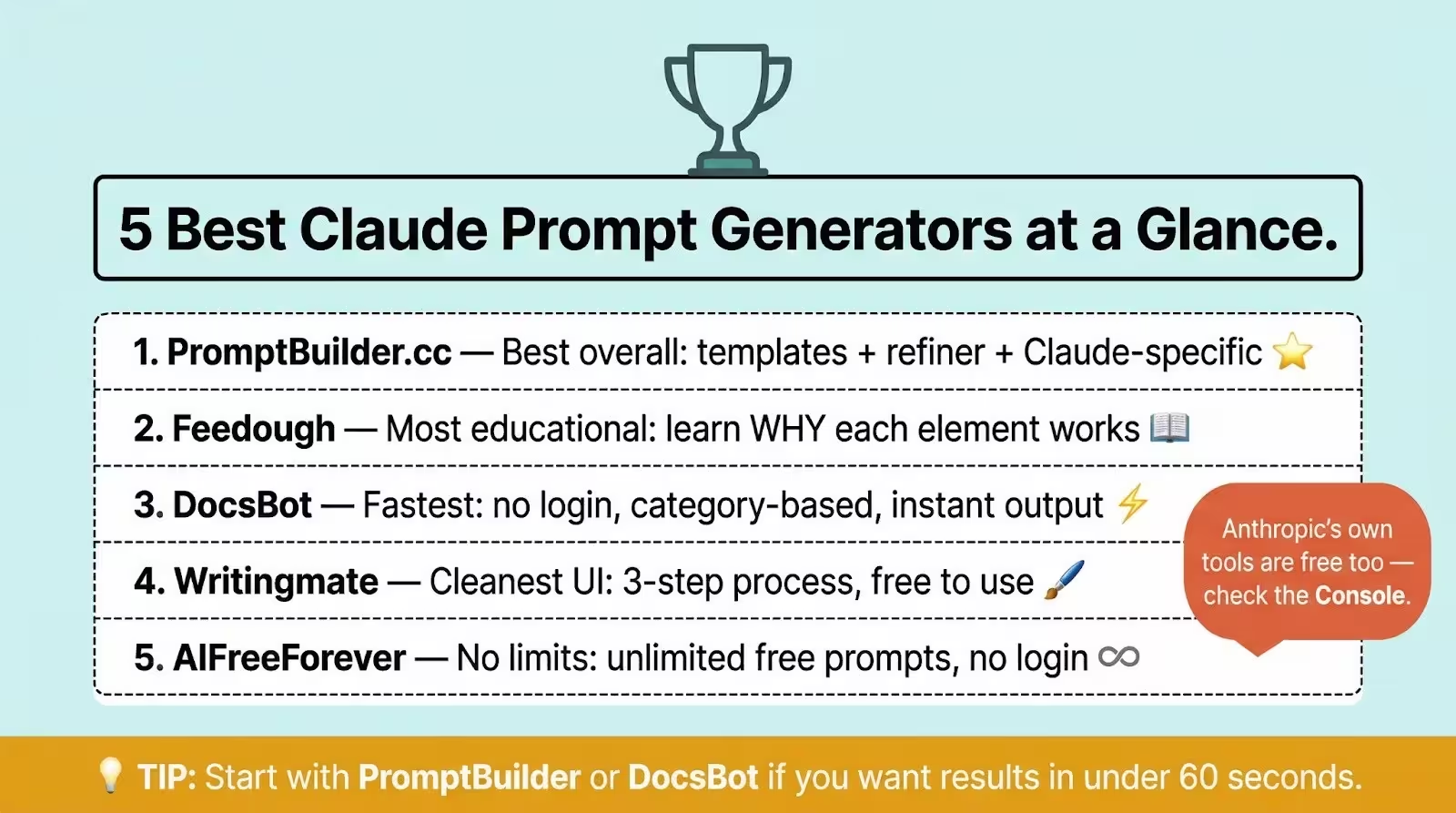
I tested each of these tools by giving them the same task: generate a Claude prompt for writing a weekly email newsletter for a small e-commerce brand. Here's how they performed.
1. PromptBuilder.cc
PromptBuilder is the most polished option in this category. It supports Claude (Opus and Sonnet), ChatGPT, Gemini, and seven other models, so it tunes your prompts to whatever model you're actually using.
You get 5 free Claude prompts per month with no credit card required. The free tier also includes access to all their Opus and Sonnet templates across categories like marketing, coding, analysis, and content.
They also have a prompt refiner that rewrites existing prompts and a prompt assistant for interactive refinement (25 assistant requests per month on free).
What stood out: The generated prompt included XML tags, output formatting constraints, and role context specific to Claude. It didn't feel like a generic template with "Claude" pasted in.
The limitation: Five free prompts per month goes fast if you're testing multiple approaches. Unlimited generation requires a paid plan.
2. Feedough Claude Prompt Generator
Feedough takes a more educational approach. Their generator page includes a solid explanation of how Claude processes prompts differently from GPT, why XML structure matters, and when to use it.
The tool itself is straightforward. Enter your task, get a structured prompt. No login required.
What stood out: The accompanying content explains the reasoning behind each prompt element, which helps you learn while you generate. Good for someone who wants to understand the "why," not just get a prompt to copy.
The limitation: The generator is basic compared to PromptBuilder. No template library, no refiner, no model-specific tuning beyond Claude.
3. DocsBot Claude Prompt Generator
DocsBot offers a clean, no-login generator with category-organized prompts covering writing, business, education, programming, and more. It's fast and frictionless.
What stood out: Dead simple. No account, no paywall for basic use, no clutter. You pick a category, describe your task, and get a prompt. If you just need something quick, this delivers.
The limitation: DocsBot's primarily a chatbot-building platform. The prompt generator is a lead-gen tool for their main product, so the content around it is thin. Don't expect deep guidance on refining what you get.
4. Writingmate Claude Prompt Generator
Writingmate offers a free Claude prompt generator that follows a three-step process: describe your task, add details, and generate. No login needed to start.
What stood out: It's completely free to use and the interface is clean. They also let you access prompts from Claude's official prompt library and refine them with the tool.
The limitation: The page still references old model names like Claude 3.7 Sonnet and Claude 3 Opus, which haven't been current since early 2025. That matters because model-specific prompt techniques differ between versions.
If a tool doesn't track which Claude you're using, the prompts it generates might miss improvements available in Claude Opus 4.6 or Claude Sonnet 4.6. Their primary goal is pushing you toward a Writingmate subscription for multi-model access.
5. AIFreeForever Anthropic Prompt Generator
AIFreeForever does exactly what the name suggests. Unlimited free use, no login, multiple prompt types. It couldn't be simpler.
What stood out: No restrictions. If you just want to generate prompt after prompt without hitting a paywall, this is your spot.
The limitation: The prompts aren't truly built for Claude. The tool works for any AI model, which means it doesn't take advantage of Claude-specific features like XML tag processing or structured role assignment.
fThe output is generic, and the SEO content around it is clearly templated. You'll get a prompt, but it won't be as effective as one designed specifically for Claude.
Quick Comparison Table
Want 300+ ready-to-use Claude prompts you don't have to generate yourself? Check out our Claude prompt library.
How to Build Your Own Claude Prompts (Without a Generator)
Here's the thing about prompt generators: they're training wheels. Useful at first, but you'll outgrow them fast once you understand the pattern they're all following.
Every good Claude prompt has four parts. Learn them once, and you won't need a generator again.
Start With the Goal, Not the Topic
Most people start prompts with the topic: "Write about email marketing." That's why Claude gives you a generic response.
Start with what you want to accomplish instead. "Write a 200-word product description for my handmade candle shop that makes someone feel like they're buying a gift for themselves, not just another candle."
The goal tells Claude what success looks like. The topic just tells it what to talk about. There's a big difference.
Use the ROLE + CONTEXT + TASK + FORMAT Framework

This is the backbone of every strong prompt. Here's what each part does:
ROLE: Tell Claude who to be. "You are a direct response copywriter with 10 years of e-commerce experience." This shapes the vocabulary, tone, and assumptions Claude brings to the task.
CONTEXT: Give Claude the background. Your audience, your brand voice, constraints, what you've already tried. The more specific you are here, the less generic the output.
TASK: State exactly what you need. Not "write an email" but "write a 150-word promotional email announcing a 24-hour flash sale on our best-selling soy candles."
FORMAT: Describe the output structure. "Start with a subject line. Then the email body. Then three alternative subject lines. Use short paragraphs and a conversational tone."
Put those four together, and you've got a prompt that'll outperform 90% of what generators produce. Here's a quick example:
ROLE: You are a social media manager for a small bakery.
CONTEXT: We sell artisan sourdough and pastries in Portland, Oregon.
Our audience is local foodies aged 25-45 who value quality ingredients
and supporting local businesses. Our tone is warm, a little playful,
and never corporate.
TASK: Write 5 Instagram captions for posts featuring our new
seasonal croissant flavors (lavender honey, cardamom orange,
and maple pecan).
FORMAT: Each caption should be 2-3 sentences max. Include one
relevant hashtag per caption. End each with a soft call to action
that doesn't feel salesy.
Add XML Tags for Complex Instructions
When your prompt has multiple sections, Claude processes it more accurately if you wrap those sections in XML tags. This is the one technique that separates Claude prompts from those built for other AI models.
XML tags look like this:
<role>You are a financial advisor writing for small business owners
who don't have accounting backgrounds.</role>
<context>The reader just started their first LLC and needs to
understand quarterly tax estimates.</context>
<task>Write a 300-word explainer on how to calculate and pay
quarterly estimated taxes.</task>
<format>Use plain language. Include one real example with actual
dollar amounts. End with the three most important dates they
need to remember.</format>
You don't need XML tags for simple prompts. But for anything with multiple instructions, examples, or long context, they make a real difference.
Test, Tweak, Repeat
No prompt is perfect on the first try. Run it, look at the output, and ask yourself: what's missing? What's off-tone? What's too vague?
Then adjust one thing at a time. If the output is too formal, add "Write in a casual, conversational tone" to your format section. If it's too long, specify a word count. If it's missing a key angle, add that to your context.
Two or three rounds of this and you'll have a prompt that consistently delivers exactly what you need.
Which Option Is Right for You?
If you're just getting started with Claude and want something you can use right now, grab a third-party generator like PromptBuilder or DocsBot. They'll give you a solid starting point with zero learning curve.
If you're already writing prompts and want to make them better, go straight to Anthropic's prompt improver in the Console. It's free and specifically designed for this.
If you want to stop depending on tools entirely, learn the ROLE + CONTEXT + TASK + FORMAT framework from the section above. Twenty minutes of practice with it will serve you better than any generator long-term.
And if you want the best Claude AI prompts for business without building them yourself, we've got you covered.
FAQ
Is there a free Claude prompt generator?
Yes, several. Anthropic's own prompt generator in the Console is completely free. For third-party options, DocsBot and AIFreeForever offer unlimited free use with no login. PromptBuilder.cc gives you 5 free Claude prompts per month plus 25 assistant requests. You won't run out of options.
What's the difference between a prompt generator and a prompt improver?
A prompt generator creates a new prompt from scratch based on your task description. A prompt improver takes an existing prompt and makes it more effective by adding structure, reasoning steps, and better formatting. Anthropic offers both in their Console, and they work best together: generate a first draft, then improve it.
Can I use prompts from a generator in Claude's free plan?
Absolutely. Generated prompts work on any Claude plan, free or paid. The difference between plans is how many messages you can send and which models you can access, not what kind of prompts you're able to use. Claude Pro ($20/month) gives you roughly 5x more usage than the free tier and access to more advanced models.
Do prompt generators work for Claude Projects and system prompts?
They can, but you'll probably need to adjust the output. Most generators create user-facing prompts (the message you type into the chat). System prompts and Claude Projects custom instructions use a different format. Anthropic's Console tools are the best fit here because they're built for system-level prompt templates with variable placeholders.
Skip the generator. Get the complete prompt system with 30,000+ tested prompts for Claude, ChatGPT, and more. See the Complete AI Bundle →
Or start smaller: grab our free Claude mega-prompt template to see what a professional prompt looks like.

Loved by Business Owners


Based on 1K reviews
Get smarter on AI every week.
Ready to transform your business?


10 ChatGPT Prompts That Help Small Businesses Decide Which Equipment to Buy
Artificial intelligence, particularly ChatGPT, offers tailored insights by analyzing specific business needs, budget constraints, and market trends. This article explores 10 practical ChatGPT prompts designed to help small businesses decide which equipment to buy, ensuring smarter investments and optimized operations.

Alex Prompter