
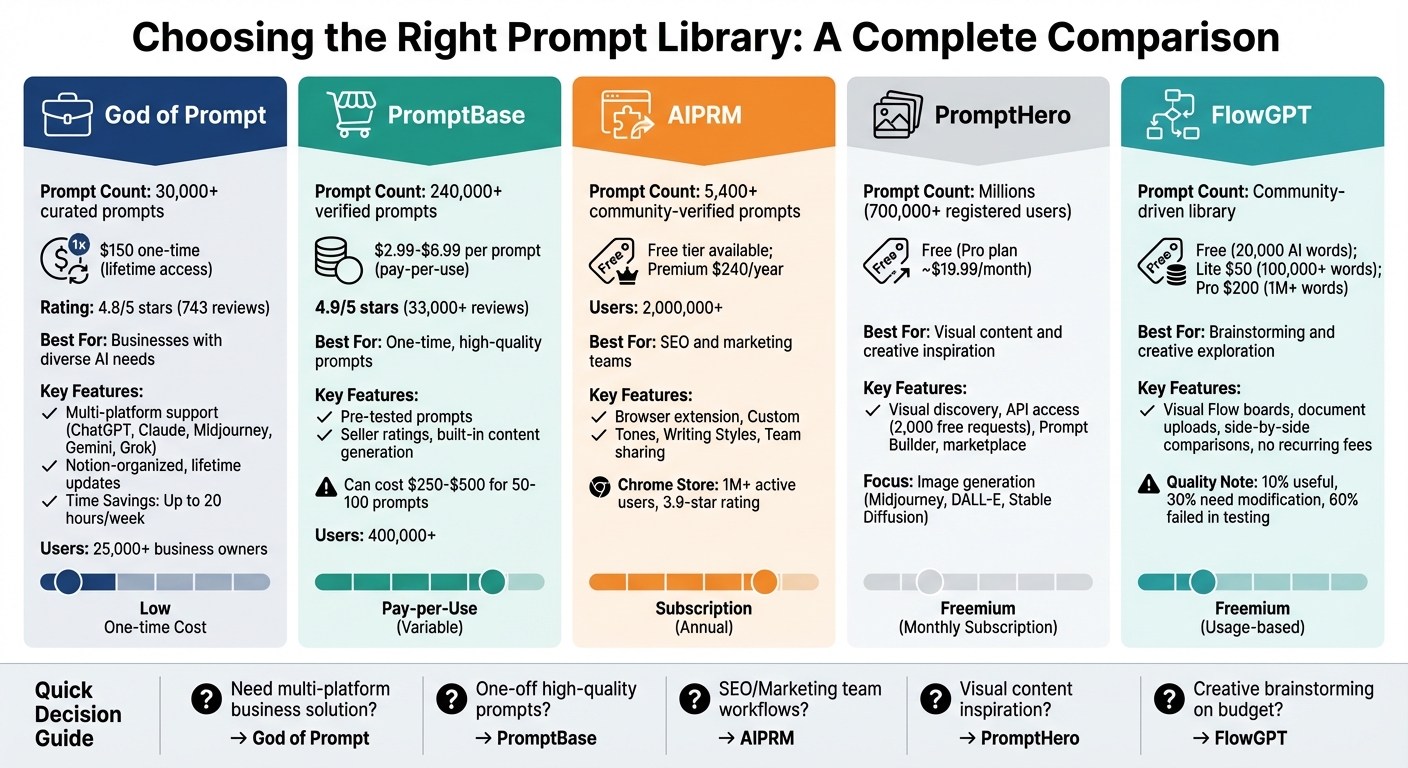
When deciding on a prompt library, your choice depends on your specific needs – whether you’re an individual user or part of a team. Here’s a quick breakdown of five popular options:
- God of Prompt: Offers 30,000+ curated prompts tailored for business tasks. Lifetime access costs $150, making it ideal for businesses managing diverse AI workflows across platforms like ChatGPT, Claude, and Midjourney.
- PromptBase: A marketplace with 240,000+ verified prompts priced individually ($2.99–$6.99). Best for one-off, high-quality prompts but can become costly for frequent use.
- AIPRM: A browser extension for ChatGPT with 5,400+ community-verified prompts. Free tier available; premium plans start at $240/year. Great for SEO and marketing teams needing standardized outputs.
- PromptHero: Community-driven with a focus on visual content. Free to use, but quality varies, requiring time to find reliable prompts. Best for image generation and creative ideas.
- FlowGPT: Community-based with advanced features like visual Flow boards and document uploads. Pay-as-you-go pricing starts free but can escalate with heavy use. Suitable for brainstorming and creative exploration.
Quick Comparison:
| Platform | Best For | Key Features | Pricing |
|---|---|---|---|
| God of Prompt | Businesses with diverse AI needs | 30,000+ curated prompts, lifetime updates | $150 one-time fee |
| PromptBase | One-time, high-quality prompts | 240,000+ verified prompts, pay-per-use | $2.99–$6.99 per prompt |
| AIPRM | SEO and marketing teams | Browser extension, community-verified prompts | Free or $240/year |
| PromptHero | Visual content and inspiration | Community-driven, image-focused prompts | Free |
| FlowGPT | Brainstorming and creativity | Visual Flow boards, document uploads | Free, pay-as-you-go ($50+) |
Each platform has its strengths and tradeoffs. For example, God of Prompt excels in multi-platform compatibility, while PromptBase is great for specific tasks but less cost-effective for frequent use. If you’re managing team workflows, AIPRM offers strong collaboration tools, whereas PromptHero and FlowGPT are better for creative exploration.
Choose based on your workflow, budget, and the type of tasks you need to automate.
Prompt Library Comparison: Features, Pricing, and Best Use Cases
1. God of Prompt
Prompt Quality
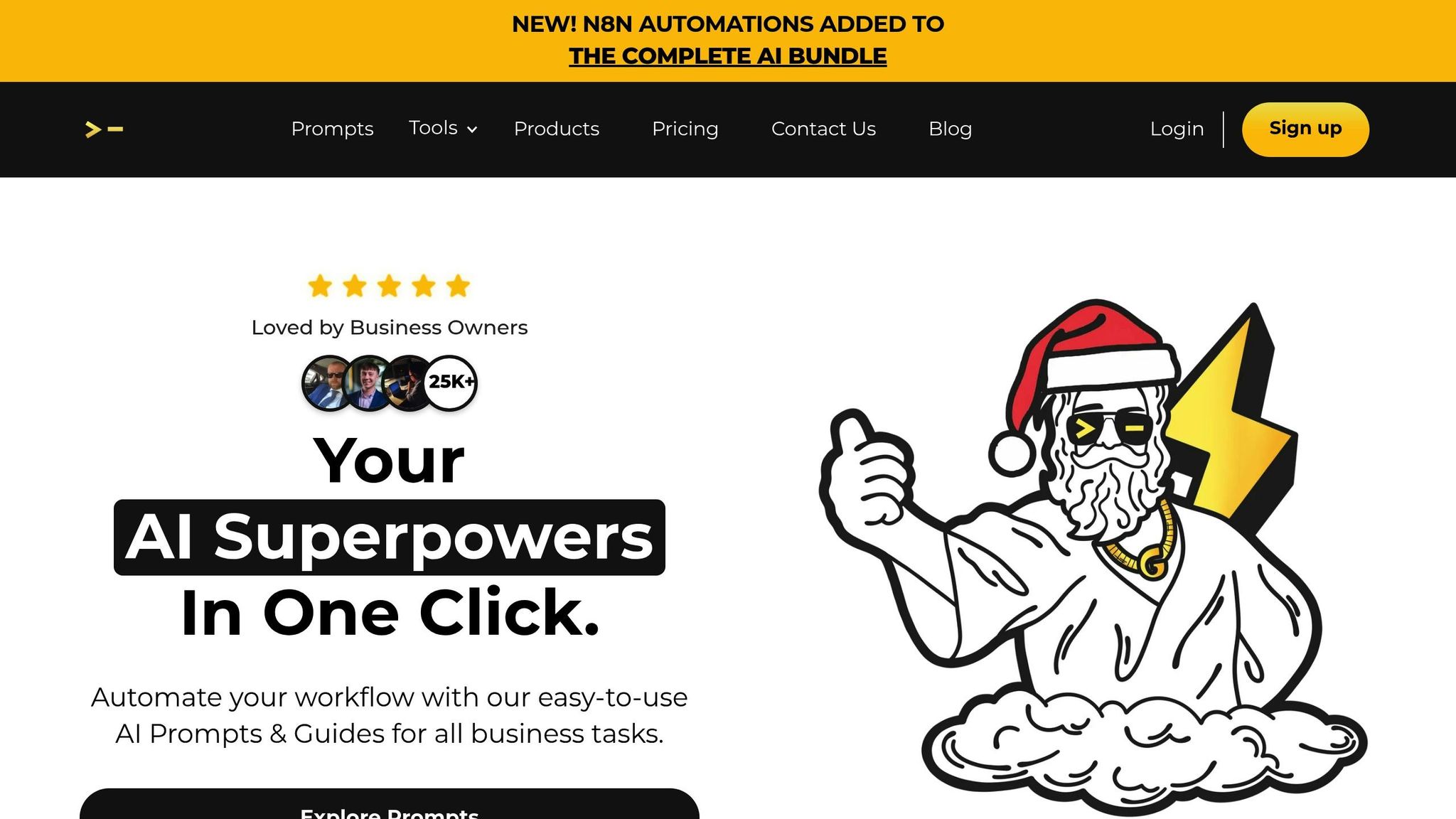
God of Prompt sets itself apart with its Mega-Prompt Architecture, offering detailed instructions that provide rich context for AI tools. These prompts are designed with defined personas and multi-step execution plans, ensuring clarity and depth. With over 10,000 professionally crafted prompts by experienced prompt engineers, the platform guarantees reliability and effectiveness. Each prompt undergoes expert curation, making it a dependable choice for seamless integration with major AI tools.
Integration
The platform excels in compatibility, supporting ChatGPT, Claude, Midjourney, Gemini AI, Grok, Veo, and Sora. Everything is neatly organized in Notion, ensuring a centralized hub for all integrations, including N8N automations and a Custom GPTs toolkit. This multi-model setup is particularly useful for users who frequently switch between different AI tools, maintaining consistency and efficiency throughout the workday.
Pricing
God of Prompt offers a straightforward pricing model that balances cost and value. Lifetime access starts at $150.00 for the Complete AI Bundle, which includes over 30,000 prompts with unlimited updates. For more specific needs, specialized packs are available: Writing ($37.00), ChatGPT ($97.00), and Midjourney ($67.00). Plus, there’s a 7-day money-back guarantee for added peace of mind. The platform boasts a 4.8 out of 5-star rating from 743 reviews. As Katherine Thompson, a Marketing Specialist, shared:
"Worth ten times the cost 🤩".
Use Case Fit
God of Prompt is tailored for entrepreneurs, marketing firms, and business owners aiming to streamline repetitive tasks. Currently used by over 25,000 business owners, it claims to save users up to 20 hours per week by automating tasks like ad creation, emails, and blog posts. Users have reported significant boosts in efficiency, with some noting remarkable improvements in team productivity. The library spans various fields, including business, marketing, finance, e-commerce, education, sales, productivity, SEO, and writing. This broad coverage makes it an indispensable tool for teams managing diverse AI-driven tasks across different departments. By reducing manual effort, the platform helps professionals focus on higher-value activities.
2. PromptBase
Prompt Quality
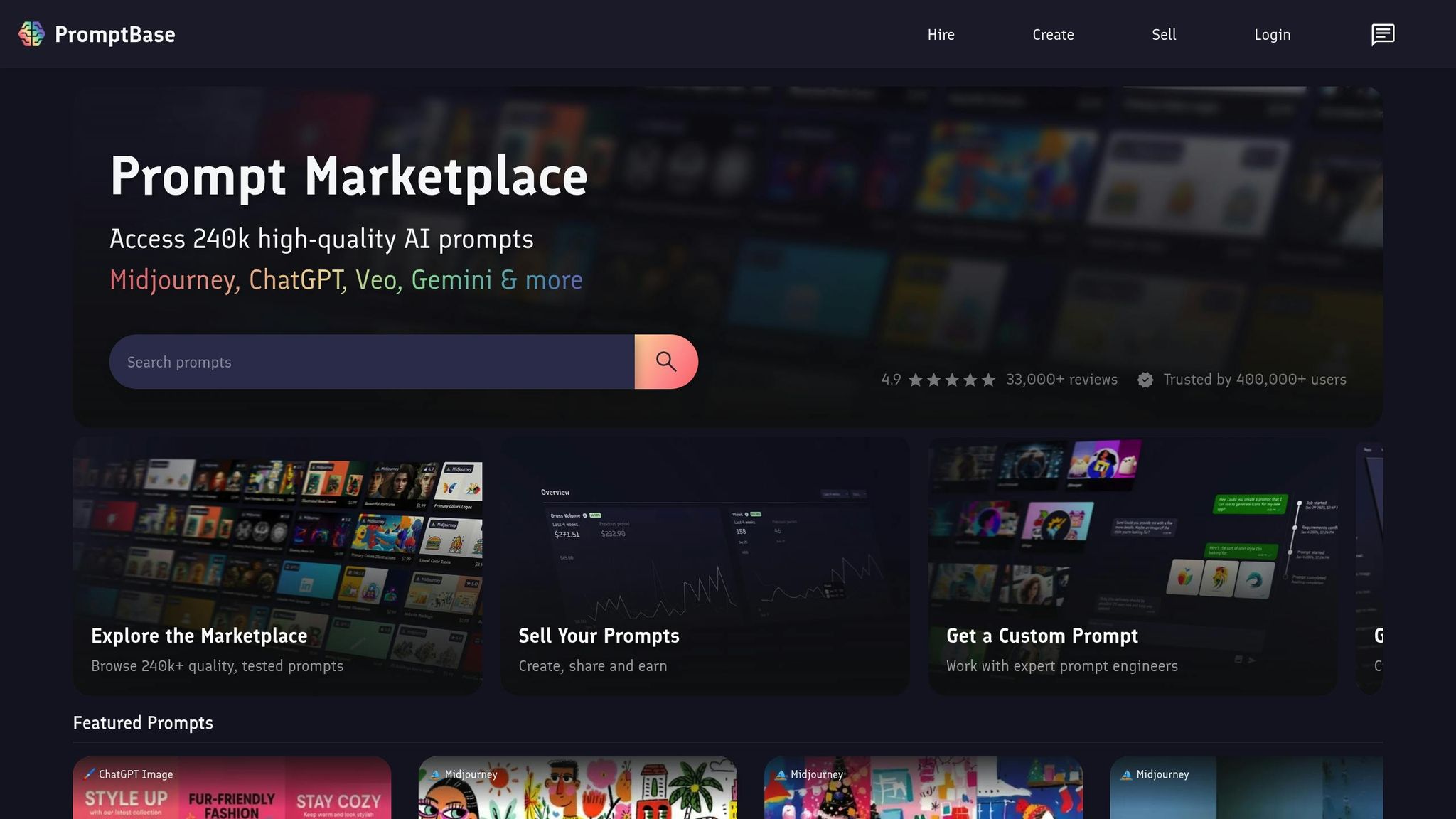
PromptBase operates as a marketplace featuring 240,000 verified prompts. Every prompt is tested and reviewed before being listed to ensure it works seamlessly across various AI platforms, including Midjourney, ChatGPT, Gemini, Veo, Leonardo AI, and Ideogram. To maintain high standards, the platform incorporates a public rating system where buyers can evaluate their experience. With over 33,000 reviews, PromptBase proudly holds an impressive 4.9 out of 5-star rating. This commitment to quality ensures users can rely on the platform for effective and reliable prompts across different AI tools.
Integration
PromptBase simplifies the process of using AI prompts. Users can copy prompts directly into their preferred AI tools or take advantage of the platform’s built-in "Generate AI Content" feature to create images and videos on-site. Additionally, an App Store offers pre-built AI applications from top creators to streamline content generation. For more tailored needs, the "Hire" feature connects users with expert prompt engineers for custom projects. This versatile setup supports a wide range of creative and professional tasks, all while maintaining ease of use.
Pricing
PromptBase employs a pay-per-prompt model, eliminating subscription fees and allowing users to purchase only what they need. Prompts are priced between $2.99 and $6.99, with occasional discounts ranging from 25% to 40%. Custom projects are also available at negotiated rates. For those new to the platform, free options are available to test the service, or you can explore a curated list of must-try ChatGPT prompts. However, some users, like Jess, an Entrepreneur and Product Designer, have raised questions about its pricing model:
"PromptBase is like buying songs on iTunes in 2024. Why would you do that when Spotify exists?"
Use Case Fit
Thanks to its pricing structure and functionality, PromptBase is particularly well-suited for professionals who need high-quality, one-time prompts for specific projects. For instance, a $2–$10 investment can save hours of work on tasks like crafting executive business proposals, creating luxury product photography, or developing specialized marketing assets. With over 400,000 users trusting the platform, PromptBase has proven to be an effective tool for these types of projects. However, for professionals managing multiple tasks daily, building a large library of 50–100 prompts could cost between $250 and $500, which might not be the most efficient solution for ongoing needs.
3. AIPRM
Prompt Quality
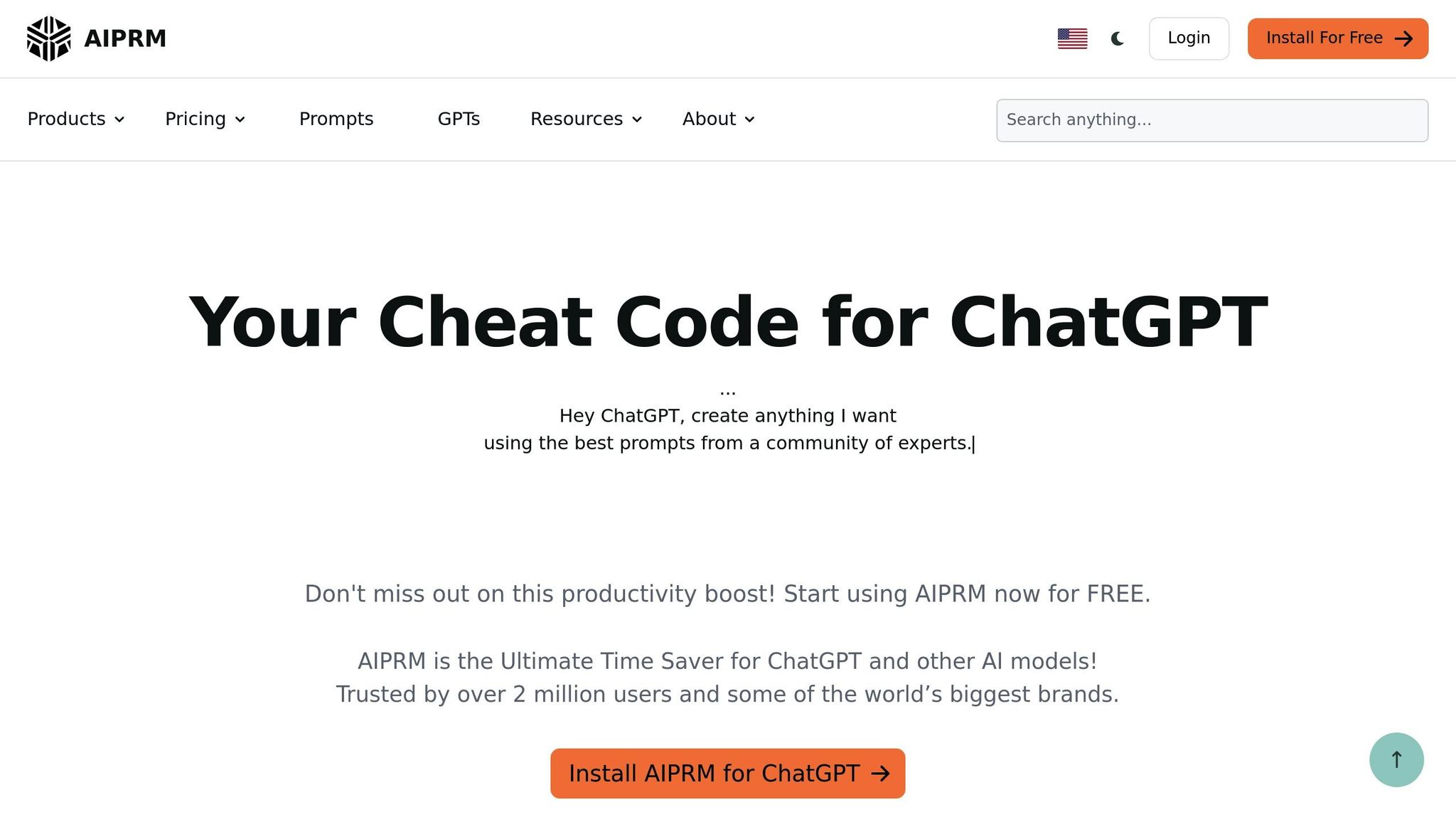
AIPRM takes a unique, community-driven approach to maintaining quality, relying on feedback from over 2,000,000 users to curate its library of more than 5,400 public prompts. For businesses seeking an extra layer of confidence, AIPRM offers a Verified Prompts feature. These templates undergo review by expert Prompt Engineers and pass through a dedicated internal quality assurance process.
To ensure brand consistency, AIPRM allows businesses to use features like Custom Tones, Writing Styles, and Custom Profiles. These tools seamlessly integrate your company’s details into ChatGPT outputs, making it easier to maintain a unified voice. As Amelia Sanz Duran, Socio Director at First Step Consultores, SL, puts it:
"AIPRM for ChatGPT: A marketer’s dream saving time, money, and offering a near-perfect collaboration."
By combining rigorous quality control with tools for customization, AIPRM fits smoothly into business workflows.
Integration
AIPRM is designed as a browser extension that works directly within ChatGPT and Claude interfaces, adding a curated prompt library to your existing AI setup. With over 1,000,000 active Chrome users and a 3.9-star rating based on more than 3,300 reviews in the Chrome Web Store, it enhances ChatGPT’s capabilities without requiring platform changes. Key features include:
- "Power Continue" to seamlessly resume outputs.
- "AIPRM Everywhere" for integrated internet research.
- Premium tools like "Live Crawling" for real-time data discovery.
The extension also supports Omnibox functionality, letting you launch tasks directly from your browser’s search bar. These features make it a practical addition for anyone looking to streamline AI-driven workflows.
Pricing
AIPRM offers a free tier that includes access to its full library of 5,400+ public prompts, team list sharing, and advanced prompt search capabilities. For users who need more advanced tools, premium and Elite subscription plans unlock features such as Custom Tones, Writing Styles, Live Crawling, Prompt Forking, and Verified Prompts. Michael J. Sammut, Owner of Four Eyes Productions, shared his experience with upgrading:
"I upgraded from the basic subscription to Elite and found this resource exceptionally useful. While the basic prompts work well, refining the output remains key."
This flexible pricing model, combined with team-friendly features, makes AIPRM a strong option for businesses looking to optimize their workflows.
Use Case Fit
AIPRM is particularly effective for teams and businesses that need consistent AI outputs across multiple users. Its AIPRM Teams feature allows organizations to share curated prompt lists, ensuring standardized results even for users on the free plan. Michael Conner, Founder & Owner of Standard Private Label, highlighted its impact:
"If ChatGPT hasn’t made my team 1000% more productive this extension certainly has."
The platform shines in automating repetitive tasks like SEO optimization, blog writing, and video scripting, earning praise from many users. With 53% of business owners expecting AI to save them time, AIPRM’s ready-made prompts address this demand directly. However, there is a learning curve when it comes to fine-tuning outputs, and the platform advises uninstalling other ChatGPT-related browser extensions to avoid technical issues. For professionals prioritizing efficiency, AIPRM is a practical and effective choice in this space.
4. PromptHero
Prompt Quality
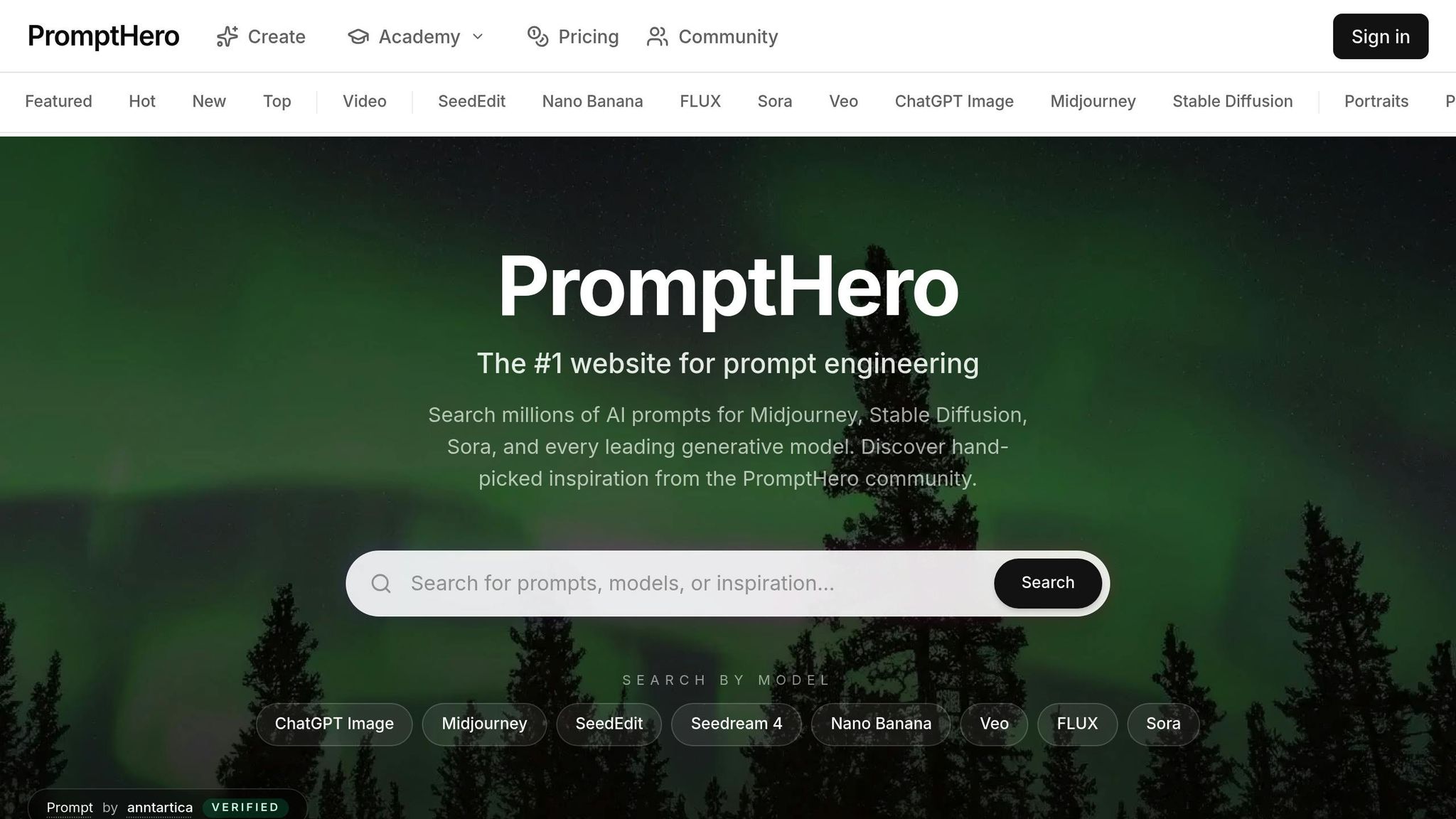
PromptHero is a community-driven platform boasting over 700,000 registered users who contribute to its vast library of prompts. What sets it apart is its focus on visual discovery – users can preview AI-generated outputs before committing to a prompt. This makes finding the right prompt more of a targeted search than a guessing game. As Javier Ramirez, the Founder of PromptHero, puts it:
"I wanted a CRM for prompts."
Each prompt on the platform is tailored to align with specific AI tool guidelines, ensuring reliable, high-quality results for professional use. The platform also features a Prompt Builder, which organizes tags by styles, adjectives, and technical parameters, making it easier to craft precise prompts. On top of that, its integration features make applying prompts across tools straightforward and efficient.
Integration
PromptHero keeps things simple with a direct copy-paste system that works across popular AI platforms like ChatGPT, Midjourney, DALL-E, and Stable Diffusion. For developers and businesses, it offers an API with the first 2,000 requests free, allowing users to integrate its database into custom applications. The platform also includes specialized tools like "PortraitPrompt Pro", which uses ChatGPT-4’s built-in prompt logic to deliver outputs in formats such as JSON, natural language, and PDF. These features make it a versatile choice for professionals across various industries.
Pricing
| Feature | Free Plan | Pro Plan (~$19.99/mo) |
|---|---|---|
| Search | Included | Included |
| Save Favorite Prompts | Included | Included |
| Advanced Analytics | Not Included | Included |
| Team Collaboration Tools | Not Included | Included |
| API Access | Not Included | Included |
| Ad-Free Experience | Not Included | Included |
The free plan gives users access to basic search tools and millions of prompts, while the Pro plan – priced at around $19.99 per month – unlocks features like advanced analytics, team collaboration tools, and API access. For those using the API, the first 2,000 requests are free.
Use Case Fit
With its robust features, PromptHero is a valuable resource for creative professionals and marketing teams looking to quickly prototype ideas or brainstorm campaign concepts. The platform also includes a marketplace where users can sell high-performing prompts, treating them as assets similar to stock photography. Given the rapid growth of the prompt engineering market – expected to expand from $222.1 million in 2023 to $2.06 billion by 2030 with a CAGR of 32.8% – PromptHero is well-positioned to capitalize on this trend.
The platform also offers a job board that connects prompt engineers with companies in need of AI expertise. For those aiming to refine their skills, studying best practices for prompt engineering and successful prompts on PromptHero can be invaluable. By analyzing elements like specific keywords, camera lenses, or artist styles, users can create unique "prompt chains" that deliver standout results.
sbb-itb-58f115e
5. FlowGPT
Prompt Quality
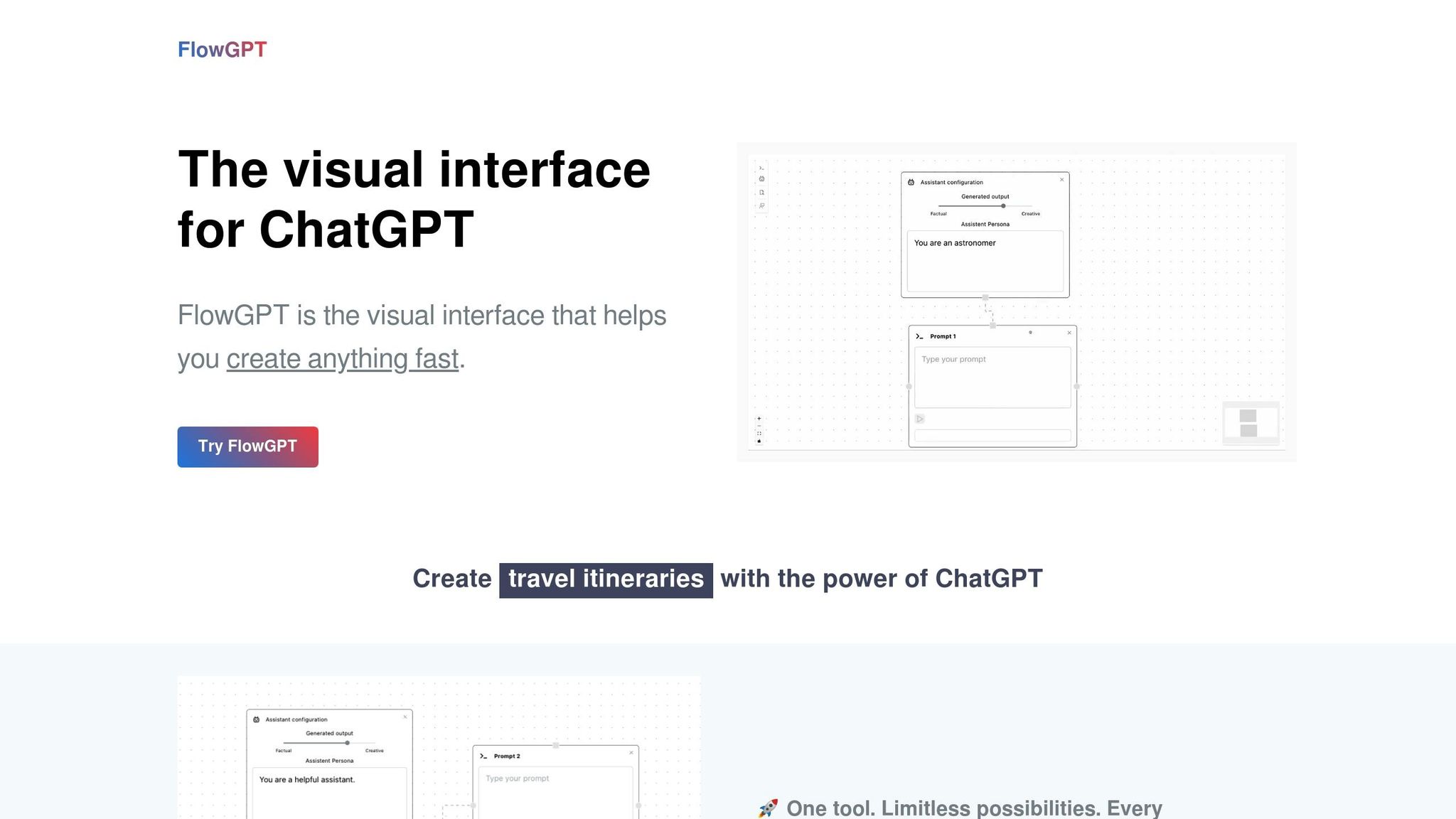
FlowGPT takes a unique approach in the prompt library world, emphasizing visual organization and flexible usability. It offers a community-driven space with features like a Leaderboard, Trending section, and Creator Center to spotlight popular contributions. Prompts are neatly categorized into specific areas – ranging from Programming and Marketing to more niche topics like Anime, Game, and Jailbreak DAN. Beyond just providing prompts, FlowGPT includes extras like documentation, tutorials, and code snippets to help users fine-tune their results.
That said, the quality of prompts can vary significantly. Over a 30-day professional test, only 10% of the prompts were rated as genuinely useful, while 30% needed heavy modification, and 60% failed to deliver meaningful results. Finding eight reliable prompts took about three hours of testing, which can be a major drawback for professionals with tight schedules. While the library is free, the time investment required may reduce its appeal for users who value efficiency.
Integration
FlowGPT serves as a visual interface for ChatGPT, built on the OpenAI ChatGPT (gpt-3.5-turbo) API. One standout feature is its Flow boards, which allow users to organize multiple AI conversations into a structured, visual format instead of endlessly scrolling through threads. Users can also upload documents (PDF, DOCX, TXT) or add web links, enabling them to ask ChatGPT questions about the content directly – no need for manual copy-pasting. Another handy tool is the Parallelism feature, which displays multiple prompt outputs side-by-side for easier comparison. These features cater to users who value functionality and flexibility, complementing the platform’s usage-based pricing model.
Pricing
FlowGPT uses a pay-as-you-go system based on "AI words", which count both input and output text in an API call. According to FlowGPT:
"Our pricing model is strictly pay-as-you-go, with no recurring monthly fees."
| Tier | Price | AI Words | Flow Boards Feature |
|---|---|---|---|
| Free | $0 | 20,000 | 5 |
| Lite | $50 | 100,000+ | Unlimited |
| Pro | $200 | 1,000,000+ | Unlimited |
The community library remains free but is ad-supported, while access to the visual interface requires purchasing additional AI words as needed.
Use Case Fit
FlowGPT’s performance received mixed reviews in professional evaluations. It’s a better fit for entrepreneurs in the brainstorming stage who have more time than money, as well as for users who enjoy searching for creative ideas. It also appeals to hobbyists interested in storytelling, roleplaying, and gaming. Students and educators can benefit from its specialized tools, including the Academic and Classroom categories. However, for experienced professionals who need reliable, pre-vetted workflows, the time required to sift through the library’s generic prompts makes it less practical.
Prompt Libraries You Need to Try Today!
Pros and Cons
Here’s a comparison of five popular prompt libraries based on four key factors: prompt quality, integration options, pricing, and suitability for specific use cases.
| Platform | Prompt Quality | Integration | Pricing | Use Case Fit |
|---|---|---|---|---|
| God of Prompt | Pro: Offers 30,000+ curated business prompts with lifetime updates and how-to guides Con: Manual prompt transfer required |
Pro: Supports multiple platforms, including ChatGPT, Claude, Midjourney, and Gemini Con: No browser extension available |
Pro: One-time payment of $150.00 for lifetime access to the Complete AI Bundle, with a 7-day money-back guarantee Con: Higher upfront cost compared to free or freemium options |
Pro: Ideal for businesses needing diverse prompts across multiple platforms Con: Less suitable for single-purpose, quick prompts |
| PromptBase | Pro: Features pre-tested, commercially focused prompts with over 220,000 options and seller ratings Con: Quality varies by seller |
Pro: Works with multiple AI models like DALL-E 3, Midjourney, and Gemini Con: Requires manual copy-pasting |
Pro: Pay-per-prompt pricing ($2.99–$5.99) is budget-friendly for occasional use Con: Not cost-effective for frequent professional use |
Pro: Great for acquiring specific, high-quality design assets like app icons or unique styles Con: Time-intensive for users needing multiple prompts |
| AIPRM | Pro: Offers 4,500+ community-verified prompts with the "AIPRM Verified" badge and serves 2 million+ users Con: Limited to ChatGPT and Claude |
Pro: Browser extension enables one-click access to prompts Con: Restricted to ChatGPT/Claude interfaces |
Pro: Free tier available; Plus plan costs $240.00/year and adds private team lists Con: Annual fee may seem steep for single-platform usage |
Pro: Best for SEO and marketing professionals using ChatGPT for high-volume tasks Con: Not suitable for image generation needs |
| PromptHero | Pro: Strong focus on image generation with free access Con: 60% of prompts required heavy editing during a 30-day test |
Pro: Features a discovery engine that sparks visual ideas quickly Con: Requires manual transfer from an external website |
Pro: Completely free to use Con: Time-consuming due to variable quality and manual filtering |
Pro: Works well for budget-conscious users looking for visual inspiration Con: Impractical for time-sensitive professional tasks |
| FlowGPT | Pro: Community-driven library with trending sections and tutorials Con: Only 10% of prompts were rated as genuinely useful; 60% failed to deliver |
Pro: Offers visual Flow boards, document uploads, and side-by-side comparisons Con: Operates as a separate platform without native ChatGPT integration |
Pro: Pay-as-you-go pricing with 20,000 free AI words and no recurring fees Con: Free tier is ad-supported, and finding reliable prompts took 3 hours during testing |
Pro: Suitable for entrepreneurs brainstorming ideas or hobbyists exploring storytelling and gaming Con: Not ideal for professionals needing pre-vetted workflows |
This breakdown highlights the strengths and limitations of each platform, helping you choose the one that best fits your specific needs. For instance, AIPRM stands out for high-volume ChatGPT users focused on standardized tasks. PromptBase is a solid choice for users needing specific, high-quality design prompts on a pay-per-use basis. On the other hand, platforms like FlowGPT and PromptHero might appeal to those with the time to sift through community-driven options, though they require extra effort to find reliable prompts.
Conclusion
Selecting the right prompt library hinges on how you work and what you need – different workflows demand different features and pricing options.
But picking a library is just the beginning. The bigger challenge lies in actually using the prompts you collect. As productivity expert Jeff Su puts it:
"Your brain doesn’t think ‘Let me check my prompt database.’ It thinks ‘I need to prepare for this 1:1 meeting.’ The gap between finding a great prompt and actually using it creates… ‘The Prompt Graveyard’".
To get the most out of your library, take a structured approach to prompt engineering and managing your prompts. Start by storing your top-performing prompts in a centralized tool like Notion or Google Sheets. Organize them based on when you’ll use them, not just where they came from. Begin with 10–15 prompts tailored to your most common tasks, and test each one three times to evaluate its effectiveness. Keep things tidy with consistent naming conventions – like prefixing generation tasks with "create-" and data tasks with "analyze-." Set up quarterly reviews to retire outdated prompts and establish clear rules for managing team libraries.
Integrating your prompt library with workflow tools, such as browser extensions or text expanders, can also make a huge difference. This ensures that your best prompts don’t just sit unused – they become an active part of your daily routine.
FAQs
How can I choose the right prompt library for my needs?
To choose the right prompt library for your needs, start by defining your goals. Are you aiming to create better marketing content, simplify customer support, or optimize internal processes? Once you have clarity, focus on key features like well-organized curation (how thoroughly prompts are reviewed and categorized), user-friendly design (search tools, tagging systems, and interface), and integration capabilities (like compatibility with platforms such as ChatGPT). Don’t overlook pricing – compare subscription plans, whether monthly or annual, to find one that aligns with your budget.
If you’re a business user, prioritize features like bulk-export functionality, team collaboration tools, and performance metrics to measure how effectively prompts contribute to your objectives. Aligning these considerations with your specific needs and budget will help you pick a prompt library that truly supports your projects.
What should I consider to determine if a prompt library is cost-effective?
When assessing the cost-effectiveness of a prompt library, it’s important to look at the total cost of ownership. This doesn’t just mean the upfront pricing – whether it’s a subscription or pay-per-use model – but also the hidden costs. Think about the time spent crafting and testing prompts, token fees for running AI models, and any infrastructure or maintenance expenses. These can quickly pile up, especially if your team or project relies heavily on frequent prompt usage.
Then, weigh these costs against the clear advantages the library offers. Consider measurable benefits like time saved through automation, higher-quality outputs that cut down on rework, reduced token usage per task, or improved performance in customer-facing roles. If the library supports multiple AI models, it can also help you pick the most cost-efficient option for specific tasks, boosting your overall return on investment (ROI). Striking a balance between these costs and benefits will help you determine whether the library truly meets your needs.
How can I seamlessly integrate a prompt library into my workflow?
To seamlessly incorporate a prompt library into your workflow, start by signing up or logging into your God of Prompt account. Once inside your personal dashboard, you’ll have access to a curated library of prompts tailored for various tasks – whether you’re crafting marketing copy, writing code, or analyzing data. Browse through the library to find prompts that match your project needs. When you’ve found the right one, simply copy it and paste it into your preferred AI tool, such as ChatGPT. Alternatively, you can use the built-in integration for an even smoother process.
After importing the prompt, make it your own by adjusting placeholders or variables to better fit your specific requirements. Save your customized version to your account for quick access later. If your workflow demands frequent use, consider embedding the prompt into scripts or automating its application. This method not only boosts efficiency but also keeps your tasks organized within the God of Prompt platform.