Gemini 2.5 Flash Image — Features, Pricing, and How to Use It
Discover Google’s Gemini 2.5 Flash Image (“Nano-Banana”) — an AI model for fast, high-quality image generation and editing. Learn its key features, pricing, and step-by-step guide to using it via the Gemini API, Vertex AI, and Adobe Firefly & Express.


On this page
- What Is Gemini 2.5 Flash Image?
- Why This Model Matters
- Key Features at a Glance
- Character Consistency Explained
- Multi-Image Fusion
- Prompt-Based Image Editing
- World Knowledge in Action
- Pricing Breakdown
- Where You Can Use It
- Developer Workflow: How to Get Started
- Example Prompts to Try
- Real-World Use Cases
- AI Studio Templates
- Ethical Guardrails and Watermarking
- What’s Next for Gemini Image Models
- Conclusion
Google has just launched Gemini 2.5 Flash Image — nicknamed nano-banana by the dev community — and it changes how we think about AI-generated visuals.
This isn’t just another “pretty picture” model. It lets you blend multiple images into one, keep characters consistent across scenes, edit with plain English, and even lean on Gemini’s world knowledge for more factual accuracy.
When Gemini 2.0 Flash came out earlier this year, developers loved the speed and cost savings, but many asked for better quality and more control.
Gemini 2.5 Flash Image is Google’s direct response.
In this guide, I’ll break down everything you need to know — from key features and pricing to real-world use cases and how to get started.

What Is Gemini 2.5 Flash Image?
At its core, Gemini 2.5 Flash Image is Google’s state-of-the-art image generation and editing model.
It combines the speed and affordability of Gemini 2.0 Flash with a much deeper focus on creative control, realism, and utility for developers.
If you’ve used models that “forget” what a character looks like or struggle with small edits, this is designed to fix those gaps.
Why This Model Matters
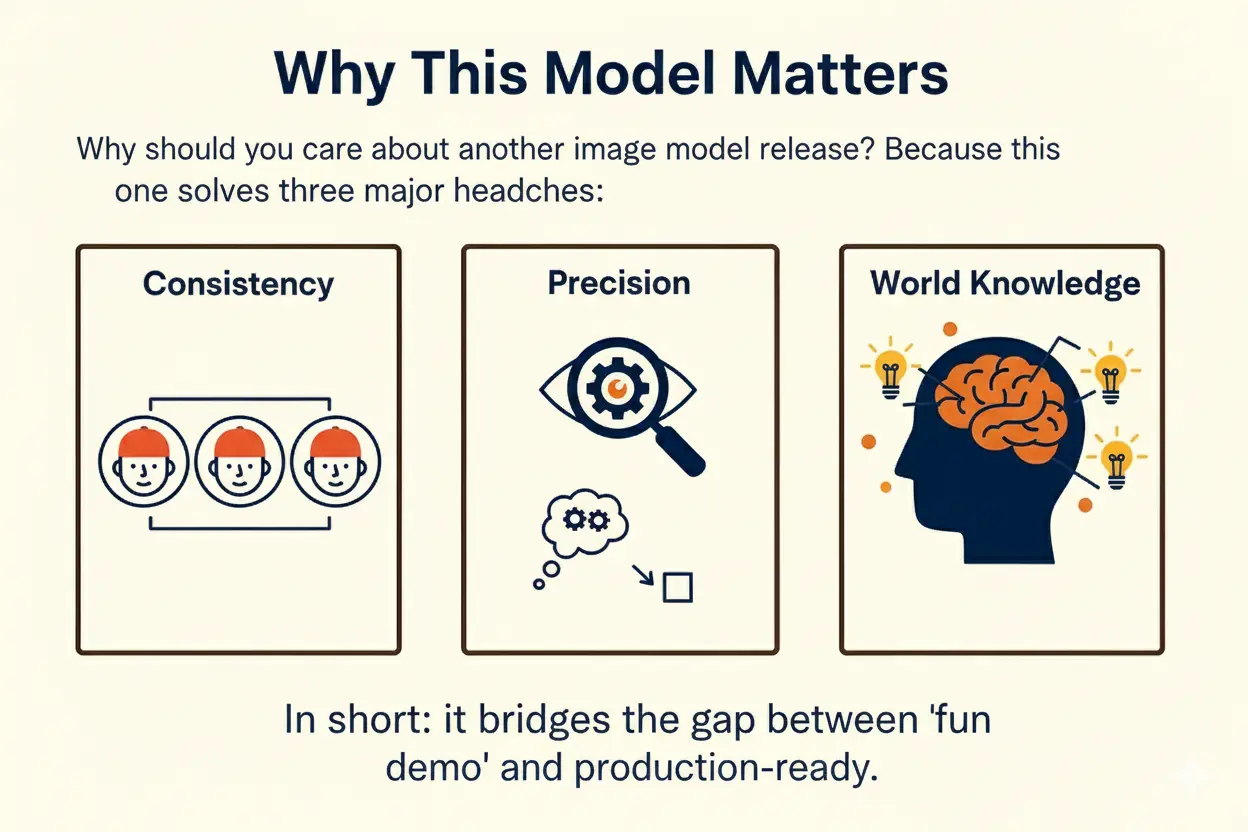
Why should you care about another image model release?
Because this one solves three major headaches:
• Consistency: Characters, products, or brand assets stay the same across multiple prompts.
• Precision: You can edit exactly what you want with natural language.
• World Knowledge: It understands context better than most models, reducing hallucinations.
In short, it bridges the gap between “fun demo” and “production-ready.”
Key Features at a Glance
Here’s what makes Gemini 2.5 Flash Image stand out:
• Character consistency across multiple generations
• Multi-image fusion for blending or compositing
• Prompt-based image editing with precise local control
• Native world knowledge for contextually accurate images
• Template apps in Google AI Studio for fast prototyping
• SynthID watermarking to ensure ethical use
Character Consistency Explained
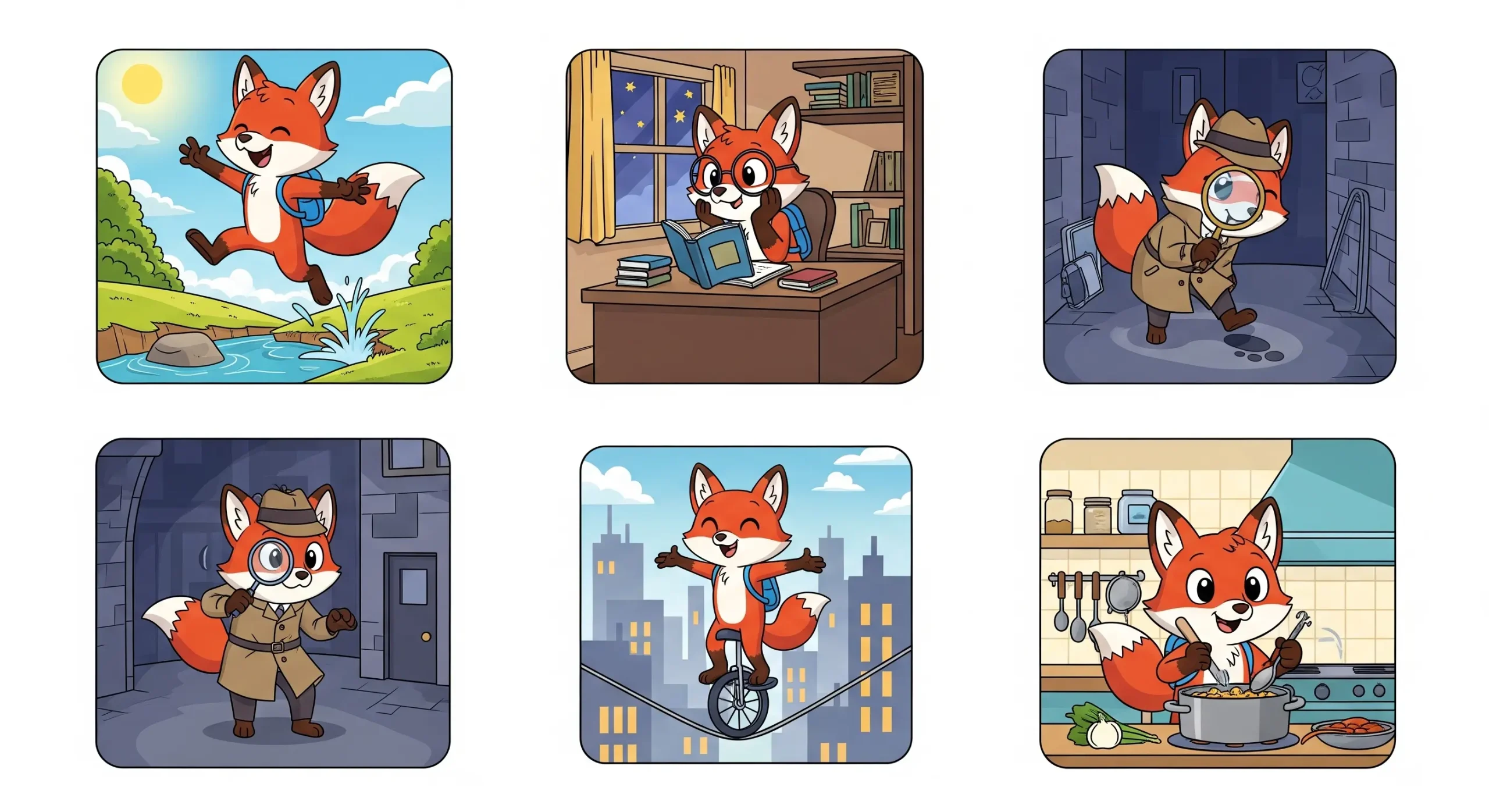
One of the hardest problems in AI image generation is keeping a character or object consistent across outputs.
Gemini 2.5 Flash Image can:
• Keep a mascot or brand character identical across different scenes
• Show a product from multiple angles without changing details
• Build storyboards or comics with the same recurring figure
This is a game-changer for marketers, advertisers, and creators who need continuity.
Multi-Image Fusion
With Gemini 2.5 Flash Image, you can upload multiple inputs and have the model merge them seamlessly.
That means:
• Inserting products into lifestyle photos
• Restyling a room with different colors or textures
• Creating new mockups by blending design templates with real objects
All of this can be done in a single prompt.
Prompt-Based Image Editing
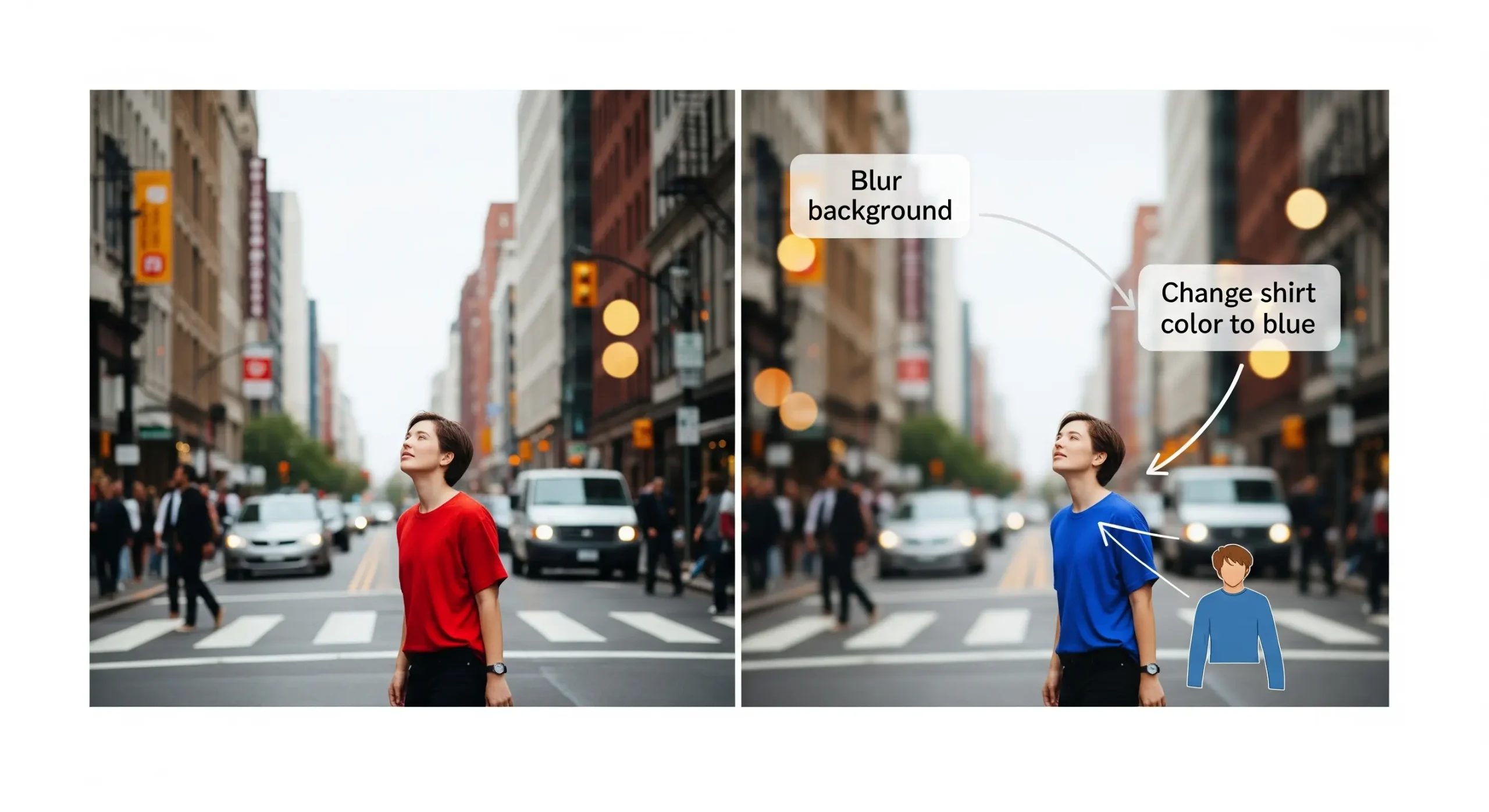
Forget Photoshop-level complexity.
You can now type what you want changed and the model edits it directly.
Examples of what you can do:
• Blur the background
• Remove a person or object
• Fix a stain on clothing
• Add color to black-and-white images
• Adjust poses or facial expressions
This makes image editing more accessible to non-designers.
World Knowledge in Action
Unlike many models that only generate based on style, Gemini 2.5 Flash Image uses semantic understanding of the real world.
This unlocks:
• More accurate educational diagrams
• Better factual representation (e.g., correct anatomy, geography, or product specs)
• Smarter prompt-following when combining text and visuals
For industries like education, research, or product design, this makes the model more practical.
Pricing Breakdown
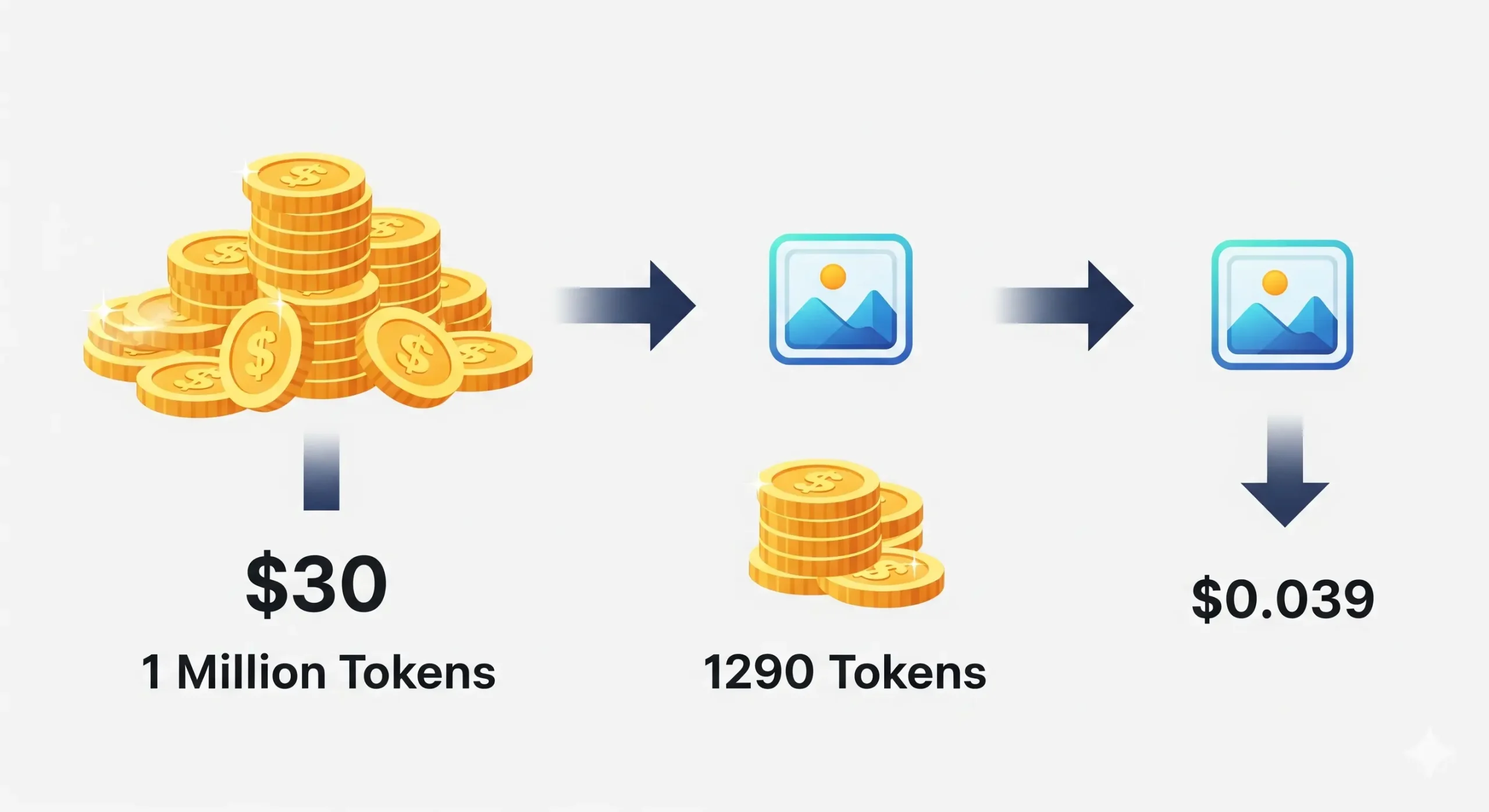
Let’s make pricing clear.
• $30 per 1 million output tokens
• Each image = 1290 output tokens
• That’s about $0.039 per image
This puts Gemini 2.5 Flash Image at a very competitive price point, especially given the quality and control it offers.
Where You Can Use It
The model is already available through multiple platforms:
• Gemini API — direct integration for developers
• Google AI Studio — fast prototyping with templates and remix tools
• Vertex AI — enterprise-grade scaling and deployment
Partners like OpenRouter.ai and fal.ai have also added support, making the model accessible across a wider developer ecosystem.
Developer Workflow: How to Get Started
If you’re a developer, here’s the simplest way to get going:
1. Sign up for Google AI Studio or get API access.
2. Pick the Gemini 2.5 Flash Image preview model.
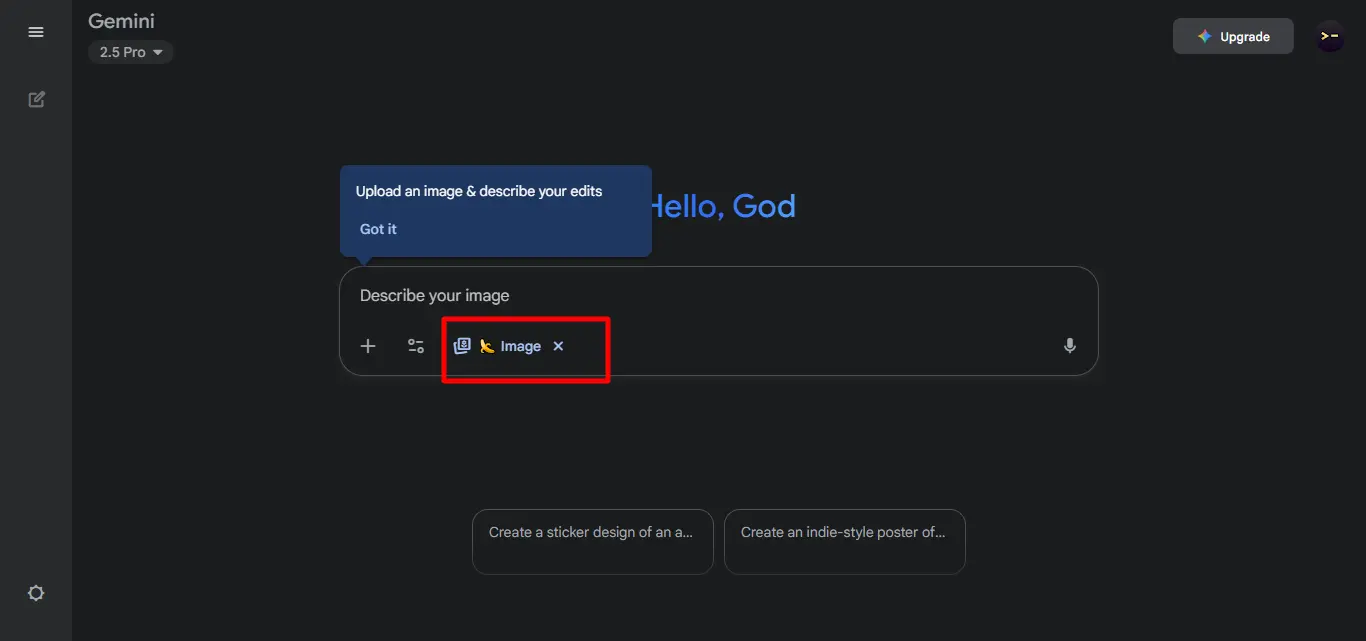
3. Provide both a prompt and an optional image input.
4. Generate your output and remix directly in Studio.
5. Deploy the app or export to GitHub.
Here’s a short Python example:
prompt =
“A futuristic city skyline at night with flying cars”
response = client.models.generate_content(
model=”gemini-2.5-flash-image-preview”,
contents=[prompt],
)
Example Prompts to Try
If you want to test quickly, here are some ideas:
• “Place this sneaker in five different urban environments with consistent branding.”
• “Turn my sketch into a professional infographic.”
• “Remove the person in the background and brighten the image.”
• “Show the same character traveling through Paris, Tokyo, and New York.”
• “Fuse this product with the uploaded living room photo to match style and lighting.”
Real-World Use Cases
Who benefits from this model?
• Marketing teams: consistent product shots and branding assets
• Content creators: recurring characters for storytelling
• E-commerce: rapid product mockups in different settings
• Educators: turning rough diagrams into teaching visuals
• Developers: building custom editing apps directly in AI Studio
AI Studio Templates
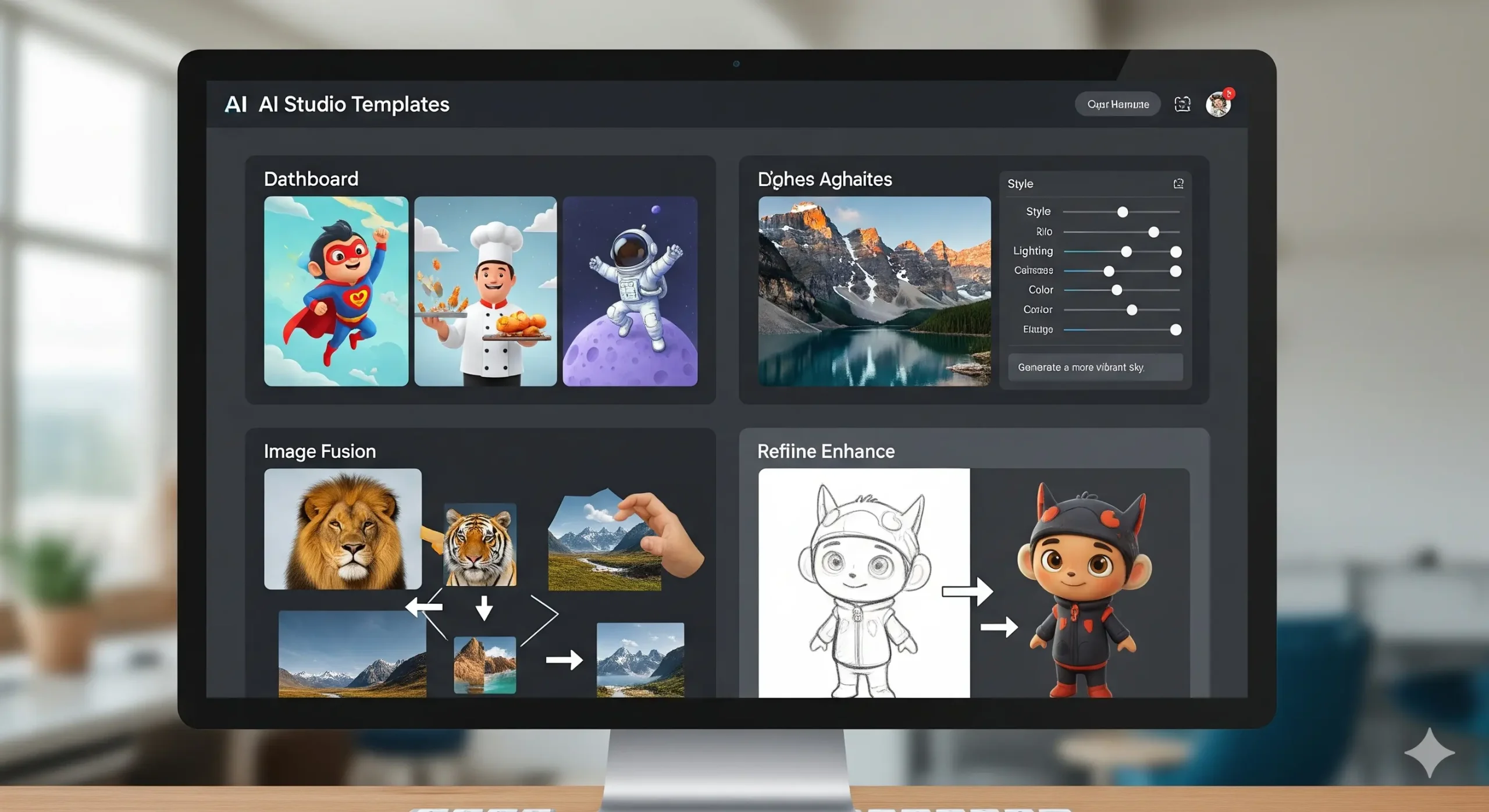
Google AI Studio now includes prebuilt templates to showcase the model’s features:
• Character consistency apps
• Photo editing tools with UI and prompt controls
• Multi-image fusion apps for drag-and-drop workflows
• Educational tutors that can interpret and enhance hand-drawn inputs
You can remix any of these templates instantly.
Ethical Guardrails and Watermarking
Every output includes an invisible SynthID watermark, so images can be flagged as AI-generated.
This supports transparency and helps prevent misuse in commercial or political content.
What’s Next for Gemini Image Models
Google is already working on:
• Even more reliable character consistency
• Better factual accuracy in fine details
• Improved long-form text rendering in images
The model is still in preview, so expect rapid updates over the coming weeks.
Conclusion
Gemini 2.5 Flash Image is a big step forward in AI image generation.
It fixes major limitations of earlier models while keeping speed and affordability.
With features like character consistency, multi-image fusion, and natural-language editing, it feels less like a toy and more like a production-ready tool.
For developers, the API and AI Studio integration make experimenting fast.
For businesses, the pricing makes scaling creative assets cost-effective.
And for creators, it finally delivers consistency and control without needing design skills.
If you’re serious about AI image workflows, this is a model worth testing today.
Next step: turn this article into output with AI design prompts, or go deeper with Midjourney prompts.
Prompts for this topic
Put this article to work with ready-to-use prompts from the God of Prompt library.
Keep reading

ChatGPT vs Gemini Image Generation — Which AI Creates Better Images?
Compare ChatGPT’s image generation (via DALL·E) with Gemini’s image capabilities — see which AI produces more creative, realistic visuals, and understand their strengths, pricing differences, and best use cases.

34 Gemini AI Photo Prompts That Actually Work (2026)

AI Image Generation: Hidden Environmental Costs
AI image generation uses substantial energy, water, and rare minerals—creating rising CO₂ emissions and e‑waste unless efficiency and clean power improve.

The best of the blog, in your inbox
One email when notable prompts, tools, and model updates land. No spam, unsubscribe anytime.
Join 100,000+ subscribers. One email a week, real prompts, tools, and model updates. Unsubscribe anytime.