


10 Best YouTube Transcript Generators in 2026: Complete Guide for Creators



You're sitting on a goldmine of content, and you don't even realize it.
Every YouTube video you create, every tutorial you film, every podcast you upload—it's all trapped as video.
Sure, people watch it. But they also search for it, quote it, reference it in blog posts, and need it accessible in ways video can't deliver.
That's where transcript generators come in.
They're not just a convenience.
They're a strategy.
ALSO READ: How to Upscale Images to 4K with Nano Banana Pro: A Step-by-Step Guide

Why Transcripts Matter More Than You Think
Here's the reality: your video content isn't reaching everyone. Some people can't hear.
Some people prefer reading.
Some people are searching for specific information and need to find it in text, not scrub through video for 45 minutes.
The Accessibility Factor:
- 15% of people worldwide have some form of hearing disability
- Non-native speakers often prefer reading along with video
- Making content accessible is both ethical and good business
The SEO Advantage:
- Google doesn't watch videos—it reads text
- Bing doesn't watch videos—it reads text
- Search engines can't understand spoken words
- Transcripts make your video content searchable
- Your exact words, specific phrases, and detailed explanations become discoverable
The Repurposing Opportunity:
One 20-minute YouTube video can become:
- A blog post (or multiple blog posts)
- A LinkedIn article
- 10-15 social media snippets
- Email newsletter content
- A podcast episode
- Study notes for students
- Training materials for businesses
But that only happens if you have the transcript.
Without it, you're manually rewatching, taking notes, typing quotes—burning hours on work a transcript generator could do in seconds.
The Real Problem With Choosing a Transcript Tool
You already know you need transcripts.
The problem is picking which tool.
Type "YouTube transcript generator" into Google and you'll find dozens of options.
Some are genuinely free but lose accuracy on videos with accents or background noise.
Others promise accuracy but bury you in paywalls before you get results.
A few are designed for meetings, not YouTube, so they feel awkward when you're trying to transcribe your latest video upload.
Then there's the trust factor. Which tools actually deliver what they promise?
Which ones sell your data? Which ones have servers that crash at 2 AM when you're on deadline?
That's what this guide is for. We tested the real tools.
We looked at speed, accuracy, pricing, and whether they actually save you time or create more work.
Here's what we found.
10 Best YouTube Transcript Generators in 2025: Complete Guide for Creators
1. YTScribe.ai — The Gold Standard
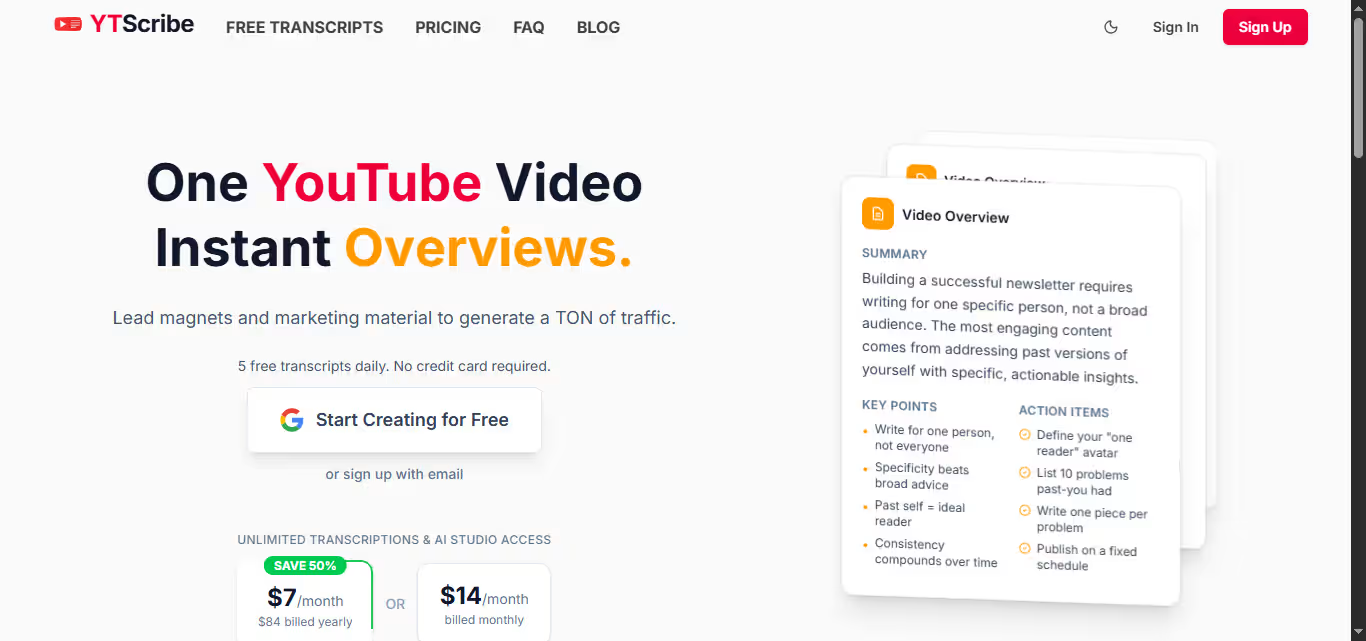
YTScribe.ai is not the flashiest tool, but it solves the actual problem: you want a transcript, accurate and fast, without paywalls or sign-up delays.
Paste a YouTube URL, wait 15-20 seconds, download your transcript. That's it.
Features:
• 98% accuracy (fixes ~15 words per 30-min video)
• Supports 50+ languages with translation built in
• Multiple formats: TXT, SRT, JSON, VTT
• No login required
• Free and unlimited
Best for: Content creators, podcasters, YouTubers, educators, researchers.
2. Fireflies.ai — Best for Teams & Meetings
Built for meeting transcription, it changes the game when you're managing a team.
Your entire team can jump into a transcript, highlight sections, add comments, and build shared notes in real time.
Integration with Google Meet, Zoom, and Teams means automatic recording and transcription during calls.
Features:
• Speaker identification (labels who said what)
• Real-time transcription during live streams
• Integrates with Google Meet, Zoom, Microsoft Teams
• Automatic call recording and transcript generation
• Free plan: 800 mins storage with basic features
• Paid plans: $10/month for individuals, scales for teams
Best for: Remote teams, agencies, companies managing both meeting transcription and video content.
3. Trint — Best for Professional Editors & Journalists
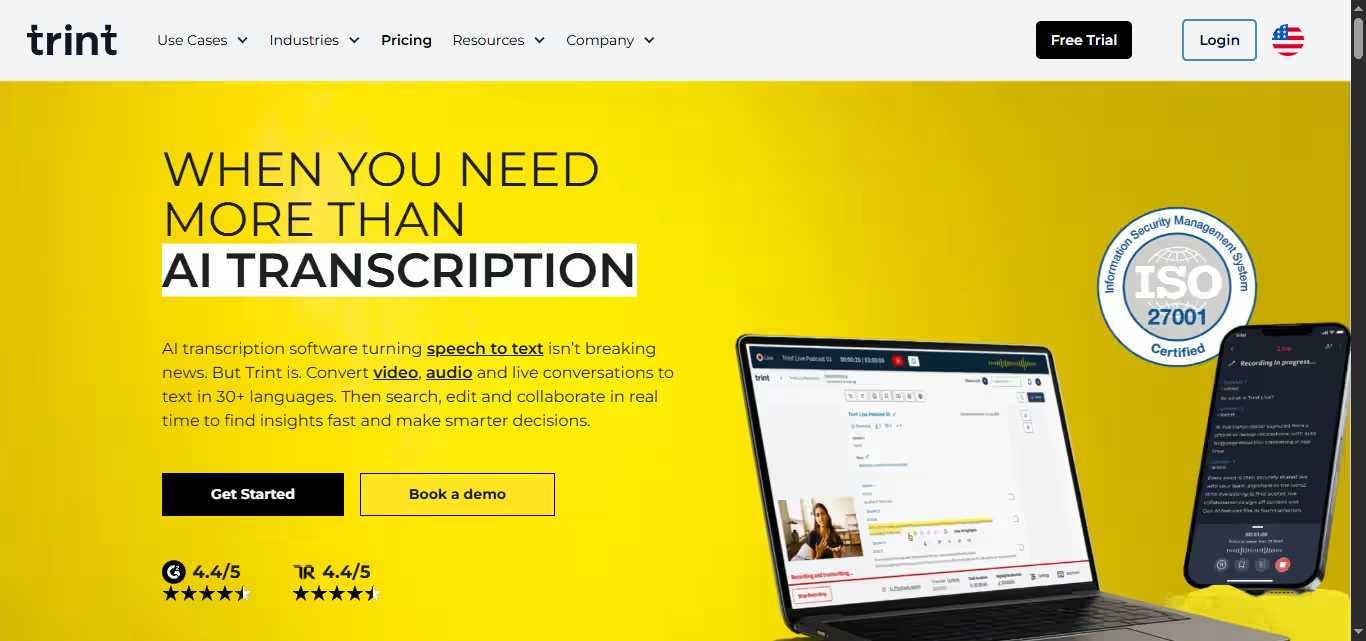
Built for people whose job is editing transcripts.
You can edit in real time while the video plays, mark key moments, add quotes, assign speakers, and format sections as headlines.
Then export directly into your article or script without the copy-paste dance.
The interface feels like real editing software, not a generic web tool.
Features:
• 40+ languages with excellent accent handling
• Real-time editing while video plays
• Professional-grade editing interface
• Direct export to articles/scripts
• Subscription only: ~$54/month
Best for:
Newsrooms, documentary teams, journalists, content creators whose workflow depends on professional transcript editing.
4. Scribie — Best When Accuracy Can't Fail
Uses a hybrid model: AI transcribes, then actual humans review it before you get the final version.
For legal depositions, academic papers, or client deliverables where errors have real consequences, Scribie delivers certainty.
You get both verbatim and cleaned-up versions.
Features:
• AI transcription + human review
• Verbatim and cleaned-up versions
• Transparent pricing: $0.80 per minute
• 99.9% accuracy option: +$0.50/minute
• Turnaround: 5 days (cheapest), 12 hours, or same-day
Best for:
Lawyers, academic researchers, anyone whose transcription errors have real professional consequences.
5. Sonix — Best for High-Volume Production

Built for teams transcribing at scale, Sonix achieves 99% accuracy with impressive speed—an hour of video transcribes in minutes.
It comes with collaboration tools, auto-translation, subtitle generation, and enterprise features that media companies and production houses rely on.
Features:
• 99% accuracy
• Auto-translation and subtitle generation
• Multi-track uploads (separates audio channels)
• Collaboration tools
• Search across all transcripts
• Multiple format downloads
• Pricing: $5 per hour (subscription)
Best for:
Media companies, production teams, anyone handling high volume and needing enterprise-grade reliability.
6. Otter.ai — Best for Real-Time Meeting Transcription
Otter transcribes meetings in real time as they happen, with automatic speaker identification and summaries.
It auto-joins your Zoom, Google Meet, and Teams calls, automating a lot of the work.
YouTube transcription works but wasn't the primary design focus.
Features:
• Real-time meeting transcription
• Automatic speaker identification
• Automatic meeting summaries
• Auto-joins Zoom, Google Meet, Teams calls
• Free plan: 300 minutes monthly
• Paid: $16.99/month for more features
Best for: Professionals with heavy meeting schedules who occasionally need YouTube transcripts.
7. Descript — Best for Video & Podcast Creators

Descript's unique differentiator: change a word in the transcript, the video changes.
It bundles transcription, video editing, and podcast production into one platform with automatic filler word removal.
The learning curve is steeper, but it's powerful if you edit regularly.
Features:
• Edit video by editing text
• Automatic filler word removal ("um," "uh," "like")
• Bundled transcription, video editing, podcast production
• Full editing suite included
• Free: 1 hour monthly
• Paid: $12-30/month depending on features
Best for:
YouTubers publishing weekly, podcasters producing regular episodes, creators who need transcription and editing in one workflow.
8. Happy Scribe — Best for Multilingual Creators
Happy Scribe's main strength is language support: 120+ languages.
It offers both AI and human transcription options with a simple interface and built-in subtitle editor.
It's the solid middle ground if you work across multiple languages regularly.
Features:
• 120+ language support
• AI transcription (85% accuracy)
• Human transcription (99% accuracy)
• Simple, clean interface
• Built-in subtitle editor
• Free trial: 10 minutes
• Tiered pricing based on monthly hours
Best for:
International creators, global teams, anyone working across multiple languages.
9. Verbit — Best for Accessibility & Compliance

Verbit combines AI transcription with human review, built for organizations where accessibility is non-negotiable.
Used by universities, government agencies, and enterprises that need transcripts and captions meeting accessibility standards.
Features:
• AI transcription with human verification
• Accessibility compliance standard
• Higher accuracy than pure AI
• Enterprise reliability
• Human oversight included
Best for:
Educational institutions, accessibility-first organizations, companies with compliance requirements.
10. Notta — Best Budget Option
Notta gives you solid transcription at lower prices, working with YouTube, meetings, and audio files.
The interface is simple with no learning curve, though accuracy is decent rather than industry-leading.
Features:
• Works with YouTube, meetings, audio files
• Decent accuracy (not industry-leading)
• Clean, simple interface
• No learning curve
• Lower prices than competitors
Best for:
Students, casual creators, anyone on a tight budget.
How Transcripts Transform Your Content Strategy
This is where most creators miss the bigger picture.
A transcript isn't just text. It's the foundation for content multiplication.
One 20-minute video can become a 2,000-word blog post.
That blog post gets indexed by Google, found by people searching for solutions to problems your video addresses.
Those search visitors come back, subscribe to your channel, engage with more of your content.
That same transcript becomes 15-20 social media posts. LinkedIn excerpts.
Twitter threads. Instagram captions. Email newsletter content. All from the same source material.
For podcasters, a transcript is the show notes. For educators, it's the study guide.
For businesses, it's training material. For researchers, it's a searchable database of information.
The tool doesn't matter as much as the habit. Pick one, use it consistently, and watch how much easier content repurposing becomes.
Common Transcription Mistakes & How to Avoid Them
Even good transcript generators struggle with certain things. Here's what to watch for:
1. Heavy Accents & Non-Native Speakers
- Heavy accents trip up AI systems, even good ones
- Non-native speakers with strong accents will see lower accuracy
- AI models trained primarily on standard American English struggle most
2. Background Noise
- Noise tanks accuracy faster than almost anything else
- Recording in a coffee shop instead of a quiet room means you'll do more manual fixing
- Echo, traffic sounds, and ambient chatter all hurt results
3. Multiple Speakers Talking Over Each Other
- Creates chaos that even advanced AI can't fully handle
- Speaker separation technology helps, but it's not magic
- Overlapping dialogue leads to jumbled transcripts
4. Technical Jargon & Industry-Specific Terms
- Technical terminology gets mangled by standard AI models
- Industry-specific acronyms confuse general-purpose transcription tools
- Medical, legal, and technical content needs specialized tools
How to Fix It:
The solution is simple: start with good audio quality.
- Record in a quiet space with a decent microphone
- Speak clearly and at a consistent pace
- If you're recording others, ask them to do the same
- Test your audio before hitting record
The difference in results:
- Tool working with high-quality audio: 98% accuracy
- Same tool working with poor audio: 85% accuracy
That's 13 extra words to fix on a 30-minute video. Don't skip this step.
The Bottom Line: Which Tool Should You Actually Use?
YTScribe.ai wins for most creators. It's fast, accurate, free, and doesn't make you jump through hoops.
But your specific needs might pull you elsewhere:
By Use Case:
- Working with a team? Fireflies or Descript
- Need perfect accuracy? Scribie or Sonix
- Working across languages? Happy Scribe
- Professional transcript editing? Trint
- On a tight budget? Notta
By Priority:
- Speed first: YTScribe or Sonix
- Accuracy first: Scribie or Verbit
- Collaboration first: Fireflies or Descript
- Language support first: Happy Scribe or Trint
- Budget first: Notta or YouTube's built-in
Pick based on what matters most to your workflow. Then use it consistently. The magic isn't in the tool. It's in the habit of transcribing everything you create.
Your content is valuable. Make sure it's searchable, accessible, and repurposable. That starts with a transcript.
Start with YTScribe.ai if you're unsure. You'll have your first transcript in under a minute. Everything else flows from there.

Loved by Business Owners


Based on 1K reviews
Get smarter on AI every week.
Ready to transform your business?




Claude Code in 2026: The Complete Beginner's Guide (Installation, Features & Real Examples)
Complete Claude Code guide for 2026: installation, setup, prompting techniques, slash commands, keyboard shortcuts, good vs bad examples. Master Anthropic's AI coding tool from beginner to power user.

Alex Prompter



