Clawdbot Complete Guide 2026: Features, Costs, Setup & Alternatives
The viral AI assistant running 24/7 on a $5 server. Here’s what works, what breaks, and whether the security risks are worth it in 2026.

On this page
Created by Peter Steinberger, founder of PSPDFKit (now Nutrient), Clawdbot went from personal project to 30,000+ GitHub stars in January 2026.
The Discord community grew from zero to thousands of active contributors within weeks, all building skills, sharing workflows, and pushing what’s possible with self-hosted AI.
This guide covers everything you need to know about Clawdbot in 2026: what it actually does, how much it costs, how to set it up, real-world use cases, and whether it’s the right choice for your needs.
ALSO READ: 15 NotebookLM Prompts That Actually Work (Copy, Paste, Done)
What Clawdbot Actually Is
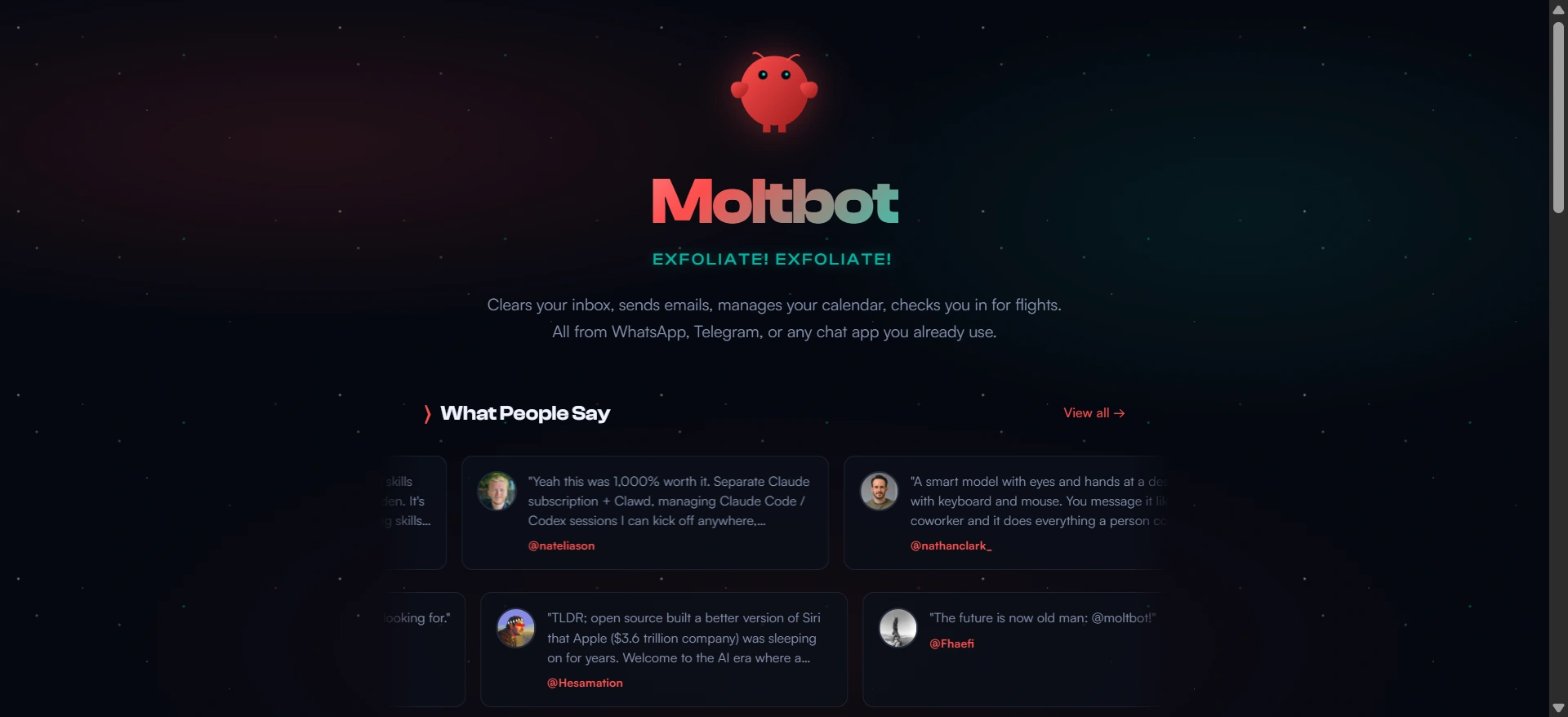
Clawdbot is an open-source AI assistant that runs on hardware you control—whether that’s a $5/month virtual private server, a Raspberry Pi, or an old laptop—and communicates through messaging apps you already use.
Unlike ChatGPT or Claude where you visit a website and type queries, Clawdbot lives inside WhatsApp, Telegram, Discord, Slack, Signal, iMessage, and 10+ other platforms.
You message it like you’d message a colleague.
The same conversation flows across every device.
The architecture consists of four components that work together:
- Gateway acts as the central control plane, managing connections to messaging platforms, routing sessions, and handling scheduling for proactive features like morning briefings or stock alerts.
- Agent represents the AI brain—Claude, GPT-4, Gemini, or even local models through Ollama. You choose which model powers your assistant based on your needs and budget.
- Skills are modular plugins that extend capabilities. The Skills marketplace (ClawdHub) includes web search, browser automation, email management, calendar integration, GitHub connections, smart home controls, and hundreds more. The assistant can even write new skills for itself.
- Memory maintains persistent context in local text files. Everything stays on your hardware. Tell Clawdbot about a meeting next Friday, ask about your schedule three weeks later, and it remembers. The memory system integrates with Obsidian, Raycast, and standard backup tools.
Core Capabilities That Set Clawdbot Apart

Four capabilities differentiate Clawdbot from consumer AI tools:
- Persistent memory across unlimited timeframes. Traditional chatbots forget you exist when sessions end. Clawdbot builds understanding over weeks and months. One user maintains conversation history dating back to the project’s launch, with full context preserved across thousands of exchanges.
- Proactive messaging without manual prompts. Schedule daily briefings at 7 AM with email summaries, calendar overview, and action items. Set stock price alerts, weather warnings, or custom triggers for anything you can define. The assistant monitors conditions and reaches out when thresholds are met.
- Real computer access with full execution capabilities. Clawdbot can browse the web with a real browser, fill out forms using your authenticated sessions, read and send emails, run terminal commands, control applications, and execute code. Users report having Clawdbot negotiate with car dealerships via email, rebuild websites through Telegram messages, and manage entire development workflows through WhatsApp.
- Cross-platform persistence with unified memory. Start conversations on your phone via WhatsApp, continue on your laptop through Discord, switch to Telegram on your tablet. The assistant maintains the same memory and context everywhere.
Real-World Applications in 2026

The Clawdbot showcase demonstrates what people actually build:
- Productivity automation: Automated inbox management with mass unsubscription, priority flagging, and draft responses. Calendar coordination that finds meeting slots, sends invitations, and provides context-aware reminders based on location and time. Document processing workflows that extract data from PDFs, organize files, and generate summaries.
- Development workflows: GitHub integration for PR creation, code review, issue tracking, and deployment monitoring. Terminal access for running tests, checking logs, and debugging across multiple machines. One developer had three Clawdbot instances SSH into each other’s environments to debug problems autonomously.
- Research and monitoring: Web research with article summarization, fact extraction, and source compilation. Price tracking for flights, stocks, or products with alerts when conditions are met. Competitive intelligence gathering with scheduled reports.
- Content creation: Blog post drafting from voice notes during commutes. Social media management with cross-platform posting. Meeting transcripts (via Fireflies integration) automatically processed into action items and stored in Obsidian vaults.
- Smart home integration: Philips Hue control, environmental monitoring, and automation routines. Voice-triggered commands through iOS and Android companion apps.
Federico Viticci from MacStories reported using Clawdbot so extensively that he burned through 180 million API tokens in his first month—roughly $3,600 in API costs—because he found it more useful than standard ChatGPT or Claude interfaces for daily work.
Cost Breakdown for 2026
Running Clawdbot involves two cost components:
Infrastructure: Virtual private servers from Hetzner start at €3-5/month for basic instances with 2GB RAM and sufficient compute.
DigitalOcean and Vultr offer similar pricing at $5-6/month. AWS Free Tier provides up to 6 months of free hosting for new users.
Alternatively, repurpose old hardware—Raspberry Pi 4 with 2GB RAM ($50-100 one-time purchase), an old laptop, or a Mac Mini you’re no longer using.
AI Model API Usage: Anthropic Claude API pricing runs $3 per million input tokens and $15 per million output tokens for Claude Sonnet.
Typical usage for moderate daily interaction ranges from $20-50/month. Heavy users who run complex automations or multi-agent setups report $100-300/month. OpenAI GPT-4 follows similar pricing structures.
Local models through Ollama eliminate API costs entirely but require more powerful hardware.
Total monthly cost for typical users: $25-75. Compare that to hiring a virtual assistant at $500-2,000/month.
Setup Process Overview
Setting up Clawdbot requires 30-60 minutes and basic comfort with terminal commands. The process has become significantly smoother since the project’s early days in late 2026.
- Step one: Provision infrastructure. For VPS deployment, create an account with Hetzner, DigitalOcean, or AWS. Launch an Ubuntu 22.04 instance with 2GB RAM minimum. For local deployment, ensure you have a machine running macOS, Linux, or Windows with WSL2.
- Step two: Install Node.js 22 or higher. The official NodeSource repository provides the correct version for Ubuntu. macOS users can install via Homebrew.
- Step three: Install Clawdbot. Run the one-line installer:
curl -fsSL https://clawd.bot/install.sh | bash. Alternatively, install via npm:npm install -g clawdbot@latest. - Step four: Run the onboarding wizard with
clawdbot onboard --install-daemon. The wizard walks through authentication (API keys for Claude or GPT), channel configuration (Telegram, WhatsApp, Discord), and daemon installation so the Gateway runs continuously. - Step five: Create messaging channel connections. For Telegram, message @BotFather to create a bot token (takes 2-3 minutes). For WhatsApp, scan a QR code to link the session. Discord requires creating a bot application and enabling message content intents.
- Step six: Approve pairing requests. When you first message your bot, it generates a pairing code. Approve with
clawdbot pairing approve <channel> <code>. This security measure prevents unauthorized access. - Step seven: Configure skills and memory. Add web search capabilities (Brave Search API offers 2,000 free queries monthly), connect productivity tools like Gmail and Google Calendar, and customize the SOUL.md file that controls your assistant’s personality.
The official documentation at docs.clawd.bot provides detailed platform-specific guides. The Discord community (5,000+ members as of January 2026) offers near-instant help for troubleshooting.
Comparison With Alternatives

How Clawdbot stacks up against other AI assistants in 2026:
Versus ChatGPT: ChatGPT lives in a browser tab. You go to it, type queries, and copy results elsewhere.
Clawdbot lives in your messaging apps and comes to you. ChatGPT has no memory between sessions unless you pay for Plus and enable memory features.
Clawdbot maintains continuous context indefinitely. ChatGPT cannot take actions on your behalf. Clawdbot has full computer access through skills.
ChatGPT costs $20/month for Plus. Clawdbot costs $5-25/month depending on usage and infrastructure choices.
Versus Siri or Google Assistant: These tools handle quick tasks like setting timers, checking weather, or controlling smart home devices.
Clawdbot manages complex workflows, maintains long-term memory, and executes multi-step processes.
Siri forgets conversations immediately. Clawdbot builds understanding over months. Both Siri and Google Assistant are zero-setup convenience tools.
Clawdbot requires initial configuration but offers exponentially more capability.
Versus cloud-hosted AI assistants: Most AI assistant services are closed-source, cloud-hosted products.
You rent access to someone else’s infrastructure and accept their terms, privacy policies, and usage limits. Clawdbot is open-source and self-hosted.
You own the infrastructure, control the data, and customize everything.
The trade-off is you’re responsible for setup, security, maintenance, and updates.
Who Should Use Clawdbot
Clawdbot makes sense for people who:
Want genuine workflow automation beyond question-answering. If your work involves repetitive tasks—monitoring multiple systems, compiling daily reports, managing calendars across teams, processing email at scale—Clawdbot excels.
Value privacy and data ownership. All conversations, memory, and processing happen on infrastructure you control.
No company servers store your data.
Are comfortable with some technical complexity.
The onboarding wizard simplifies setup, but you’ll encounter configuration files, terminal commands, and occasional troubleshooting.
The community provides help, but you need basic willingness to engage with technical concepts.
Need persistent memory and context.
If you want an assistant that remembers conversations from weeks ago, builds understanding of your preferences over time, and doesn’t reset between sessions, Clawdbot delivers.
Clawdbot probably isn’t right if you:
Want zero-setup convenience. ChatGPT Plus costs $20/month and works immediately.
Clawdbot requires 30-60 minutes of initial setup plus ongoing maintenance.
Are uncomfortable with AI having system access.
If the idea of an AI agent with file system access and terminal commands raises concerns, those concerns are valid.
Traditional chatbots are inherently safer because they cannot execute actions.
Need guaranteed enterprise-grade reliability. This is an open-source project with active development.
Updates sometimes introduce bugs.
The community fixes issues quickly, but expect some rough edges compared to commercial products.
Security Considerations
Running an AI assistant with full computer access requires thoughtful security configuration.
Enable sandbox mode to isolate risky operations in containers rather than running them directly on your system.
Whitelist specific commands instead of allowing unrestricted terminal access—if the agent is compromised, damage stays limited to approved operations. Scope API tokens tightly when connecting services like GitHub, Gmail, or Google Drive.
Grant minimum necessary permissions. Never add your bot to group chats where multiple people have access.
Treat Clawdbot like a sudo terminal—private conversations only.
For WhatsApp specifically, use a dedicated phone number rather than your personal number.
WhatsApp doesn’t distinguish between personal accounts and bot accounts the way Telegram does.
Run clawdbot security audit regularly to verify your configuration follows best practices. The official security documentation at docs.clawd.bot/gateway/security provides detailed guidance.
Getting Started Today
If you’re ready to set up Clawdbot, start at docs.clawd.bot/start/getting-started.
The getting started guide walks through platform-specific installation steps with copy-paste commands.
Join the Discord community (search “Clawdbot Discord” for current invite links) to see what others are building, get help with setup questions, and discover skills from ClawdHub.
The source code lives at github.com/clawdbot/clawdbot with active development, frequent releases, and community contributions.
Clawdbot represents where personal AI is heading: proactive, persistent, and genuinely capable of taking actions rather than just answering questions.
Whether it fits your needs depends on your willingness to manage the setup and your comfort with giving an AI assistant meaningful access to your digital systems.
For people who want that level of capability and are willing to handle the technical requirements, Clawdbot delivers on the promise that Siri, Alexa, and Google Assistant never quite fulfilled.
Keep going: the prompt library has business prompts and productivity prompts ready to copy and run.
Prompts for this topic
Put this article to work with ready-to-use prompts from the God of Prompt library.
Keep reading

Perplexity Enterprise Pro: Complete Guide for Teams (Features & Pricing 2026)
Explore the Perplexity Enterprise Pro Complete Guide for Teams (2026) — uncover advanced AI features, collaboration tools, data privacy options, and transparent pricing. Learn how Perplexity’s Enterprise Pro plan empowers businesses with smarter workflows, secure integrations, and scalable team solutions.

Dynamic UI in AI Tools: Key Features
AI-driven dynamic UIs adapt layouts, components, and workflows in real time—compare top tools, use cases, benefits, and common limitations.
Claude for Business: Complete Guide to AI at Work (2026)
Learn how to use Claude for business with our complete guide. Compare Team vs Enterprise plans, explore 7 real use cases, and set up Claude for your team step by step.

The best of the blog, in your inbox
One email when notable prompts, tools, and model updates land. No spam, unsubscribe anytime.
Join 100,000+ subscribers. One email a week, real prompts, tools, and model updates. Unsubscribe anytime.