AI-powered demand forecasting tools use machine learning and real-time data to improve accuracy by up to 50% compared to older methods. These tools help businesses reduce inventory costs, optimize production, and shorten delivery times. The article compares seven tools – AWS Forecast, Google Vertex AI, Microsoft Azure Machine Learning, o9 Solutions, Datup, Netstock, and GMDH Streamline – each catering to businesses of various sizes and needs. Here’s a quick overview:
- AWS Forecast: Legacy tool, no longer available for new users; existing users are advised to switch to Amazon SageMaker Canvas.
- Google Vertex AI: Advanced cloud-based platform with hierarchical forecasting and fast model training.
- Microsoft Azure Machine Learning: Offers no-code AutoML and deep learning models; integrates with the Microsoft ecosystem.
- o9 Solutions: Enterprise-focused platform with a "Digital Brain" for real-time planning and scenario analysis.
- Datup: Mid-market solution with quick deployment and conversational AI assistant.
- Netstock: Designed for small to mid-sized businesses, integrates with ERPs and automates inventory management.
- GMDH Streamline: Combines AI forecasting with simulation tools; works well for mid-market and large enterprises.
These tools vary in pricing, features, and technical requirements. AWS Forecast and Google Vertex AI are better for tech-savvy teams, while Netstock and Datup are more accessible for smaller businesses. o9 Solutions and GMDH Streamline suit larger companies with complex supply chains. Below is a quick comparison for clarity.
Quick Comparison
| Tool | Best For | Key Features | Pricing Model | Limitations |
|---|---|---|---|---|
| AWS Forecast | Large-scale operations | AutoML, probabilistic forecasts | Pay-as-you-go | No longer available for new users |
| Google Vertex AI | Enterprises with large data | Hierarchical forecasting, fast training | Pay-as-you-go | Requires cloud engineering skills |
| Azure ML | Microsoft ecosystem users | No-code AutoML, deep learning models | Pay-as-you-go | Needs advanced setup for some tasks |
| o9 Solutions | Global enterprises | Real-time planning, scenario analysis | SaaS-based, custom pricing | Long implementation time |
| Datup | Mid-sized companies | Conversational assistant, fast deployment | Scalable subscription | Requires historical data |
| Netstock | SMBs and mid-market firms | ERP integration, inventory automation | From $900/month | Limited to monthly forecasts |
| GMDH Streamline | Mid-market and large firms | Simulation tools, digital twin for supply chain | Free trial, custom pricing | Resource-heavy for large datasets |
These tools help businesses shift from reactive to proactive planning, with each offering unique features tailored to specific needs.
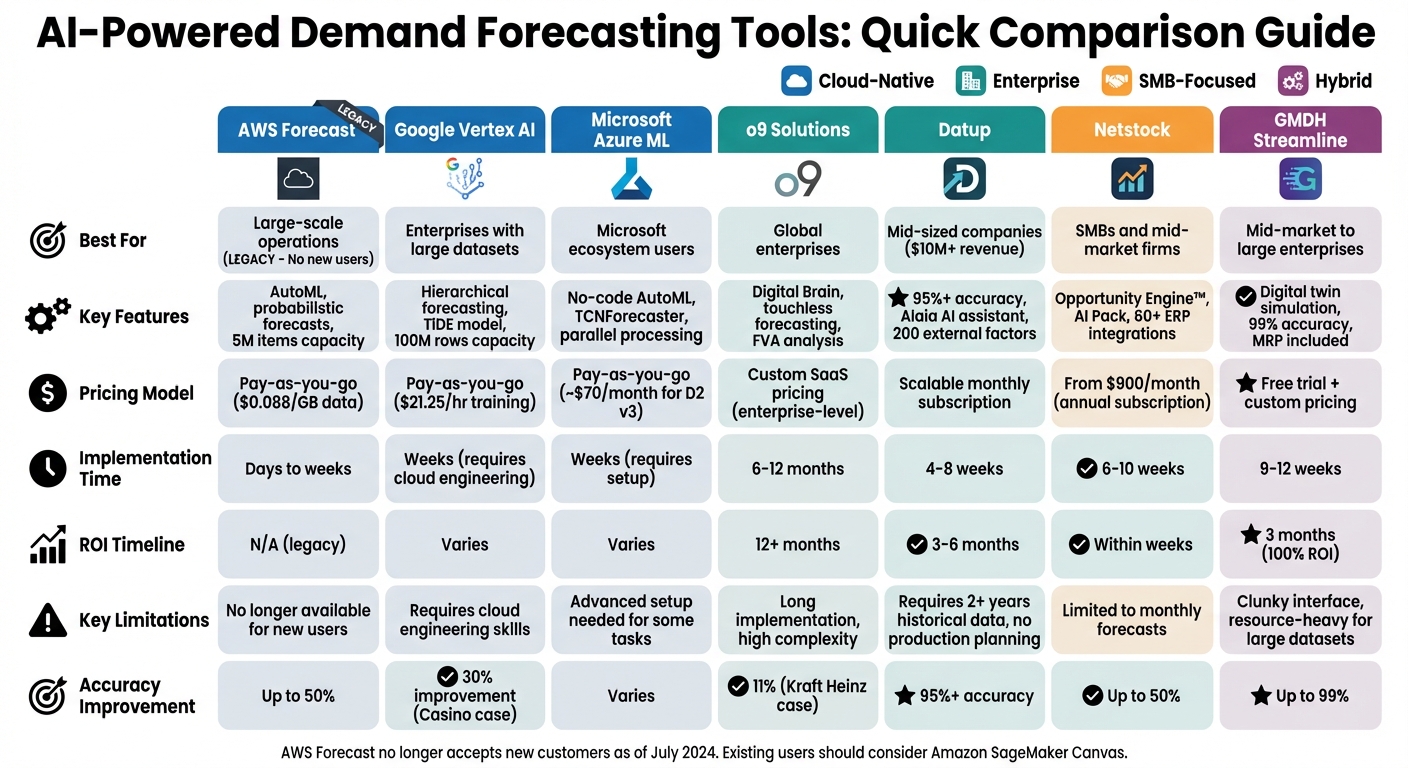
AI Demand Forecasting Tools Comparison: Features, Pricing & Best Use Cases
1. AWS Forecast
Key Features
AWS Forecast showcases how automation can enhance forecasting by using AutoML to select the best combination of algorithms for your dataset – no machine learning expertise required. It produces probabilistic forecasts at various quantiles (10%, 50%, 90%), offering a range of potential outcomes to guide decision-making.
The service integrates local weather and holiday data from 251 countries and incorporates item metadata, making it suitable for cold start forecasting. Its explainability feature provides impact scores for factors like pricing, holidays, or weather, offering insights into what drives predictions. The platform is built to handle large-scale operations, supporting up to 5 million unique items and processing up to 3 billion historical data points.
Pricing
AWS Forecast follows a pay-as-you-go pricing model with no upfront costs. Charges include:
- Imported data: $0.088 per GB
- Training: $0.24 per instance-hour
- Forecast data points: Starting at $2.00 per 1,000 points (dropping to $0.02 per 1,000 for over 50 million points)
- Forecast explanations: Tiered rates beginning at $2.00 per 1,000 explanations
New users get a free tier for the first two months, including 100,000 forecast data points, 10 GB of storage, and 10 hours of training each month.
Business Suitability
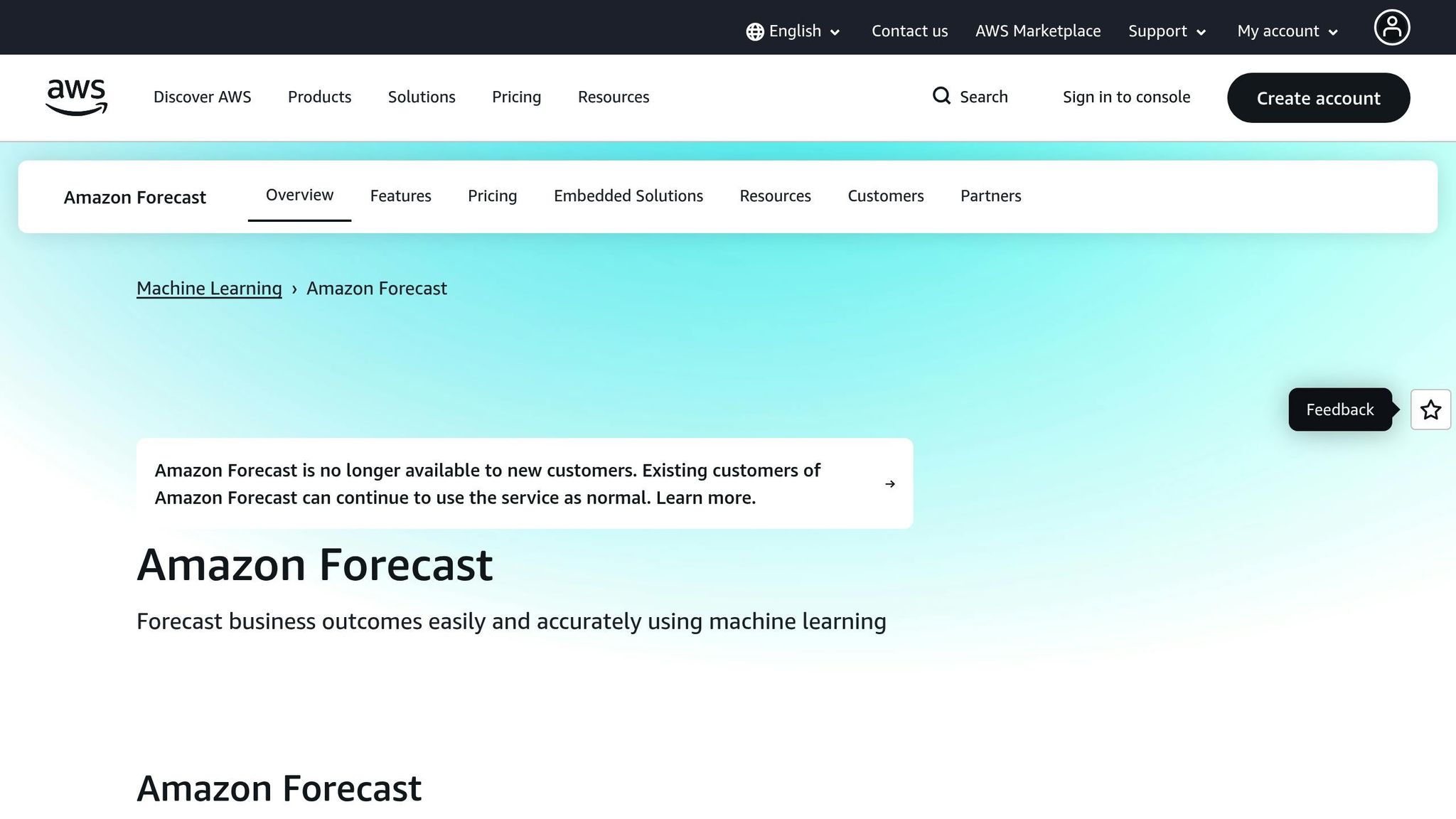
Important update: As of July 29, 2024, AWS Forecast is no longer available to new customers. Existing users can continue using the service, but AWS recommends Amazon SageMaker Canvas for new users. This alternative offers a no-code interface and leverages the same Amazon Forecast technology.
AWS Forecast was primarily designed for industries like retail, manufacturing, and logistics, especially for tasks like inventory forecasting, workforce planning, or energy demand forecasting. Its features are ideal for businesses managing large-scale operations with extensive SKUs across multiple locations.
Strengths and Limitations
AWS Forecast’s AutoML functionality and probabilistic forecasting make it a powerful tool for supply chain managers looking to minimize risks and optimize inventory. By combining time series data with external variables, it can achieve up to 50% better accuracy compared to traditional forecasting methods. Additionally, integration with AWS CloudFormation and Step Functions allows for no-code deployment.
However, the platform’s legacy status means AWS will only focus on security, availability, and performance updates, with no new features planned. The complex pricing structure, which includes multiple cost components, may also pose challenges for some businesses. For new users, Amazon SageMaker Canvas is a more current option offering similar capabilities.
sbb-itb-58f115e
2. Google Vertex AI
Key Features
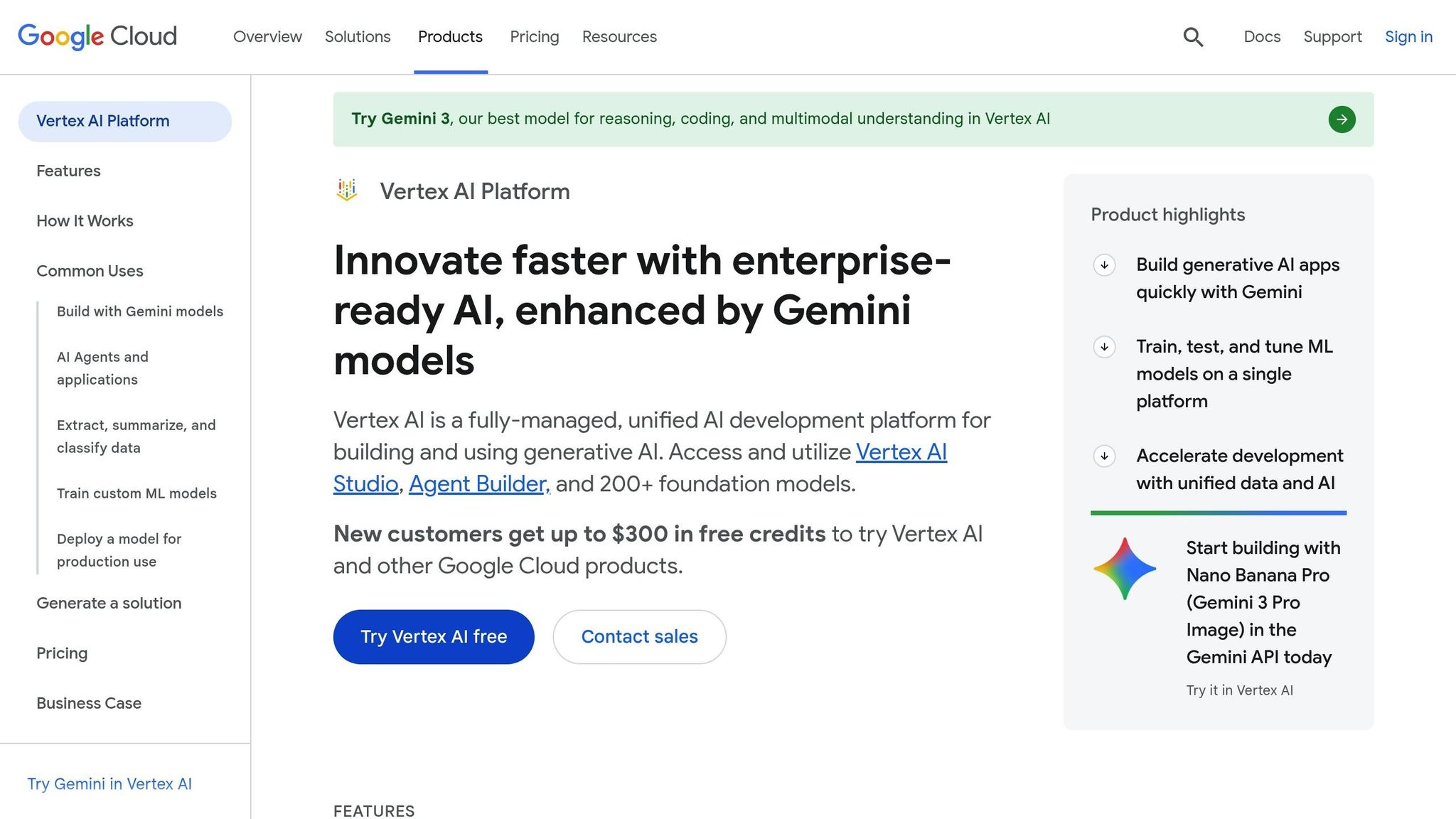
Google Vertex AI introduces AutoML for Forecasting, allowing users to test hundreds of model architectures without writing any code. It can handle datasets as large as 100 million rows and supports up to 1,000 demand drivers like promotions, weather trends, and macroeconomic factors.
A standout tool is hierarchical forecasting, which seamlessly predicts demand across SKU, store, and regional levels. Another highlight is the TimeSeries Dense Encoder (TiDE), a model architecture that offers 10x to 25x faster training throughput compared to traditional transformer models, all while maintaining accuracy.
In October 2023, Shriman Tiwari, Chief Data Scientist at Groupe Casino, shared that Vertex AI improved forecast accuracy by 30% across 450 hypermarket stores and reduced model training and experimentation time by 4x.
Pricing
Vertex AI operates on a pay-as-you-go model, billing in 30-second increments. AutoML training costs $21.25 per hour, while predictions are priced at $0.20 per 1,000 data points for the first million, dropping to $0.02 for volumes exceeding 50 million. The ARIMA+ option is priced at $250.00 per TB for training (multiplied by candidate models and backtesting windows) and $5.00 per 1,000 data points for predictions. Additionally, new users receive $300 in free credits to explore the platform.
Business Suitability
Vertex AI is designed to meet the demands of AI forecasting tools. It caters to retailers, consumer goods companies, and logistics organizations managing complex operations. With support for datasets up to 1TB – equivalent to about 1 billion rows – it’s ideal for enterprises needing highly detailed daily forecasts.
Amaresh Siva, Senior VP at Lowe’s, highlighted how the company uses Vertex AI to generate hierarchical SKU-level forecasts for over 1,700 stores, balancing store-specific and regional signals to optimize inventory distribution.
However, smaller businesses should be aware of certain requirements. Many small businesses use AI to overcome these technical barriers and scale product success. The platform needs a minimum of 20 timestamps per product. While AutoML forecasting supports batch inferences, real-time predictions require more advanced "Tabular Workflows". Additionally, although AutoML simplifies modeling, setting up data pipelines in BigQuery may demand cloud engineering expertise.
Strengths and Limitations
Vertex AI Forecast ranked in the top 3% for accuracy in the M5 World’s Top Forecasting Competition. Its TiDE model slashes training time from weeks to hours.
Bret Toplyn, Director of Product Management at Hitachi Energy, remarked: "What five teams took weeks to deliver, TiDE generated in mere hours with the same or better accuracy".
Another strength is its probabilistic inference, which effectively handles sparse data – a frequent challenge when forecasting low-volume products or managing stockouts.
On the flip side, the platform’s technical complexity can be a hurdle. While AutoML eliminates the need for deep data science expertise, the broader Vertex AI environment is an enterprise-grade MLOps platform that may overwhelm businesses without dedicated cloud engineering teams. The expanded dataset capacity of 1TB (a jump from the previous 100GB limit) adds flexibility but also increases operational complexity.
Next, we’ll explore Microsoft Azure Machine Learning to see how it stacks up against Vertex AI for forecasting solutions.
3. Microsoft Azure Machine Learning
Key Features
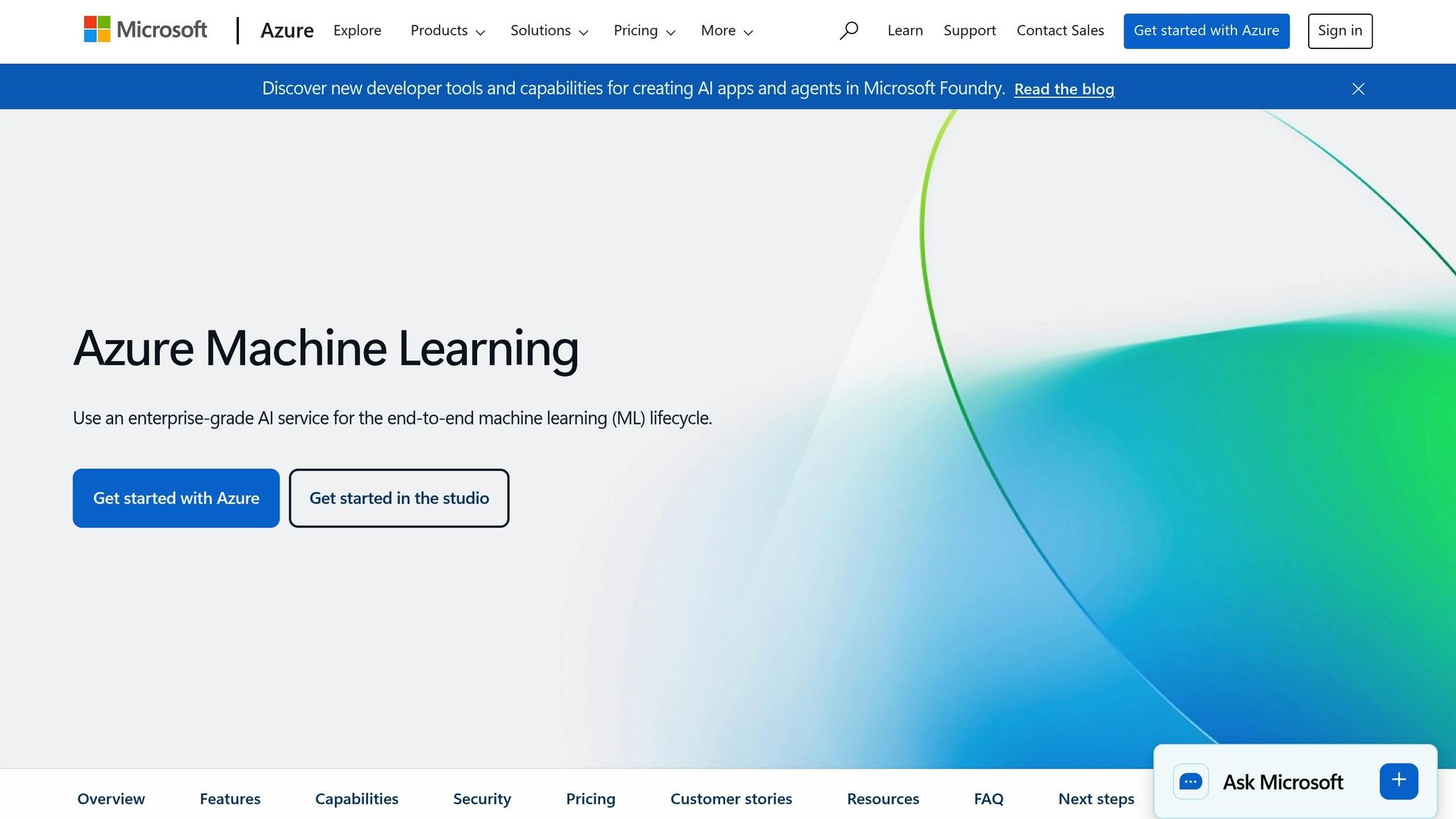
Microsoft Azure Machine Learning provides a no-code AutoML interface that simplifies the process of selecting optimal models, hyperparameters, and feature engineering steps. It supports traditional time series and regression models like ARIMA, Prophet, XGBoost, and LightGBM, making it a versatile tool for various forecasting needs. For more advanced tasks, its TCNForecaster – a deep learning model with millions of tunable parameters – delivers strong forecasting capabilities. Additionally, the platform uses parallel processing to train thousands of models simultaneously, which is especially useful for businesses managing multiple SKUs and store combinations.
Azure ML enhances accuracy by automatically generating features like calendar-based indicators, holiday markers, target lags, and rolling window aggregations. Unlike recursive models that can accumulate errors over time, Azure’s regression models use a direct forecasting method, producing all predictions for the forecast horizon in a single step. The platform also offers model explainability, providing impact scores that help supply chain managers understand the role of factors like price changes, holidays, or weather in shaping forecasts.
Pricing
Azure Machine Learning itself has no monthly fee – users only pay for the compute and storage resources they use. For instance, a D2 v3 instance (2 vCPUs, 8 GiB RAM) costs about $70.08 per month on a pay-as-you-go basis, with billing calculated by the second. Businesses can cut costs significantly – by 31% to 72% – through 1-year or 3-year Azure savings plans or Reserved VM Instances. Additional charges apply for services like Azure Blob Storage, Key Vault, Container Registry, and Application Insights.
Business Suitability
Azure Machine Learning is particularly well-suited for businesses already invested in the Microsoft ecosystem. It integrates seamlessly with tools like Azure Data Factory for data ingestion, Power BI for visual dashboards, and Power Apps for creating custom tools like ordering systems. The platform is ideal for high-granularity forecasting in industries such as merchandise distribution, e-commerce, healthcare, manufacturing, and energy.
The no-code AutoML studio lowers the entry barrier for beginners, while the Python SDK and Jupyter Notebook environment cater to experienced data scientists. However, one limitation is that regression-based forecasting models require all predictor variables to be known for the entire forecast horizon. For supply chains involving new products with limited historical data, configuring the short_series_handling_config is necessary. Options include padding the data with white noise or excluding series with insufficient training points. This flexibility makes Azure ML a strong choice for both novice users and advanced professionals.
Strengths and Limitations
Azure ML’s direct forecasting approach avoids the error buildup common in recursive models. It also detects nonstationary time series and applies differencing transforms to stabilize data automatically. For deep neural network training, such as using TCNForecaster, GPU-based compute resources are essential to handle the increased demands of capacity and training time.
While AutoML simplifies many aspects of model development, managing Azure ML’s broader environment and cloud infrastructure can require technical expertise. Additionally, deployed models incur ongoing hourly hosting costs, so it’s important to remove unused deployments promptly to avoid unnecessary expenses.
Next, we’ll take a closer look at o9 Solutions to see how specialized supply chain platforms stack up against cloud-based machine learning services.
4. o9 Solutions
Key Features
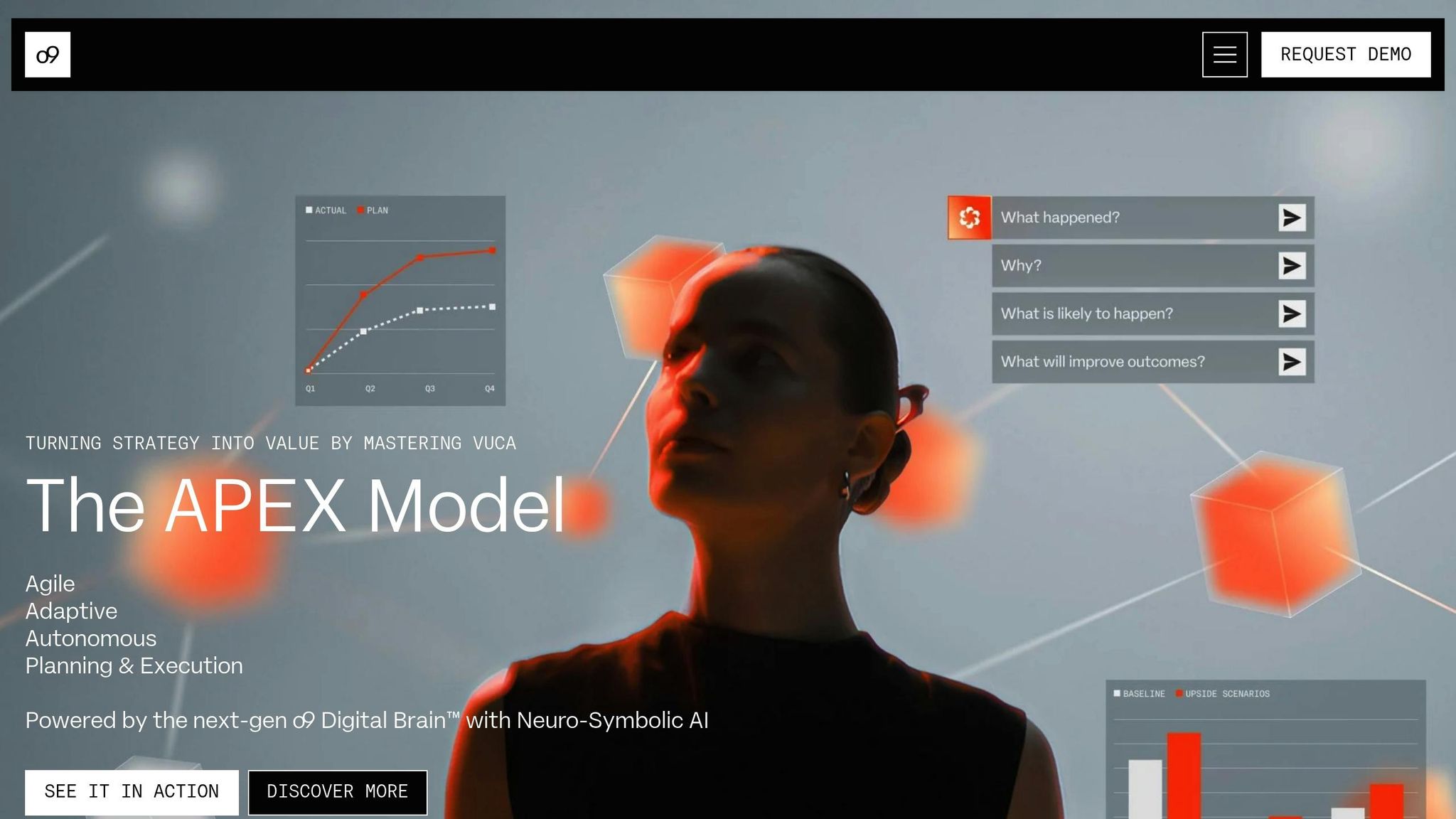
o9 Solutions centers its platform around a Digital Brain, powered by its proprietary Enterprise Knowledge Graph (EKG). This technology creates a "digital twin" of your business, representing intricate relationships as interconnected nodes rather than rigid traditional databases. This design allows the platform to manage complex SKU–location hierarchies while enabling fast scenario analysis across demand, supply, and financial planning.
Rather than relying on a single algorithm, o9 employs continuous model competitions, where statistical models, gradient-boosted trees, and deep learning techniques compete to produce the most accurate results for specific segments and forecast horizons. A standout feature is its Forecast Value Add (FVA) analysis, which evaluates whether each step in the forecasting process – human overrides included – enhances or reduces accuracy. This transparency helps pinpoint where automation can take over and where human input remains essential.
The platform also excels in advanced feature engineering. It identifies external demand drivers like weather, holidays, pricing, promotions, and macroeconomic trends, retaining only those that significantly impact outcomes to minimize data noise. For items with predictable patterns, o9’s touchless forecasting automates baseline creation, allowing planners to focus solely on exceptions. Additionally, the system learns from accepted and rejected overrides to refine future forecasts.
Pricing
o9 Solutions operates on a SaaS model with a cloud-based infrastructure. It is positioned as a high-end investment compared to mid-market solutions, with greater costs for deployment and training. Implementations typically take 6 to 12 months, given the platform’s customization and the complexity of business processes. Companies generally achieve ROI within 12 months or more post-implementation. Managing the platform’s AI/ML models often requires ongoing technical expertise, particularly in Python and R.
Business Suitability
o9 primarily caters to large, global corporations with intricate operations spanning manufacturing, retail, distribution, and more than 30 other industries. Some notable success stories include:
- Kraft Heinz: Achieved an 11% improvement in forecast accuracy, a 20% reduction in safety stock, and a 25% cut in excess inventory.
- AB InBev: Reported a 60% decline in out-of-stocks and a 53% drop in inventory losses, with touchless planning adoption rates of 70–90% in key markets.
- T-Mobile: Realized over $1 billion in value over three years, attaining 99%+ service levels and a sevenfold improvement in inventory turns.
"With o9 AI/ML-based forecasting in place, we’re already seeing improved forecast accuracy, stronger cross-functional collaboration, and faster, more informed decision-making – all within a centralized platform."
- Gaby Gutierrez, VP of Global Supply Chain Planning, Amway
The platform integrates seamlessly with major ERPs like SAP, Oracle, and Microsoft Dynamics. It is often used to replace older systems like SAP APO, offering a single, cloud-native solution for end-to-end planning.
Strengths and Limitations
o9’s design positions AI as a core infrastructure element rather than an optional feature, distinguishing it from traditional time-series forecasting tools. It has been recognized as the only "Customers’ Choice" provider in the 2025 Gartner Peer Insights Customers’ Choice for Supply Chain Planning Solutions. Its highly adaptable backend allows companies to configure logic to suit their specific needs, going beyond standard reference models.
However, this flexibility can introduce complexity. The extensive configuration options require careful planning, as poor management can delay implementation. Users have also reported occasional UI performance lags when applying multiple filters and noted a higher likelihood of regression issues during custom developments. Additionally, the platform’s success depends heavily on data quality, requiring strong data governance and master data management. Organizations should be ready to invest in technology, training, and building data science expertise within their teams.
Next, we’ll explore how these enterprise-level capabilities measure up against the more agile mid-market solutions offered by Datup.
5. Datup
Key Features
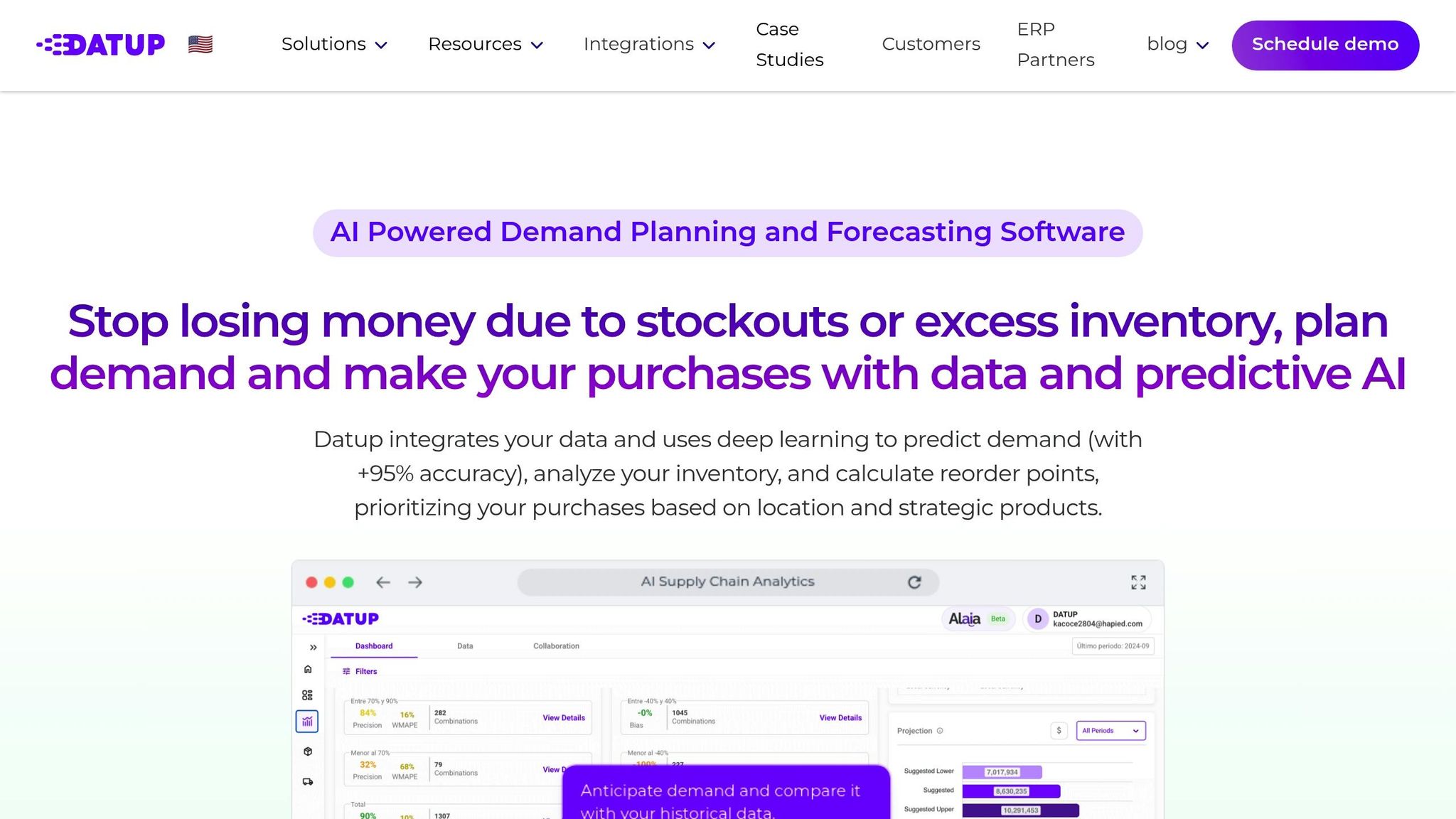
Datup is an AI-powered alternative to traditional enterprise planning tools, leveraging deep learning to analyze historical data alongside 200 external factors like weather, inflation, holidays, and exchange rates. This approach delivers forecast accuracy exceeding 95%.
One of its standout features is Alaia, a conversational assistant that provides optimization insights and proactive alerts through the platform, WhatsApp, or email. Additionally, the system automates inventory management by calculating safety stock, reorder points, and optimal replenishment quantities based on supplier lead times and business policies.
For collaborative planning, Datup includes a dedicated S&OP/S&OE panel, allowing finance, sales, and operations teams to align on demand scenarios in real time, breaking down information silos. The platform also uses ABC, FSN, and XYZ analysis to prioritize high-value items and integrates with ERPs like SAP, Oracle, and Microsoft Dynamics – typically within 4 to 8 weeks.
Pricing
Datup operates as a cloud-based SaaS platform with flexible, customizable monthly subscriptions that scale based on operation size and selected modules. There are no user limits, making it a more accessible option compared to legacy systems that often demand multi-million-dollar upfront investments and lengthy 12–24-month implementations. Most companies see a return on investment (ROI) within 3 to 6 months after implementation.
Business Suitability
Datup is tailored for medium to large enterprises, especially those with annual revenues exceeding $10M and managing thousands of SKUs across multiple locations. Industries such as retail, consumer goods, pharmaceuticals, manufacturing, food and beverage, and chemicals are among its primary users.
For instance, Simoniz, a leader in the automotive sector managing over 5,000 products and generating $25M in annual sales, integrated Datup with its Siesa ERP. This integration resulted in a significant reduction in inventory volume, annual savings of around $300M, and a drop in manual inventory tasks from 80 hours to just 2 hours per month.
"Datup allows us to make agile, strategic, and high-value decisions, enabling us to stay at the forefront in an increasingly demanding market."
- Julián David Jimenez, Demand Planning Analyst, Agrícola Himalaya
Strengths and Limitations
Datup’s strengths lie in its quick deployment and easy-to-use interface, which eliminates the need for specialized data science teams or extensive technical training. Users have reported benefits such as a 4X reduction in stockouts, 2.5X less excess inventory, and up to a 30% decrease in overall inventory levels.
However, the platform does have some limitations. To achieve optimal results, it requires at least two years of historical data. Additionally, it lacks specific modules for production planning or transportation logistics management, which may make it less suitable for companies needing end-to-end manufacturing solutions. Smaller organizations with less than $10M in revenue or limited digital infrastructure might also find it harder to justify the investment.
Datup’s combination of fast deployment, ease of use, and measurable ROI makes it a strong option for mid to large-sized enterprises. Next, we’ll take a closer look at how Netstock tailors its demand forecasting solutions for smaller to mid-market businesses.
6. Netstock
Key Features
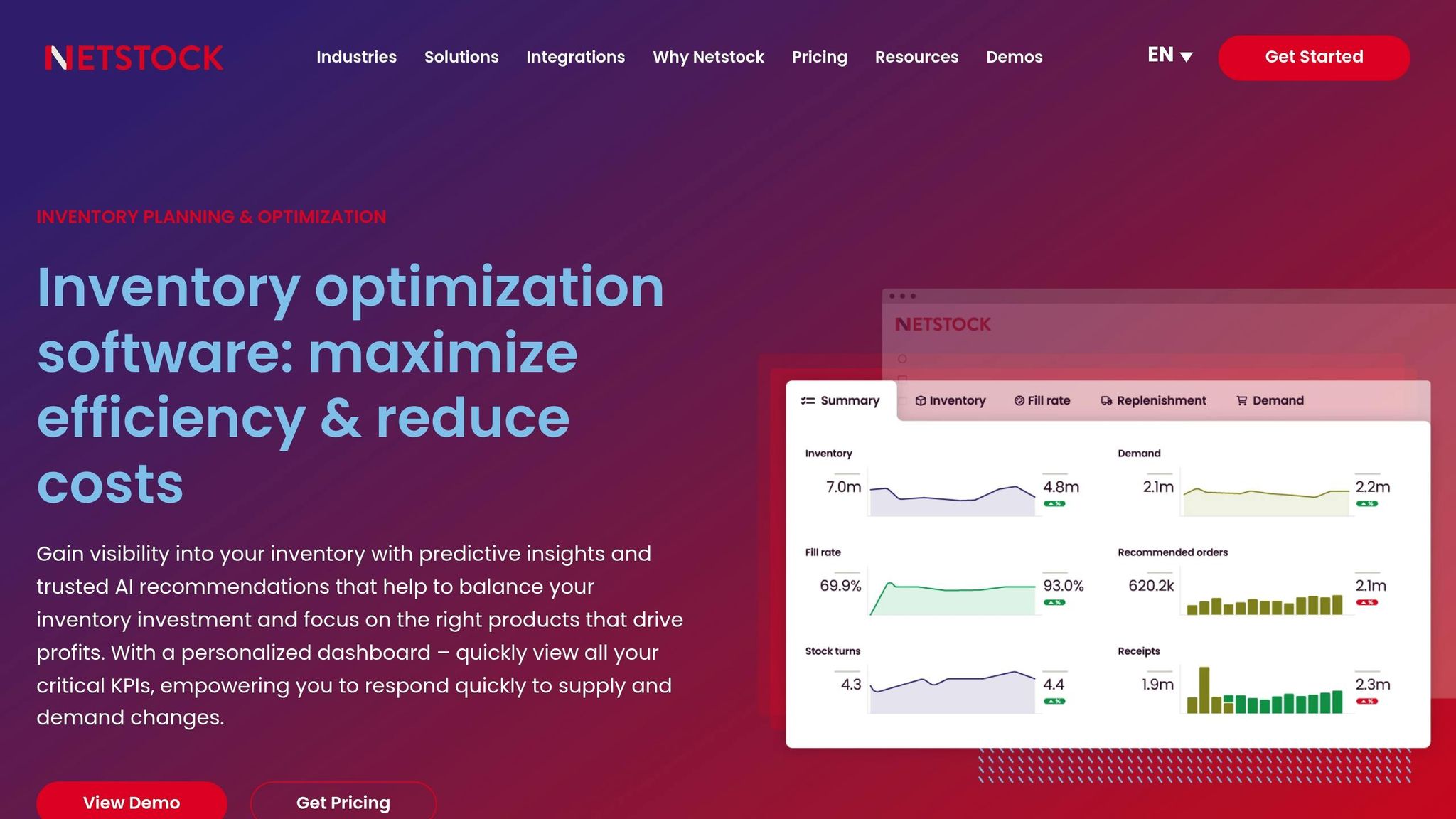
Netstock simplifies AI-powered forecasting by automating model selection while integrating seamlessly with ERP systems. The platform automatically selects the most suitable forecasting models – whether it’s ARIMA for linear trends or LSTM for more complex patterns – based on historical data for each SKU, region, or channel. This automation eliminates the need for manual intervention, streamlining the entire planning process.
One of the standout features is the Opportunity Engine™, which analyzes inventory data across all locations to predict potential stockouts or excess inventory. Alongside this, Netstock offers specialized AI Pack tools: the Dashboard Analyzer simplifies complex metrics, the Item Analyzer evaluates inventory status for quick fixes, and the Item Troubleshooter identifies critical supply chain issues.
With integrations covering over 60 leading ERP systems, such as NetSuite, SAP, Sage, and Microsoft Dynamics, Netstock transforms raw data into actionable insights. It also supports flexible demand planning – whether bottom-up, top-down, or middle-out – across varying levels of product or channel aggregation.
"The granularity of the Opportunity Engine allows us to take targeted actions and develop tailored strategies for each store, taking into account the varying demands and customer preferences across different locations."
- Aline Najjar, Harvey Norman – Australia
Pricing
Netstock operates on an annual subscription model starting at $900 per month. It offers three tiers: Essentials (basic features like a single-view dashboard, classification tools, safety stock management, and the Opportunity Engine™), Advanced (includes the AI Pack, enhanced forecasting, and stock projection), and Commercial (adds features like excess redistribution and Single Sign-On). Additionally, a Demand Planner add-on is available for businesses needing advanced aggregation and promotion management capabilities.
Implementation is relatively quick, taking 6 to 10 weeks, with full functionality achievable in 90 days or less. Many users report the platform pays for itself within the first few weeks of operation.
Business Suitability
Netstock is designed with small to medium-sized businesses (SMBs) and mid-market companies in mind. It serves industries like manufacturing, distribution, wholesale, retail, automotive, food and beverage, and healthcare. It’s particularly effective for businesses managing large SKU inventories, dealing with seasonal demand shifts, or navigating challenges like perishability and compliance with expiration dates.
Currently, Netstock oversees over $25 billion in inventory for more than 2,400 customers across 67 countries. Success stories include Dayspring USA, which slashed its boxed cards inventory by 65% – from 2 million units to 700,000 – while maintaining a service level above 98%. Another example is Sunbeam Foods, which reduced its total inventory value by 52% and cut excess stock by 80%.
"We can easily select the customers that we want to forecast individually… Now, we can add new key customers or channels in no time flat, experiment with alternative hierarchies and roll-ups, and formulate new insights, all without consuming valuable IT resources."
- Sr. Manager of Supply Chain, Shimano
Strengths and Limitations
Netstock delivers measurable results, including up to a 50% improvement in forecast accuracy, a 25% reduction in inventory holding costs, and a 70% time savings in planning activities. Its robust ERP integration and intuitive interface make it accessible for teams without advanced data science skills, as reflected in its 4.8/5 user rating.
However, it mainly focuses on monthly forecasting, which might not suit businesses needing daily or weekly projections.
With its automated forecasting, quick ROI, and proven success stories, Netstock is a strong option for SMBs and mid-market companies. Up next, we’ll look at how GMDH Streamline builds on these capabilities with more extensive modules and dynamic simulation tools.
7. GMDH Streamline
Key Features
GMDH Streamline replaces traditional spreadsheets with discrete-event simulation, creating a detailed digital twin of your supply chain. This lets you model daily inventory flows, test scenarios, and identify potential bottlenecks before they disrupt operations [63, 61].
The platform’s AI-driven algorithm automatically selects the best forecasting model – be it level, trend, or seasonality – for each SKU. It also filters out outdated data and product launch noise to focus on the most relevant sales history. For new products, it links to similar items to ensure reliable forecasts [63, 64]. This simulation-backed digital twin approach sets GMDH Streamline apart, providing frequent, actionable insights.
A great example of its impact: Whalen Furniture reduced planning time by 90% and cut total inventory by 36%, resulting in major monthly savings. Additionally, its forecast approval system allows users to categorize SKUs as "Approved", "Unapproved", or "Needs Attention", locking in approved forecasts for consistency [63, 64].
"Streamline has helped take our forecasting accuracy from average to world-class; which has a very positive impact on sales metrics and KPIs."
- Eric Tewey, Purchaser & End User
These powerful forecasting tools also come with flexible pricing options.
Pricing
GMDH Streamline provides a Lifetime Free Edition, limited to 50 SKUs and one warehouse/channel, ideal for testing. For enterprise use, pricing is customized based on specific needs and includes all features – unlike tools that charge separately for modules. Streamline integrates S&OP, Material Requirements Planning (MRP), and dynamic simulation into one package.
Implementation typically takes 9 to 12 weeks, with companies often seeing 100% ROI within the first three months. Users report up to a 90% reduction in time spent on forecasting, planning, and ordering [62, 63].
Business Suitability
GMDH Streamline’s deployment options and integration capabilities make it suitable for a variety of industries.
Designed for mid-market and large enterprises with annual revenues between $10 million and $10 billion, it supports sectors like manufacturing, distribution, retail, automotive, pharmaceuticals, and more [61, 67]. The platform offers both cloud-based and on-premise deployment for Windows and Mac, adding flexibility beyond cloud-only tools [61, 63].
For instance, R for Rabbit, an Indian baby-products company, improved ordering and decision-making across its retail operations with Streamline. The platform also integrates seamlessly with over 20 major ERP systems, including SAP S/4HANA, Oracle NetSuite, Microsoft Dynamics 365, and QuickBooks, ensuring efficient data flow [62, 63].
"GMDH Streamline is the small business demand forecasting dream come true. If you are too small for a huge ERP and big enough to need to track and forecast demand and reorders this is really the perfect tool."
- Jacob Shallman, Purchaser & End User
Strengths and Limitations
Streamline delivers up to 99% forecast accuracy, reduces stockouts by 98%, and cuts excess inventory by 50%, all while maintaining over 99% product availability [62, 63]. It supports both weekly and monthly forecasting, offering more flexibility than platforms restricted to monthly projections. User reviews rate the software around 4.8 out of 5 across major directories.
That said, some users find the interface "clunky" and not very intuitive, requiring dedicated training to navigate effectively [64, 67]. Additionally, the platform can be resource-heavy for very large datasets, and its Windows-focused design may limit scalability compared to cloud-native solutions [64, 68].
With its advanced simulation tools and proven ROI, GMDH Streamline is a strong choice for businesses ready to move beyond spreadsheet-based planning. Next, we’ll explore the broader pros and cons of AI-powered demand forecasting tools.
Accurate AI-Powered Forecasting to Transform Demand Planning | Case Study
Advantages and Disadvantages
Selecting the right AI-powered demand forecasting tool involves weighing the strengths and limitations of each category. Here’s a breakdown of the key points:
Enterprise-grade solutions like o9 Solutions and Datup come with advanced features and global scalability but demand substantial resources. For example, o9 Solutions uses its "Digital Brain" knowledge graphs to optimize supply chains in real time across global operations. However, it requires dedicated IT teams and may face performance challenges when managing massive datasets. Datup, on the other hand, achieves a predictive forecast accuracy of over 95% and can be implemented in as little as 8 weeks. Yet, it lacks a free trial and is tailored for industrial operations with revenues above $10 million.
Cloud-native platforms such as Google Vertex AI and AWS Forecast offer scalability and advanced modeling capabilities. However, they are far from "plug-and-play" solutions and require significant data science expertise along with a well-developed IT infrastructure.
ERP-integrated tools like Netstock shine when paired with systems like Sage, NetSuite, or Microsoft Dynamics. They automate processes like reorder points and provide "what-if" scenario modeling. Still, their effectiveness hinges on clean ERP data, and teams with limited IT resources might face challenges in customizing reports. Additionally, some of these tools bundle forecasting with other ERP functionalities, which can drive up entry costs.
Lower-cost and legacy platforms may appeal to smaller operations with their minimal upfront costs. However, they often fall short in scalability and advanced features, making them less suitable for handling complex supply chains.
The ultimate choice comes down to aligning your organization’s technical capabilities, budget, and data maturity with the tool’s demands. Whether you opt for a robust enterprise solution or a simpler, more accessible platform, the decision must reflect your specific operational needs and long-term goals. This summary highlights the trade-offs detailed in the individual tool analyses, emphasizing the importance of finding the right fit for your organization.
Conclusion
Selecting the right AI-powered demand forecasting tool comes down to matching your business’s size, technical capabilities, and budget with the features each platform offers. This breakdown highlights solutions tailored to businesses at different stages.
For small businesses, tools like Sumtracker and Netstock are ideal. They emphasize quick setup and user-friendly interfaces, eliminating the need for a dedicated data science team. These platforms often have straightforward pricing and can be deployed in just a few days, making them accessible for smaller operations using AI tools for small business operations.
Mid-sized companies managing over 5,000 SKUs across multiple locations can benefit from platforms like GMDH Streamline or EazyStock. These tools provide more advanced features, such as Material Requirements Planning (MRP), while keeping complexity manageable. Many users have reported reductions in forecast errors by 15–30% and inventory levels by 5–25%, making these tools a step up for businesses ready to refine their forecasting processes.
For large enterprises with global supply chains, platforms like o9 Solutions, Anaplan, and Blue Yonder offer the advanced capabilities needed to manage complexity. These tools are equipped to handle massive datasets and include features like "Digital Twin" for real-time scenario planning. For instance, o9 Solutions claims to improve forecast accuracy by up to 51% for large-scale operations. However, these platforms often come with custom pricing models that can reach millions of dollars in licensing and implementation fees.
Organizations with high technical expertise might consider cloud-native solutions like AWS Forecast, Google Vertex AI, or Microsoft Azure Machine Learning. These platforms offer scalable, pay-as-you-go models and allow for extensive customization. However, they require a strong data science team to ensure proper deployment and ongoing maintenance.
AI-powered demand planning has the potential to improve forecast accuracy by 20–30% compared to traditional methods. The key is to evaluate your technical resources, operational readiness, and budget to choose the platform that best aligns with your business’s current needs and future goals.
FAQs
What data do I need to start AI demand forecasting?
To get started with AI demand forecasting, you’ll need historical data that includes customer demand, sales figures, and inventory levels. Beyond that, it’s essential to factor in external influences such as market trends, weather conditions, and economic changes. These elements work together to help AI models uncover patterns and deliver predictions you can count on.
Which tool fits my business size and forecast frequency?
The best AI-powered demand forecasting tool for your business hinges on your specific needs and size. Small to mid-sized businesses often lean toward budget-friendly and adaptable tools like Flowlity, which cater to straightforward forecasting. On the other hand, larger enterprises with intricate supply chains and more frequent forecasting demands might find platforms like Datup or IBM Analytics Planning more suitable, thanks to their extensive features and customizable options.
How do I estimate total cost beyond the listed pricing?
When calculating the total costs beyond the listed pricing, it’s important to account for several additional factors. These might include implementation fees, data storage costs, system integration expenses, and ongoing maintenance.
Other potential costs could involve charges per SKU, infrastructure usage, customization needs, user training, and adjustments for scalability as your business expands. To get a clear picture of the full investment, make sure to factor in both the initial setup costs and the long-term operational expenses. This approach ensures you’re prepared for the complete financial commitment.