AI Resource Mapping for Schools



AI resource mapping is transforming how schools manage curriculum and teaching resources. By leveraging machine learning, these tools align materials with state standards and workforce needs, saving teachers significant time - up to 50% on lesson planning. Despite this potential, only 25% of teachers used AI mapping tools in 2025, and just 18% received formal training.
To implement AI effectively, schools should:
- Assess current resources: Audit devices, Wi-Fi, and teacher workflows to identify gaps.
- Set clear goals: Use SMART objectives like reducing planning time by 40%.
- Build a team: Involve teachers, IT staff, and administrators to ensure balanced perspectives.
- Choose tools wisely: Evaluate AI platforms for compliance, usability, and curriculum alignment.
- Pilot and train: Test tools on a small scale and provide comprehensive AI literacy training.
Platforms like God of Prompt offer pre-built prompts for tasks like curriculum alignment and lesson planning, helping educators integrate AI without technical expertise. However, schools must prioritize data privacy, equity, and regular oversight to ensure AI benefits all students and aligns with educational goals.
AI isn’t here to replace teachers - it’s here to simplify administrative tasks so educators can focus on teaching. With thoughtful planning, schools can use AI to improve efficiency and support better learning outcomes.

5-Step AI Implementation Process for Schools
Preparation Checklist
Assess Current Resources and Gaps
Before diving into AI deployment, take a close look at your current infrastructure. Start with a thorough audit of your network and devices. Test Wi-Fi strength across all learning spaces and measure bandwidth during peak usage times. Check the age, operating systems, and browser capabilities of all devices to ensure they're ready to handle AI tools effectively.
It’s also essential to understand where educators face bottlenecks. Survey teachers to identify areas where they spend excessive time on tasks that AI could simplify. Common examples include aligning curriculum, planning lessons, and tagging resources. This process not only highlights where AI could help but also uncovers gaps that need addressing before implementation.
Data privacy and security should be a top priority. Review your systems to ensure compliance with FERPA and COPPA standards. Examine vendor agreements to clarify who owns student data and how breaches are managed. Alarmingly, only 19% of teachers report that their schools have an AI policy in place, leaving many districts without clear guidelines. Additionally, identify funding sources and explore federal or state grants to support AI-related investments.
Once you've mapped out your existing capabilities and challenges, you can establish clear goals for integrating AI into your school or district.
Set SMART Goals for AI Integration
Steer clear of vague objectives and instead set SMART (Specific, Measurable, Achievable, Relevant, Time-bound) goals that tackle real classroom challenges. For instance, you might aim to reduce weekly lesson planning time by 40% using AI tools within the first semester or close 100% of content gaps in your 9th-grade science curriculum by the end of the year.
Research suggests that AI can cut lesson planning time by nearly 50% and accelerate curriculum development by 40%. To stay on track, establish a review cycle - such as 90-day checkpoints - to assess progress and make adjustments as needed.
"AI should be seen as a tool that enhances existing initiatives and instructional practices rather than a standalone solution".
Achieving these goals requires collaboration from a well-rounded team.
Form a Cross-Functional Team
AI implementation goes beyond just IT or curriculum - it’s a combination of both and more. Build a task force that includes representatives from various roles: teachers across grade levels and subjects, IT staff, administrators, special education specialists, counselors, students, and parents. To ensure diverse perspectives, include an enthusiastic early adopter, a cautious veteran, and a teacher experienced with diverse learners.
Each team member plays a critical role. IT staff handle infrastructure audits and cybersecurity. Teachers provide insights into classroom needs and highlight where AI can reduce administrative burdens. Administrators align AI initiatives with broader goals and manage budgets. Special education staff ensure tools are inclusive and don’t replace human judgment.
"AI readiness succeeds when educators stay in control of the process. Empower teachers, protect students, and let technology amplify rather than dictate learning".
During the first 60 days, hold monthly planning meetings to set priorities and address challenges. After implementation begins, transition to quarterly check-ins. Use collaborative workshops to allow stakeholders to share their challenges and brainstorm AI-driven solutions. Establish clear usage boundaries with a "traffic light" system: green for encouraged uses like drafting lessons, using advanced ChatGPT prompts, yellow for uses requiring caution like automated feedback, and red for prohibited uses like grading without human oversight.
sbb-itb-58f115e
AI Tool Selection and Evaluation Checklist
Evaluate AI Tools for Educational Fit
When it comes to selecting AI tools for educational purposes, the focus should be on bridging identified gaps and meeting specific goals. Since many education organizations already use AI tools, the real challenge lies in picking the right ones. Start with a two-step process: a quick 10-point screening to weed out unsuitable options, followed by a detailed evaluation using the Five Edtech Quality Indicators: SAFE, EVIDENCE-BASED, INCLUSIVE, USABLE, and INTEROPERABLE.
To ensure a balanced perspective, involve a diverse team - IT professionals, curriculum leaders, and classroom teachers. This group can weigh technical requirements against the educational value of each tool. Prioritize tools that align with your curriculum standards and emphasize transparency in how AI generates its outputs.
Make sure the tools meet compliance standards like FERPA and COPPA. Request the vendor’s Data Processing Agreement (DPA) and confirm certifications like SOC 2 Type II. Check for features addressing bias and accessibility, such as WCAG 2.1 Level AA compliance, to ensure inclusivity. Insist on peer-reviewed evidence to back the tool’s claims.
"Poor selection risks compromising student data privacy, wasting resources, and failing to deliver learning outcomes." – Stephanie Howell, SchoolAI
Budget planning is equally important. Account for integration costs, which can run 2–3 times the base price. Factor in professional development expenses (20–30% of annual spending) and add a 50% buffer to vendor time estimates.
Once a tool passes these checks, move on to pilot testing to validate its practical benefits.
Pilot AI Tools for Feasibility
Before rolling out an AI tool across the district, conduct small-scale pilot tests with representatives from IT, instruction, and administration. Set clear success metrics from the start - such as reducing lesson planning time or improving alignment with the curriculum.
Test the tool’s compatibility with your devices and its integration with systems like your LMS, SIS, and SSO. Confirm that user data remains under the control of your Local Education Agency and isn’t retained beyond agreed timelines.
Assign a single coordinator to streamline decision-making. Update your Acceptable Use Policy (AUP) and Responsible Use Policy (RUP) to include AI usage guidelines before beginning the pilot. Since fewer than half of teachers using AI have received formal training, plan for comprehensive professional development during and after the pilot phase.
If the pilot is successful, you can then explore platforms specifically designed for educational resource mapping.
Consider Platforms Like God of Prompt
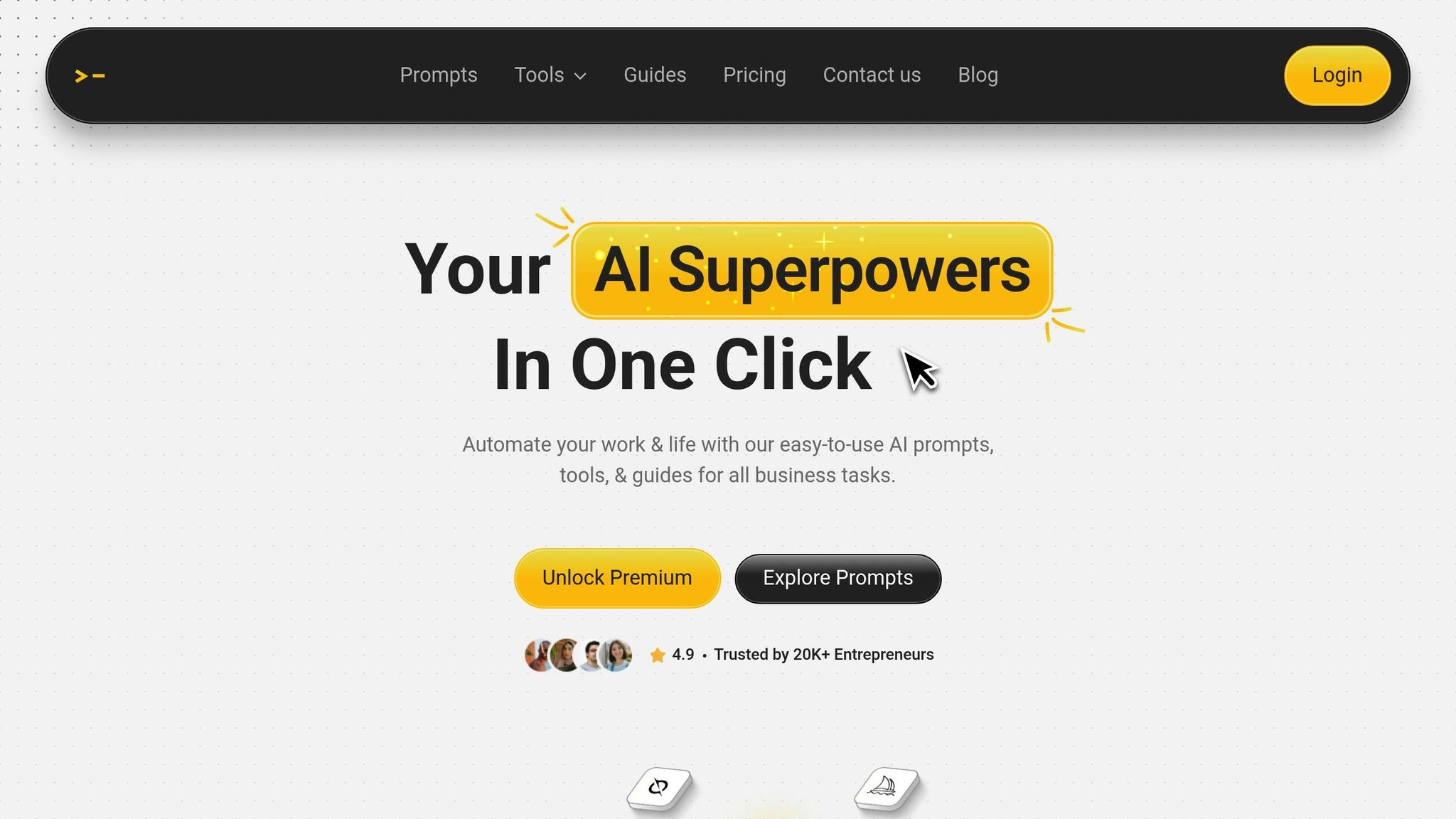
Platforms such as God of Prompt can simplify AI implementation in education. This platform offers over 30,000 AI prompts tailored for tools like ChatGPT, Claude, and Gemini AI. These prompts are ready-made for tasks like curriculum alignment, lesson planning, and resource mapping. In the Education category, teachers can find prompts designed to create standards-aligned materials, differentiate instruction, and map resources to learning objectives.
For those interested in advanced features, the Premium plan ($25/month or $17/month annually) provides access to no-code automation bundles and a custom prompt generator. This allows schools to build tailored AI workflows without needing technical expertise. A 7-day free trial ensures teams can test these resources before committing. Schools with tighter budgets can still benefit from the Free plan, which includes access to over 10,000 premium prompts with monthly updates.
What sets platforms like God of Prompt apart is their categorized prompt bundles, which align with common educational tasks. Instead of starting from scratch, teachers can adapt pre-designed prompts to fit their needs, saving time and effort. Additionally, the platform’s how-to guides help staff build AI literacy, making it easier to integrate these tools into everyday teaching workflows.
Resource Mapping Implementation Checklist
Map AI Outputs to Curriculum Standards
Platforms powered by large language models (LLMs) fine-tuned with academic standards can tag objectives and resources, using knowledge graphs to reduce errors. These systems rely on natural language processing to align AI-generated materials - like prompts from tools such as God of Prompt - with state and national benchmarks.
It's crucial to maintain a human-in-the-loop approach. Teachers should review and edit AI suggestions to ensure alignment with standards, as emphasized by TeachAI:
"People will be responsible and accountable for pedagogical or decision-making processes where AI systems may inform decision-making".
Using education analytics dashboards can help uncover gaps and overlaps in standards coverage. These gap reports enable curriculum coaches to address misaligned units or duplicated content before they affect student learning outcomes.
Once standards mapping is in place, the next step involves building a digital inventory of resources.
Create a Digital Resource Inventory
Develop a centralized digital inventory that links AI-generated resources to specific subjects and grade levels. This catalog should be publicly accessible and include metadata connecting each resource to its relevant standard and compliance requirements. For example, materials created with tools like God of Prompt should clearly display which curriculum standards they address.
To ensure quality and compliance, assemble a cross-functional evaluation team with members from legal, IT, and instructional leadership. This team should vet AI tools for compliance with FERPA and COPPA, assess equity impacts, and confirm curriculum alignment. Incorporate these vetted tools into existing responsible use policies and privacy statements for consistency.
Regularly review the inventory - quarterly or annually - to reassess the safety, effectiveness, and alignment of tools. Negotiate contracts with vendors to include provisions for data portability and deletion terms. Teachers using AI-powered curriculum development tools have reported that planning time can drop by nearly 50%, but this efficiency depends on keeping the inventory updated and easy to navigate.
With mapped and catalogued resources in place, the focus should shift to empowering educators through AI literacy training.
Train Staff on AI Literacy
Only 18% of teachers have received formal training on using AI tools, highlighting an urgent need for professional development. A three-tiered approach to AI literacy training can address this gap:
- Awareness: Introduce foundational concepts, ethics, and the basics of AI.
- Integration: Provide hands-on practice to enhance lesson planning and classroom activities.
- Champions: Develop mentors who lead ongoing training and support.
Training should cover both the technical and practical aspects of AI. Teachers need to understand how AI works, its limitations (like hallucinations and bias), and ethical considerations. Practical skills such as prompt engineering, tailoring resources for diverse learners, and citing AI-generated work appropriately are equally important.
Pair technical tutorials with real-world teaching applications. For example, sessions might demonstrate how to use AI tools to create reading passages at different levels or to provide quick translations. Then, show teachers how to inventory these materials by standard for easy access. Schedule training sessions before rolling out new AI tools district-wide, and require vendors to offer ongoing training and support as part of their contracts.
Monitoring, Privacy, and Equity Checklist
Monitor Outcomes and Iterate
To truly measure AI's impact in education, focus on outcomes that reflect both instructional quality and student achievement. For instance, a survey from the 2024–25 school year revealed that teachers who used AI monthly saved an average of 2.9 hours per week on tasks like lesson planning and assessments. But saving time doesn’t automatically translate to better learning outcomes.
To make AI metrics meaningful, tie them directly to curriculum goals using a logic model. Define the terms you’re measuring - like "student engagement" - so it’s clear whether you're assessing behavioral participation, emotional involvement, or cognitive understanding. For example, Khan Academy analyzed chat transcripts from its tutoring platform, tracking how often students typed "idk" (I don’t know) to pinpoint where concepts weren’t being understood. Early indicators like these help educators adjust quickly based on evidence.
Before rolling out AI tools, collect baseline data - such as current planning times or student proficiency rates - to measure their true impact. It’s also critical to consider diverse learner needs to ensure AI tools close achievement gaps rather than widen them. Jeremy Roschelle from Digital Promise emphasized that evidence must keep pace with the growing excitement around AI. Regular evaluations like these are essential for ensuring that AI tools are both secure and equitable in schools.
Ensure Data Privacy and Compliance
When incorporating AI into classrooms, privacy concerns need extra scrutiny. Go beyond initial privacy checks and update your edtech vetting policies to address AI-specific risks. Determine if vendors use student personally identifiable information (PII), prompts, or outputs to train their models. Verify that any data shared remains the property of your school and isn’t stored beyond agreed timelines.
Review terms of service to ensure compliance with laws like COPPA and confirm that vendors explicitly address FERPA and relevant state regulations in their privacy policies. Require vendors to sign formal Data Privacy Agreements (DPA) for hosted tools. If an approved tool adds new AI features, revisit your existing DPA to ensure these updates are covered, and confirm which data the AI will access. Use Single Sign-On (SSO) to streamline access and demand transparency through vendor-provided "AI transparency pages" that clearly explain how decisions are made and what data is accessed.
Promote Equity and Accessibility
By early 2025, only 18% of U.S. principals reported receiving formal AI guidance from their schools or districts, and the gap between schools was glaring: just 13% of high-poverty schools received guidance compared to 25% of more affluent ones. To address this, create and share a public list of vetted AI tools, ensuring all staff and students have access to the same high-quality resources.
Form cross-functional teams - including legal, IT, and instructional staff - to evaluate vendors for equity impact. Be vigilant about algorithmic bias, as tools like AI detectors can unfairly flag non-native English writers, and models trained on biased data may reinforce stereotypes. Apply Universal Design for Learning (UDL) principles when integrating AI, offering multiple ways for students to engage, understand, and express themselves. With nearly 50% of students expressing concerns that AI might increase inequalities among peers, it’s crucial to provide targeted professional development for educators. These steps ensure AI tools align with curriculum standards, support all learners, and empower teachers to use them effectively.
Automated Curriculum Mapping: Connect Objectives, Rotations, and Assessments
Conclusion
AI resource mapping lays the groundwork for stronger collaboration between teachers and students. To get started, assemble a cross-functional team that includes teachers, IT staff, and parents to ensure the tools reflect actual classroom needs. Incorporate the Plan-Do-Study-Act cycle to keep changes manageable: test tools with a single grade level, track outcomes like planning efficiency and curriculum alignment, and expand based on what proves effective. This step-by-step approach enables measurable improvements in how resources are allocated and how the curriculum is delivered.
Districts also need to focus on equity by publishing vetted lists of tools and offering tiered professional development. Currently, only 13% of high-poverty schools receive AI guidance, compared to 25% in more affluent areas. Bridging this gap is critical. Tools like God of Prompt, which offers over 30,000 categorized prompts and workflow guides, can assist educators in efficiently integrating AI into their teaching - whether for creating AI prompts for education like discussion questions or lesson plans aligned with standards - while still preserving their instructional independence.
As these tools simplify administrative tasks, schools must also adapt their policies to stay accountable. AI policies should be treated as dynamic guidelines, with quarterly audits to check for issues like bias, FERPA compliance, and data portability.
"Success comes not from adopting every new tool, but from choosing platforms that strengthen the fundamental relationships between teachers and learners".
Schools that succeed in AI integration will do so by maintaining clear boundaries, regular oversight, and a focus on equity - ensuring that every student benefits, not just those with independent access to advanced tools.
FAQs
What student data can AI mapping tools access?
AI mapping tools have the capability to handle sensitive student data, covering areas like privacy, learning outcomes, and assessments. These tools process the necessary information to ensure adherence to privacy laws while also assessing how effectively they contribute to educational goals.
How can we pilot AI resource mapping without disrupting classes?
To introduce AI resource mapping without causing major disruptions, it's best to start small and roll it out gradually. Begin by focusing on training staff and building support among stakeholders. Test AI tools in a few classrooms or controlled environments first, then expand as everyone becomes more comfortable. Make sure to involve teachers early in the process, especially during tool selection, and offer continuous professional development to keep them supported. This step-by-step approach creates room for feedback and adjustments, helping the integration process run more smoothly while minimizing interruptions in the classroom.
How can we prevent AI bias and ensure equitable access?
To address AI bias and ensure fairness in education, it's crucial to start with a careful review of the training data. This helps avoid perpetuating existing societal biases. Establishing well-defined policies around fairness, privacy, and ethical use is another important step. Educators also benefit from ongoing professional development that builds their understanding of AI and its ethical considerations. Lastly, involving the community and maintaining open communication with stakeholders ensures equal access to AI tools, allowing them to better support all learners.
Related Blog Posts

Loved by Business Owners


Based on 1K reviews
Get smarter on AI every week.
Ready to transform your business?