AI for Beginners: How to Start Using AI In 2026




AI isn’t just for tech companies anymore.
It’s showing up in tools we use every day—from writing emails to organizing our notes.
And here’s the thing: you don’t need to be a developer to start using AI.
Whether you’re a student, creator, business owner, or just curious, learning how to use AI now can save you time, boost your skills, and keep you ahead.
This guide will show you exactly how to get started with AI.
ALSO READ: Is AI Dangerous?
What Is AI? A Simple Explanation for Beginners
AI stands for Artificial Intelligence—but don’t let the name scare you.
At its core, AI is just technology that can think and learn like a human.
It takes in data, finds patterns, and gives useful results.
You’ve already seen it in action:
• Autocorrect when you text
• Recommendations on Netflix
• Voice assistants like Siri or Alexa
Now, with tools like ChatGPT and Gemini, AI can also help you write, summarize, brainstorm, design, and even automate your tasks.
It’s not magic.
It’s just smart tech made simple.
Common Myths About AI (And What’s Actually True)
Myth 1: You need to be a tech expert to use AI.
Truth: Most AI tools today are built for regular users—click, type, done.
Myth 2: AI is going to replace everyone’s job.
Truth: It’s more likely to help you do your job better and faster.
Myth 3: AI is too complicated to understand.
Truth: If you can use Google or your phone, you can start using AI.
The real story?
AI is here to help.
And the earlier you learn, the more value you’ll get from it.
What AI Can Do for You Right Now
AI is no longer experimental—it’s practical. Today’s tools can help you:
• Write and edit content faster with tools like ChatGPT or Grammarly
• Summarize long documents into quick, readable insights
• Generate visual content using AI-powered design platforms
• Automate daily tasks like scheduling, data entry, or note-taking
• Answer questions with real context, not just search results
Whether you’re managing projects, studying, or creating content, AI can save you time and improve how you work.
It’s a tool built for real-world productivity.
Best Free AI Tools for Beginners (2025 Edition)
You don’t have to spend money to start using AI.
Here are some powerful, beginner-friendly tools you can try today—for free:
• ChatGPT (Free by OpenAI): Great for writing, brainstorming, Q&A, and more.
• Google Gemini (Free tier): Helpful for research, summarizing, and Gmail integration.

• Microsoft Copilot: Built into Word, Excel, and other Microsoft tools.
• Perplexity AI: A search engine with AI-powered answers and citations.
• Canva Magic Studio: Design visuals, presentations, and posts using AI suggestions.
These tools are easy to access, work right in your browser or phone, and don’t require any technical background.
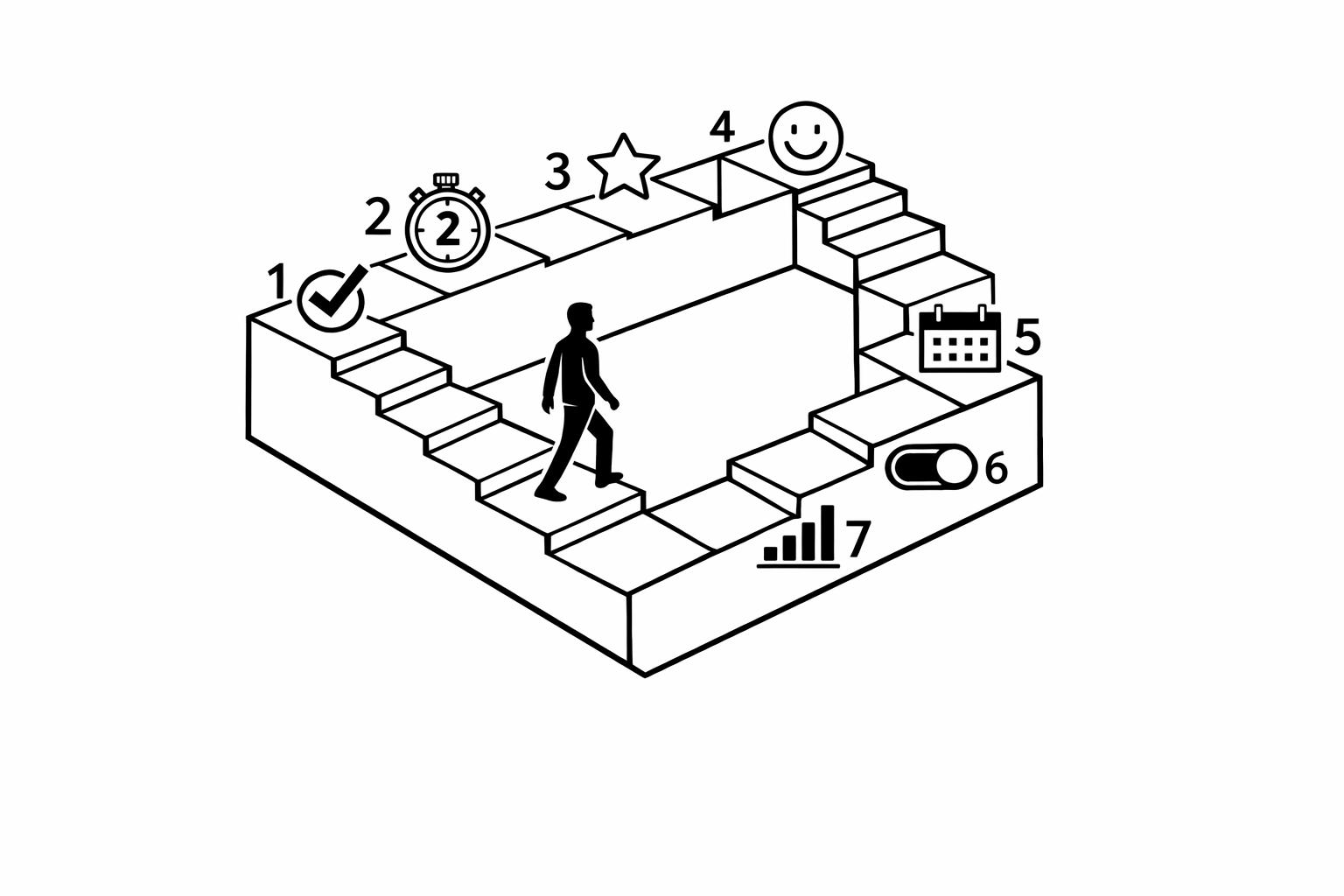
How to Start Using AI (Step-by-Step Guide)
Getting started with AI is simple. Here’s a quick step-by-step:
Step 1: Pick a Task
Think of something you already do—like writing emails, taking notes, or creating posts.
Step 2: Choose a Tool
Match your task to a tool. Example:
• Writing? Use ChatGPT or Grammarly
• Notes? Try Otter.ai
• Design? Go with Canva
Step 3: Try a Simple Prompt
Open the tool and type something basic like:
• “Write a short email about missing a meeting.”
• “Summarize this paragraph.”
• “Create a to-do list from this text.”
Step 4: Keep Practicing
The more you use it, the easier it gets. You’ll learn by doing.
That’s it—just start small and explore.
Where to Access AI: Apps, Browsers, Extensions
AI tools are easy to find—you probably already use some without knowing.
Here’s where to get them:
Mobile Apps:
• ChatGPT app (iOS and Android) – Ask questions, upload pics, even talk to it.
• Gemini app – Google’s AI on your phone, helpful for quick tasks.
• Canva app – Create designs with AI help, right from your phone.
Web Browsers:
• Go to websites like chat.openai.com or perplexity.ai
• Log in and start using the tools—no install needed
Chrome Extensions:
• Compose AI – Helps write faster anywhere you type
• Grammarly – Fixes grammar while you write emails or docs

• AIPRM for ChatGPT – Gives you pre-made prompts for marketing, SEO, and more
AI is now built into the tools you already use—just look for the “magic” or “AI” buttons.
Common Mistakes New Users Make with AI
It’s easy to get excited about AI—but beginners often run into the same mistakes.
Here’s what to watch out for:
1. Asking vague questions
If you type something like “help me,” AI won’t know what you mean. Be specific.
Instead of: “Write something for my business.”
Try: “Write a short intro for my online clothing store’s about page.”
2. Expecting perfect answers on the first try
AI is smart, but it still needs direction.
You’ll often need to rephrase or ask follow-ups to get the best result.
3. Using AI like Google
ChatGPT isn’t built to give you links. It’s built to give you answers. Treat it like you’re talking to a person, not a search engine.
4. Ignoring context
The more info you give, the better the results. Always provide some background or examples.
5. Never checking the output
Don’t copy and paste everything without reading. AI can be wrong. Always double-check.
Avoiding these simple mistakes will help you get better results faster—and actually enjoy using AI.
Tips to Get the Most Out of AI Tools
Want better results from AI?
Don’t just type—guide it.
Here’s how to do that:
1. Be clear and specific
Instead of “Write a caption,” try:
“Write a friendly Instagram caption for a coffee shop promoting a new seasonal drink.”
2. Give context
Tell AI what you’re doing and who it’s for. It helps the tool tailor the response.
3. Ask follow-up questions
Didn’t like the first answer? Ask it to rewrite, simplify, or change the tone. Treat it like a conversation.
4. Use examples
Add a sample or model if you have one. “Write something like this…” works really well.
5. Try small tasks first
Start with short emails, summaries, or social media posts. Then explore bigger things like reports or content calendars.
The more details you give, the better AI performs.
Is AI the Future? What Beginners Should Know
Yes—AI is the future, but the good news is, it’s already here.
You don’t need to wait.
Businesses are using AI today. So are students, freelancers, and creators.
The people who start learning it now?
They’ll be the ones ahead later.
AI isn’t replacing everyone.
But the ones using it are becoming faster, smarter, and more effective at what they do.
So don’t think of it as something you might need to learn.
It’s something you should start using now.
Final Thoughts: Start Small, Learn Fast
You don’t need to master AI overnight.
Just pick one tool.
One task.
And try it.
The more you use it, the more useful it gets.
AI isn’t about being perfect—it’s about working smarter, faster, and with less stress.
Start today. Learn as you go. That’s how everyone begins.

Loved by Business Owners


Based on 1K reviews
Get smarter on AI every week.
Ready to transform your business?