Can Claude Generate Images? What It Actually Does in 2026



If you've been wondering whether Claude can generate images, you're not alone. It's one of the most common questions about Anthropic's AI assistant. The short answer? No. Claude can't create photos or illustrations from scratch.
But it can do a surprising amount of visual work, and there are practical workarounds that get you real images when you need them.
This guide breaks down what Claude can and can't do with images in 2026, gives you copy-paste prompts for every workaround, and shows how it stacks up against ChatGPT and Gemini for visual tasks.
The Short Answer:
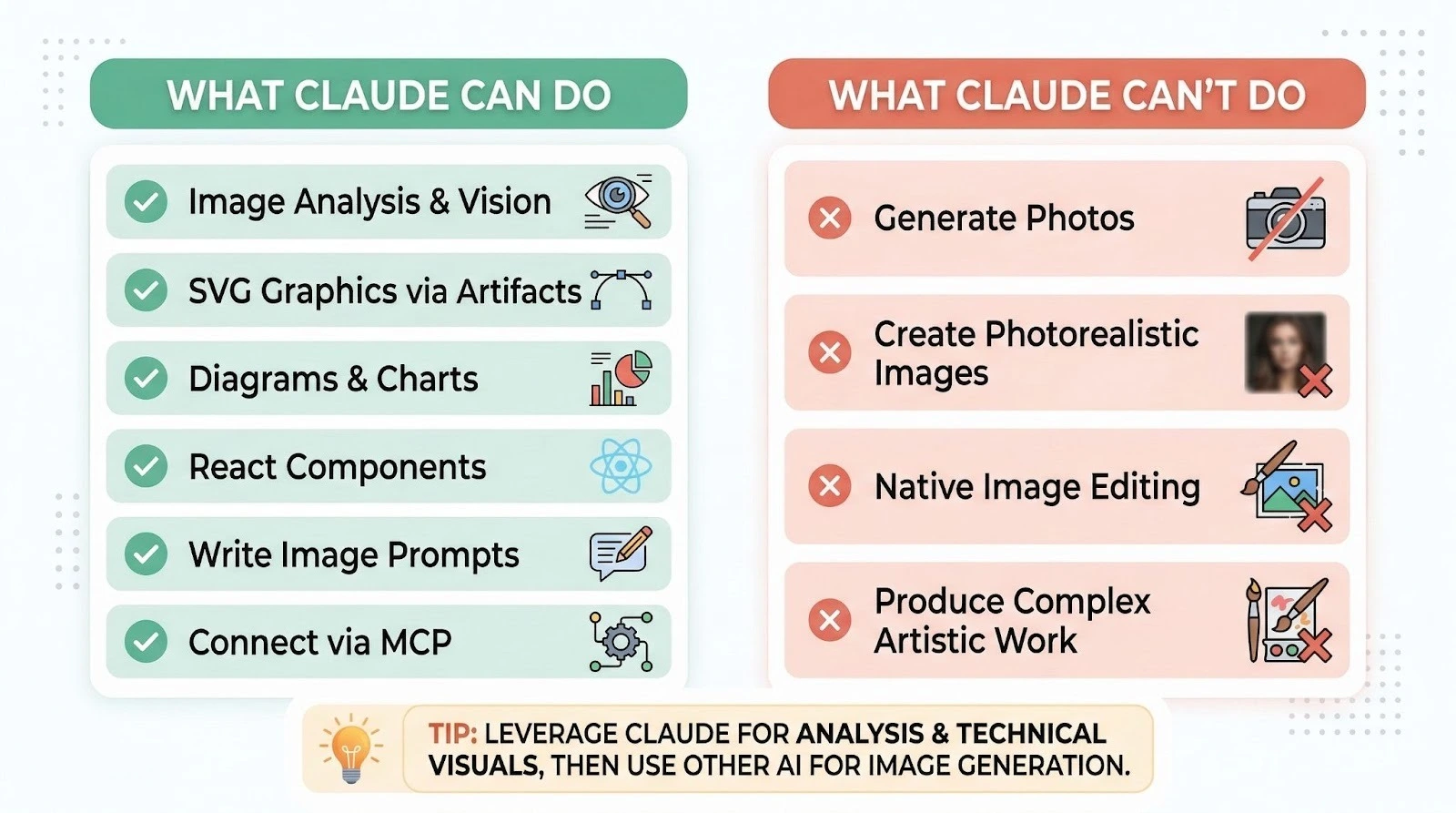
Claude cannot natively generate raster images like photos or illustrations. It has no built-in text-to-image model. But Claude can analyze uploaded images, create SVG graphics through Artifacts, build interactive visual components, and connect to external image generators through MCP integrations.
That covers the basics. But if you're a business owner trying to figure out whether Claude can help with your marketing graphics, social media content, or presentations, keep reading. There's more here than you'd expect.
ALSO READ: 15 NotebookLM Prompts That Actually Work (Copy, Paste, Done)

What Claude Can Do with Images (It's More Than You Think)
People hear "Claude can't generate images" and assume it's useless for anything visual. Not true. Claude's got a strong set of visual capabilities that most users don't explore.
Image Analysis and Vision
Claude can see and understand images you upload to it. This isn't some basic image scanner. Claude's vision lets it analyze photos, charts, graphs, screenshots, handwritten notes, technical diagrams, and scanned documents with real depth.
You can upload a competitor's landing page screenshot and ask Claude to critique the layout. Hand it a photo of a whiteboard from your last brainstorming session and it'll transcribe and organize every note.
Show it a complex data visualization and it'll explain what the data actually means.
Claude supports JPEG, PNG, GIF, and WebP formats. In the chat interface at claude.ai, you can upload up to 20 images per conversation turn. Through the API, that limit goes up to 100 images per request (with a 32MB total request size cap).
Images can be up to 8,000 x 8,000 pixels, though Claude performs best when the longest edge stays under 1,568 pixels.
I tested Claude's image analysis on product photography, financial charts, and handwritten meeting notes. The product photo analysis gave me enough detail to write listing copy.
The chart interpretation was accurate and picked up on trends I'd missed. Handwritten notes were about 90% accurate, which honestly surprised me.
SVG Graphics Through Artifacts
Here's where things get interesting. Claude can't generate a JPEG photograph, but it can write SVG code that produces clean, scalable vector graphics. And through the Artifacts feature, you see those graphics rendered in real time right next to your conversation.
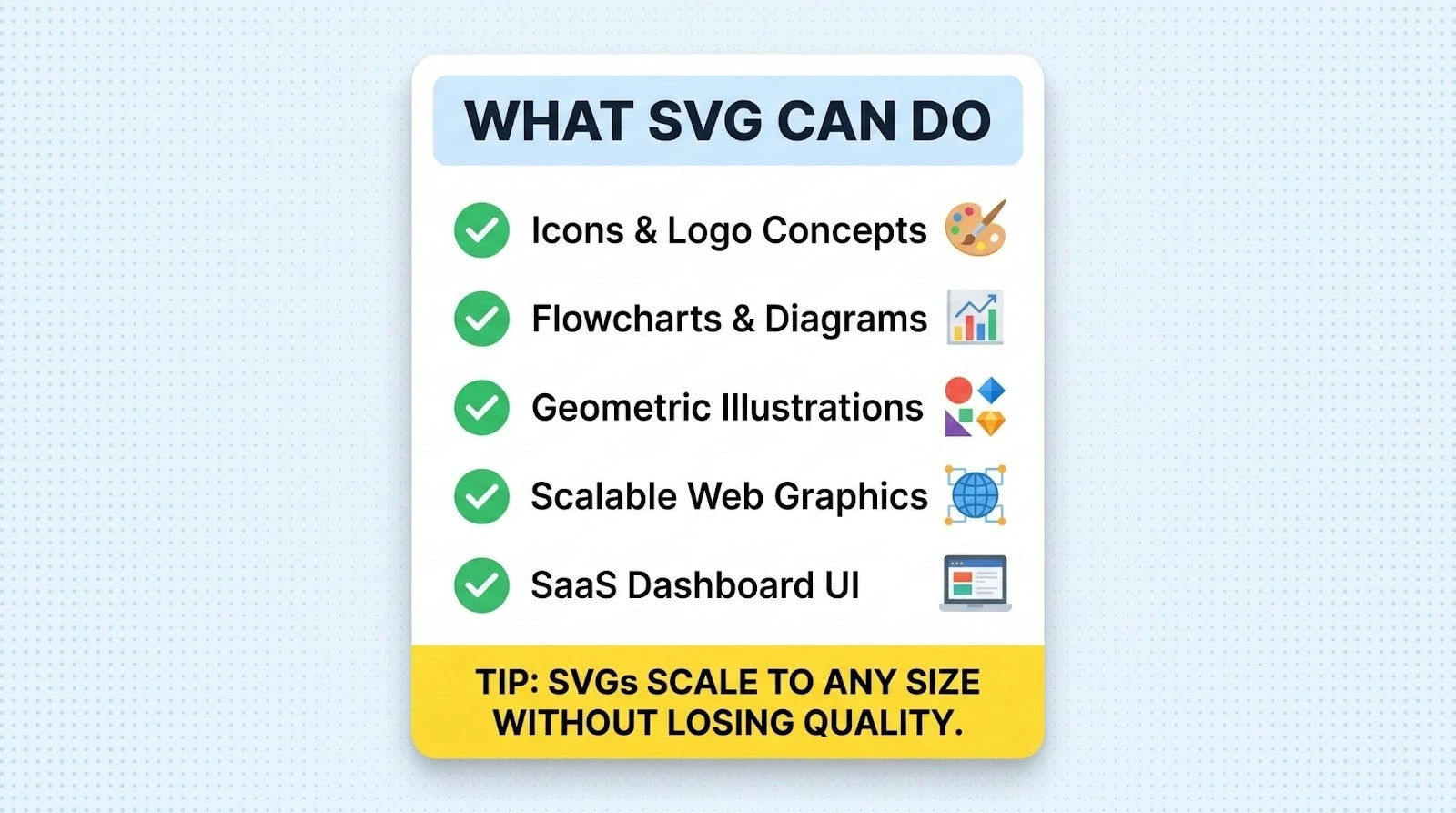
SVGs are perfect for icons, logo concepts, simple illustrations, flowcharts, and geometric designs. They scale to any size without losing quality. That makes them genuinely useful for business applications.
I asked Claude to create an SVG icon set for a fictional SaaS dashboard. The results? Clean, consistent, and production-ready for web use. They won't replace custom illustration work from a designer, but for quick mockups, internal presentations, or placeholder graphics, they're surprisingly solid.
Diagrams, Charts, and Data Visualizations
Claude can generate Mermaid diagrams for flowcharts, org charts, sequence diagrams, and other structured visuals. It can also build data visualizations using code, including bar charts, line graphs, and pie charts rendered through Artifacts.
If you're putting together a business presentation and need a quick process flowchart, Claude can build it in seconds. Sales funnel stages? Done. Org chart for your growing team? Also done.
The quality's functional and clear. These won't win design awards, but they communicate information well. For a solopreneur who needs visuals for a pitch deck or internal document, this saves hours compared to wrestling with diagramming software.
React Components and Interactive UI
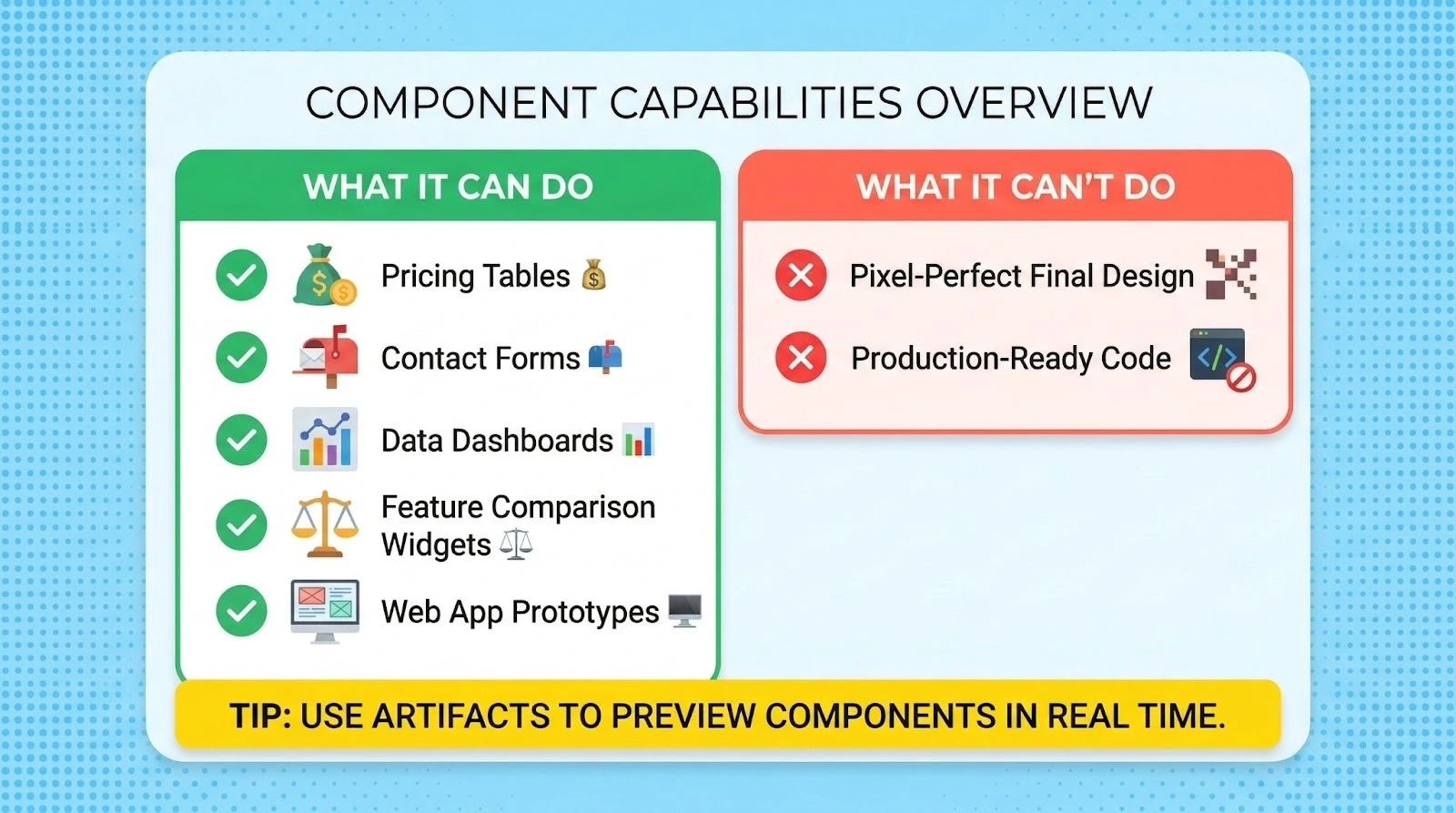
Claude can write React code and render it as interactive components through Artifacts. Think about that. It can create data dashboards, interactive calculators, styled cards, and even simple web app prototypes with actual visual design.
For business owners, this matters. You can describe a pricing table, a feature comparison widget, or a contact form, and Claude'll build a working, styled version you can preview immediately. It's not Figma, but it's a fast path from idea to visual prototype.
Why Claude Doesn't Generate Images Natively
Anthropic built Claude as a language model, not an image generator. Big difference. Creating images from text requires a completely different type of AI architecture called a diffusion model.
That's what tools like DALL-E, Midjourney, and Stable Diffusion use to turn text descriptions into pixel-based images.
Claude's architecture is built for understanding and generating text, analyzing images through its vision encoder, and reasoning about complex problems. Anthropic hasn't tried to bolt on image generation.
According to Anthropic's official help center, Claude's currently limited to text-based output in the chat.
That said, Claude's inability to generate images doesn't mean you're stuck. Real workarounds exist.
3 Ways to Generate Images Using Claude (Workarounds That Work)
You can't get Claude to spit out a photograph. That's clear. But you can use Claude's strengths to get images created, and the results are often better than what you'd get prompting an image generator directly.
Method 1: Use Claude to Write Prompts for Other Image Generators
Claude's excellent at writing detailed, effective prompts for image generators like Midjourney, DALL-E, and Stable Diffusion. Because Claude understands language deeply, it can craft prompts that produce significantly better results than what most people write on their own.
Here's a copy-paste prompt you can use right now:
I need to create a [type of image] for [specific business use case].
The image should convey [mood/feeling] and include [specific elements].
My target audience is [describe audience].
I'll be generating this in [Midjourney/DALL-E/Stable Diffusion].
Write me 3 detailed prompts for this image generator, each with a
different creative direction. Include style parameters, aspect ratio
recommendations, and any platform-specific syntax I should use.
Claude'll generate detailed, platform-specific prompts that account for each tool's strengths and syntax quirks. I tested this workflow by having Claude write Midjourney prompts for product photography concepts.
The results were noticeably better than my own attempts. Why? Claude included specific lighting descriptions, camera angle terminology, and style modifiers I wouldn't have thought to add.
Pro tip: Tell Claude about your brand colors, style guidelines, and past images that worked well. It'll factor those details into every prompt it writes for you.
Related: Check out our Claude prompts for business tasks to see what else Claude can help you create.
Method 2: Connect Claude to Image Models via MCP
MCP (Model Context Protocol) lets you connect Claude to external tools and services. It's straightforward. Through MCP, Claude can actually trigger image generation using models like FLUX and Krea on Hugging Face, then see and discuss the results with you.
This is the closest thing to "Claude generating images" that exists today. Here's how it works:
Step 1: Create a free Hugging Face account.
Step 2: In Claude's chat interface, open the "Search and tools" menu in the input box and connect to Hugging Face.
Step 3: Go to huggingface.co/settings/mcp and add image generation tools like mcp-tools/FLUX.1-Krea-dev (for realistic photos) or mcp-tools/qwen-image (for images with text) to your Spaces Tools.
Step 4: Back in Claude, ask it to generate an image using the connected tool. For example: "Use Krea to create an image of a modern coffee shop interior with warm lighting."
Claude handles the prompt creation, sends it to the image model, receives the result, and can even help you iterate. You can say "make it brighter" or "add more people in the background" and Claude'll refine the prompt and regenerate.
Important note for honesty's sake: This setup takes a few minutes of initial configuration. It isn't as simple as typing "make me a picture" into ChatGPT. But once it's connected, the workflow is smooth, and you'll get access to some of the best open-source image models available.
As Hugging Face explains in their MCP blog post, connecting Claude to these tools lets the AI help build better prompts and iterate on designs. That often produces higher quality results.
Also worth noting: Anthropic updated their connector directory policy in late 2025. Things changed. You may need to use the "Add custom connector" option and set the Remote MCP server URL to https://huggingface.co/mcp?login to enable this.
Method 3: Generate SVG and Code-Based Visuals Directly
For certain business needs, you don't need a photograph at all. What you need is a clean graphic, icon, diagram, or styled visual component. Claude can create these directly through Artifacts.
Here's a prompt that works well for generating SVG business graphics:
Create an SVG graphic for my website that shows [describe the visual].
Use these brand colors: [list hex codes].
Keep it clean, modern, and professional.
The graphic should work at both small (icon) and large (hero image) sizes.
Output it as an Artifact so I can see it rendered.
Claude'll generate the SVG code and display it visually. You can then iterate ("make the text larger," "swap the blue for green," "add a subtle drop shadow") until it matches what you need.
This method works great for process diagrams and flowcharts, simple infographics, icon sets, data visualizations with your actual numbers, abstract geometric backgrounds, and org charts. There's a lot you can do here.
What it doesn't work for: Photorealistic images, complex illustrations with human figures, or detailed artistic work. Know the limits. You won't be let down.
Claude vs ChatGPT vs Gemini: Image Capabilities Compared
Here's an honest comparison of what each major AI assistant can do with images in 2026. No bias. Just facts.
The honest take: If you need to generate photos and illustrations quickly with minimal setup, ChatGPT and Gemini win. Right now, they're better for that.
ChatGPT's GPT Image model produces solid results directly in the chat. Gemini's Nano Banana models can generate up to 4K images and handle text rendering well.
But Claude wins elsewhere. Its image analysis is consistently thorough and business-relevant. Its Artifacts visual components? Unique. And its prompt-writing ability means it can actually help you get better results from other image generators.
For most business owners, the real answer isn't picking one tool. Use all three. Know when each one fits.
What This Means for Your Business
If you're a solopreneur or small business owner, here's the practical breakdown of how to use Claude for visual work:
For marketing assets and social graphics:
Use Claude to write killer prompts, then generate the actual images in ChatGPT, Gemini, or Midjourney. Or connect Claude to Hugging Face via MCP for a one-stop workflow.
You'll get better results than prompting image generators directly because Claude understands your intent at a deeper level.
For presentations and documents:
Use Claude's Artifacts to create diagrams, flowcharts, data visualizations, and styled components. They'll export cleanly and look professional in slide decks and reports.
For brand consistency:
You can train Claude on your brand voice and visual style guidelines, then have it write image prompts that stay on-brand every time. No other AI tool does this as well.
For website visuals:
Claude's SVG generation and React component capabilities can produce functional, good-looking web elements. It won't replace a designer, but it's a powerful starting point.
For analyzing competitor visuals:
Upload screenshots of competitor ads, landing pages, or social posts. Claude'll break down what's working and why, giving you actionable insights for your own visual strategy.
If you want to explore what Claude can do beyond images, check out the complete prompt library at God of Prompt for ready-to-use templates that get real results from every Claude feature.
FAQ: Claude and Image Generation
Can Claude analyze images I upload?
Yes. Claude's got strong vision capabilities across all current models. You can upload JPEG, PNG, GIF, and WebP files. Claude can analyze photos, charts, graphs, screenshots, documents, and handwritten notes. In the chat interface, you can upload up to 20 images per turn. Through the API, that limit jumps to 100 images per request. Claude'll describe what it sees, extract text, interpret data, and answer specific questions about the visual content.
Will Claude add native image generation in the future?
Anthropic hasn't officially announced native image generation for Claude. The company's historically focused on text understanding, reasoning, and safety rather than image creation. There's community speculation that image capabilities could come eventually, but there's no confirmed timeline. For now, the MCP integration with Hugging Face is the closest alternative.
Is there a free way to generate images with Claude?
Yes. Connect Claude to Hugging Face through MCP. It's free. Hugging Face provides free GPU credits for image generation through their ZeroGPU-powered Spaces. You can generate images using models like FLUX Krea and Qwen Image without paying anything. Setup takes a few minutes, but once it's connected, you'll generate images directly through your Claude conversations. Claude's free plan supports this MCP connection.
Can Claude create logos or brand graphics?
Claude can create SVG-based logo concepts and simple brand graphics through Artifacts. These work well as starting points or quick mockups. For a polished, final logo, you'd want to refine Claude's SVG output in a design tool like Figma or Illustrator, or use Claude's prompt-writing skills to generate options in Midjourney. Claude's best used as part of the creative process, not as the only tool in it.

Loved by Business Owners


Based on 1K reviews
Get smarter on AI every week.
Ready to transform your business?