Top 7 AI Tools for Real-Time Image Editing



- Pixlr: Browser-based with AI tools like background removal, object erasure, and AI image generation. Pricing starts at $1.49/month.
- Fotor: Known for quick edits like AI background removal and batch processing. Plans start at $3.99/month.
- PhotoRoom: Ideal for e-commerce, offering background removal and batch editing. Pro plan starts at $12.99/month.
- Luminar Neo: Tailored for photographers with tools like sky replacement and portrait retouching. Pricing starts at $79 for a perpetual license.
- Topaz Photo AI: Focuses on improving image quality with sharpening, noise reduction, and upscaling. One-time cost of $199.
- Adobe Express: Simplified editing with AI features like text-to-image and generative fill. (If you're new to this, see our guide on creating AI images). Premium plan costs $9.99/month.
- Remove.bg: Specializes in quick, precise background removal. Pricing starts at $0.90/image or $35.10/month for subscriptions.
Quick Comparison
| Tool | Key Features | Starting Price | Best For |
|---|---|---|---|
| Pixlr | Background removal, AI object erasure | $1.49/month | Social media managers, hobbyists |
| Fotor | Batch processing, AI photo enhancer | $3.99/month | Bloggers, content creators |
| PhotoRoom | Batch editing, product photo tools | $12.99/month | E-commerce sellers |
| Luminar Neo | Sky replacement, portrait tools | $79 (one-time) | Photographers |
| Topaz Photo AI | Sharpening, noise reduction | $199 (one-time) | Professional photographers |
| Adobe Express | Generative fill, text-to-image | $9.99/month | Marketers, students, small businesses |
| Remove.bg | Background removal, API integration | $0.90/image | Graphic designers, e-commerce |
Each tool offers unique strengths, so the best choice depends on your needs and budget. For quick edits, try Pixlr or Fotor. For professional results, explore Luminar Neo or Topaz Photo AI. If you're focused on e-commerce, PhotoRoom and Remove.bg are excellent options.

AI Image Editing Tools Comparison: Features, Pricing & Best Use Cases
Best AI image editors - Hands-on comparison & workflows (2025)
1. Pixlr

Pixlr is a web-based image editor that runs directly in your browser, so there's no need for downloads or installations. With more than 10 million monthly users as of late 2025, it offers tools similar to Photoshop but without the hefty price tag or steep learning curve. For added flexibility, Pixlr also provides mobile apps for iOS and Android, as well as desktop versions for offline use.
Real-Time Editing Features
Pixlr's AI-powered tools make editing faster and easier. Some standout features include Generative Fill, which allows you to make edits using text prompts, and Generative Expand, which seamlessly extends image borders. The Remove Object tool lets you erase unwanted elements by simply marking them, while the Background Removal tool boasts 94% accuracy in just 3–5 seconds. Other offerings include Face Swap, Super Scale for enhancing image resolution, and an Image Generator that creates visuals from text descriptions.
Pricing Model
Pixlr offers a free, ad-supported plan with basic tools like cropping, resizing, filters, and layers. For more advanced features, users can choose from paid plans:
- Plus: $1.49/month, includes 80 AI credits.
- Premium: $6.49/month, includes 1,000 AI credits and access to full templates.
- Team: $11.99/month, provides five Premium seats and team management tools.
Additionally, the PixlrEdu program provides free upgrades for schools and universities.
Target User Profiles
Pixlr is ideal for social media managers, small business owners, students, and hobbyists who want professional-quality graphics without a steep learning curve. As user Suraj M highlights:
"The best part about Pixlr is that it is free to use without watermarks. It has a user-friendly interface and beginners can use it".
However, keep in mind that a stable internet connection is required, and performance may slow down when working with files larger than 50 MB.
2. Fotor
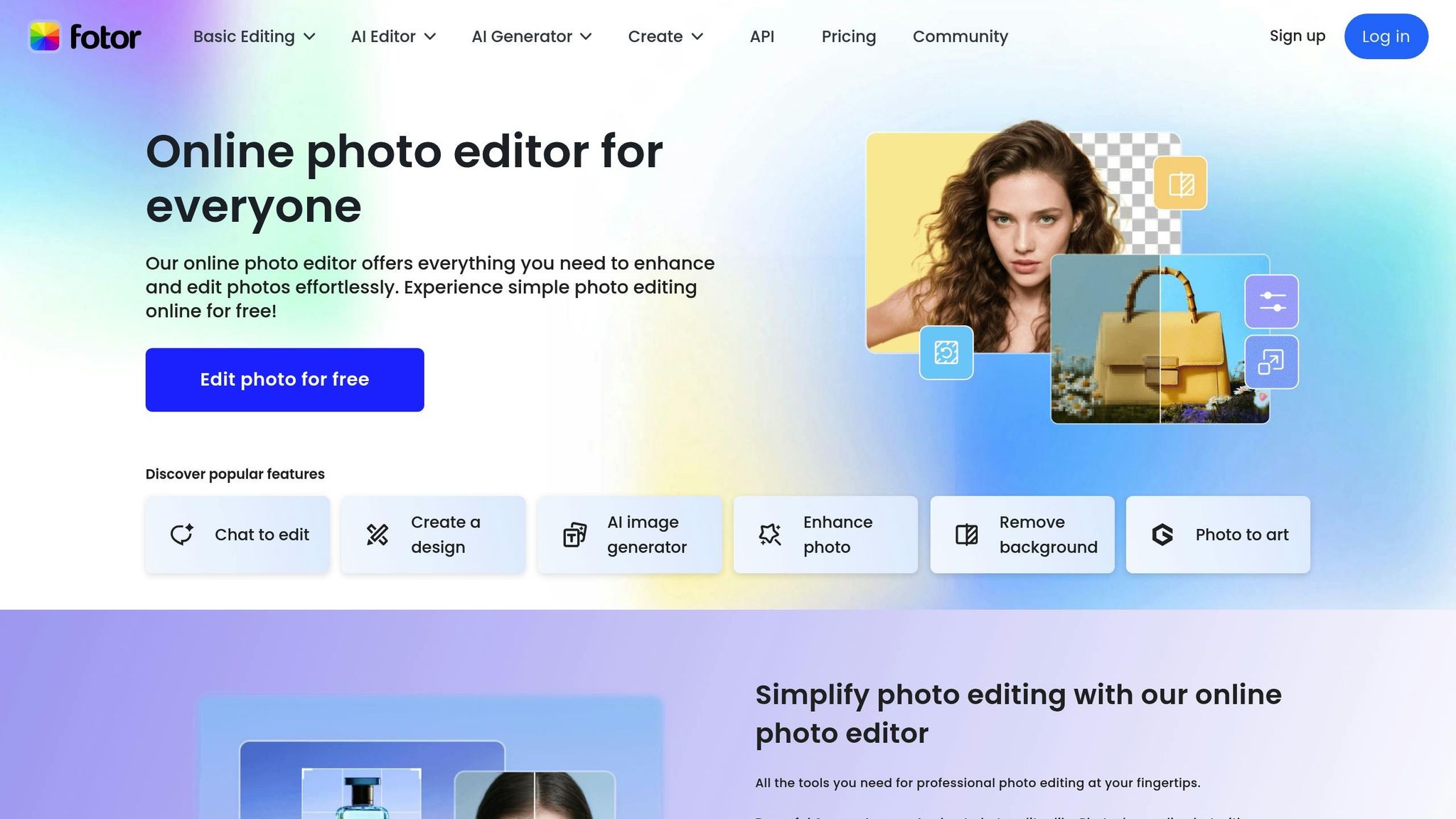
Fotor is a widely-used photo editing platform with over 800 million users globally. It works seamlessly across Windows, Mac, iOS, and Android, allowing users to sync their edits across devices using a single account. Positioned as an accessible alternative to Photoshop, Fotor combines ease of use with professional-level results, making it suitable for both beginners and experienced users. Its powerful AI-driven tools enable real-time editing with impressive precision.
Real-Time Editing Features
Fotor offers an impressive suite of over 30 AI-powered editing tools. The AI Photo Enhancer fine-tunes lighting, sharpness, and clarity in an instant, while the AI Background Remover produces transparent PNGs in just three seconds. For more precise edits, the AI Object Remover allows users to brush over and seamlessly eliminate unwanted elements like people, text, or other distractions.
Need to add or swap objects in your image? The AI Replace tool lets you do that with simple text prompts - whether it’s changing hair color or inserting new elements into a scene. The AI Image Extender uses outpainting technology to expand photos beyond their original boundaries, blending new content seamlessly with the existing image. For those working with large volumes of images, the Batch Photo Editor can process up to 50 photos at once. These tools make Fotor a standout option for real-time image editing, offering a balance of speed and functionality.
Pricing Model
Fotor provides flexible pricing options to suit different needs. The Basic Plan is free and includes essential tools like cropping, resizing, and basic color adjustments, along with access to over 1,000 templates. Free users start with 8 AI credits and can earn additional credits through daily check-ins and community activities. However, exports in the Basic Plan include watermarks and are limited to standard-quality JPG, PNG, and PDF formats.
For more advanced features, the Fotor Pro plan costs about $3.99 per month (or $47.99 annually) and includes 100 AI credits per month, watermark-free HD downloads, and access to over 100,000 templates. The Fotor Pro+ plan steps it up further with 300 monthly credits, batch editing capabilities, and 100GB of cloud storage.
Target User Profiles
Fotor appeals to a broad audience, from casual users to professionals. Content creators and bloggers use it to design standout YouTube thumbnails and Instagram posts, often integrating these visuals into their ChatGPT for marketing workflows, while e-commerce sellers take advantage of its batch editing tools to create polished product images with clean backgrounds. Real estate agents also benefit, using Fotor’s AI tools to replace dull skies or remove clutter from property photos.
As content creator Jennifer shares:
"Fotor's online photo editor made me feel like a pro! I can effortlessly enhance and beautify my photos without any hassle."
Entrepreneur Mark echoes this sentiment:
"As an entrepreneur, time is everything. Fotor's photo editor makes editing a breeze even without prior knowledge. The speed and efficiency are remarkable." This focus on efficiency is a core component of mastering ChatGPT for productivity in professional environments.
3. PhotoRoom

PhotoRoom has become a go-to tool for e-commerce sellers and content creators, amassing over 300 million downloads. Its primary focus? Transforming regular product photos into polished, professional-grade images in just seconds. Whether you're managing an Amazon storefront, crafting Instagram posts, or creating visual content for an entire online catalog, PhotoRoom is designed to handle large volumes of images efficiently.
Real-Time Editing Features
PhotoRoom's editing tools are both powerful and intuitive, saving users time without sacrificing quality.
- The Background Remover works in about 5 seconds, even handling tricky subjects like transparent glass or fine hair details with ease. Once the background is removed, you can generate AI Backgrounds instantly, creating professional staging for your products.
- The Magic Retouch tool simplifies edits like removing unwanted objects or people with just a swipe - no need for complex masking.
- Instant Shadows add realistic, studio-quality shadows, helping products look more grounded and natural.
- For clothing sellers, the Virtual Modeling features offer options like "Ghost Mannequin" and "Virtual Model", allowing garments to be displayed on AI-generated models or invisible forms.
For those managing large inventories, the Batch Editor is a game-changer. It applies edits like background removal or resizing to thousands of images at once, ensuring consistent lighting, shadows, and backgrounds across an entire catalog. Additionally, the AI Expand & Resize tools make it easy to recover cropped-out objects or optimize images for various social media platforms.
These features are tailored to meet the needs of businesses and creators alike, offering flexibility and efficiency.
Pricing Model
PhotoRoom offers several pricing plans to accommodate different needs:
- The Free Plan provides up to 250 exports per month, with access to essential tools like the Background Remover, Retouch tool, and basic templates. It’s a great way to explore the platform without any initial investment.
- The Pro Plan, starting at $12.99 per month (or about $7.50 per month if billed annually), includes unlimited manual exports, 500 batch exports monthly, HD-quality downloads, access to all AI tools, and over 1,000 premium templates.
- The Max Plan is priced at $34.99 per month (or $20.99 per month annually) and increases the batch export limit to 1,500, along with access to advanced AI models.
- For businesses with extensive needs, the Ultra Plan starts at $99.00 per month and supports over 5,000 batch exports with the fastest processing speeds.
These options are designed to suit everyone, from individual creators to large enterprises handling high-volume editing.
Target User Profiles
PhotoRoom caters to a diverse audience, including e-commerce sellers, entrepreneurs, and influencers looking for professional visuals without breaking the bank. The platform has proven its value for businesses of all sizes.
Take Alexandra Mahl, founder of APM FINDS, LLC, for example. In 2024, she reported a 500% increase in sales after switching to clean, white backgrounds generated by PhotoRoom. Her listings also gained better visibility in Google search results.
"Just adding white backgrounds has made my sales jump by 500%." - Alexandra Mahl, Founder, APM FINDS, LLC
Larger companies have also benefited. Jeff Strauss, Director of Imaging at Wolt, integrated PhotoRoom's API in 2024 to automate image editing for their delivery marketplace. This move led to a 60% reduction in Cost Per Acquisition (CPA). Similarly, Takanori Hirai from Valuence Japan Inc. used PhotoRoom to streamline high-volume e-commerce photography, cutting operational costs while maintaining top-notch quality.
"Photoroom's API has been key in our journey towards operational excellence in image editing. It has not only enhanced our processes but has also improved the quality of our product visuals." - Jeff Strauss, Director of Imaging, Wolt
Brands leveraging PhotoRoom have reported a 72% increase in Click-Through Rates (CTR) for their ad visuals, making it an invaluable tool for optimizing product listings and running effective ad campaigns across platforms.
4. Luminar Neo
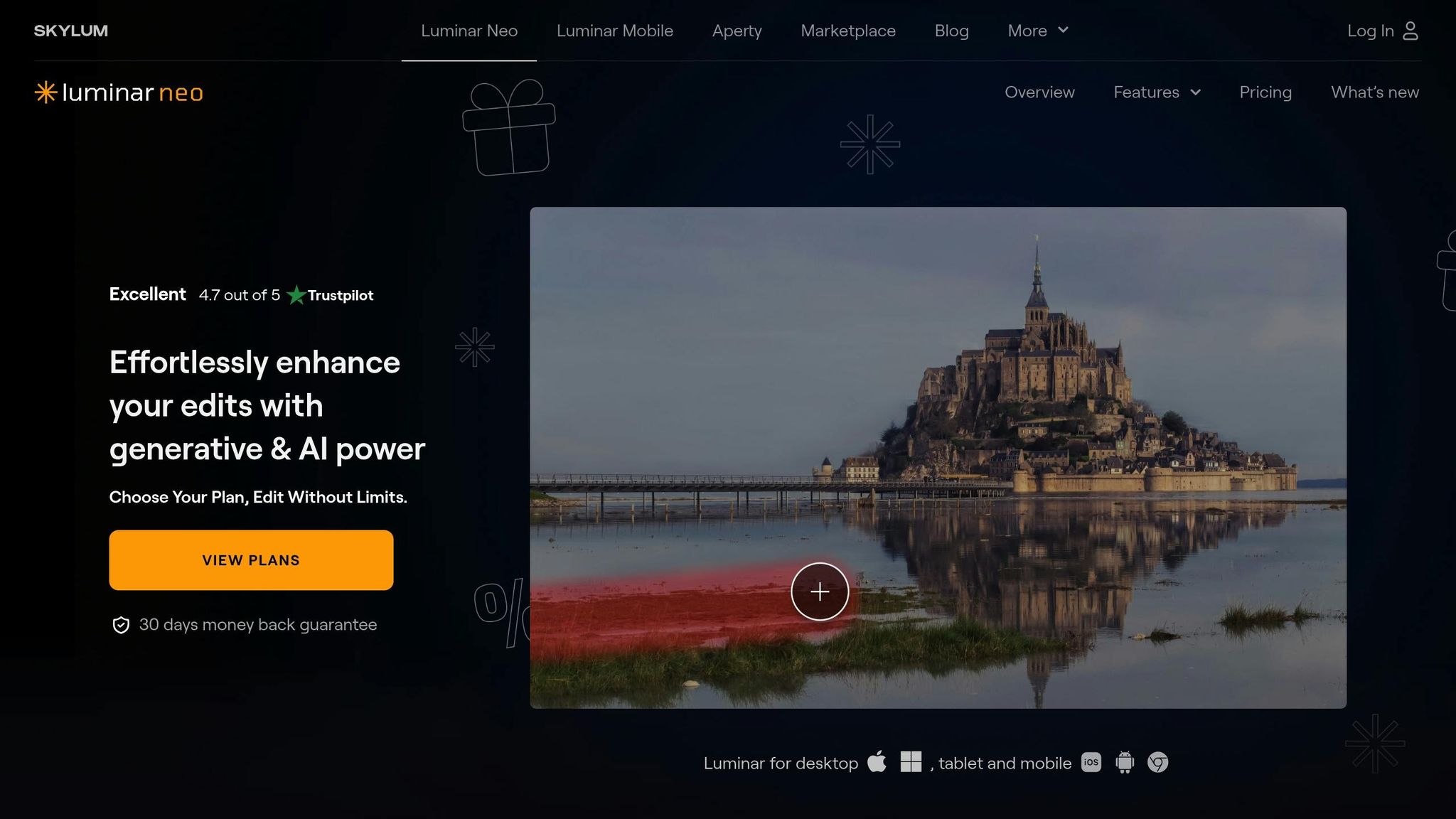
Luminar Neo has carved out its place as a versatile tool for photographers of all kinds - whether you're into portraits, landscapes, wildlife, or travel photography and illustrations. It supports raw files from over 1,000 camera models, including formats like CR2, CR3, NEF, ORF, and RAF.
Real-Time Editing Features
With over 24 AI-driven tools, Luminar Neo's modular engine makes editing straightforward and efficient. The Accent AI tool, for instance, simplifies complex adjustments with a single slider, balancing elements like shadows, highlights, contrast, tone, saturation, and exposure. The Generative AI Suite takes things further with features like GenErase for removing unwanted objects, GenSwap for replacing elements using text prompts , which can be further optimized using custom GPTs, and GenExpand, which can extend image borders by up to 25% per iteration.
Portrait photographers will appreciate tools like Skin AI for retouching, Face AI for enhancing facial features, and Body AI for body shaping. Landscape photographers, on the other hand, can make use of Sky AI for realistic sky replacements complete with water reflections and Atmosphere AI for adding effects like fog, mist, or haze in 3D. Another standout feature is Relight AI, which creates a 3D depth map of your image, allowing exposure adjustments based on the distance of objects in the frame.
All edits are non-destructive, meaning your original files remain untouched, and you can revisit or tweak your changes anytime. These features are bundled under a flexible pricing structure.
Pricing Model
Luminar Neo operates on a perpetual license model, so you pay once and own the software. Here’s a breakdown of the options:
- Perpetual Desktop License: $79, covering two computers, one year of updates, and access to Generative AI tools.
- Cross-Device Perpetual License: $109, which adds mobile access for up to three devices and cross-device syncing.
- Perpetual Max License: $129, which includes everything in the Cross-Device plan plus a year of free access to the Creative Library, featuring over 1,000 assets and video courses.
After the first year, you can renew access to Generative tools and upgrades through personalized offers. The Creative Library can also be renewed for $49 per year. For those who prefer a subscription, Luminar Neo is available via Setapp, starting at $9.99 per month.
Free Plan Availability
If you’re curious but not ready to commit, Luminar Neo offers a 7-day free trial with no credit card required. Plus, all licenses come with a 30-day money-back guarantee.
Target User Profiles
Luminar Neo caters to photographers across the spectrum - from beginners looking for user-friendly controls to seasoned pros seeking to streamline tedious tasks. It works as a standalone app or as a plugin for Adobe Photoshop and Lightroom Classic, making it a flexible addition to any workflow.
With a satisfaction rate of 9/10 based on 6,329 user reviews, Luminar Neo has been praised for its real-world performance. Them Frames, a photography resource, sums it up well:
"It has the most comprehensive set of AI editing tools, from automated sky replacement to powerline removal, and balances beginner-friendly presets with advanced manual controls."
However, some users have voiced concerns about the evolving pricing model and the need for additional payments to maintain access to Generative tools after the first year.
sbb-itb-58f115e
5. Topaz Photo AI
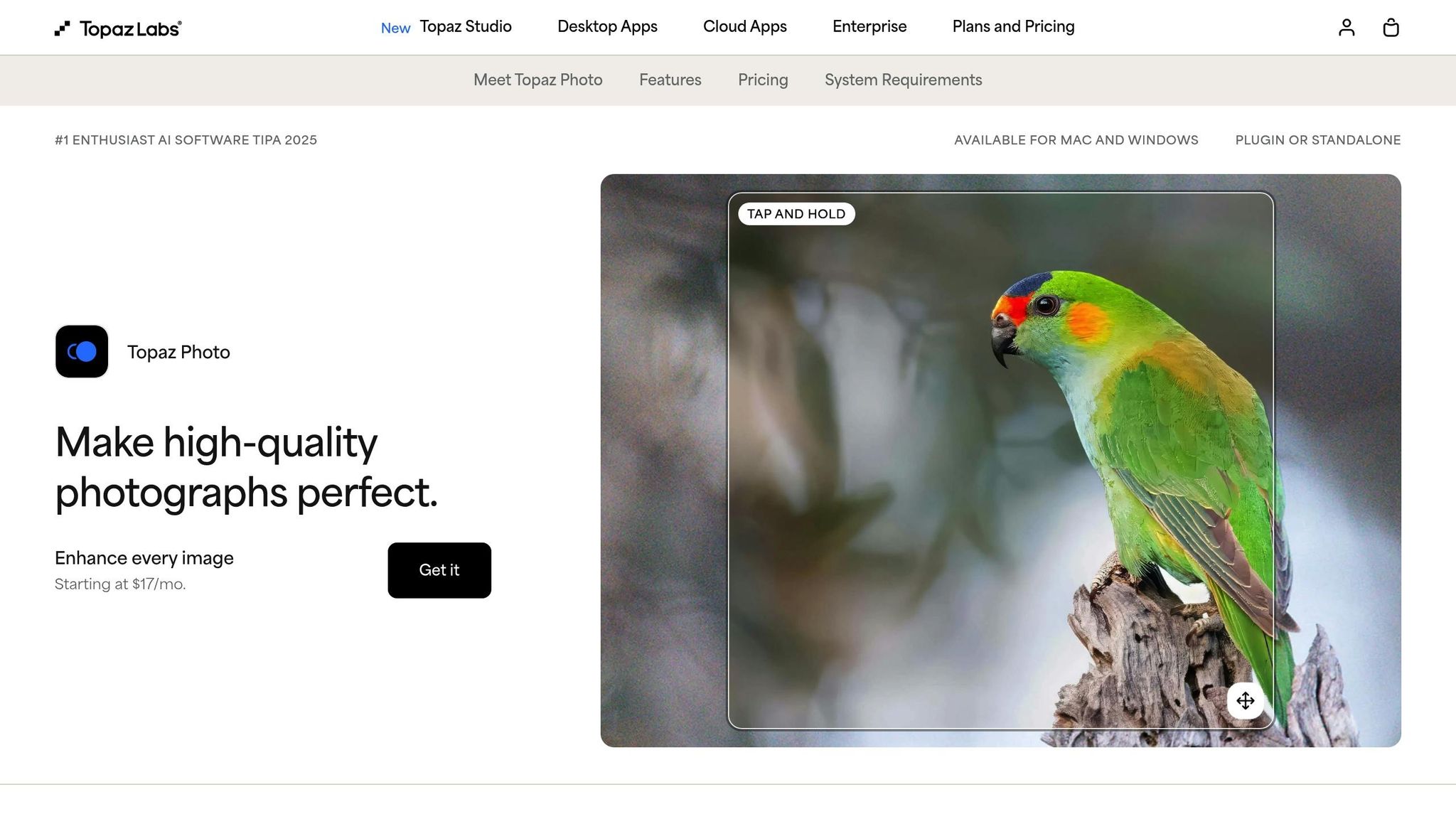
Topaz Photo AI is all about one thing: improving image quality. By early 2026, it had processed over 2 billion images and was crowned #1 Enthusiast AI Software at TIPA 2025. Unlike all-purpose editing tools, this software focuses specifically on making your photos look their best.
Real-Time Editing Features
The Autopilot Engine is the heart of Topaz Photo AI. It scans your images, identifies quality issues, and applies AI-driven fixes like sharpening, noise reduction, and face recovery. For those who want more control, there are 12 AI tools, including Denoise, Sharpen, and Recover Faces. To get the most out of these features, you can use specialized instructions from an AI prompt library. The software can upscale images up to 16×, maintaining detail and reducing pixelation. Photographer Julia Cook shared her experience:
"The sun had set and it was nearly too dark. With denoise adjustments using Topaz Photo AI, I saved the image."
Additional tools include a Healing Brush for removing unwanted objects, Dust and Scratch removal for restoration projects, and a Preserve Text option to keep text sharp during upscaling. You can choose between local rendering or unlimited cloud rendering for faster results. Topaz Photo AI works as a standalone app or integrates seamlessly with Adobe Photoshop, Lightroom Classic, Capture One, Apple Photos, and Affinity Photos.
Pricing Model
Topaz Photo AI offers flexible subscription options based on your needs:
- Personal plan: $39/month, $21/month with an annual commitment billed monthly, or $17/month ($199 billed annually)
- Pro plan: $58/month with an annual commitment or $50/month ($599 billed annually), which includes seat management and access to advanced local models
- Topaz Studio Bundle: $69/month, $37/month with an annual commitment, or $33/month ($399 billed annually). This bundle includes Photo, Video, Gigapixel, and other apps.
Target User Profiles
Topaz Photo AI is ideal for photographers working in unpredictable environments - think wildlife, sports, events, and weddings - where lighting and focus can be tricky. It's also a go-to for archivists restoring old photos, filmmakers tackling high ISO or motion blur, and anyone needing precision in challenging conditions. However, some users note that it lacks certain features available in more comprehensive editors like Adobe Lightroom.
6. Adobe Express
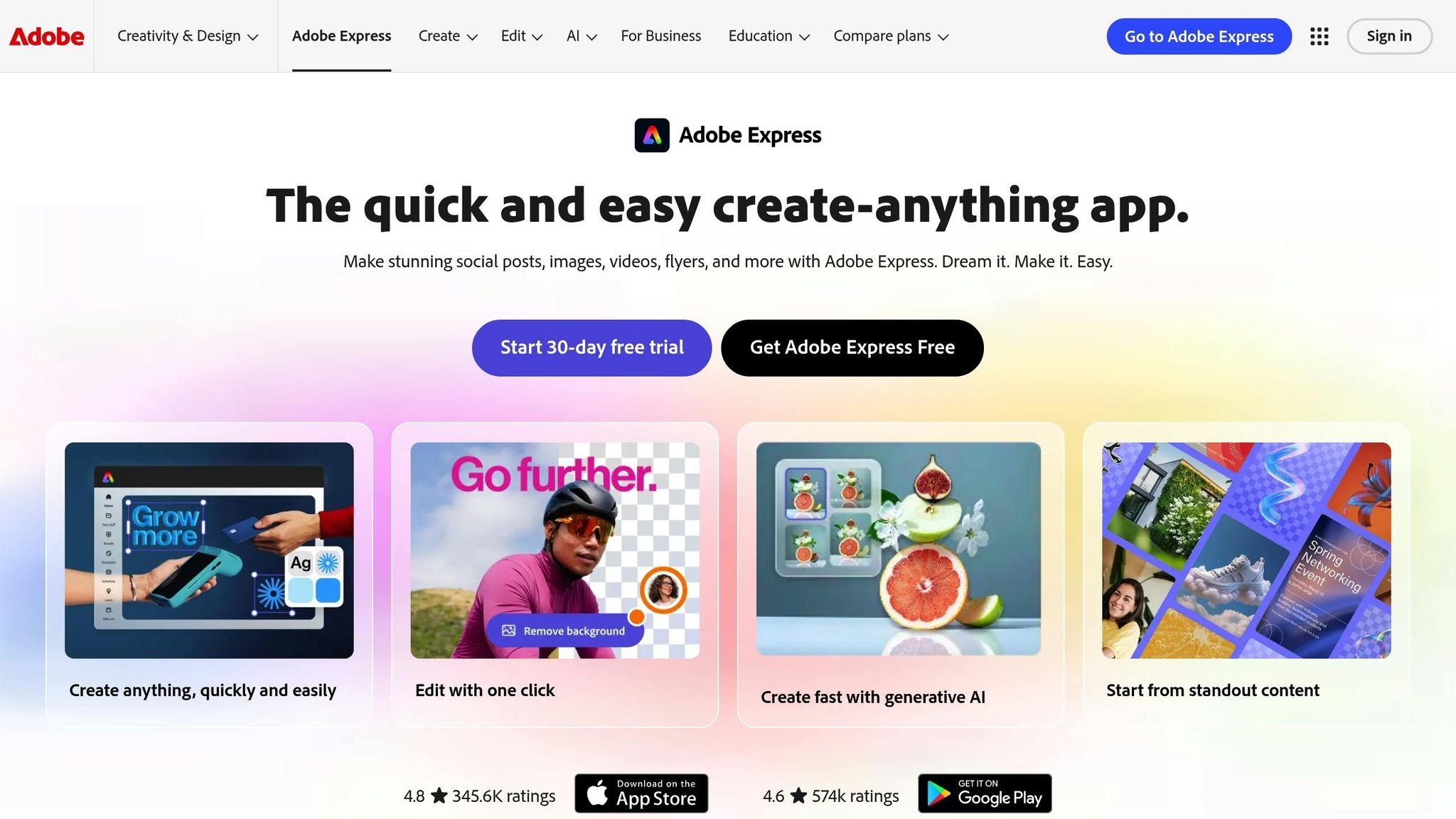
Adobe Express takes Adobe's professional editing tools and makes them accessible for quick, polished image edits - no steep learning curve required. Built for speed and simplicity, it combines AI-driven automation with hands-on editing tools that work seamlessly across web and mobile platforms.
Real-Time Editing Features
The AI Assistant (beta) lets you edit by simply typing instructions, making it easy to refine layers or transform images while keeping important details intact. With the Generative Fill feature, powered by Adobe Firefly, you can add or remove objects from photos effortlessly - no need for tedious manual masking.
For quick fixes, one-click Quick Actions handle tasks like background removal, resizing images for platforms like Instagram or TikTok, cropping, and format conversions (e.g., JPG to PNG). If you prefer manual adjustments, you can fine-tune brightness, contrast, saturation, or sharpen blurry photos. Plus, real-time collaboration allows teams to co-edit projects while maintaining brand consistency using shared brand kits and locked templates.
Penuel Stanley-Zebulon, a student at Pennsylvania State University, praised the tool:
"The remove background image tool in Adobe Express saved me hours of tedious editing, effortlessly removing backgrounds and refining my images."
These user-friendly features make Adobe Express a standout option for real-time photo editing.
Pricing Model
Adobe Express offers flexible pricing options. The free plan requires no credit card and includes 25 generative AI credits per month, access to over 155,000 templates, and basic editing tools. For $9.99/month, the Premium plan boosts your generative credits to 250 and unlocks access to 200 million+ Adobe Stock assets, 100GB of storage, and advanced features like brand kits and social media scheduling for up to three accounts per network. If you're already subscribed to Creative Cloud All Apps or certain Single App plans, the Premium plan is included at no additional cost.
Target User Profiles
Adobe Express is designed for a wide range of users, including marketers, small business owners, students, and social media managers who need professional-quality visuals quickly. It’s especially handy for those juggling multiple social platforms, as it allows you to resize designs for different formats in just one click.
Abs Ahlijah, Marketing & Content Coordinator at Soul Session, shared their experience:
"Adobe Express lets me create high-quality content quickly, with endless creative features!"
All AI-generated images and templates are safe for commercial use, making Adobe Express a dependable choice for professional projects.
7. Remove.bg
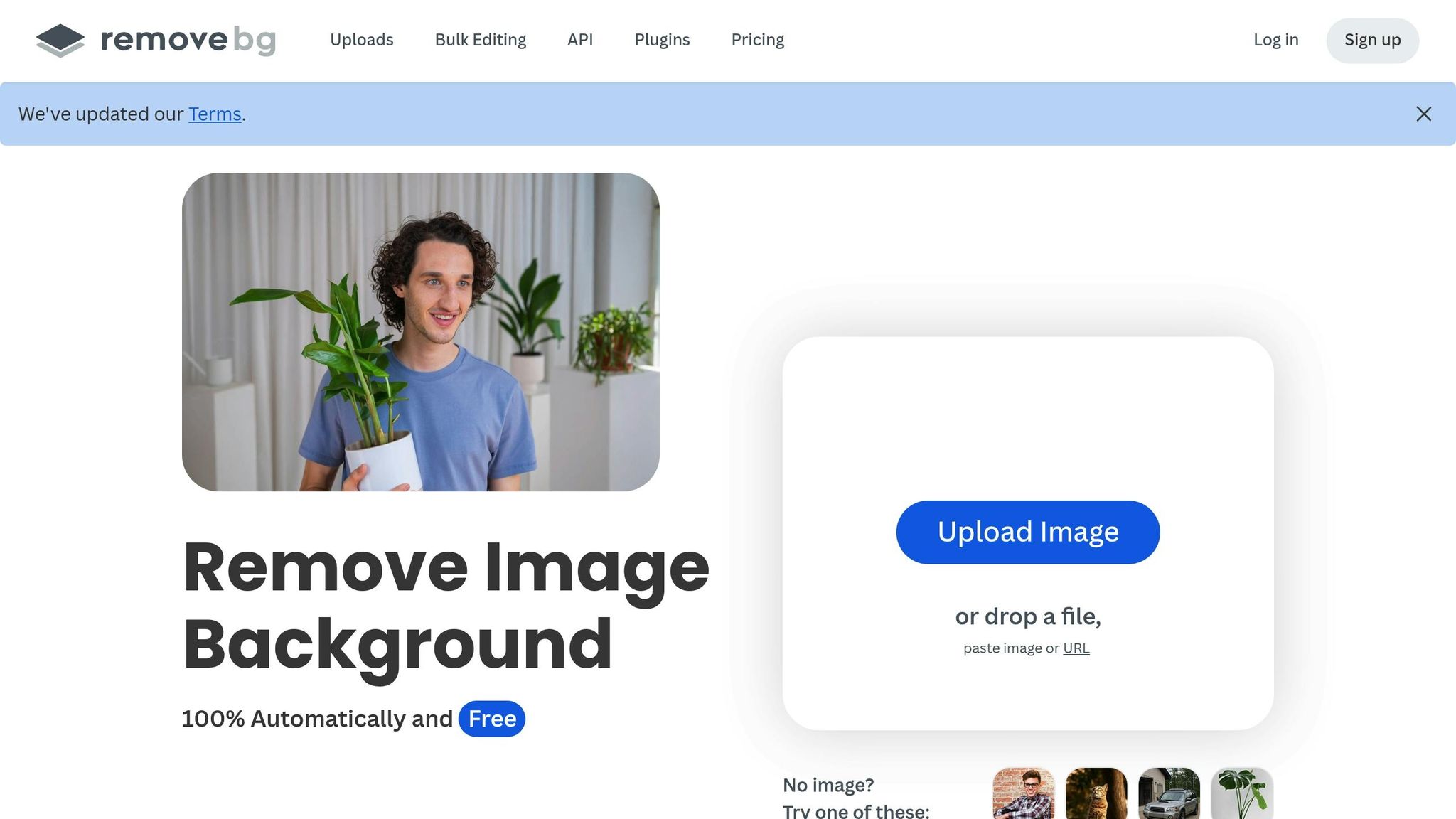
Remove.bg is a tool built to make background removal quick and effortless. Using advanced AI, it can precisely detect and isolate people, animals, and products - even handling tricky details like fine hair strands, fur, and transparent objects such as glass. Tasks that would typically take hours of manual effort are done in seconds.
Real-Time Editing Features
This tool processes images at lightning speed - about 2 to 3 seconds per image. Complex hair? Done in 3 seconds. Product photos? Just 2 seconds. Simply upload your image, and Remove.bg’s AI will automatically remove or replace the background for you. For those dealing with large batches, its batch processing feature allows you to handle hundreds of photos at once, making it a lifesaver for big projects [6, 44].
Remove.bg also integrates smoothly with professional tools like Adobe Photoshop, Gimp, Figma, and Sketch, so you can edit backgrounds without leaving your preferred app [6, 44]. For automation enthusiasts, its API and Zapier integration streamline tasks like processing new product photos on Shopify or removing backgrounds from files in Google Drive. Plus, it’s accessible across platforms - via web browsers, desktop apps (Windows, macOS, Linux), and mobile apps (iOS, Android) [6, 44].
Pricing Model
For those working with low-resolution images, Remove.bg offers a free tier, perfect for social media or web projects. Need high-resolution images? The credit system ranges from $0.09 to $1.00 per image, depending on the volume you purchase. Pay-as-you-go users pay around $0.90 per image, while subscription plans start at roughly $35.10 per month. With a 4.4/5 rating on G2, users praise its speed and precision, though some mention that frequent use can get pricey. For more affordable alternatives, you can explore our AI tools directory.
Whether you’re an occasional user or working with high volumes, the flexible pricing ensures there’s an option to suit your needs.
Target User Profiles
Remove.bg caters to e-commerce sellers, graphic designers, product photographers, and marketing teams who need best Midjourney prompts for product photography and polished, professional-looking product images at scale. It’s especially useful for creating clean, uniform shots for platforms like Amazon, eBay, or Shopify, where a solid white background can make all the difference.
Comparison Table
Here's a closer look at how these seven AI tools compare across key features, pricing, and target audiences.
| Tool | Key AI Features | Pricing | Target Users | Free Plan |
|---|---|---|---|---|
| Pixlr | AI Cutout, Generative Backdrop | Plus: $2.39/month; Premium: $9.99/month; Team: $16.99/month | Web designers, bloggers, e-commerce | Yes (3 saves/day) |
| Fotor | Magic Eraser, Magic Edit, Magic Resize | Pro: $3.33/month (yearly); Pro+: $7.49/month | Casual creators, social media users | Yes (watermarked) |
| PhotoRoom | Instant background removal | Price scales with volume | E-commerce sellers, small businesses | Yes (limited) |
| Luminar Neo | Sky Replacement, Relight AI, Portrait Enhancement, Mask AI | $99/year subscription; $119 perpetual desktop; $159 cross-device | Photographers, enthusiasts | No (30-day money-back) |
| Topaz Photo AI | AI Upscaling, noise reduction, and sharpening | One-time: $199 | Professional photographers, restoration experts | No |
| Adobe Express | Generative Fill, Text-to-Image, Generative Expand | Free: 25 credits/month; Standard: $9.99/month for 2,000 credits | Designers, marketing agencies | Yes (25 credits/month) |
| Remove.bg | High-precision background removal (3-second processing) | Pay-as-you-go: $0.90/image; Subscription: ~$35.10/month | E-commerce, graphic designers | Yes (limited credits) |
Budget-Friendly Options
For those watching their wallets, Pixlr and Fotor stand out. Pixlr's Plus plan starts at just $2.39/month, and Fotor's Pro plan begins at $3.33/month (billed annually). Both tools also offer free tiers - Pixlr allows three saves per day, while Fotor provides watermarked exports. These features make them great choices for casual users or social media creators who need simple, cost-effective tools.
Professional-Grade Options
If you're a professional seeking advanced tools, Luminar Neo and Topaz Photo AI deliver. Luminar Neo offers flexible pricing with a $99/year subscription or a $119 one-time desktop license, catering to photographers looking for creative tools like sky replacement and 3D lighting effects. Topaz Photo AI, with its $199 one-time fee, is ideal for those focused on technical perfection, offering powerful tools for upscaling, noise reduction, and sharpening.
Specialized Background Removal Tools
For background removal, PhotoRoom and Remove.bg are the go-to options. PhotoRoom adjusts its pricing based on usage volume, while Remove.bg offers a pay-as-you-go rate of $0.90 per image or a subscription at around $35.10/month. These tools are particularly appealing for e-commerce sellers and graphic designers, though frequent use of Remove.bg can lead to higher costs depending on image volume.
Conclusion
Finding the right AI tool depends on your specific needs and budget. Whether you're a social media creator, an e-commerce seller, or a professional photographer, there's a solution tailored just for you. If you're watching your wallet, Pixlr and Fotor are great options. For those seeking advanced editing capabilities, Luminar Neo and Topaz Photo AI stand out. E-commerce sellers, on the other hand, can streamline tasks with PhotoRoom and Remove.bg, which excel at background removal.
But selecting a tool is only part of the equation. To get the most out of these AI-powered features, clear and detailed prompts are key. Tools offering features like Generative Fill, Generative Expand, or AI inpainting respond best to specific instructions. For instance, instead of saying, "add a tree", try something like, "a tall oak tree with golden autumn leaves, bathed in soft afternoon light." The more vivid your description, the better the results.
For those looking to take their prompts to the next level, platforms like God of Prompt can be a game-changer. With over 30,000 AI prompts and guides, it helps users refine their inputs for tools such as Adobe Express, Pixlr, and more. Whether you're crafting text-to-image creations or exploring generative backdrops, detailed prompts can elevate your work from ordinary to professional. The platform also offers resources for prompt engineering with tools like Midjourney and ChatGPT, seamlessly integrating them into your image editing process.
Not sure where to start? Experiment with free versions to explore your options. For example, Pixlr, with its 15-year track record, offers a user-friendly experience reminiscent of Photoshop. Testing these tools’ free tiers can help you find the perfect match for your creative workflow.
FAQs
What are the top AI tools for fast and affordable image editing?
Some top-tier AI tools for quick and budget-friendly image editing are Canva, Fotor AI, and Adobe Firefly. These platforms stand out for their user-friendly interfaces and powerful features, allowing you to enhance, retouch, and edit images seamlessly.
Many of these tools come with free plans or affordable pricing, making them a great choice for both casual users and professionals. Whether you're working on social media graphics, fine-tuning photos, or crafting marketing designs, these AI-driven tools offer a fast and economical way to get the job done.
What is the best AI tool for professional photographers who need advanced editing features?
For professional photographers looking for powerful editing tools, Topaz Photo AI is a standout option. It provides advanced features like AI-driven sharpening, noise reduction, and upscaling, delivering studio-level results that can elevate your photo editing process.
This software is perfect for those who need accuracy and speed when handling intricate projects, offering exceptional results with less hassle.
How can AI tools like PhotoRoom and Remove.bg improve e-commerce product photos?
AI tools such as PhotoRoom and Remove.bg have revolutionized the way businesses handle e-commerce product photos. These tools streamline tasks like background removal, image resizing, and staging, making it easier to produce professional-grade visuals.
Remove.bg specializes in quickly removing backgrounds, delivering clean and polished images without requiring manual editing. On the other hand, PhotoRoom not only removes backgrounds but also offers features like resizing and staging, enabling businesses to create tailored visuals for online stores and advertisements.
By automating these time-consuming tasks, these tools help businesses save time and cut costs while maintaining consistent, high-quality images. This allows brands to focus on building their identity and crafting visually appealing product listings that grab attention in competitive online marketplaces.
Related Blog Posts

Loved by Business Owners


Based on 1K reviews
Get smarter on AI every week.
Ready to transform your business?