Dynamic UI tools are transforming digital interaction by creating real-time, task-specific user interfaces. These tools leverage AI to generate layouts, components, and workflows tailored to individual users and devices. Unlike static interfaces, they adapt dynamically to user intent, reducing task completion time by 38% and achieving 92% accuracy in interactive adjustments.
Here’s a quick breakdown of the top tools leading this space:
- Emergent: Focuses on role-specific interfaces and real-time style adjustments for production-ready applications.
- Framer: Excels in responsive web design with instant publishing and built-in hosting.
- Stitch: Generates responsive UIs in under 90 seconds, perfect for Material Design drafts.
- Galileo AI: Integrates with Figma for high-quality designs and production-ready React components.
- Banani: Simplifies multi-screen workflows with a unified canvas and brand-aligned designs.
Each tool excels in specific use cases, from mobile app development to enterprise dashboards and branding projects. Designers often use image prompt collections to maintain consistency across these dynamic layouts. While these tools boost productivity and design precision, they come with limitations like cost, reliance on clear prompts, and occasional performance issues. Choose the tool that aligns with your project needs for faster, smarter interface creation.
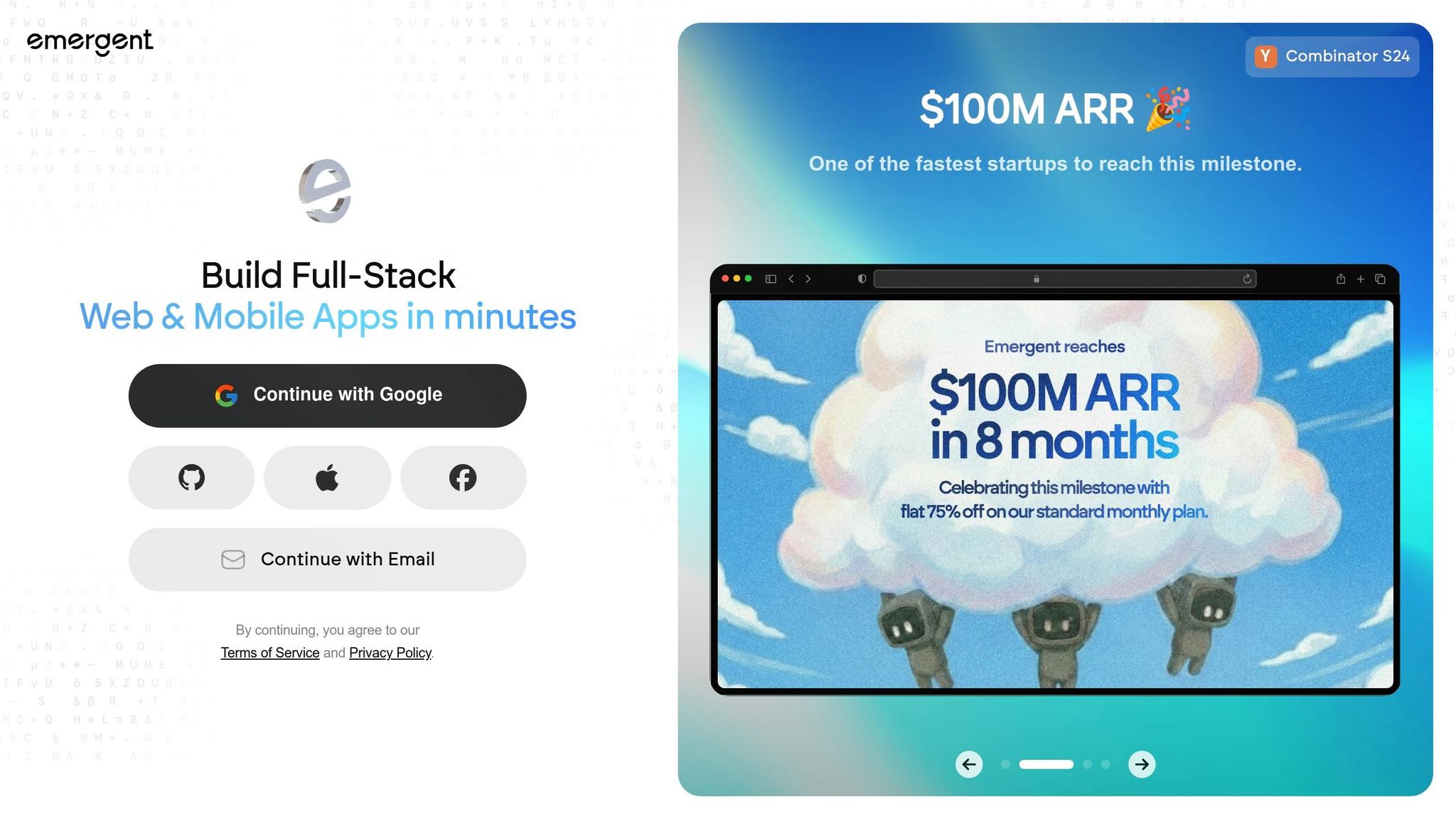
1. Emergent
Auto-Responsive Design
Emergent adjusts layouts dynamically based on the device type, screen size, and even location data. Whether you’re using a desktop, tablet, or smartphone, the interface automatically reshapes itself to fit your screen dimensions. This ensures that UI components are displayed in the most efficient way for each device, creating a seamless experience.
Context-Aware Component Detection
Emergent uses Intent Modeling to figure out what you’re trying to achieve – whether you’re looking for a quick summary or diving into detailed analysis – and then presents only the most relevant UI components. The platform’s AI evaluates your role and context to tailor the interface. For example, someone in a compliance role will see a different set of features than someone in IT, even when accessing the same system. This role-specific customization improves usability and ensures that users only see what they need.
Real-Time Style Adaptation
Emergent goes a step further by fine-tuning the user experience with automated style adjustments. By hiding irrelevant features and emphasizing the actions that matter most for your current task, the system reduces unnecessary distractions. This approach simplifies workflows, as dynamic controls refine outputs without requiring you to rephrase prompts. Plus, routine style decisions are automated, which not only saves development time but also keeps the interface focused and efficient.
sbb-itb-58f115e
2. Framer

Auto-Responsive Design
Framer simplifies responsive design with its breakpoint system for Desktop, Tablet, and Phone views. Adjustments made in the desktop view are automatically applied to smaller screens through a feature called Inheritance, unless you choose to override specific settings for mobile or tablet layouts. Additionally, Framer uses Stacks to manage layouts, ensuring consistent spacing and alignment across different screen sizes.
Real-Time Style Adaptation
Framer’s Workshop tool streamlines the design process by automatically adopting your existing canvas fonts and colors when generating components. This means your designs maintain consistency without extra effort. The Wireframer tool takes it a step further by creating fully responsive page structures – complete with navigation, headers, and footers – and includes a rollback option for testing design variations.
"Generated components come with built-in property controls and automatically match your canvas styles, including fonts and colors, so they’re ready to use and easy to customize." – Framer Workshop
State and Interaction Logic
Framer’s AI can embed conditional logic into components, allowing for dynamic functionality. For example, it can create a cookie banner that adjusts opt-in preferences based on a user’s time zone – European users get opt-in, while others default to opt-out. Components can also fetch live data from APIs, like a crypto tracker pulling rates from CoinGecko with currency toggle options. Other interactive features include scroll-progress bars, animated number counters that activate only when visible, and 3D tilt effects reacting to mouse movement.
Multi-Device Preview
Framer makes it easy to test how your layouts perform on various devices. By resizing the canvas or using built-in device-specific testing tools, you can preview designs in real time. This ensures smooth functionality and consistent user experiences across mobile, tablet, and desktop devices, while catching and resolving layout issues before launch. These tools highlight Framer’s focus on delivering seamless, adaptable designs for any screen.
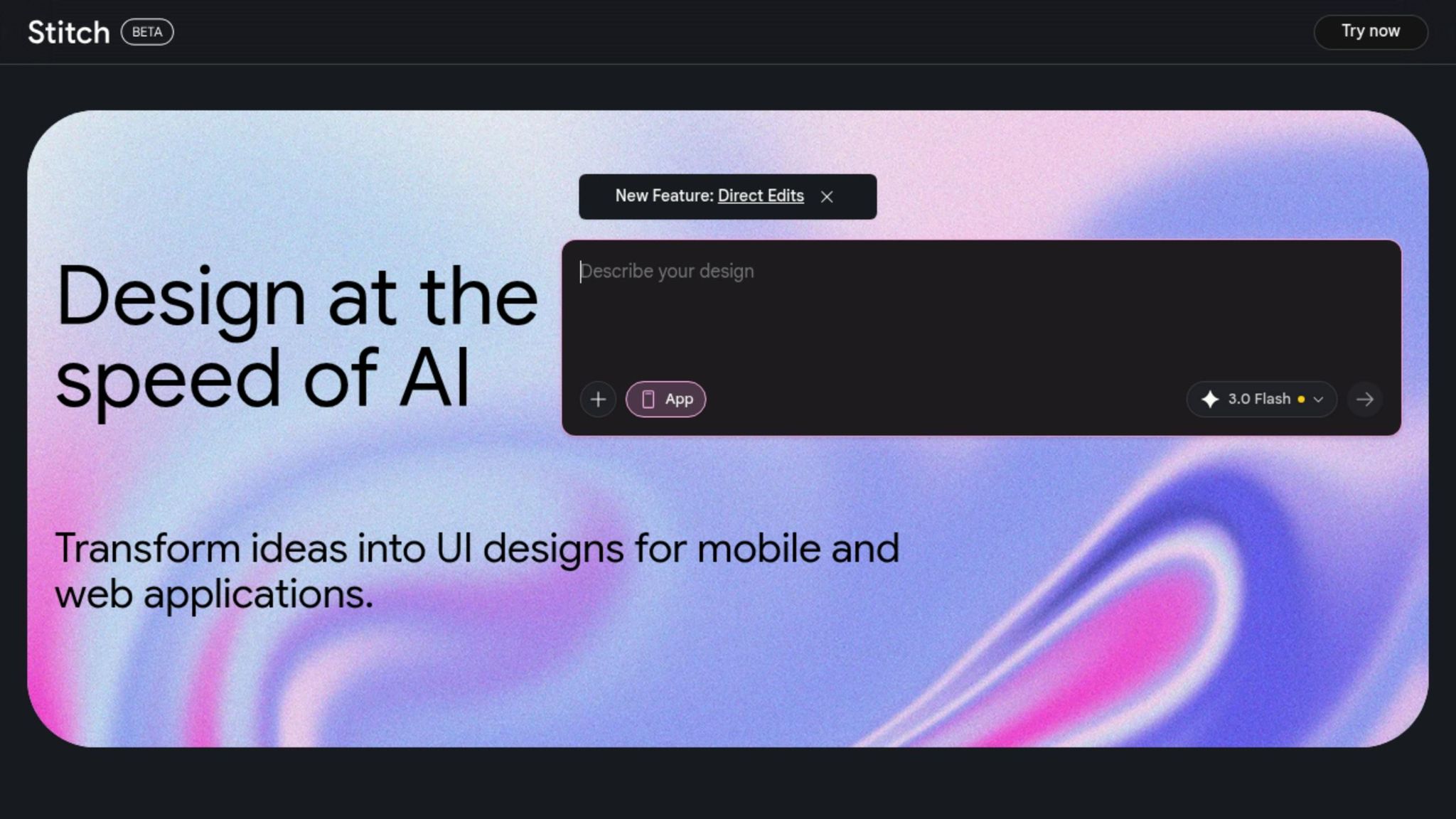
3. Stitch
Auto-Responsive Design
Stitch takes responsive design to the next level by combining advanced code generation with natural language-driven adjustments. This tool uses Google’s Gemini 2.5 Pro and Flash multimodal AI models to analyze how elements relate to each other and build component hierarchies. The result? Frontend code optimized for CSS Flexbox and Grid that seamlessly adapts to Desktop (1,200px+), Tablet (768–1,199px), and Mobile (320–767px) resolutions.
When exporting to Figma, Stitch retains Auto Layout settings, ensuring layers, spacing, and constraints remain editable. A dedicated mobile tab applies adaptive grids, making the design process even more streamlined. Designers can choose between two main design surfaces: App mode (vertical scrolling with bottom navigation) and Web mode (horizontal, multi-column layouts). Full responsive UI generation takes just 60–90 seconds, delivering an impressive 95% usability right out of the box. And thanks to its intelligent component detection, Stitch ensures these layouts integrate smoothly into your workflow.
Context-Aware Component Detection
One of Stitch’s standout features is its ability to identify and organize recurring UI elements – like cards, buttons, and forms – into component libraries. This is made possible by Gemini 2.5 Pro’s analysis of element relationships. With natural language prompts such as "Add a side nav" or "Increase button radius", designers can make real-time updates to the canvas while maintaining consistency with existing design systems.
However, it’s worth noting that real-time dynamic data binding and backend wiring aren’t supported yet. Features like dynamic UI states (hover, click, animation) are expected to roll out by Q2 2026.
Multi-Device Preview
Stitch makes it easy to preview designs across multiple resolutions simultaneously. Users can toggle between App mode (vertical scrolling) and Web mode (horizontal layouts) and test interactive features like hover states, scrolling, and text input using an interactive simulator.
The platform offers two usage modes: Standard mode, which includes 350 monthly UI generations, and Experimental mode, which allows for 50. For those who need more, the Pro Plan costs $20/month and includes unlimited generations, priority processing, and advanced export features.
I tried every AI design tool. Here are the results.
4. Galileo AI
Galileo AI pushes the boundaries of dynamic UI design with features that streamline adaptive design, integrate styles seamlessly, and enhance component detection.
Auto-Responsive Design
Galileo AI simplifies responsive design using deep learning and cognitive computing. It automatically adjusts interface elements to look polished across web, mobile, and desktop platforms. Its mobile-first approach ensures interfaces are optimized for smaller screens and scale effortlessly for larger displays.
You can guide the responsive output by specifying breakpoints, device types, and layout structures through natural language prompts. For instance, in March 2026, Beacon Health’s design team used Galileo AI to create a responsive, sortable data table for patient records. By detailing sorting logic, keyboard accessibility, and design tokens in their prompt, they generated a complete React component in just 22 minutes – a task that previously took 6.5 hours with other tools.
These responsive design capabilities are further enhanced by Galileo AI’s ability to adapt styles in real time.
Real-Time Style Adaptation
Galileo AI has evolved into a powerful tool for generating complete design systems. It instantly applies brand colors, fonts, and design tokens by syncing with Figma libraries. The platform produces full component libraries with production-ready code for frameworks like React, Vue, and Svelte, all while ensuring responsive behavior. For example, elements stack vertically on mobile but display side-by-side on tablets.
"Figma AI helps designers iterate faster in the editor – but if your team’s bottleneck is getting working, accessible, typed components into the codebase, Galileo AI delivers where it counts. It’s not competing with Figma; it’s completing the loop." – Maya Rodriguez, Lead Frontend Engineer, Forma Labs
Context-Aware Component Detection
Galileo AI also excels in context-aware component detection. By leveraging intelligent component recognition, it identifies and analyzes UI elements to ensure that generated interfaces use functional components instead of generic containers. It interprets natural language prompts to select the most suitable components – like transaction cards for financial apps or category cards for e-commerce. Additionally, it ensures semantic HTML accuracy by automatically assigning appropriate tags like <nav>, <button>, or <dialog>.
In testing, Galileo AI-generated components achieved a 96% pass rate in axe-core accessibility scans, far outperforming competitors, which averaged a 42% pass rate. To maximize results, prompts should include specific details about the platform (e.g., iOS or web), layout structure, and UI patterns. For example, instead of saying "design a mobile app", you could specify "iOS task management app with a calendar view, dark mode, and card-based task list".
The Pro Plan starts at $19/month and offers unlimited generations and Figma export capabilities.
5. Banani
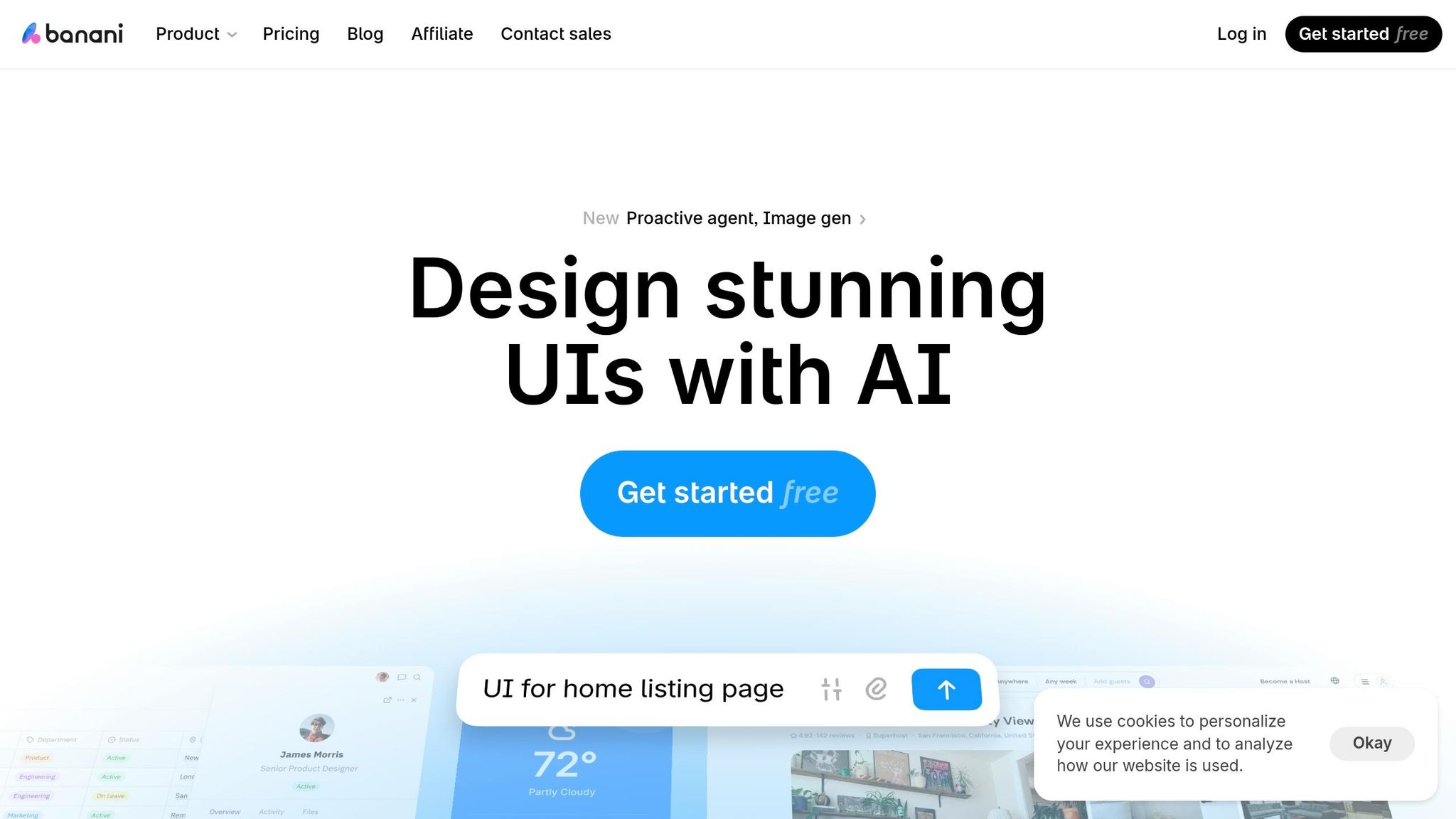
Banani takes responsive design to the next level by offering a unified canvas that simplifies workflows across multiple devices.
Auto-Responsive Design
Banani’s standout feature is its unified canvas, which lets designers view desktop and mobile layouts side-by-side on a single freeform workspace. With the Desktop/mobile toggle, you can instantly convert a design for different screen sizes using pre-filled AI instructions, ensuring consistent design tokens across all devices.
The tool leverages models like Gemini 3.1 Pro to enhance spatial understanding, making it capable of handling complex layouts, maintaining padding consistency, and managing SVG logic. For mobile designs, the AI automatically creates touch-friendly zones and interactive elements optimized for smaller screens. Plus, thanks to backend improvements, projects load in under a second.
Real-Time Style Adaptation
Banani allows you to drag and drop images, screenshots, or Figma links, and its AI analyzes the visual style to either recreate the exact UI or generate new design variations. You can even guide the AI to adjust aesthetics – like making a design "more playful" or "minimal" – while keeping the core structure intact. For precise brand alignment, users can manually tweak design tokens, such as colors and typography.
"It’s incredible how easy it is to use, how it speeds up the design process and offers remarkable adaptability." – Nena
This ability to adapt styles lays the groundwork for creating detailed interactive experiences, as discussed in the next section.
State and Interaction Logic
Banani simplifies user flow visualization with its interactive generation feature. By clicking on any design element, the AI generates the next screen state, allowing designers and product managers to map out autonomous AI workflows without manually creating every transition.
"I like that I can click on an element, and then the tool generates what the user will see after the click." – Alex
Context-Aware Component Detection
Banani’s AI can analyze reference materials to either replicate interfaces or create new designs based on detected patterns. The Best Model mode intelligently switches between Gemini 3.1 Pro for creative layouts and GPT-5.4 for efficient, clean edits.
With a growing user base of over 100,000 – including designers, product managers, and founders – Banani offers a Free Plan that includes up to 20 generations and 3 Figma exports. The Paid Plan, priced at $20/month, unlocks unlimited generations. Export options include Figma (bulk), HTML/CSS, PNG, JPG, and MCP (Model Context Protocol) for seamless integration into codebases.
Strengths and Limitations
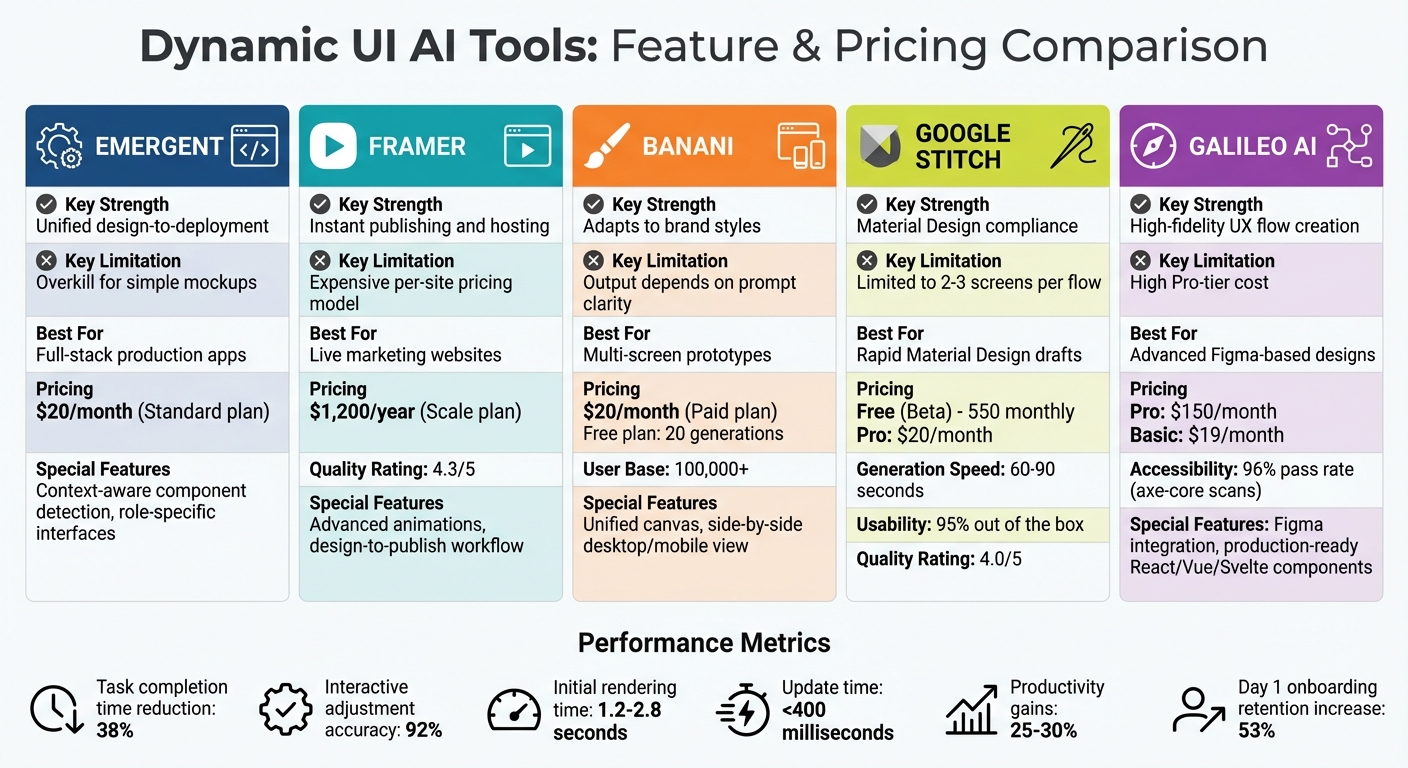
Dynamic UI AI Tools Comparison: Features, Pricing, and Best Use Cases
Each tool brings something different to the table, excelling in specific workflows. This breakdown highlights how these dynamic UI tools align with the goal of delivering adaptable, user-focused digital experiences.
Emergent stands out as an all-in-one platform, integrating design, backend logic, and deployment. This makes it a great choice for production-ready applications rather than basic prototypes. Framer, on the other hand, shines with its smooth design-to-publish workflow, turning prompts into live websites complete with hosting and advanced animations. It’s well-regarded, earning a 4.3/5 quality rating. Banani specializes in generating multi-screen UI flows and tailoring designs to specific brand styles, using either text prompts or screenshots for guidance. Google Stitch, still in beta, offers excellent value with 550 monthly generations, focusing on rapid Material Design drafts for Android and web projects. Lastly, Galileo AI, which integrates with Figma, excels at creating high-quality designs and managing complex UX flows like onboarding sequences and dashboards.
But no tool is without its drawbacks. Emergent’s full-stack approach may feel excessive for simple mockups, and its Standard plan starts at $20 per month. Framer’s Scale plan, priced at $1,200 annually, can become expensive due to its per-site pricing model. Banani’s performance heavily relies on clear prompts – vague instructions can lead to inconsistent results. Google Stitch, though affordable, is limited to 2–3 screens per flow and scores slightly lower on quality (4.0/5) compared to Framer. Galileo AI’s Pro tier, at $150 per month, might be too costly for smaller teams.
Performance issues also persist. Initial rendering takes 1.2–2.8 seconds, with updates clocking in under 400 milliseconds. In more complex models with interdependent inputs, logic accuracy drops from 92% to 74%. Additionally, open-ended HTML/JS generation can introduce security risks, requiring strong server-side safeguards to prevent vulnerabilities like Cross-Site Scripting. Accessibility features in AI-generated code may also fall short unless explicitly prompted.
Despite these hurdles, AI tools have shown measurable productivity benefits. Teams using GenAI for software development report efficiency gains of 25–30%, and Figma usage for AI wireframes reportedly doubled by 2026. However, frequent UI changes can disrupt user familiarity. A practical solution is to maintain consistent core navigation while allowing dynamic elements to adapt. AI usage should also be limited to assembling pre-approved components from a design system.
Here’s a quick comparison of each tool’s strengths and limitations to help pinpoint their best use cases:
| Tool | Key Strength | Key Limitation | Best For |
|---|---|---|---|
| Emergent | Unified design-to-deployment | Overkill for simple mockups | Full-stack production apps |
| Framer | Instant publishing and hosting | Expensive per-site pricing model | Live marketing websites |
| Banani | Adapts to brand styles | Output depends on prompt clarity | Multi-screen prototypes |
| Google Stitch | Material Design compliance | Limited to 2–3 screens per flow | Rapid Material Design drafts |
| Galileo AI | High-fidelity UX flow creation | High Pro-tier cost ($150/month) | Advanced Figma-based designs |
Conclusion
After evaluating Emergent, Framer, Stitch, Galileo AI, and Banani, here’s a breakdown of how these tools align with different project needs:
For web design and landing pages, Framer stands out with its seamless publishing workflow and built-in hosting. This makes it an excellent choice for marketing websites that need to be launched quickly. Meanwhile, Banani transforms abstract brand elements into cohesive layouts using text prompts or reference images, ensuring visual harmony across designs.
When it comes to mobile and app development, Stitch is a strong contender, generating responsive UIs in just 60–90 seconds with an impressive 95% usability right out of the box. It supports resolutions for Desktop, Tablet, and Mobile. On the other hand, Galileo AI integrates directly with Figma to deliver production-ready components for React, Vue, and Svelte, while also achieving a 96% success rate in accessibility scans. Dynamic interfaces created through these tools have been shown to cut decision-making time by about 38% compared to plain-text assistants.
For enterprise dashboards and mission-critical applications, Emergent shines with its context-aware component detection. It customizes interfaces based on user roles, ensuring that compliance teams, for example, see different features than IT staff – even when accessing the same system.
Lastly, for branding and creative projects, leveraging platforms like Dribbble or Behance as reference points allows AI tools to replicate detailed design systems. This strategy has proven to increase Day 1 onboarding retention rates by 53%.
Each of these tools offers unique strengths tailored to specific design and development needs, making it easier to choose the right one for your project.
FAQs
What makes a UI “dynamic” in AI tools?
Dynamic UIs in AI tools are designed to adjust in real time based on user behavior, context, or prompts. Unlike static interfaces that remain fixed, these adaptable interfaces change on the go, delivering more personalized and interactive experiences. Powered by AI, they can generate code, layouts, or elements on demand, allowing the interface to evolve as users interact with it. This approach improves usability, boosts engagement, and offers greater customization options.
How can I write prompts for consistent UI results?
To get consistent UI results, focus on crafting clear, specific, and goal-oriented prompts. Make sure to define the exact parameters, the desired outcomes, and the required UI components, such as buttons or input fields. Adding contextual details and any constraints will help guide the AI more effectively. It’s also important to regularly tweak and refine your prompts based on the results you see. This helps improve clarity and precision, leading to more reliable and consistent outputs. A well-thought-out prompt ensures smoother and more predictable UI generation.
How can I keep dynamic UIs secure and accessible?
To keep dynamic UIs secure, it’s crucial to implement real-time monitoring, enforce strict access controls, and integrate threat protection measures. These steps help safeguard against data leaks and misuse of AI tools.
For accessibility, design interfaces that work seamlessly with assistive technologies, such as screen readers. Following guidelines like WAI-ARIA ensures your interface is usable by individuals with disabilities.
Additionally, using flexible frameworks can help adjust interfaces to meet a variety of user needs. Together, these approaches promote both security and inclusivity in AI-powered interfaces.
Related Blog Posts
- Interface Design Principles for Generative AI
- 7 AI Product Testing Methods That Cut Development Time by 70%
- Advanced AI Resources for Serious Business Users
- How AI Adjusts Goals in Real Time
Next step: turn this article into output with business prompts, or go deeper with productivity prompts.