
No-code AI is transforming how knowledge bases are built and managed, making it accessible for non-technical users. Instead of relying on traditional knowledge management systems and coding, these tools use simple interfaces like drag-and-drop builders and pre-designed templates. This approach allows businesses and individuals to create intelligent knowledge systems faster and more efficiently.
Key Takeaways:
- What is No-Code AI? Tools that let you create AI systems without coding, focusing on organizing and managing information easily.
- Why Use It? AI-powered knowledge bases improve search accuracy, automate repetitive tasks, and ensure up-to-date content.
- Who Benefits? Teams in support, HR, product, marketing, and even solopreneurs can save time and streamline operations.
- Top Tools: Platforms like Notion AI, Airtable, and Knack offer different strengths for managing text, structured data, or secure apps.
Quick Overview of Benefits:
- Faster Setup: Build systems in days, not months.
- Better Searches: AI understands user intent, providing more relevant results.
- Increased Efficiency: Automates tagging, categorization, and updates.
- Improved Collaboration: Centralizes knowledge and ensures consistency.
By using no-code tools, organizations can reduce support ticket volumes, cut onboarding time, and reclaim hours spent searching for information. Whether you’re managing large teams or working solo, no-code AI offers a way to simplify knowledge management without technical barriers.
How To Build an AI Knowledge Base for Your Business (w/ No Code)
sbb-itb-58f115e
Key Benefits of No-Code AI in Knowledge Base Management
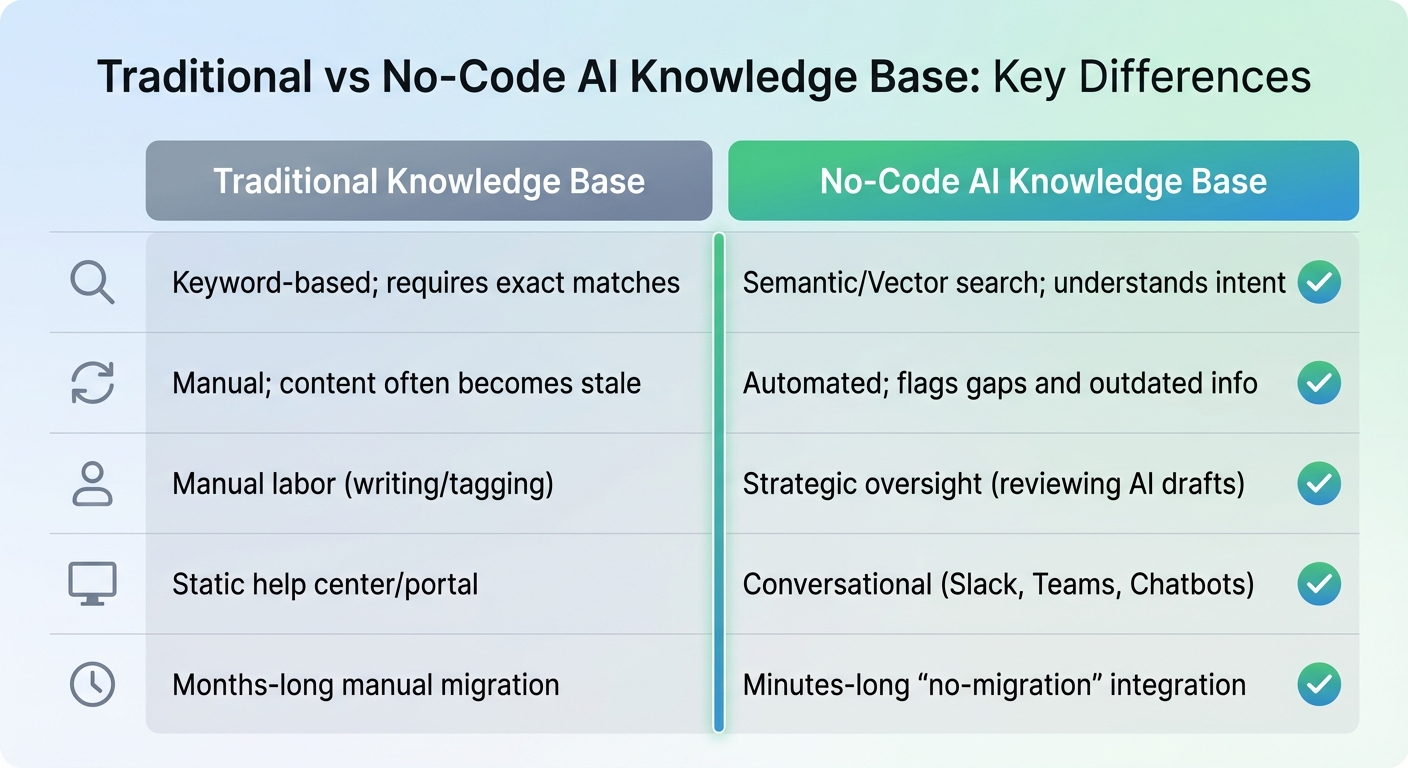
Traditional vs No-Code AI Knowledge Base Comparison
No-code AI removes technical hurdles, automates repetitive tasks, and makes knowledge more accessible. With this approach, teams can set up intelligent knowledge bases in just days – without writing a single line of code. As Taylor Halliday from Ravenna.ai puts it:
Your role shifts from manual labor to strategic oversight.
Let’s dive into how no-code AI enhances accessibility, efficiency, and collaboration.
Better Accessibility and Ease of Use
Traditional knowledge bases often required developers to handle every update and feature, which created delays and bottlenecks. No-code AI platforms change the game by offering user-friendly drag-and-drop interfaces. This means HR teams, support staff, and operations specialists can manage and update knowledge systems independently, without needing engineering help. The result? The people who know the content best can directly shape how it’s organized and accessed.
Search capabilities also get a major upgrade. Unlike older systems that depend on exact keyword matches, no-code AI leverages Natural Language Processing (NLP) to understand the intent behind a search. For instance, if someone searches "refund" instead of "money back", the system still delivers the right results. This smarter search functionality allows AI-powered knowledge bases to resolve up to 80% of repetitive queries automatically.
Higher Efficiency and Scalability
No-code AI doesn’t just make knowledge bases easier to use – it also speeds up their growth. AI systems can analyze conversations in tools like Slack or Teams to identify common questions, draft articles, and even automate tagging and categorization. This eliminates the need for manual updates and ensures the knowledge base stays up-to-date.
The efficiency improvements are clear:
- Intuit QuickBooks reduced case resolution times by 36% in 2025 after implementing an AI-powered knowledge base within Slack.
- Marketers saved an average of 100 minutes per week.
- Onboarding time for new employees was cut in half.
- Ticket deflection rates improved to 20–40%.
Scalability is another standout feature. No-code platforms can handle growing data volumes without requiring additional staff. They integrate seamlessly with tools like Google Drive, Notion, Slack, and email, creating a unified, searchable hub and eliminating the need for manual data migration.
Better Collaboration and Knowledge Sharing
When crucial information is scattered across emails, chat threads, CRM systems, and cloud drives, teams waste valuable time searching for answers. No-code AI solves this by consolidating all data sources into a single, searchable system – often referred to as an "enterprise brain." This ensures everyone in the organization has access to the same, accurate information.
This unified approach boosts collaboration and modernizes how knowledge bases are managed. Non-technical users like customer support specialists, business analysts, and department heads can directly contribute by designing and updating AI-driven tools – no coding required. Additionally, features like Role-Based Access Control and automatic redaction of sensitive information ensure security while sharing knowledge. AI also identifies knowledge gaps and flags outdated content, keeping documentation relevant and beneficial for everyone.
| Feature | Traditional Knowledge Base | No-Code AI Knowledge Base |
|---|---|---|
| Search | Keyword-based; requires exact matches | Semantic/Vector search; understands intent |
| Updates | Manual; content often becomes stale | Automated; flags gaps and outdated info |
| User Role | Manual labor (writing/tagging) | Strategic oversight (reviewing AI drafts) |
| Interface | Static help center/portal | Conversational (Slack, Teams, Chatbots) |
| Setup | Months-long manual migration | Minutes-long "no-migration" integration |
Top No-Code AI Tools for Knowledge Base Management
No-code AI tools like Notion AI, Airtable, and Knack are transforming how teams manage knowledge bases. These platforms cater to different needs: Notion AI is perfect for teams focused on flexible text documentation with conversational search, Airtable shines in managing large-scale structured data with automation, and Knack is tailored for building secure, custom apps.
By 2024, Notion had grown to over 100 million users – a fivefold increase from 2022 – and now holds a 55.89% share of the collaborative workspace market. Similarly, over 80% of Fortune 100 companies rely on Airtable for handling complex datasets. These stats highlight how no-code AI tools are becoming essential for knowledge management.
Notion AI: Dynamic Knowledge Organization
Notion AI takes a text-first approach, organizing content into flexible pages and blocks. Its standout Q&A feature lets users ask questions in plain English, pulling answers from connected apps like Slack, Google Drive, Jira, and Microsoft Teams – all without switching tabs or digging through folders.
The "Build with AI" tool is another game-changer. Simply describe what you need – like "Create a product roadmap tracker with status, owner, and deadline" – and Notion AI will generate the structure for you. It can even analyze PDFs and images to extract key insights, making it invaluable for processing research documents or meeting notes.
To ensure information stays current, Notion’s "verified properties" flag outdated content and notify experts when updates are needed. Pricing starts with a free tier, while paid plans begin at $10 per user per month for the Plus plan, and $20 per user per month for Business, which includes unlimited AI. Considering that workers spend three hours daily searching for information, Notion AI can save up to 10 minutes per query by centralizing knowledge.
Airtable: Scalable Data Management
Airtable’s strength lies in its database-first model, which organizes information into relational tables capable of handling millions of records. Its AI field feature works at the cell level, summarizing data, extracting insights, and even translating text directly within the database.
The "AI in Automations" feature simplifies workflows by automating multi-step processes. For example, you can set up a system to categorize incoming support tickets, route them to the right team, and draft responses automatically – all triggered by new entries. For more advanced cross-platform workflows, you can automate business processes with Make.com to connect Airtable with hundreds of other apps. Airtable also offers document extraction, digitizing data from attachments like PDFs and images, which is particularly useful for tasks like processing invoices or contracts.
AI capabilities are available on all paid plans and require AI credits, which are managed at the workspace level. The platform supports models that process up to ~90,000 words (128,000 tokens), with lower-cost options capped at ~12,000 words. Users can also tweak the "Temperature" setting to adjust AI output – higher values boost creativity for tasks like marketing, while lower values ensure accuracy for customer support.
Knack: Secure Custom Knowledge Apps
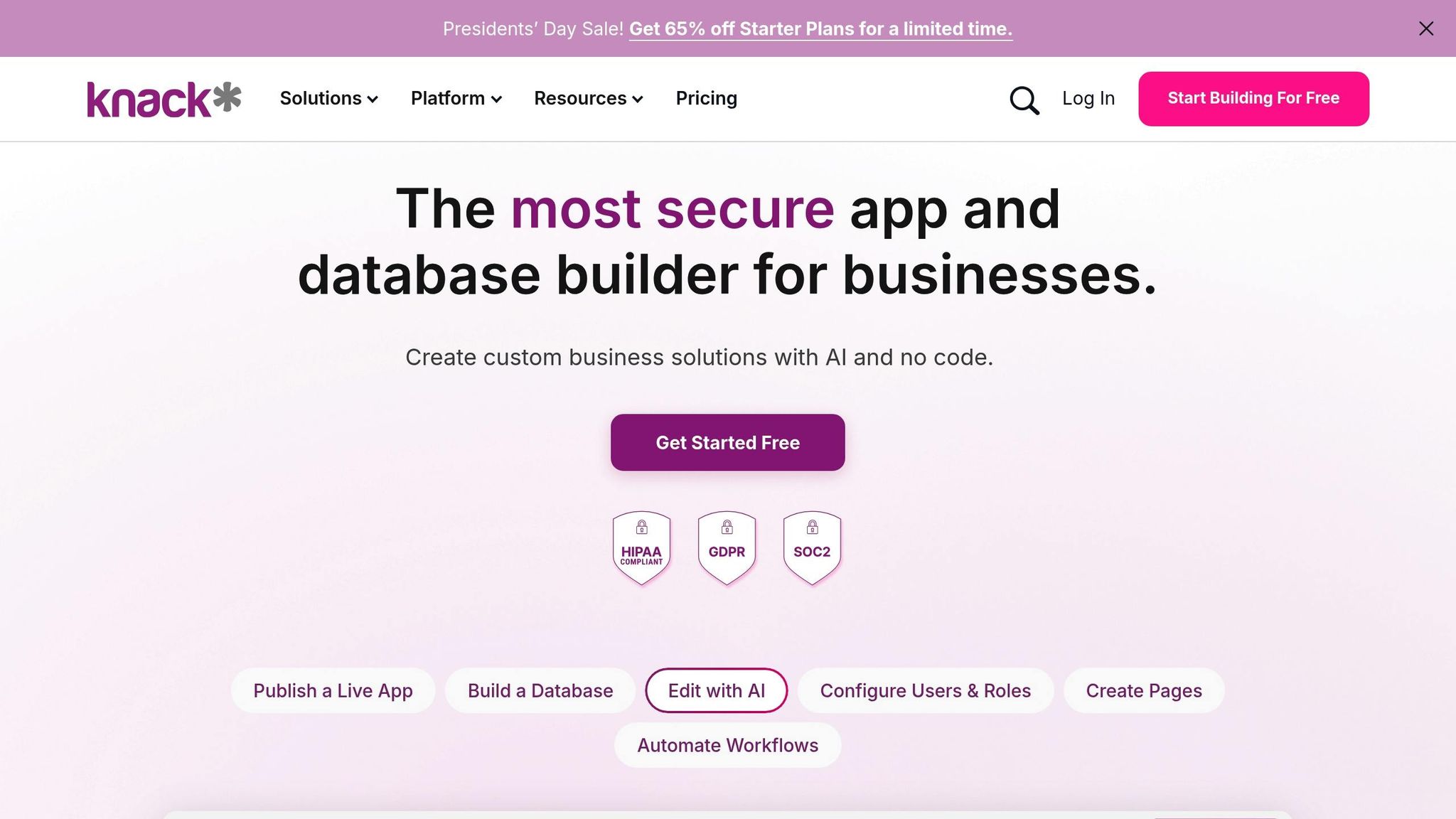
Knack focuses on creating custom business applications with a structured data backend, making it ideal for industries requiring strict compliance, such as healthcare, finance, and government. The platform supports HIPAA, GDPR, and SOC 2/3 standards, ensuring robust security.
Its visual builder allows teams to design knowledge apps without coding, while maintaining the data integrity needed for regulated environments. This structured data approach ensures consistent organization, which is crucial for tasks like auditing or reporting.
Knack’s pricing starts at $59 per month and includes tools for building machine learning models without coding. As Knack Marketing puts it:
Knack’s structured data foundation, visual builder, and extensibility make it well-suited for teams developing AI-driven, data-heavy applications.
These tools represent diverse approaches to solving challenges in knowledge base management, offering solutions for teams of all sizes and industries.
| Feature | Notion AI | Airtable AI | Knack |
|---|---|---|---|
| Core Philosophy | Text‑First / Flexible Canvas | Database‑First / Relational | Data‑Centric / Custom Apps |
| Best For | Internal Wikis & Notes | Structured Data & Workflows | Secure, Regulated Apps |
| AI Strength | Contextual Q&A & Agents | Content Generation & Data Tagging | Structured Data Automation |
| Scalability | Good for text; less ideal for massive datasets | Best for large datasets | High for production-ready apps |
| Compliance | Standard Enterprise Security | Enterprise-grade Security | HIPAA, GDPR, SOC 2/3 Focus |
Step-by-Step Workflow to Build a No-Code AI Knowledge Base
Define Your Knowledge Base Goals
Creating a no-code AI knowledge base starts with a solid plan. Begin by identifying your audience – whether it’s internal teams, specific departments, or external customers – as this will guide how you structure your content and manage security. Bring together a group of stakeholders, including a knowledge manager, IT admin, and representatives from key departments, to ensure the project gets the support it needs.
Take stock of your current knowledge assets by auditing repositories and measuring how long it takes to find information. Identify "knowledge hotspots" – areas where information is frequently sought, like active Slack channels or recurring support tickets. Research suggests improving knowledge-sharing practices could boost productivity by 20–25%.
Build a content map to catalog existing resources, pinpoint outdated materials, and determine where new content is required. Set measurable goals, like cutting "how-to" support tickets by 20% within 90 days. If your organization handles regulated data, define security and compliance standards early to meet frameworks like GDPR or HIPAA.
"A successful AI implementation includes a clear strategic goal, identifying who will use your knowledge hub, what information they will find, and why you’re investing in building one at all." – Notion
Instead of launching across your entire organization, start small by piloting the knowledge base in one high-traffic area. After launching, direct queries to the knowledge base to encourage self-service. Once your goals are clear, move on to selecting the right no-code AI tool.
Choose the Right No-Code AI Tool
No-code AI tools for knowledge bases generally fall into three categories: traditional platforms like Zendesk for basic setups, collaboration-focused tools like Notion or Confluence for internal use, and retrieval-focused systems like Enjo.ai or Stack-AI for advanced search and Retrieval-Augmented Generation (RAG). Your choice should reflect your needs for collaboration, data management, and security.
Integration is key. The best tools sync with existing platforms like Google Drive, Slack, and CRMs, ensuring that knowledge remains centralized. Modern tools often rely on vector embeddings, which improve search accuracy by understanding user intent. For example, they can link "get my money back" with "refund policy" as they express the same idea.
Organizations using AI-powered knowledge bases have reported reducing support volumes by 11% to 30%.
"2026 marks the ‘retrieval-first’ era, enterprises prefer systems built around embeddings, vector search, and reasoning layers (RAG/hybrid), not just keyword indexes." – Enjo.ai
Before committing to a tool, audit your data sources – like PDFs, Slack threads, or Notion pages – and select a system that supports those formats. During trials, test the tool’s ability to handle natural language queries and check for features like source citations in AI responses to build trust. Once your tool is chosen, the next step is designing and optimizing your knowledge base.
Design, Build, and Optimize Your Knowledge Base
Modern knowledge bases have evolved from static libraries to dynamic systems that power AI agents in platforms like Slack or Teams. To make this work, structure your content with clear headings, metadata, and concise paragraphs.
Keep the hierarchy simple – no more than three levels deep – to make content easy to navigate and maintain. Use consistent templates, such as sections for overviews, step-by-step instructions, checks, and links, to create a familiar experience for both users and AI.
When adding content, focus on chunking information into manageable pieces. Use sentence-based segmentation with slight overlaps to avoid losing context during AI retrieval. Many platforms allow you to connect to existing data sources like Google Drive or SharePoint, reducing the need for manual updates. However, automation should be balanced with human oversight – have subject matter experts review AI-generated drafts for accuracy.
Include feedback tools, like buttons for rating AI responses, to help the system learn from user interactions and identify gaps in the content.
"A great knowledge base is built for self-service, structured around tasks, powered by AI search, guided by a template library… and improved continuously through content analytics." – Konstantin Buzz, Research Lead, BridgeApp
Start by populating your knowledge base with 30–50 common questions and make it easily accessible through shortcuts within your team’s tools. Schedule monthly maintenance to analyze analytics, remove outdated content, and streamline categories to avoid clutter.
For long-term success, ensure your tool supports Role-Based Access Control (RBAC) and Single Sign-On (SSO) integration to restrict access based on user roles. If your organization works with scanned documents or images, confirm the tool includes Optical Character Recognition (OCR) capabilities to extract text from those formats. With these systems in place, your knowledge base will be ready to support advanced, self-service AI workflows.
Best Practices to Optimize No-Code AI Knowledge Bases
Maintain Consistent Data Structure
A well-organized knowledge base is the backbone of any AI-driven system. Traditional self-service platforms often fail to resolve customer issues effectively, with only 14% of problems being addressed due to poor upkeep. By 2026, knowledge bases have evolved from static repositories to dynamic, machine-readable systems that fuel AI performance.
To build a solid foundation, use standardized templates across departments. Each article should follow a consistent format: overview, step-by-step instructions, exceptions, and related links. This structure not only improves retrieval accuracy but also ensures AI systems can synthesize information reliably. Keep content modular – each article should focus on a single topic, and paragraphs should make sense independently.
Write with machine readability in mind. Aim for sentences averaging 15–20 words and paragraphs spanning 2–4 lines. Use strict metadata standards, including versioning, ownership, lifecycle status, and platform-specific tags like "Mac" or "Windows". A centralized glossary is also essential to help AI handle variations in user phrasing, while descriptive anchor text (e.g., "Learn more about account settings") aids in understanding content relationships.
"Automation is only as good as the knowledge it sits on. The knowledge base stopped being a content project and became an operational system. It is now the engine that powers AI agents." – Enjo
Don’t overlook visual data – always provide descriptive alt-text or accompanying explanations for diagrams and charts so AI can interpret them accurately. Additionally, set clear visibility permissions to separate internal content from public-facing information, ensuring sensitive documents remain secure. With these practices, your knowledge base becomes a dependable resource for AI and users alike.
Use AI-Driven Insights
AI analytics can transform your knowledge base from a static archive into a constantly improving system. Modern platforms analyze user behavior, identifying search queries that yield no results or low-confidence answers. This data can then guide updates or the creation of new content. AI doesn’t rely solely on keyword matching – it uses embeddings, which are numerical representations of text, to understand word relationships and variations of similar questions.
For example, in 2025, Sony Network Communications Inc. (NURO Hikari) implemented DocsBot AI to handle customer inquiries. Within just a month, the system processed over 30,000 inquiries with an 80% resolution rate, drastically reducing repetitive tasks for their support team.
To enhance user trust, include feedback options like "Was this helpful?" and ensure AI responses link back to source documents for manual verification. Regularly review support tickets to spot recurring issues and prioritize creating content that addresses these pain points. By incorporating AI-driven insights, your knowledge base stays relevant and effective.
Update and Expand Your Knowledge Base Regularly
Keeping your knowledge base up to date is crucial. Well-maintained articles can cut support ticket volumes by as much as 55%, yet nearly 47% of employees avoid their company’s knowledge base because it feels disorganized or hard to navigate. To address this, implement a tiered update schedule:
- Daily: Spot-check for accuracy.
- Weekly: Update high-traffic content.
- Monthly: Use analytics to identify gaps.
- Quarterly: Perform comprehensive audits.
Categorize information using temporal tags like Atemporal (unchanging), Static (time-specific), or Dynamic (frequently changing, like job titles). This helps AI manage data that evolves at different rates. Use specialized AI tools to compare new data with existing entries, flag contradictions, and automatically tag outdated content with an invalidation timestamp.
"No matter how advanced your retrieval algorithms are, their effectiveness is limited by the quality and freshness of your database." – OpenAI Cookbook
Set up regular changelog meetings between product, engineering, and support teams to ensure updates – like new features or deprecated functions – are reflected promptly in the knowledge base. Assign subject matter experts (SMEs) to validate AI-generated drafts and review flagged content. Instead of arbitrary character limits, break content into meaningful, context-rich sections to help AI understand the relationships between topics. These steps ensure your knowledge base remains a trusted and efficient tool for both users and AI systems.
Using God of Prompt for Better Knowledge Management
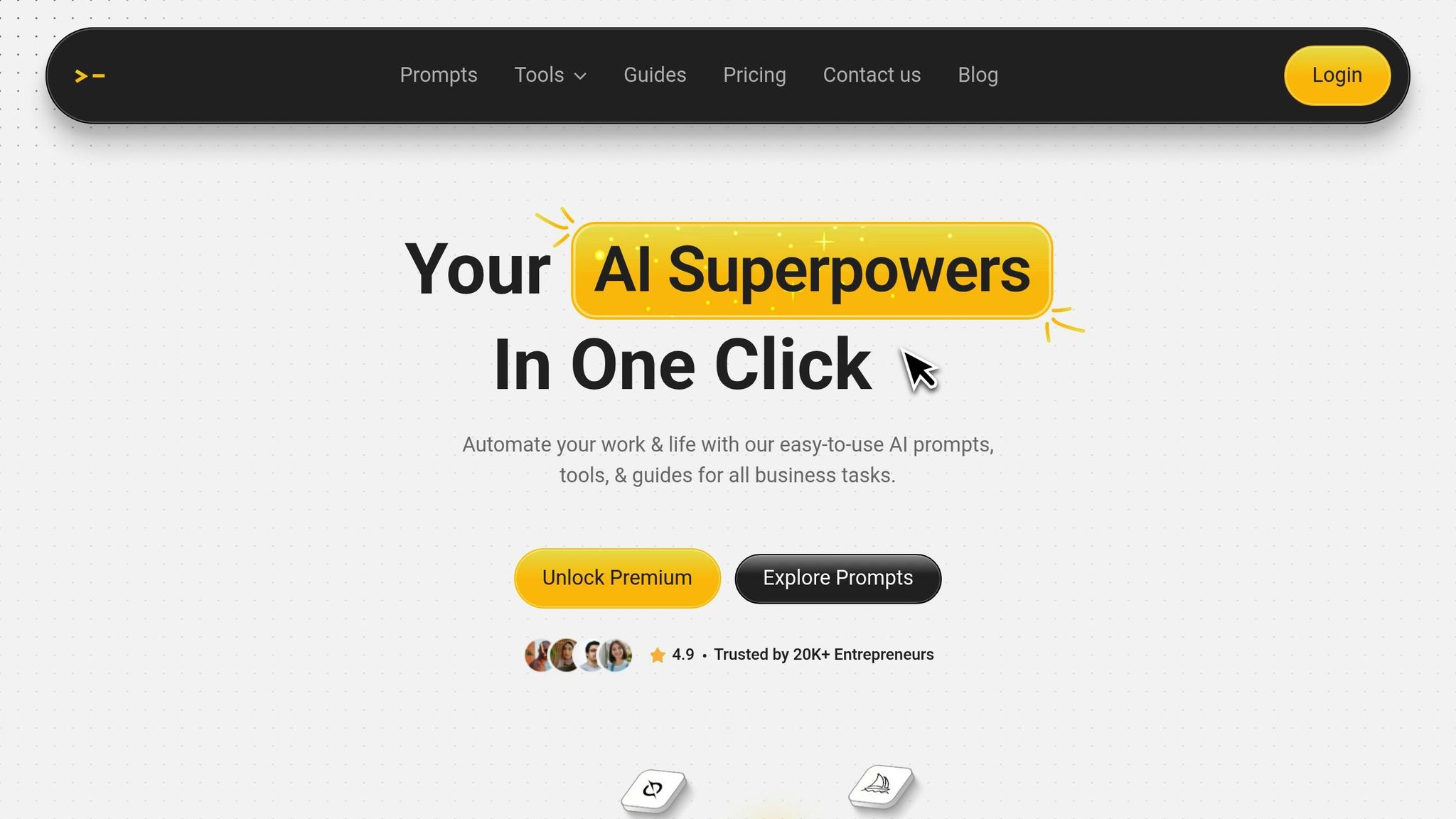
God of Prompt takes the potential of no-code AI tools and pushes it further, offering a suite of specialized resources to enhance your knowledge base workflows.
Overview of God of Prompt’s Resources
With over 30,000 AI prompts, guides, and toolkits for platforms like ChatGPT, Claude, Gemini AI, and Midjourney, God of Prompt serves more than 17,000 users across areas like productivity, no-code automation, business operations, and content management. For improving knowledge base workflows, it provides targeted prompts for tasks like document summarization, content categorization, FAQ generation, and data structuring. These tools are all accessible through a searchable Notion workspace, designed to centralize team-wide standards and streamline processes.
The platform offers both pre-designed solutions and the flexibility to request custom-built prompts or GPTs, with a turnaround time of just 24 hours. Verified user Deryck Stidham shared his experience, saying:
This guide helped me refine my prompts, significantly improving accuracy and efficiency. The well-organized toolbox saves time, making AI work smarter, not harder.
Using Pre-Built Prompts to Automate Knowledge Base Tasks
God of Prompt’s pre-built prompts are designed to simplify and speed up repetitive knowledge base tasks. For example:
- The Generate Knowledge Management System prompt organizes complex organizational data effortlessly.
- Document extraction prompts transform lengthy PDFs into concise bullet-point summaries, ready for platforms like Notion or Airtable.
- The Categorize Knowledge Articles prompt automatically tags content by topic (e.g., "troubleshooting" or "best practices"), reducing the time spent on manual curation by over 30%.
These tools have delivered measurable results. In 2025, the agency adaptCONTENT used God of Prompt’s resources to execute a 4-week content strategy, which resulted in a 26% increase in traffic visits to a client’s LinkedIn profile. Another standout feature, the Screenshot to Code GPT, converts visual UI elements into technical documentation in seconds – tasks that once required hours. Users have reported a 2× to 3× boost in productivity thanks to these solutions.
These built-in tools lay the groundwork for deeper customization.
Customizing Prompts for Your Knowledge Base Needs
Tailoring prompts to your specific knowledge base requirements ensures AI outputs align with your business logic. Start by defining your goals – whether it’s creating customer support documentation, internal IT helpdesk resources, or training materials. For instance, you can tweak a summarizer prompt to fit your needs: transform "Summarize article" into something like "Summarize IT bug report for employee KB with steps and tags." God of Prompt’s AI Prompt Generator can help you craft structured mega-prompts to achieve this.
This level of customization can save significant time. While manual summaries might take 10 minutes each, AI can generate them in just 1 minute, cutting down support tickets by 30% – similar to the efficiency seen with Zendesk AI agents. Additionally, God of Prompt includes a security prompt to safeguard proprietary instructions during customization and an Instructions Generator for creating advanced GPTs with a single click.
Business owner Ole happYYzen A.I.mighty highlighted the impact of these tools:
The prompts provided are not only well-tailored but also insightful, helping me to streamline my workflow and boost my business efficiency.
Conclusion
No-code AI is revolutionizing the way organizations manage their knowledge bases. Tasks like classification, summarization, and tagging of various content types can now be automated seamlessly, removing previous barriers to entry. In fact, 84% of companies are already using low-code solutions to streamline IT workflows and enable non-technical teams to take charge.
Take platforms like Make.com, which offers up to 1,000 free operations per month, or Supadata.ai, providing 100 free YouTube video transcriptions. These tools, when paired with AI-driven prompts, deliver real-world results. For instance, adaptCONTENT reported a 26% boost in LinkedIn profile traffic in 2025 by employing structured content strategies.
Beyond these immediate wins, specialized prompt libraries are pushing efficiency even further. Tools like God of Prompt eliminate the guesswork in prompt engineering. Its collection of over 30,000 pre-tested prompts, organized in a user-friendly Notion workspace, allows teams to automate tasks like accurate document summarization, content categorization, and FAQ generation right out of the box.
Looking ahead, the impact of AI is only set to grow. By 2025, 95% of customer interactions are expected to involve AI, and the global AI market is projected to hit $1.87 trillion by 2032. Companies that embrace no-code AI tools today will be better positioned to gain a competitive edge while others are still playing catch-up.
To get started, it’s essential to define clear goals for your knowledge base, choose the right no-code platform, and implement pre-built prompts to automate key processes. These tools are not only accessible and cost-efficient but also deliver immediate productivity gains, fundamentally changing how organizations manage and utilize their knowledge.
FAQs
What’s the fastest way to start a no-code AI knowledge base?
The fastest way to create a no-code AI knowledge base is by leveraging platforms with ready-made templates and step-by-step workflows. Tools such as Softr or StackAI enable you to set things up quickly without any coding skills. Additionally, platforms like God of Prompt provide AI prompt libraries to streamline your processes. Pick a platform that aligns with your goals and tailor it to build the knowledge base you need.
How do I keep AI answers accurate and up to date?
To keep AI-generated answers accurate, it’s important to frequently update and maintain the knowledge base. This can be done through methods like scheduled reindexing, real-time updates, and syncing with live data sources. Automated tools are especially helpful – they can identify outdated content and address missing information, saving time and effort. Additionally, consistently validating AI responses ensures they remain reliable as the underlying content changes. These steps help maintain a knowledge base that’s up-to-date, dependable, and effective.
What security features should my AI knowledge base have?
To safeguard sensitive information, it’s crucial to incorporate enterprise-level security measures such as robust data controls, strict access management, and reliable encryption methods. Establish and enforce secure data handling policies, and make sure users are educated about potential security risks. For no-code platforms, include features like pattern-based threat detection and protective measures for models to keep an eye on potential vulnerabilities. Additionally, ensure compliance with legal and regulatory requirements by creating secure environments and implementing governance frameworks that support effective risk management.