Top AI Tools for Multilingual Video Scripts
Compare AI tools for translating, dubbing, subtitling, and generating multilingual video scripts — features, language support, and pricing.

On this page
- How to Make Multilingual Videos with Synthesia AI (30+ Languages)
- 1. Juma
- Languages Supported
- Key Features
- Pricing (USD)
- Best Use Case
- 2. Colossyan
- Languages Supported
- Key Features
- Pricing (USD)
- Best Use Case
- 3. HeyGen
- Languages Supported
- Key Features
- Pricing (USD)
- Best Use Case
- 4. Synthesia
- Languages Supported
- Key Features
- Pricing (USD)
- Best Use Case
- 5. PlayPlay
- Languages Supported
- Key Features
- Pricing (USD)
- Best Use Case
- 6. VEED.IO
- Languages Supported
- Key Features
- Pricing (USD)
- Best Use Case
- 7. Writesonic
- Languages Supported
- Key Features
- Pricing (USD)
- Best Use Case
- 8. VidIQ
- Languages Supported
- Key Features
- Pricing (USD)
- Best Use Case
- 9. Kapwing
- Languages Supported
- Key Features
- Pricing (USD)
- Best Use Case
- 10. Pictory
- Languages Supported
- Key Features
- Pricing (USD)
- Best Use Case
- Strengths and Weaknesses
- Conclusion
- FAQs
- Which AI tools are best for supporting multiple languages in video scripts?
- How much can you save by using AI tools for multilingual video script localization?
- What is the best AI tool for creating multilingual corporate training videos?
- Related Blog Posts
Want to make multilingual video scripts faster and cheaper? AI tools are changing the game. Instead of spending big on translators, voice actors, and editors, you can now create localized video content at a fraction of the cost – up to 90% less. These tools handle translation, voice synthesis, subtitles, and even lip-syncing, making global reach easier than ever.
Here’s a list of the best AI tools for multilingual video scripts, tailored for different needs like marketing, training, and social media content. Each tool supports multiple languages, offers unique features, and fits various budgets:
- Juma: Combines AI models for script creation. Perfect for teams needing brand-aligned scripts. ($0–$35/month)
- Colossyan: Focused on enterprise training with interactive features like quizzes and SCORM exports. (Custom pricing)
- HeyGen: Supports 175+ languages with advanced lip-sync tech. Great for marketing localization. ($29/month)
- Synthesia: Offers lifelike avatars and dubbing in 160+ languages. Ideal for training and education. ($29–$89/month)
- PlayPlay: Simplifies corporate video creation with AI subtitles and translations. (Custom pricing)
- VEED.IO: A one-stop editor for subtitles, translations, and dubbing in 125+ languages. ($12–$49/month)
- Writesonic: Focused on script generation in 25 languages. ($49–$499/month)
- VidIQ: Optimized for YouTube creators with metadata translation. (Free–Custom pricing)
- Kapwing: Combines video editing, dubbing, and subtitles in 100+ languages. ($16–$50/month)
- Pictory: Converts scripts into videos with voiceovers and stock footage. ($25–$119/month)
Quick Comparison
| Tool | Languages Supported | Key Feature | Price Range | Best For |
|---|---|---|---|---|
| Juma | Hundreds | Multi-model script creation | $0–$35/month | Brand-aligned scripts |
| Colossyan | 100+ | Enterprise training tools | Custom pricing | Employee training |
| HeyGen | 175+ | Lip-sync tech | $29/month | Marketing localization |
| Synthesia | 160+ | Lifelike avatars | $29–$89/month | Training/education |
| PlayPlay | 40+ | Text translation | Custom pricing | Corporate videos |
| VEED.IO | 125+ | All-in-one editing | $12–$49/month | Social media content |
| Writesonic | 25 | Script generation | $49–$499/month | Content ideation |
| VidIQ | English (+ metadata) | YouTube SEO tools | Free–Custom pricing | YouTube creators |
| Kapwing | 100+ | Dubbing and subtitles | $16–$50/month | Social media teams |
| Pictory | 29 | Script-to-video | $25–$119/month | Ad campaigns, tutorials |
These tools can save time and money while increasing global reach. Whether you’re creating corporate training, social media content, or marketing videos, there’s an AI solution tailored for your needs.
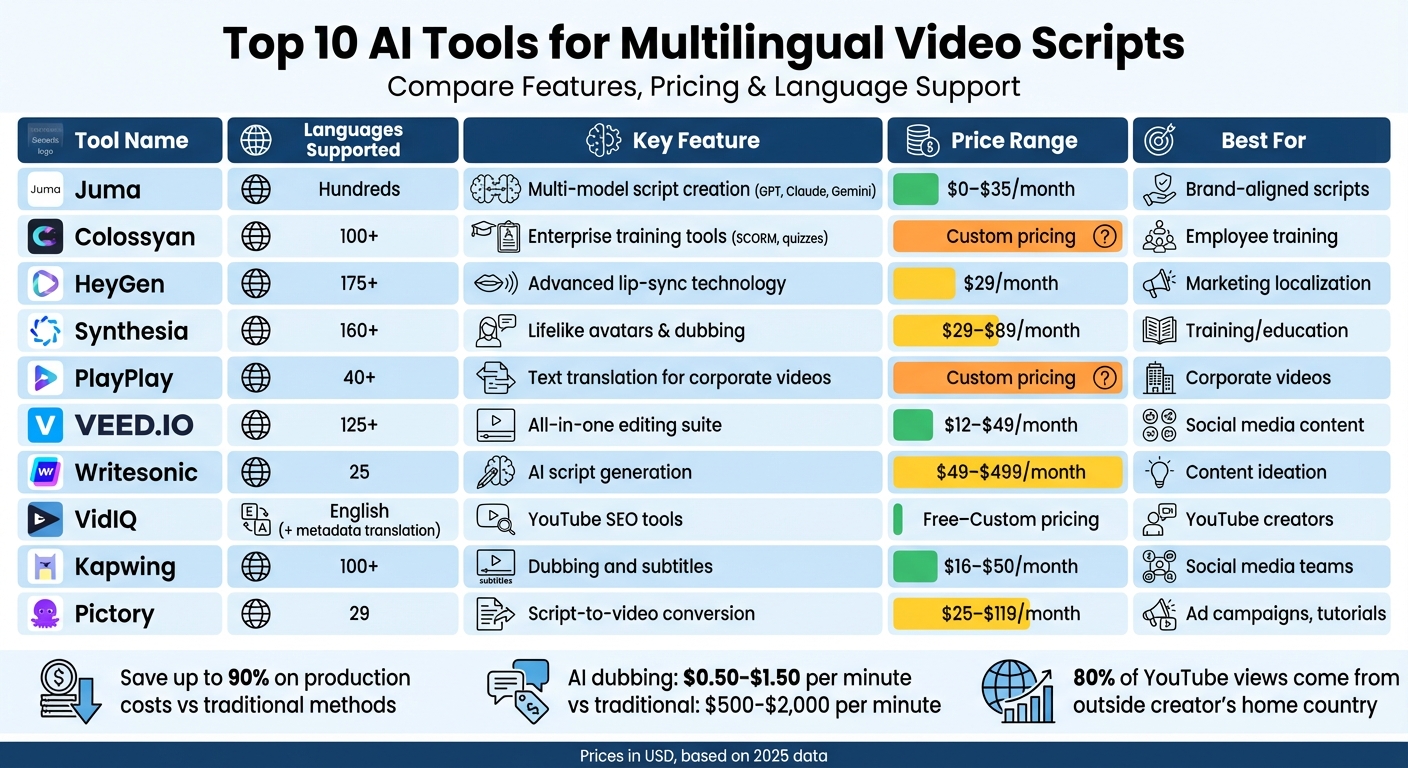
Top 10 AI Tools for Multilingual Video Scripts: Features, Pricing & Language Support Comparison
How to Make Multilingual Videos with Synthesia AI (30+ Languages)
1. Juma
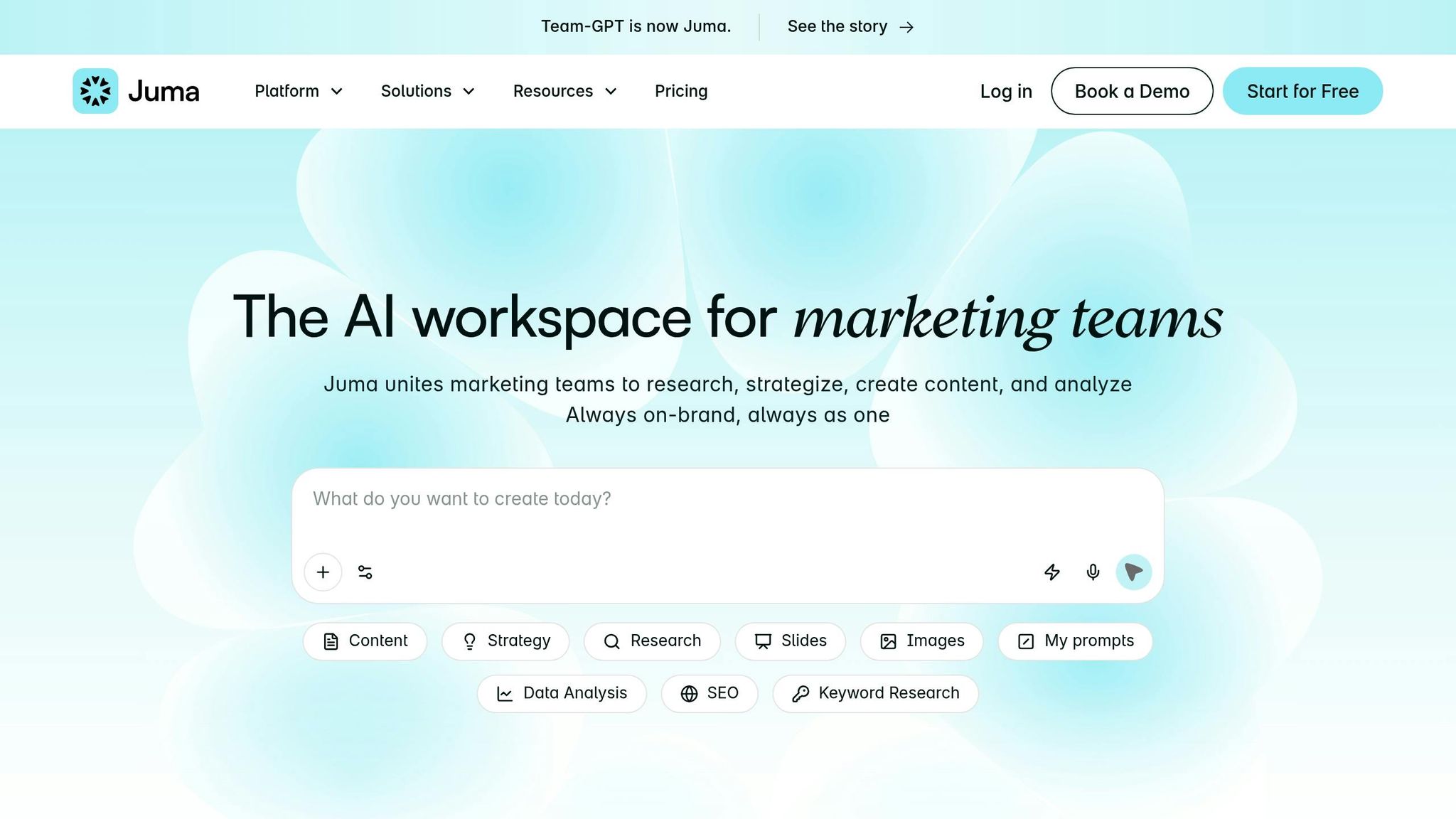
Juma (previously known as Team-GPT) is a platform designed to create multilingual scripts using a structured AI prompt generator. It integrates leading AI models like ChatGPT (GPT-5.2), Claude (4.5 Sonnet), and Gemini (3.5 Pro) into one seamless workspace.
Languages Supported
Juma enables script generation in hundreds of languages, thanks to the multilingual capabilities of its underlying AI models. Users can fine-tune the language, tone, and format to align with brand-specific needs, making it a powerful tool for creating content that resonates across multiple regions. This feature is especially relevant as the demand for globally accessible video content continues to grow.
Key Features
At the heart of Juma’s functionality is its Prompt Builder, which asks about your video’s goals, target audience, and tone to craft a detailed script. The platform also includes the "Turn to Page" editor, a Google Docs–style interface that allows real-time collaboration and easy editing of AI-generated outputs.
"The best video script generators in 2026 are the ones that help me move faster without dropping quality. I’m not looking for polished paragraphs; I want clear hooks, scene-wise structure, and something I can actually record from." – Iliya Valchanov, CEO, Juma
Other standout features include visual storyboarding, which creates scene-by-scene visuals directly from your script, and the ability to refine or rewrite specific parts of the content without having to regenerate the entire document. Additionally, Juma offers a prompt library and custom instructions to maintain a consistent brand voice.
These tools make Juma an attractive option for teams looking for a streamlined yet powerful scriptwriting solution.
Pricing (USD)
| Plan | Price | Key Features |
|---|---|---|
| Free | $0/month | Up to 5 people, 1 workspace, 20 total messages |
| Business | $20/month | 50 daily messages per user, unlimited projects |
| Growth | $35/month | Unlimited messages, advanced usage reports |
| Enterprise | Starting at $200/month | Unlimited workspaces, SSO, dedicated account manager |
The Business plan at $20/month stands out as a budget-friendly option, consolidating multiple AI tools into a single subscription. Juma boasts a 4.9/5 rating on G2, with users frequently highlighting its intuitive folder system and robust collaboration features.
Best Use Case
Juma is a perfect fit for marketing teams, agencies, and content creators who need brand-aligned script outlines and efficient multi-model collaboration. Whether you’re crafting content for YouTube, Instagram Reels, or tutorials, Juma ensures consistency across languages and platforms, making it an essential tool for scaling video production.
2. Colossyan
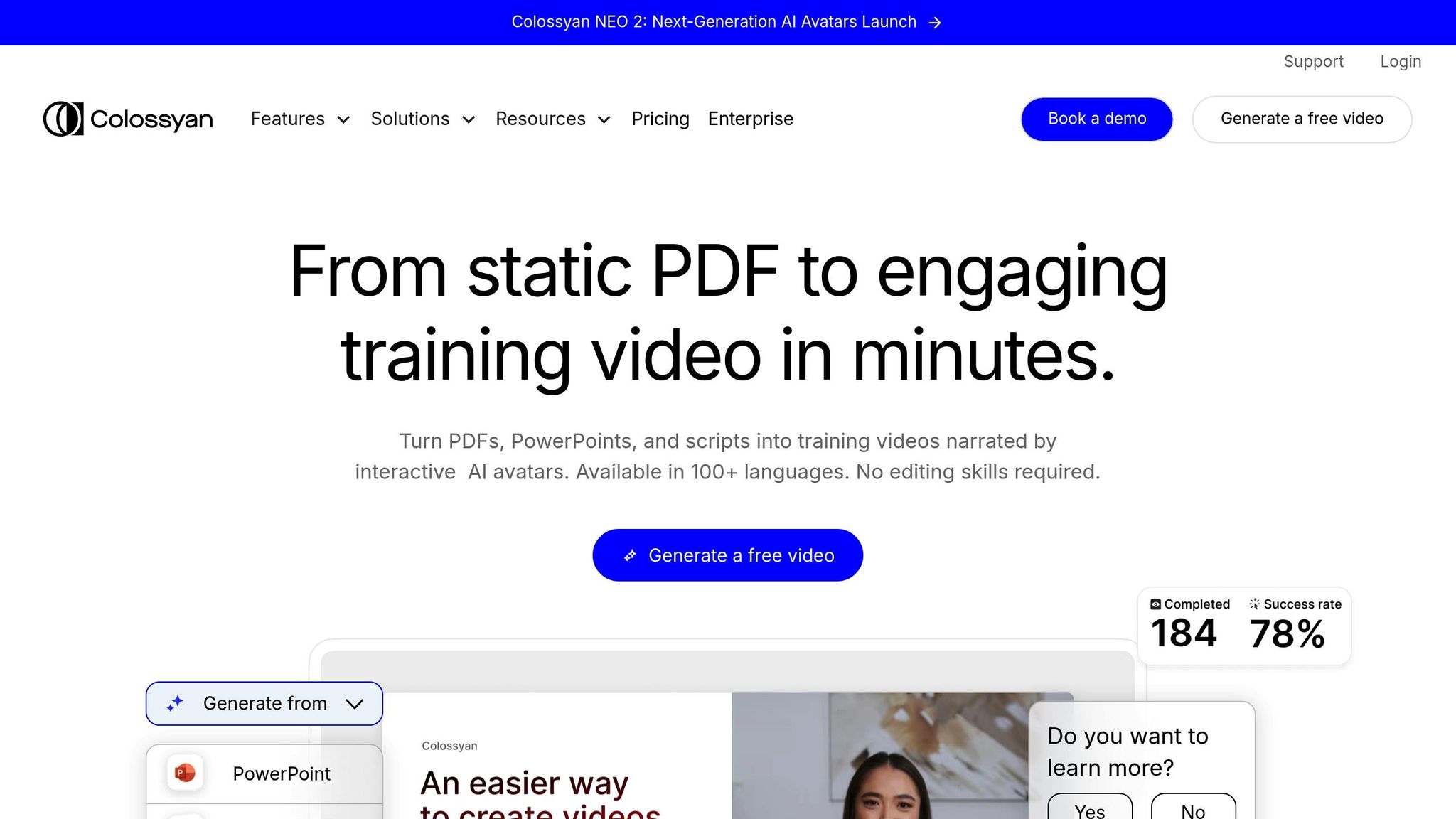
While Juma shines in script creation, Colossyan is tailored for enterprise training. It specializes in creating scalable video content for global teams, focusing on features like SCORM exports, branching scenarios, and compliance with SOC 2 and GDPR standards.
Languages Supported
Colossyan’s AI Script Assistant, powered by GPT-4, can generate scripts in 100+ languages. The platform supports video translation in over 80 languages, offering a variety of accent options. While some competitors cover even more languages, Colossyan sets itself apart with its AI Avatar Regeneration. This feature ensures avatars’ lip movements match the target language perfectly, rather than just dubbing audio over existing footage. Additionally, users can clone their voice in under a minute and use it across 30+ languages.
Key Features
One of Colossyan’s standout capabilities is its document-to-video conversion, which transforms PowerPoint slides and PDFs into training videos. The platform also boasts a library of over 600 AI voices and allows users to customize pronunciation for technical terms or brand names, ensuring consistency across localized versions.
For enterprise users, Colossyan offers a Multilingual Video Player that enables in-player language switching. It also supports interactive quizzes and branching scenarios, which can be exported as SCORM 1.2/2004 packages. Many organizations using Colossyan report cost reductions of 90–95% compared to traditional multilingual video production. Localization timelines shrink from weeks to just hours.
"Colossyan is best for L&D teams that need document/PPT-to-video, interactive quizzes, SCORM export, analytics, and custom branding." – David Gillham, Product Manager, Colossyan
These features make Colossyan a solid choice for large-scale video localization projects.
Pricing (USD)
Colossyan offers an enterprise subscription model with custom pricing. Monthly budgets for teams typically range from $2,000 to $10,000, with large-scale implementations often exceeding $10,000 per month. A free trial is available for exploring the platform before committing.
To compare, traditional professional dubbing costs between $2,000 and $10,000 per language, whereas Colossyan can handle 10 languages for $5,000 to $15,000 total. Additionally, native-language AI videos have 20–30% higher completion rates than videos with just translated subtitles.
Best Use Case
Colossyan is ideal for compliance training, product onboarding, and global employee education, especially when standardized training across regions is essential. Its interactive assessments, LMS compatibility, and analytics make it a strong choice for enterprise-level needs. However, it may not be the best fit for smaller teams or individual creators.
3. HeyGen
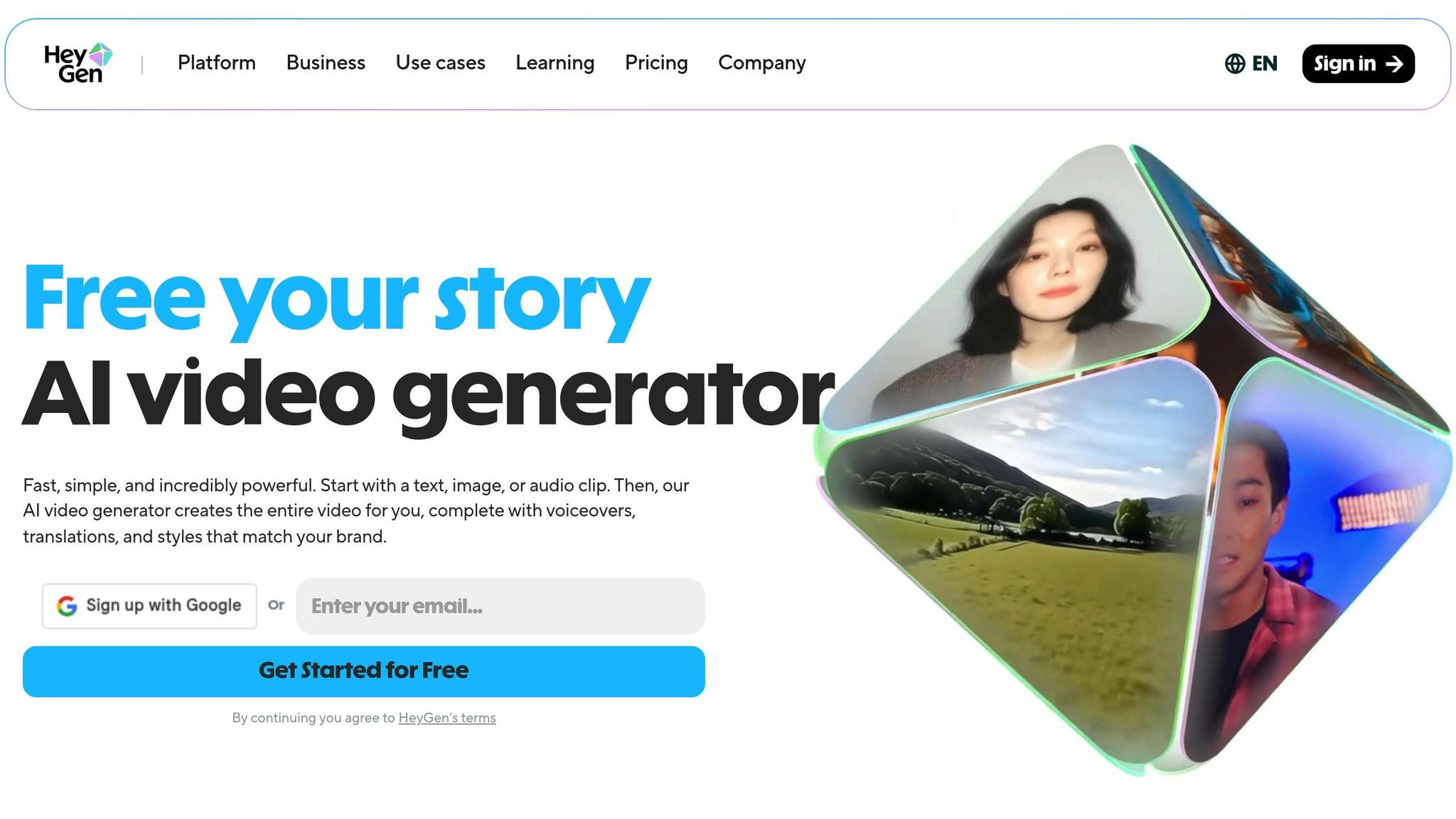
HeyGen takes video creation to a new level by blending prompt-driven workflows with precise lip-sync technology, making it a standout tool for multilingual content production.
This platform simplifies scriptwriting and editing through its AI Video Agent, which has already powered the creation of over 98 million videos. With support for translations in over 175 languages and dialects, HeyGen pairs voice cloning with advanced lip-sync capabilities to achieve an impressive 95%+ accuracy for on-screen talent.
Languages Supported
HeyGen supports translations in more than 175 languages and dialects, while also generating videos directly in over 20 languages. Its translation accuracy ranges between 95% and 98%. To ensure a natural viewing experience, its lip-sync technology adjusts facial movements to align seamlessly with translated audio.
Key Features
HeyGen’s AI Video Agent transforms simple text prompts into fully realized videos. This includes scriptwriting, selecting assets, generating voiceovers, and fine-tuning timing to match translated scripts. For instance, languages like German and French, which often require more time than English, are accommodated with dynamic timing adjustments.
For businesses, the Proofread Studio allows teams to review and refine AI-generated translations, ensuring they align with the brand’s storytelling tone and style. The Brand Glossary feature ensures specific terms remain untranslated for consistency. Additionally, HeyGen offers a library of over 230 AI avatars and advanced voice cloning options.
"What I love about HeyGen is that I no longer have to say no to projects." – Steve Sowrey, Learning Media Designer, Miro
Organizations using HeyGen report up to an 80% reduction in translation costs, saving around $1,000 per minute of video compared to traditional production methods. Localized AI-generated videos have also improved video completion rates by 25%.
Pricing (USD)
- Free Plan: Limited to 3 clips (up to 3 minutes each), 720p resolution, and includes watermarks.
- Creator Plan: Starts at $29/month. Includes unlimited avatar videos, 1080p export, and videos up to 30 minutes long.
- Team Plan: Adds collaboration tools and shared brand assets.
- Enterprise Plan: Custom pricing with features like unlimited video creation, SAML SSO, and priority rendering.
Best Use Case
HeyGen shines in areas like marketing localization, sales enablement, video SEO, and corporate communication – especially when speed and cost savings are critical. It’s ideal for teams needing to produce high volumes of multilingual content quickly, offering a 10x faster turnaround compared to traditional methods. However, some users note that the AI avatars may lack the emotional nuance needed for leadership videos or sensitive client interactions. With a 4.8 out of 5 rating on G2 from over 1,300 reviews, HeyGen has earned high praise for its capabilities.
4. Synthesia
Synthesia is a versatile platform designed for creating multilingual videos with ease. It supports over 160 languages and accents, using a credit-based system for features like video generation and dubbing. Let’s explore its language capabilities and advanced features.
Languages Supported
Synthesia offers an impressive library of over 160 languages and voices. Its AI Dubbing feature works with 139 languages, ensuring the original tone is retained while synchronizing lip movements. For Enterprise users, the 1-Click Translation tool instantly localizes video scripts and on-screen elements into more than 80 languages.
Key Features
Synthesia includes a range of tools to streamline video creation and localization:
- AI Script Generator: Converts text prompts, URLs, or documents (PPTX, PDF, DOCX, TXT) into video-ready scripts.
- Translation Options: AI Dubbing handles existing video files (MP4/MOV or YouTube links), while 1-Click Translation works with videos created in Synthesia’s editor, translating both scripts and on-screen text.
- Multilingual Video Player: Viewers can switch between language versions within the same embedded link.
- Editing and Proofreading: Translated transcripts can be adjusted for technical terms or brand names without using additional credits.
- Adaptive Voiceover: Adjusts naturally to accommodate longer translated text.
"100 hours of translation done in 10 minutes!" – Geoffrey Wright, Global Solutions Owner
Synthesia’s tools have delivered measurable results. For example, LATAM Airlines cut production time by 83%, translating over 300 videos into Spanish, Portuguese, and English in just five days. Teleperformance, with a workforce of over 380,000, saved $5,000 per video while translating content into 40 languages. These examples highlight how Synthesia can simplify and scale multilingual video production for enterprises.
Pricing (USD)
| Plan | Monthly Price | Yearly Price (Monthly Equiv.) | Key Multilingual Features |
|---|---|---|---|
| Basic | $0 | $0 | 10 mins/mo, 160+ languages, 9 avatars (No lip-sync for dubbing) |
| Starter | $29 | $18 | 10 mins/mo, 125+ avatars, AI Dubbing (credits deducted) |
| Creator | $89 | $64 | 30 mins/mo, 180+ avatars, AI Dubbing, API access |
| Enterprise | Custom | Custom | Unlimited minutes, 240+ avatars, 1-Click Translation, Paid Dubbing add-on |
Lip-syncing during dubbing requires twice as many credits as standard dubbing. Additionally, the 1-Click Translation feature is only available with Enterprise plans.
Best Use Case
Synthesia is particularly suited for organizations aiming to produce large volumes of training or educational content across multiple languages. For example, CisionOne’s enablement team created 180 videos in five languages with "0 hassle" using the platform’s localization tools. Rated 4.7 out of 5 on G2 based on over 2,000 reviews, Synthesia has become a trusted solution for companies like Nestlé and Teleperformance. It claims to save users up to 90% of the time and budget compared to traditional video production, with 90% of users able to publish their first video without needing a tutorial.
5. PlayPlay
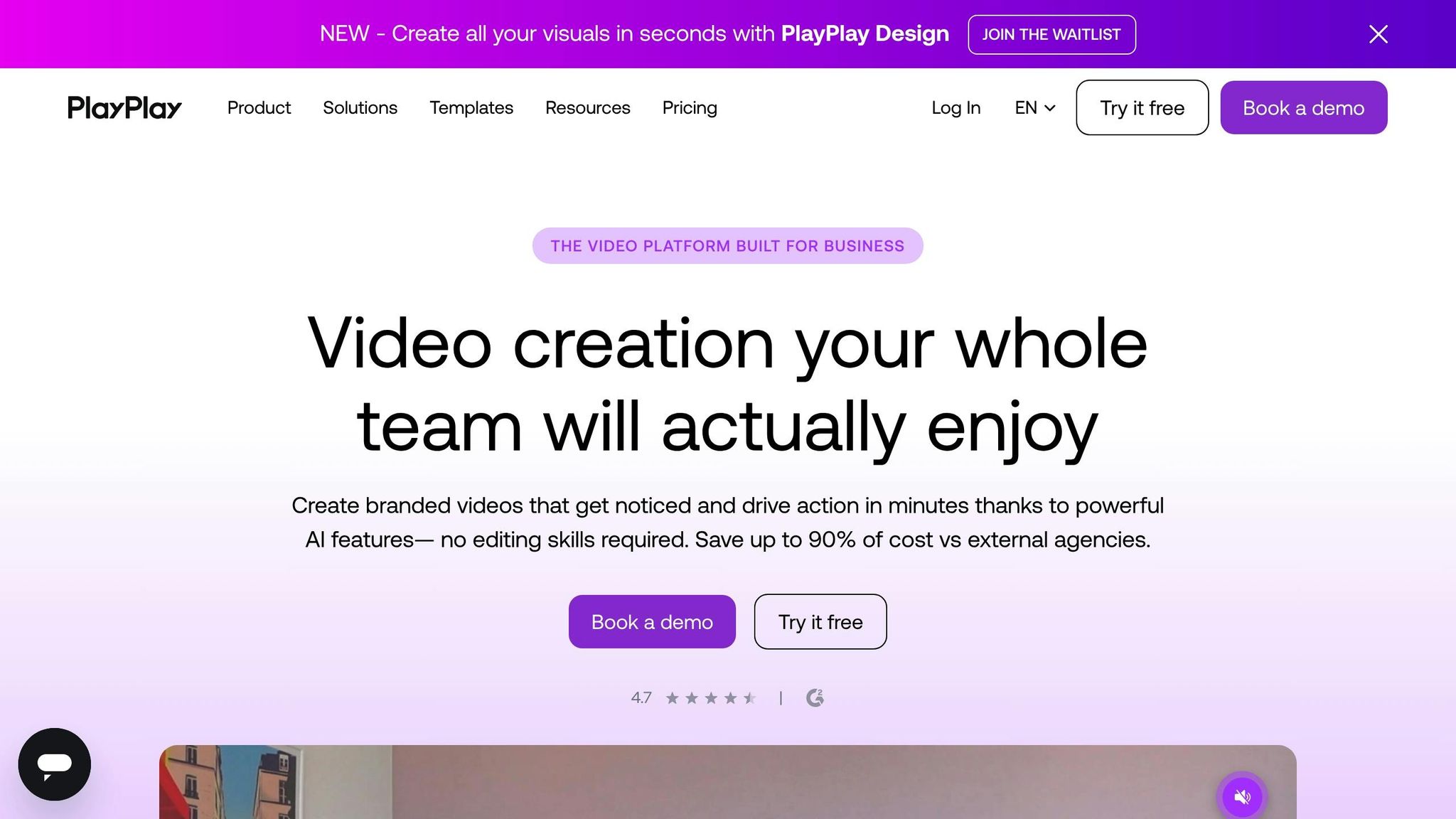
PlayPlay is a go-to video creation platform trusted by over 3,000 companies to localize corporate and social media content. While it specializes in translating visible text elements like subtitles and captions, it doesn’t automatically translate spoken audio.
Languages Supported
PlayPlay’s AI Video Translator supports over 40 languages, including English, French, Spanish, German, Italian, Portuguese, Arabic, Chinese, and Japanese. It even adjusts text alignment for right-to-left languages like Arabic and Hebrew. Additionally, its AI Automatic Subtitles tool covers over 120 languages. Keep in mind that this tool focuses solely on visible text, so videos featuring narration will require manually added subtitles or the use of its AI voice-over feature.
Key Features
PlayPlay’s AI Script Generator is a standout tool. It transforms simple prompts for writing, URLs, or uploaded files into structured video scripts. Once the script is finalized, the translation tool creates separate, fully editable versions for each target language, allowing for layout tweaks to accommodate text expansion or right-to-left languages.
Key features include:
- AI voice-over for lifelike narration
- Trim by Transcript for seamless interview edits
- Corporate templates to maintain brand standards
However, be aware that formatting elements like bold text, colors, and animations may not always transfer during translation, requiring some manual adjustments.
"It is so easy to edit on PlayPlay, it’s almost comical. People are amazed that I can turn around a video in 10 minutes." – Steve Jamieson, Associate Manager of Field Communications, Novo Nordisk
PlayPlay has delivered impressive outcomes for its users. For instance, Gundersen Health System saw a 165% increase in video views within a single quarter, and Crédit Agricole now produces 80% of its social media content using the platform. Many users have also reported cutting production timelines from weeks to just hours.
Pricing (USD)
PlayPlay offers a free trial, letting users explore its AI Video Translator and other tools. Compared to outsourcing video production, users find it more budget-friendly. Full access to the AI Video Suite typically requires scheduling a demo to receive enterprise-level pricing. Additionally, several tools like the AI Script Generator and AI Automatic Subtitles are available for free on the platform.
Best Use Case
PlayPlay is ideal for teams in communications, learning & development, and social media departments within large organizations. It’s particularly effective for quickly localizing content for global markets. The platform shines when creating corporate-style videos for internal communications or social media, especially for text-heavy projects with minimal spoken audio. However, if your workflow demands automatic voiceover translation with lip-syncing, you might want to explore other tools that specialize in that area.
6. VEED.IO
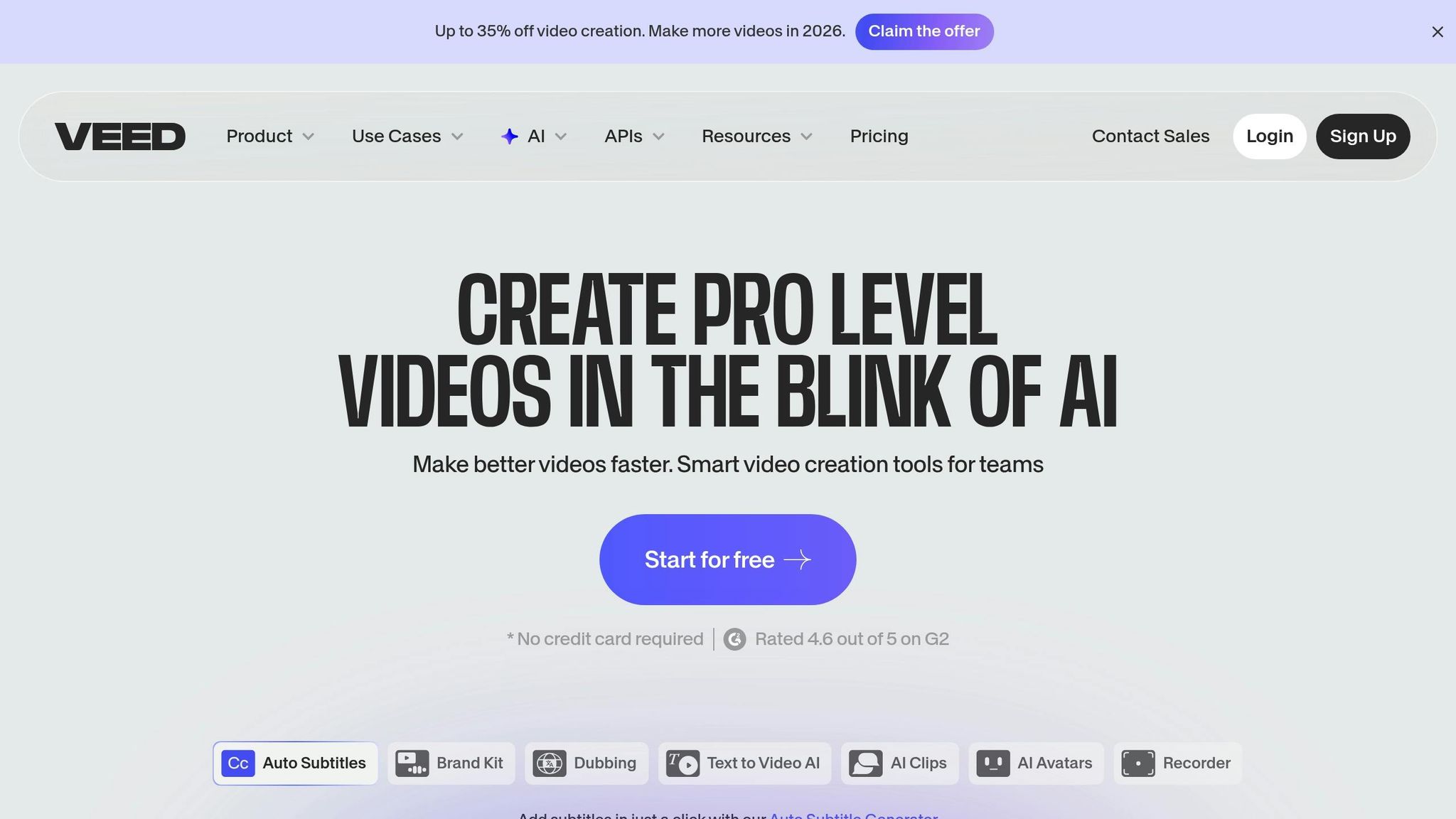
VEED.IO is a browser-based video editor and multilingual script tool used by major names like NBCUniversal, Carlsberg, and Google. It combines scriptwriting, translation, and video editing into one platform, simplifying the process of creating content for a global audience.
Languages Supported
VEED.IO handles subtitles and translations in over 125 languages. Its AI voice dubbing and cloning features cover 29 languages, including Spanish, French, Japanese, Mandarin Chinese, and Hindi. The platform identifies the source language from uploaded files (supporting more than 70 languages) and delivers subtitles with 99.9% accuracy and translations with 98.5% accuracy – requiring only minor adjustments.
Key Features
VEED.IO offers more than just language support. Here’s what makes it stand out:
- AI Script Generator: Create video scripts from simple text prompts and translate them into supported languages.
- AI Voice Dubbing: Translate audio into 29 languages while maintaining the speaker’s vocal tone and style.
- Proofread Feature: For Enterprise users, translations can be reviewed and edited before dubbing, saving time and resources.
- Lip-Sync Technology: Currently in beta, this feature aligns AI-generated voices with lip movements for a natural multilingual experience.
- Downloadable Transcripts: Export translated transcripts in SRT, VTT, or TXT formats to repurpose content for blogs or social media.
"VEED has been game-changing. It’s allowed us to create gorgeous content for social promotion and ad units with ease." – Max Alter, Director of Audience Development, NBCUniversal
VEED.IO also boasts cost-efficiency, being 90% cheaper than traditional translation services while maintaining high accuracy.
Pricing (USD)
VEED.IO provides a Free Plan for testing its AI dubbing and script generation tools. Paid plans include:
- Lite Plan: $12 per month (billed annually), offering 12 hours of auto-subtitles per year and 1080p exports.
- Pro Plan: $49 per editor per month, unlocking AI video translation, 4K exports, and access to a full stock library.
- Enterprise Plan: Custom pricing with advanced features like custom templates, single sign-on (SSO), and priority support.
The platform has an impressive 4.6/5 rating from 319 reviews.
Best Use Case
VEED.IO is perfect for marketers, educators, and social media creators who need a one-stop solution for scriptwriting, editing, and localization. It’s especially useful for producing multilingual content quickly and affordably, eliminating the need for separate tools. For instance, AI dubbing can process a 20-minute video in just 5–10 minutes. However, keep in mind that the beta lip-sync feature may extend processing times and limits video quality to 1080p.
sbb-itb-58f115e
7. Writesonic
Writesonic is a trusted AI content platform used by over 20,000 teams, ranging from Series A startups to Fortune 500 companies. Known for its efficiency, it offers tools like the AI Article Writer 6.0 and multilingual support, making it a solid choice for creators who need video scripts in multiple languages. This platform uses AI to craft scripts tailored to diverse linguistic audiences.
Languages Supported
Writesonic works with 25 languages for both content creation and translation. It combines real-time data from Google with a proprietary dataset of over 120 million AI-driven conversations to ensure its scripts are up-to-date and contextually accurate. Its Brand Voice feature further ensures that the tone remains consistent, even across different languages.
Key Features
Writesonic provides a range of tools to speed up the scriptwriting process:
- AI Article Writer 6.0: Generates up to 5,000 words of content using real-time data and competitor analysis.
- Chatsonic AI Assistant: Integrates Google Search for real-time information and supports voice commands, making scriptwriting more efficient. To help with the initial creative phase, you can also use a short video ideas generator to brainstorm concepts before drafting.
- Sonic Editor: Creates detailed, long-form content from just 20 words of input.
- Zapier Integration: Connects with over 4,000 apps to simplify workflows and boost productivity.
Pricing (USD)
Writesonic offers a Free Trial for new users. Its paid plans are structured as follows:
- Lite Plan: $49/month ($39/month billed annually)
- Standard Plan: $99/month ($79/month billed annually)
- Professional Plan: $249/month ($199/month billed annually)
- Advanced Plan: $499/month ($399/month billed annually)
Custom pricing is available for enterprise plans. With over 10,000 reviews on platforms like G2, Capterra, and Trustpilot, Writesonic has built a reputation as a cost-effective solution for high-volume content needs.
Best Use Case
Writesonic is particularly well-suited for marketing teams and content creators who need multilingual video scripts optimized for both traditional search engines and AI platforms like ChatGPT and Perplexity. It’s especially effective for teams requiring large volumes of content, with many users reporting a 60% reduction in production costs. While minor manual adjustments might be necessary to fine-tune the tone, Writesonic significantly reduces both time and expenses in content production.
8. VidIQ
VidIQ is a YouTube-focused platform designed to help creators produce engaging, optimized content. Its AI Script Writer draws insights from millions of successful YouTube videos to craft scripts with attention-grabbing hooks and well-paced storytelling.
Languages Supported
Currently, VidIQ’s AI Script Writer supports only English. However, creators working in other languages can use VidIQ’s browser extension, which includes a one-click translation tool. This feature translates video titles, descriptions, and tags into languages like Hindi, Spanish, French, Italian, and more. While many platforms offer multilingual script generation, VidIQ focuses on metadata localization, aligning with its YouTube-first approach.
Key Features
VidIQ delivers a full suite of tools for YouTube optimization. The AI Script Writer generates keyword-rich intros, outlines, and talking points to boost search rankings and click-through rates. Users can adjust tone and pacing with a single click and choose script lengths ranging from 5 to 30 minutes.
In addition to scripting, VidIQ offers tools like a Title Generator, Thumbnail Maker, and Description Generator. For international creators, the browser extension simplifies localization of titles and descriptions, helping videos reach a broader audience.
"I used to spend an hour and a half scripting videos that came out wordy and boring… Now I get organized, concise scripts in just 10-15 minutes." – Silvia@silviasvault, Content Creator
These features are available across both free and paid plans.
Pricing (USD)
VidIQ provides a Free Plan, which includes the AI Script Writer with a limit of 3 AI-generated scripts per month. For unlimited script generation, users can upgrade to the Boost Plan or higher tiers. The browser extension with translation tools is free to use, while enterprise-level solutions for managing multiple channels come with custom pricing options.
Best Use Case
VidIQ is particularly suited for YouTube creators targeting English-speaking audiences who want to create SEO-optimized, data-driven scripts using ChatGPT prompts for business writing. It shines in categories like tutorials, vlogs, product reviews, and gaming content. For creators looking to expand their global audience, the translation tool allows for localized metadata, even though script generation remains English-only. This makes VidIQ a great choice for those scripting in English but aiming to connect with viewers worldwide.
9. Kapwing
Kapwing is a browser-based video editing and content creation platform tailored for social media managers, marketers, and creators. It brings together tools like AI dubbing, subtitle translation, and script-to-video generation, all in one workspace. This makes it easier to adapt content for different languages and audiences.
Languages Supported
Kapwing supports subtitle translation in over 100 languages, covering everything from major languages like Spanish and Mandarin to less common ones like Urdu and Lithuanian. Its AI voice dubbing and text-to-speech features work with more than 40 languages. The platform also offers a library of 180+ AI-generated voices, featuring diverse accents, tones, and genders. For even more personalization, voice cloning is available for most languages, with a few exceptions.
Key Features
Kapwing’s AI Script to Video Generator can turn written scripts into complete videos by adding subtitles, media, and AI narrators. The AI Video Translator handles dubbing, subtitling, and audio editing within a streamlined, context-aware workflow. Users can input scripts in various languages – such as Spanish, Arabic, Chinese, and Japanese – by selecting the desired language in the "Language of Text Input" field.
Other standout features include automatic lip syncing, which aligns mouth movements with the translated audio, and voice cloning to maintain consistent branding across languages. Advanced controls allow users to fine-tune translations for brand names, technical terms, and even audio speed to ensure everything aligns smoothly.
"Kapwing is intuitive – its ease of use allows marketers to start creating content immediately." – Eunice Park, Studio Production Manager, Formlabs
These tools make Kapwing a flexible choice for creating multilingual video content quickly and effectively.
Pricing (USD)
Kapwing offers several pricing options to suit different needs:
- Free Plan: Includes up to 5 minutes of auto-translated subtitles per month, but exports come with a watermark and are limited to 720p resolution.
- Pro Plan: Costs $16 per month when billed annually or $24 per month when billed monthly. This plan includes 500 minutes of subtitle translation, 50 minutes of AI dubbing, and 80 minutes of text-to-speech per month.
- Business Plan: Priced at $50 per month (billed annually) or $64 per month (billed monthly). It offers 2,000 minutes of subtitle translation, 200 minutes of dubbing, and the ability to save up to 2 voice clones in a Brand Kit.
- Enterprise Plans: Custom pricing starts with 900 minutes of text-to-speech per month and includes features like dedicated support, SSO authentication, and custom AI training.
Best Use Case
Kapwing is perfect for social media teams and content creators looking to localize videos for platforms like YouTube, TikTok, and Instagram Reels. Its multi-speaker detection makes it a strong option for podcasts and interviews, while the script-to-video generator speeds up the creation of explainer videos and tutorials. With features like translation rules and voice cloning, it’s also a great fit for producing bilingual training materials or international product demos.
10. Pictory
Wrapping up the comparison, Pictory stands out as an impressive script-to-video platform designed for creating localized content quickly and effectively. This tool transforms text into polished videos, complete with visuals, voiceovers, and captions. Its Ask AI Translation Tool simplifies the process of translating scripts directly within the editor using natural language commands like "Translate this script into Japanese" (similar to using ChatGPT prompts). Once a script is translated, Pictory generates captions in the same language and pairs the text with relevant stock footage from a vast library of over 10 million royalty-free clips sourced from Getty Images and Storyblocks.
Languages Supported
Pictory’s language options vary by plan. The Premium and Team plans offer AI voiceovers in 29 languages, including Hindi, Japanese, Korean, Chinese, and Arabic. Meanwhile, the Standard plan supports seven core languages: English, French, Spanish, German, Dutch, Italian, and Portuguese. Regardless of the plan, the platform’s AI visual search works seamlessly across all 29 languages, ensuring that the stock footage aligns perfectly with the translated script. Following the launch of multilingual support, the platform saw nearly 30,000 videos created with its new AI voiceover capabilities in just a few weeks.
Key Features
Pictory offers a range of tools to streamline video creation:
- The Ask AI Translation Tool simplifies script localization with natural language commands, while the Optimize feature improves structure post-translation.
- Powered by ElevenLabs, the platform delivers lifelike AI voices with options for different languages and regional accents.
- Its multilingual AI visual search efficiently matches stock footage to the translated script, ensuring visual consistency.
- Brand Kits help maintain uniformity in fonts, logos, and colors across all language versions.
- Automatic captioning syncs subtitles with the translated audio during video generation.
"Pictory’s AI can translate your script into any major language, keep the original tone and structure intact, and let you review and edit the translation instantly." – Pictory Academy
Pricing (USD)
Pictory offers several pricing plans with annual billing options:
| Plan | Monthly Price | Annual Price (per month) | Multilingual Features |
|---|---|---|---|
| Starter | $29 | $25 | 60 mins of ElevenLabs AI voices in 29 languages |
| Professional | $59 | $35 | Unlimited standard voices (7 languages); 120 mins ElevenLabs (29 languages) |
| Team | $199 | $119 | Unlimited standard voices (7 languages); 240 mins ElevenLabs (29 languages) |
| Enterprise | Custom | Custom | Custom ElevenLabs minutes; Unlimited standard voices |
With a 4.7/5 rating on Capterra and a user base of over 20,000 companies, Pictory has established itself as a trusted tool for video content creation.
Best Use Case
Pictory is particularly suited for marketers managing global ad campaigns, educators adapting training materials for diverse audiences, and content creators expanding their reach on platforms like YouTube and TikTok. Its streamlined script-to-video process, regional accent options (e.g., Mexican Spanish vs. European Spanish), and built-in subtitle capabilities make it a go-to for social media content, where silent viewing is common. Whether you’re scaling international campaigns or creating multilingual content, Pictory delivers an efficient solution for global video production.
Strengths and Weaknesses
Based on earlier comparisons of features and pricing, let’s dive into the strengths and weaknesses of each platform. No single tool can handle every task perfectly, which is why many creators rely on a combination of two or three platforms to meet their needs.
Synthesia stands out for its exceptional lip-sync quality across 120+ languages. As Fei Wu from Feisworld Media explains:
"Bad lip-sync is the #1 giveaway of a cheap translation, and it instantly breaks the viewer’s trust".
However, its main drawback is the lack of advanced manual editing options, which limits precise customization.
If global language support is your priority, HeyGen leads the pack with coverage of 175+ languages and dialects, making it a strong choice for reaching diverse audiences. The downside? Slower processing times during peak periods. For social media creators, VEED.IO is a great option for generating subtitles in over 100 languages quickly. But it falls short when it comes to avatar-based content, as it lacks voice cloning and lip-sync features.
When it comes to script generation, Writesonic excels with its fast, multi-tone script creation, though it requires a separate video editor. Meanwhile, VidIQ offers robust YouTube SEO tools but limits script generation to English. For those experimenting with different writing styles, Juma provides access to multiple AI models but doesn’t include video generation capabilities.
Here’s a detailed look at each platform’s trade-offs:
| Tool | Strength | Weakness | Best For |
|---|---|---|---|
| Juma | Multi-model AI access (GPT, Claude, Gemini) | No video generation | Script experimentation |
| Colossyan | Branching logic for interactive training | Corporate/L&D focus only | Employee onboarding |
| HeyGen | 175+ languages/dialects | Slower processing times | Maximum global reach |
| Synthesia | Lip-sync quality | Limited manual editing | Brand reputation content |
| PlayPlay | Fast corporate video creation | No long-form content support | Internal communications |
| VEED.IO | Auto-subtitles in 100+ languages | No lip-sync or voice cloning | Social media clips |
| Writesonic | Quick multi-tone script generation | No built-in video editor | Content ideation |
| VidIQ | YouTube SEO optimization | English only | YouTube growth |
| Kapwing | Real-time team collaboration | Variable translation accuracy | Team projects |
| Pictory | Script-to-video with stock footage | No AI avatars | Blog-to-video conversion |
Our testing revealed that AI video tools can cut production costs by up to 60% and save about 53% of pre-production time. However, these efficiencies depend on selecting the right tool for your specific workflow. For example, in 2026, Feisworld Media tested 10 videos across major platforms and saw a 340% boost in Spanish viewership and a 420% increase in Chinese viewership by using Synthesia and HeyGen for podcast translations. The key to success lies in aligning a platform’s strengths with your content goals.
Conclusion
Choosing the right AI tool ultimately comes down to aligning its features with your specific needs. With options catering to various budgets and use cases, there’s something for everyone.
For teams mindful of costs, Juma is a solid choice at $20 per month, offering multi-model AI access and support for hundreds of languages – perfect for script generation and collaboration. If you’re a social media creator, VEED.IO might be your go-to at $16 per month for quick subtitle generation in over 100 languages. Meanwhile, Writesonic stands out at $49 per month for creating scripts with multiple tones, ideal for brainstorming content ideas.
Marketing professionals aiming for high-quality lip-sync and global audience reach will appreciate HeyGen, which supports 175 languages and dialects for $29 per month. Corporate training teams can rely on Synthesia for $29 per month, featuring professional avatars and SCORM support to maintain brand consistency. For enterprise-level projects, Colossyan offers interactive training tools, while Pictory shines in turning scripts into polished videos using stock footage.
Each tool has its strengths, from advanced lip-syncing to fast subtitle creation, making it essential to match the tool to your content goals. AI video translation can dramatically cut costs – traditional dubbing ranges from $500 to $2,000 per minute, while AI solutions cost just $0.50 to $1.50 per minute. With over 80% of YouTube views coming from audiences outside a creator’s home country, multilingual content is no longer optional for global growth – it’s a necessity.
Whether your priorities are cost efficiency, language coverage, or social media localization, selecting a tool tailored to your workflow ensures your multilingual content strategy succeeds. By aligning your choice with your production goals, you can unlock the global reach and engagement that multilingual video content makes possible.
FAQs
Which AI tools are best for supporting multiple languages in video scripts?
When it comes to creating multilingual video scripts, AI tools vary in the number of languages they handle and the features they offer. Here’s a quick look at some standout options:
- AI Studios: Covers over 150 languages, including regional accents and dialects, making it a strong choice for reaching global audiences.
- Synthesia: Supports more than 120 languages and includes advanced features like lip-sync and voice cloning for a polished, professional touch.
- HeyGen: Focuses on simplicity with user-friendly dubbing and avatars, supporting over 80 languages.
- Rask AI: Specializes in fast dubbing across more than 100 languages, streamlining the process for quick turnarounds.
These tools are built to handle a wide range of languages, accents, and subtle cultural differences, helping you produce professional-quality multilingual video content with ease.
How much can you save by using AI tools for multilingual video script localization?
Using AI tools for multilingual video script localization can help cut costs compared to traditional methods. Typically, traditional localization involves expenses like hiring professional translators, voice actors, and renting studio space – all of which can be pricey. AI tools simplify this process by automating translation, dubbing, and subtitling, making it far more budget-friendly.
On top of that, many AI platforms offer support for numerous languages and function as all-in-one solutions. This eliminates the need for juggling multiple service providers, saving both time and money. With faster production times, businesses and content creators can scale their multilingual projects more effectively. By incorporating AI into the workflow, organizations can expand their audience reach without overspending, ensuring a better return on investment.
What is the best AI tool for creating multilingual corporate training videos?
AI Studios by DeepBrain AI stands out as a go-to tool for producing corporate training videos with multilingual capabilities. It supports over 110 languages, offers a variety of regional accents, and features AI dubbing with accurate lip-syncing in more than 30 languages.
This makes it an excellent option for businesses aiming to craft engaging training materials for global teams, delivering top-notch localization and a polished, professional result.
Related Blog Posts
- 15 Sora AI Prompts For YouTube Videos
- Five AI Tools Revolutionizing Video Production
- 7 AI Video Generation Tools That Built Profitable YouTube Channels for Local Businesses
- 9 AI Voice Tools That Created Professional Audio Content for Small Businesses
Keep going: the prompt library has AI design prompts and Midjourney prompts ready to copy and run.
Prompts for this topic
Put this article to work with ready-to-use prompts from the God of Prompt library.
Keep reading

7 AI Video Generation Tools That Built Profitable YouTube Channels for Local Businesses
Explore how AI video generation tools empower local businesses to create engaging YouTube content efficiently and affordably.


Five AI Tools Revolutionizing Video Production
Explore five innovative AI tools that are transforming video production, making it faster and more affordable for creators of all levels.

Top AI Tools for Product Image Ads
Compare top AI tools for product image ads—features, pricing, and use cases for background removal, lifestyle scenes, bulk edits, and multichannel exports.

The best of the blog, in your inbox
One email when notable prompts, tools, and model updates land. No spam, unsubscribe anytime.
Join 100,000+ subscribers. One email a week, real prompts, tools, and model updates. Unsubscribe anytime.